We make photos move
animatephotos.app turns one photo into a short video: a smile that becomes a laugh, a couple who lean in, snow that starts to fall. You describe the motion or pick one we wrote, see the credits on the button, and keep the clip.
A photo keeps the face. A few seconds keep the moment.
Most photos we care about were taken a second before or after something happened: the laugh, the lean, the look across the table. We built this site to give back those few seconds.
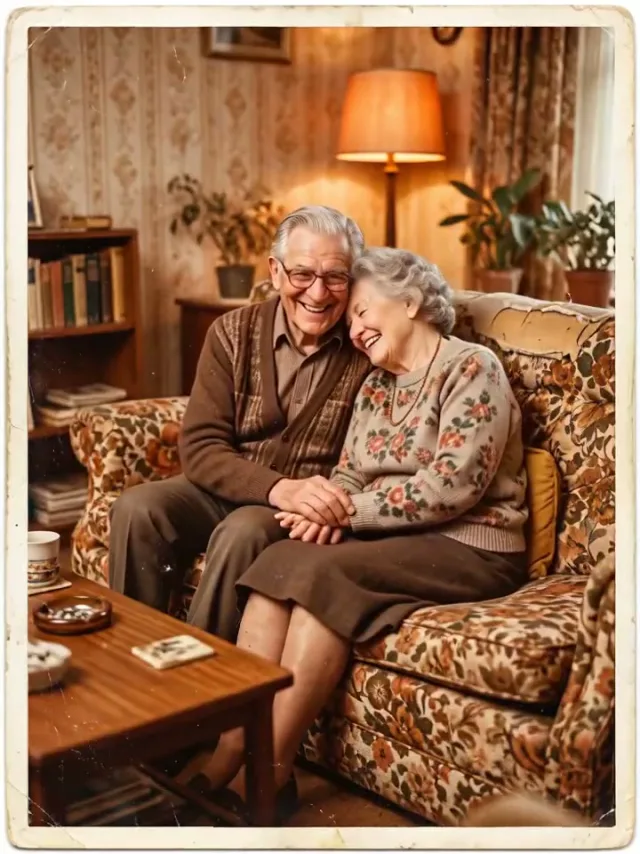
On the right is one of our examples, first frame and last. In the photo they sit side by side and smile at the camera. Five seconds later she has turned to him, they have laughed, and her head rests on his shoulder. Nothing else in the room moves.
See how old photos come back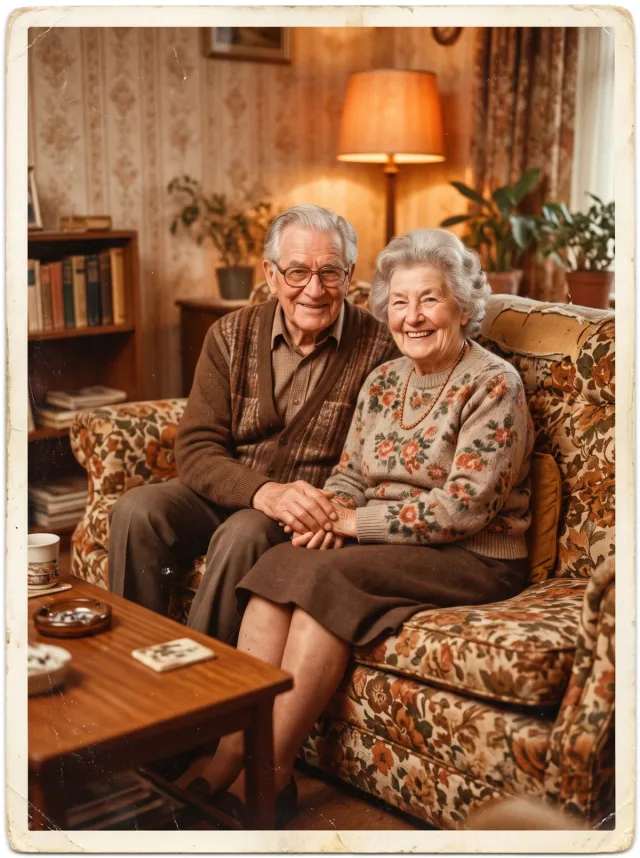
How we make the examples you see
An example should show what you’ll get, not what we hope you’ll get. So these are the rules for every clip on these pages.
The photos are made, not borrowed
The people in our examples aren’t customers and aren’t from stock sites. We made each photo with an image model, so nobody’s face is used without asking.
The motion is made here
Every clip was animated from its photo on this site, with the same models and prompts you can use. Each one came from one photo and one line of motion, the way you’d make yours.
What came out is what you see
We don’t edit the clips afterwards or cut out the odd frames. We only make the files smaller so these pages load fast.
What we promise
The same six things hold on every page, for every model and every plan.
A failed clip costs nothing
If a video fails or our safety check stops it, the credits go back to your balance on their own. You don’t have to ask.
How refunds workThe price is on the button
Every model and length shows its credits before you press it. Nothing is taken after the clip is made.
See what each clip costsYour files don’t stay forever
Clips made with free credits stay in My Creations for 30 days, then they are deleted. On a plan or a pack they stay while you use AnimatePhotos, and for 90 days after.
What we keepA first payment you can take back
Changed your mind? Your first payment is refunded within 14 days, as long as none of its credits were used.
Refund policyOne free clip to try
Confirm your email and you get 43 free credits, enough for one 5-second MiniMax H3 clip at 768p. It downloads without a watermark, like every clip.
Make your free clipFree tools stay on your device
The eight GIF and Live Photo tools run in your browser. The file you drop in is never sent to us.
Try GIF Background RemoverThe models we use
We don’t train our own video model. We test the good ones on the same photos, keep the nine you can pick in the Studio, and show which one made each clip in My Creations.

MiniMax H3
MiniMaxEveryday photos, faces and family moments
From 28 credits
Grok Imagine Video
xAIQuick, lively action at a low price
From 33 credits
Seedance 2 Mini
ByteDanceSmooth, steady camera moves
From 48 credits
Wan 3.0
AlibabaBusy scenes with sound
From 88 credits
Hailuo 2.3
MiniMaxFeelings and small expressions
From 120 credits
Veo 3.1 Fast
GoogleWeather, water and real sound
From 160 creditsSeedance 2
ByteDanceCinematic orbits and product shots
From 173 credits
Kling 3.0
Kling AIFast action, sport and dance
From 175 creditsSeedance 2 Fast
ByteDanceSmooth camera moves.
From 225 creditsSomething off with a clip or a charge?
Write to us from the contact page and add the clip’s link from My Creations, so we can look at that exact run. A clip that failed has already given its credits back.