AI photo effects for your photos
Pick an effect, add one photo, and in about 30 seconds you get a new picture of the same person: as a boxed action figure, a hand-painted cartoon, forty years older or with a new haircut. Each effect is 8 credits, and you can make the result move afterwards.
Your first 5 effects are free once you confirm your email
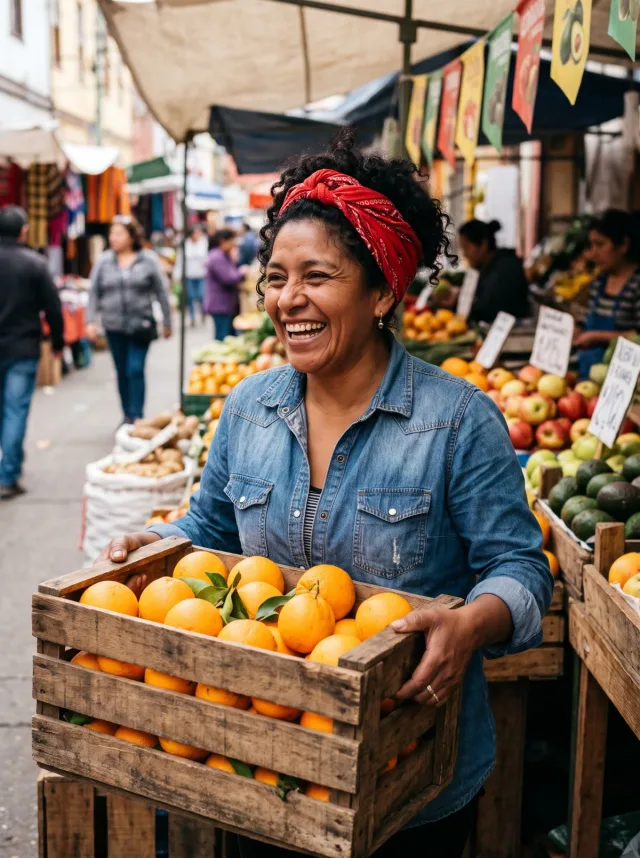 Your photo
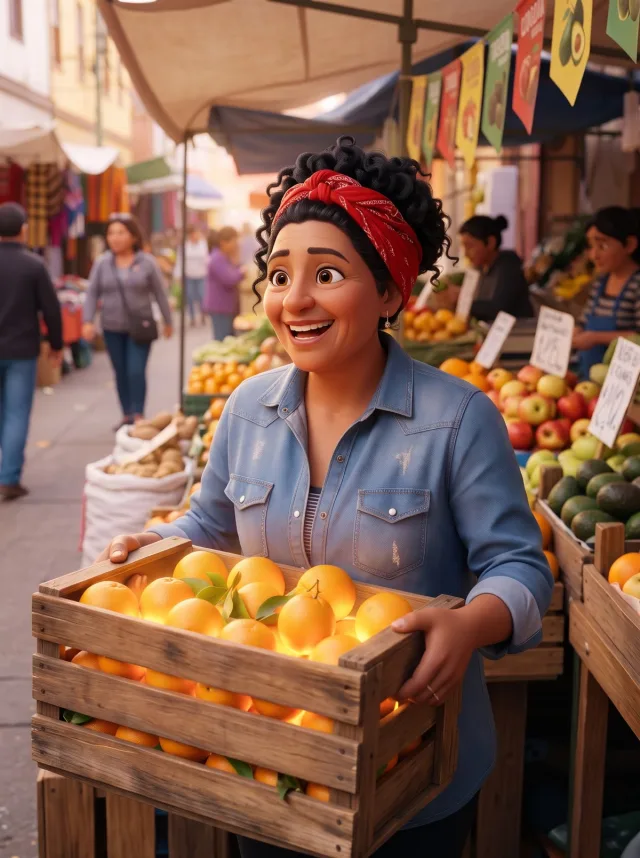 3D Cartoon
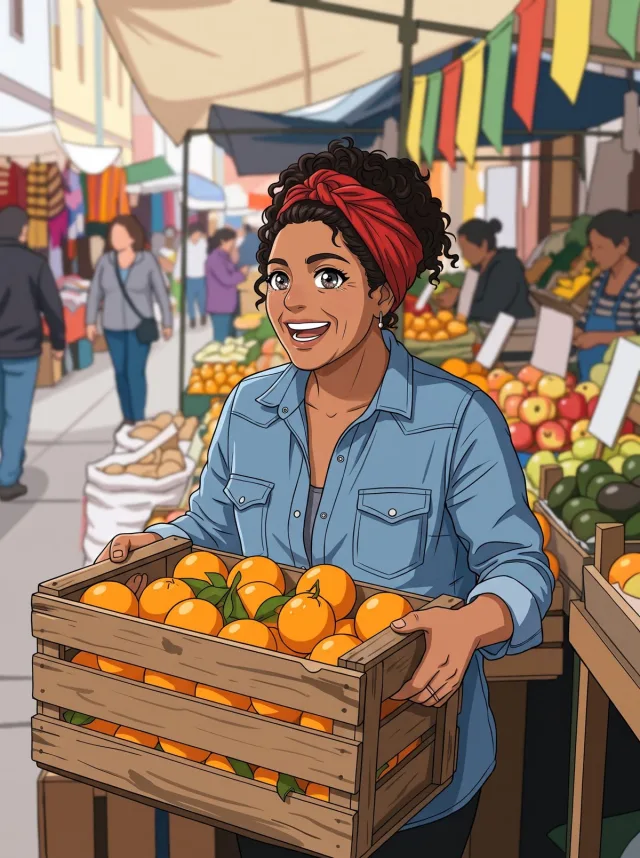 Anime
Every photo effect, before and after
Eight effects, each shown on a real photo we ran it on. The small picture is the photo that went in; hover a card to see it full size.
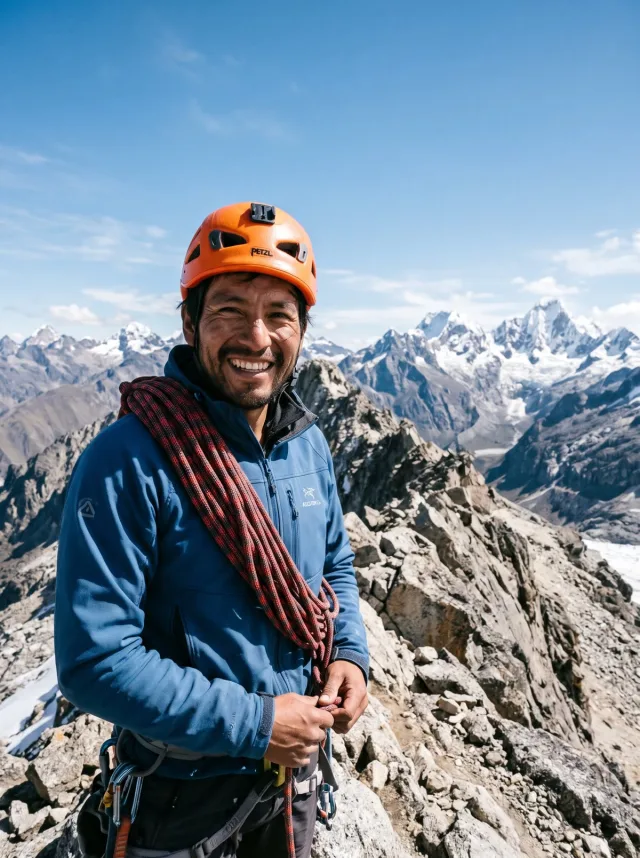 BeforePopular
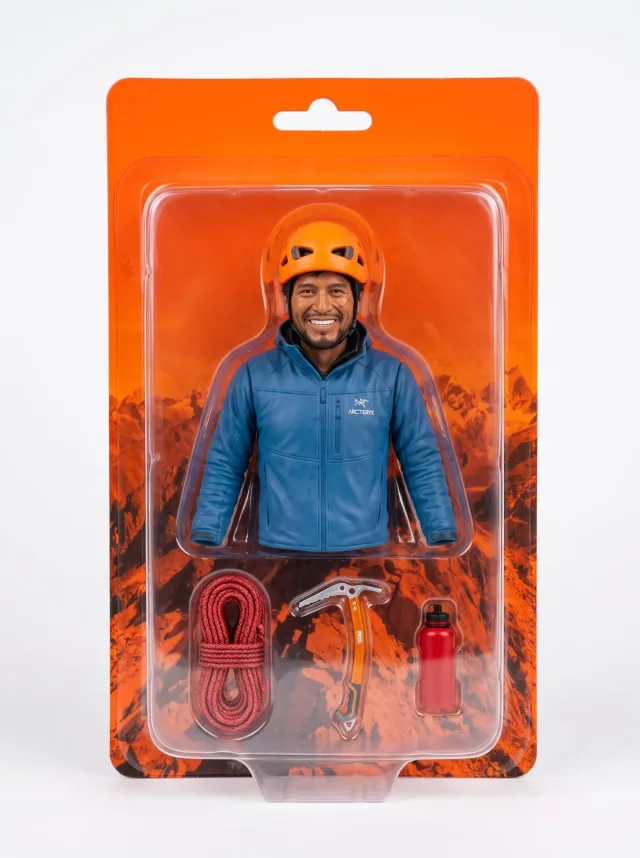
AI Action Figure
You, boxed as a toy, with the things from your photo as accessories.
1 photo · 8 credits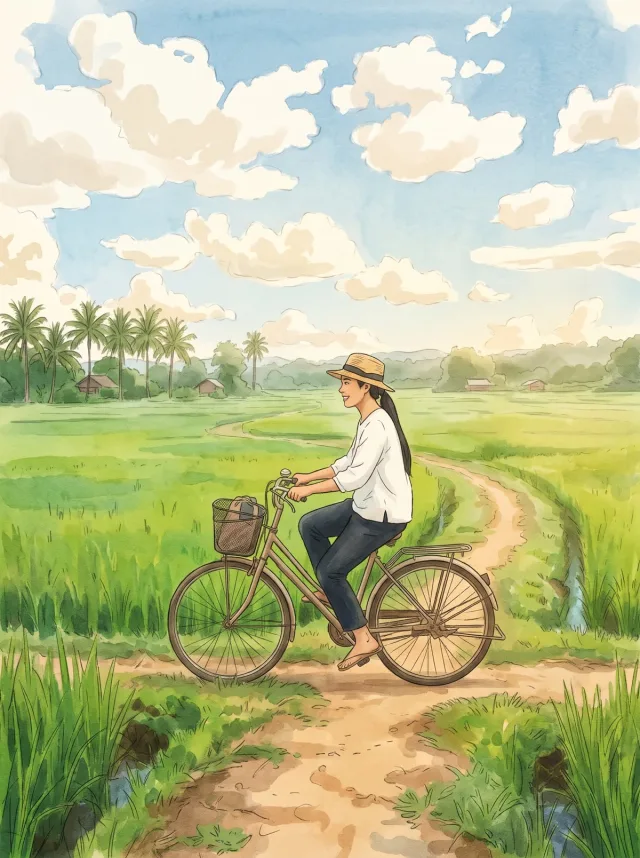
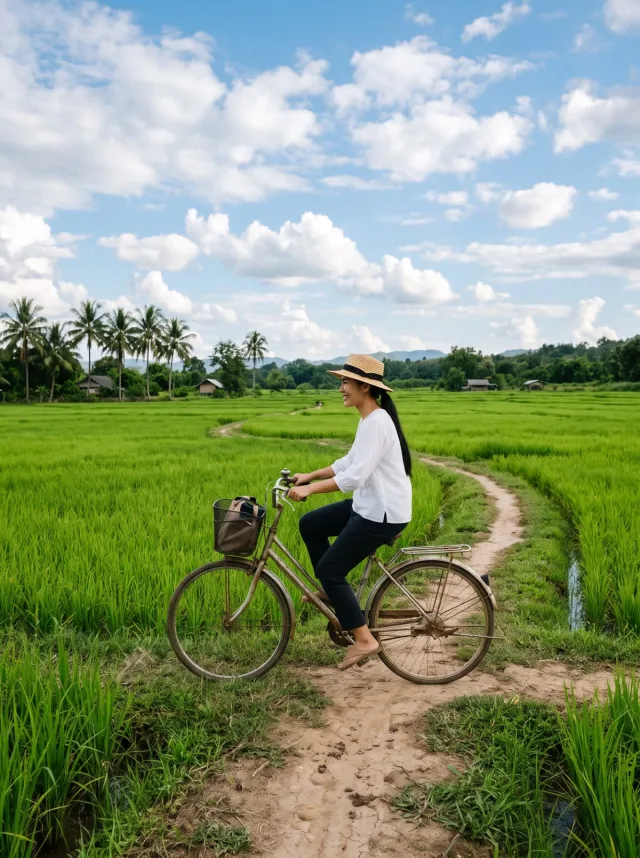 BeforePopular
Ghibli Filter
Your photo hand-painted like a soft watercolour animation still.
1 photo · 8 credits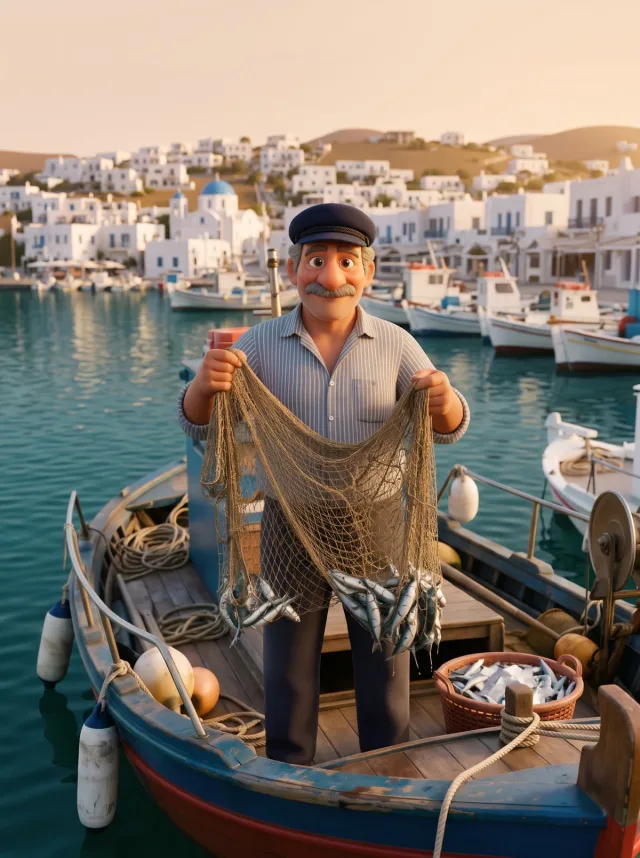
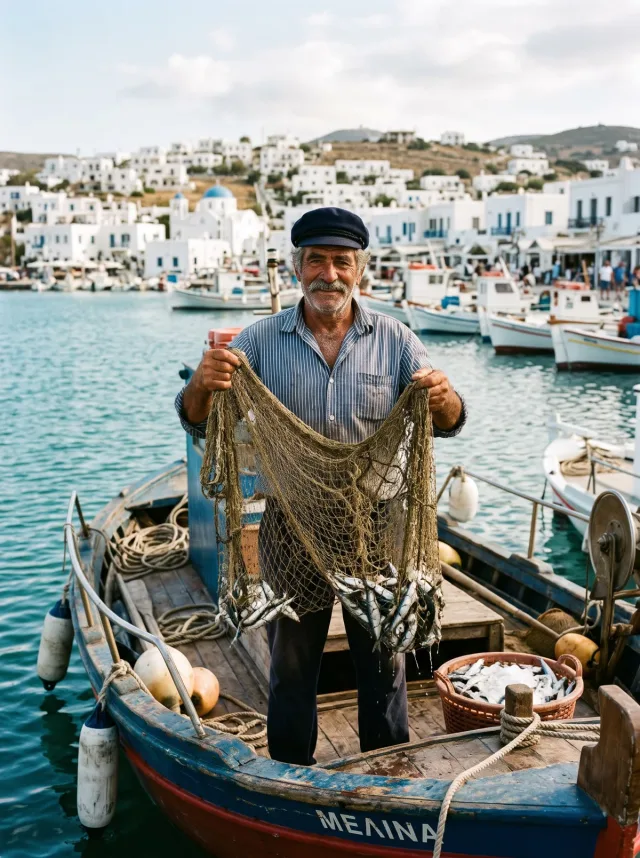 Before
3D Cartoon
A big-eyed, big-nosed animated character, still clearly you.
1 photo · 8 credits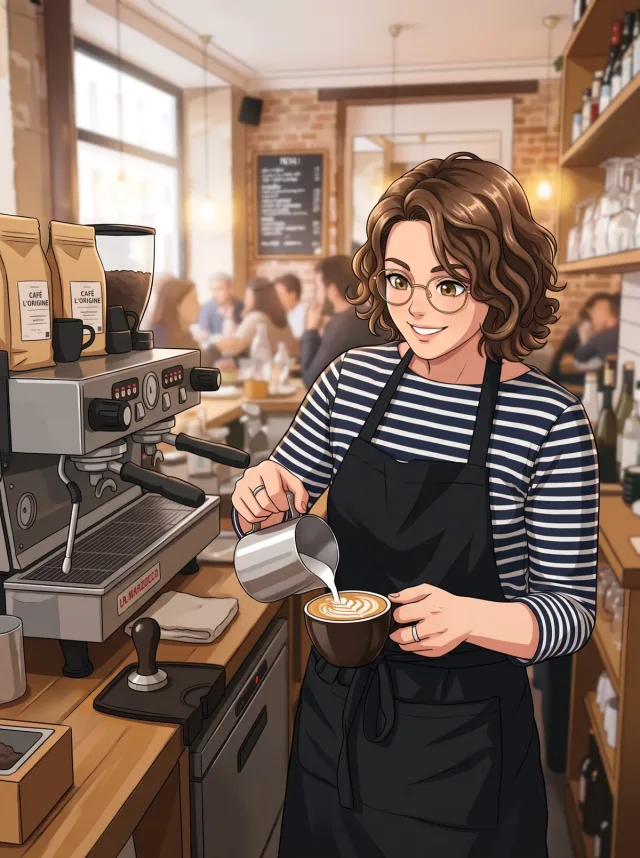
 Before
Anime
Clean drawn lines and bright colour, same scene and pose.
1 photo · 8 credits
 Before
Aging
See yourself about forty years on: white brows, lines, glasses.
1 photo · 8 credits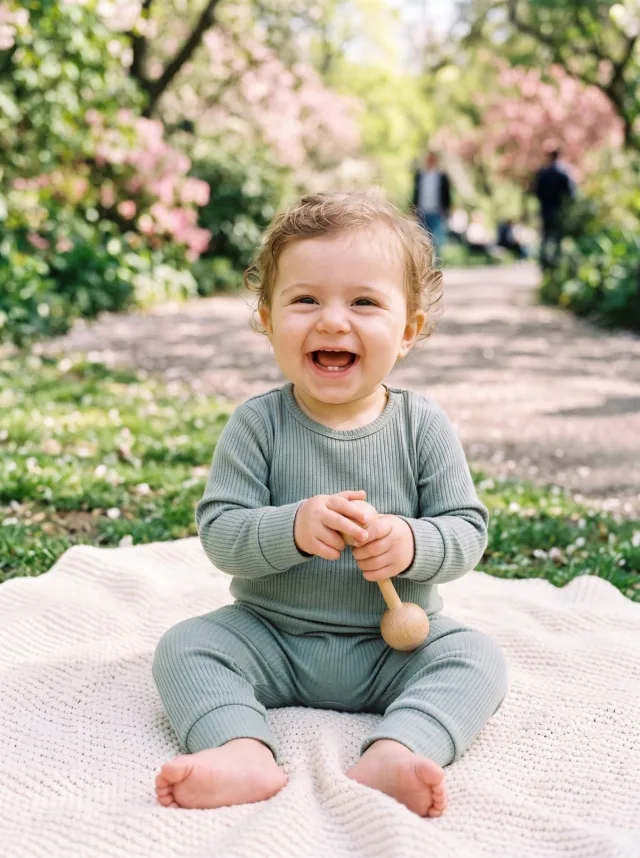
 BeforeNew
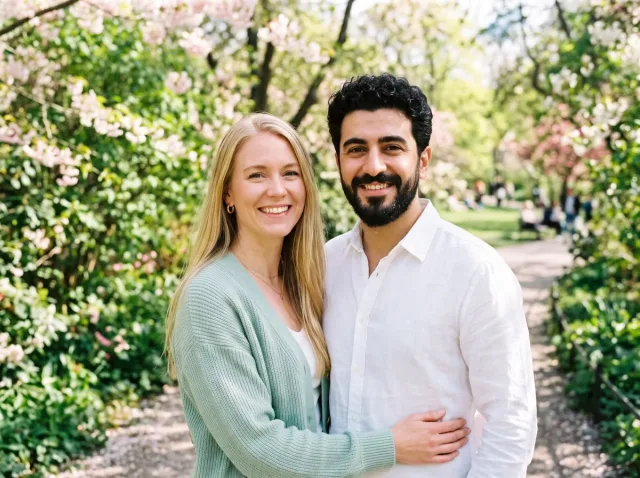
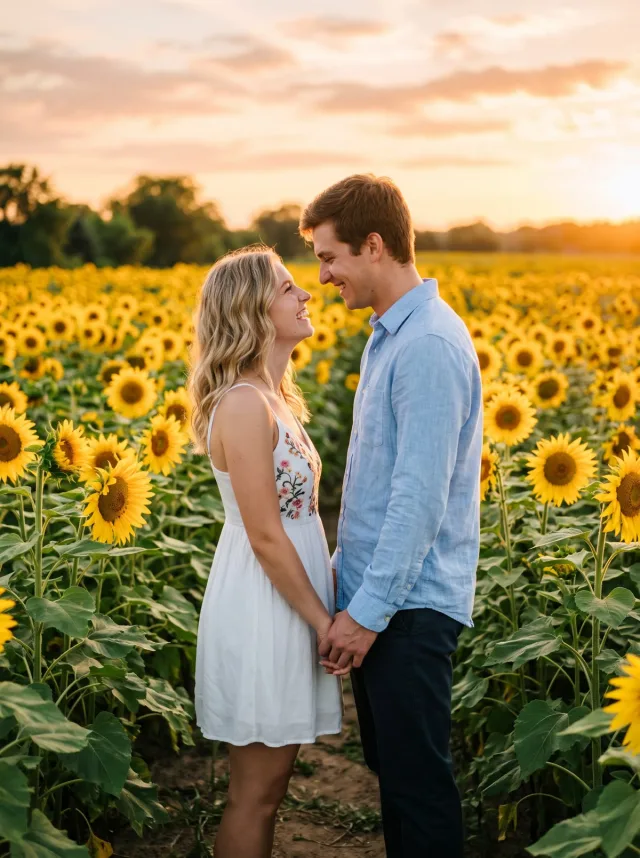
Baby
A photo of two people becomes the baby they might have.
1 photo of two people · 8 credits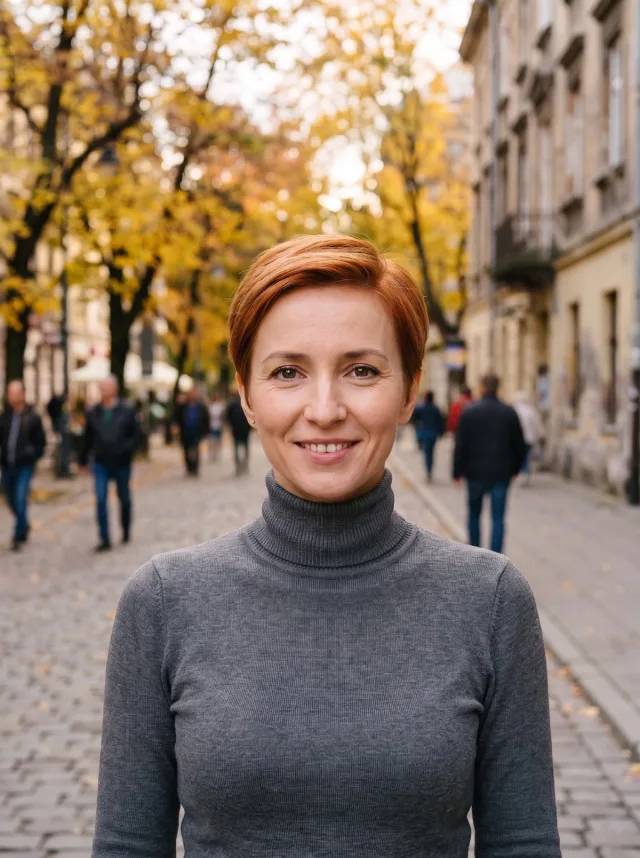
 Before
Hairstyle
Try a new cut and colour. Only the hair changes.
1 photo · 8 credits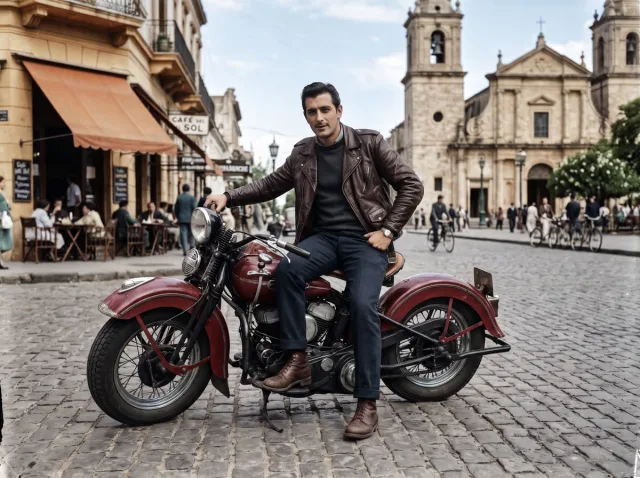
 Before
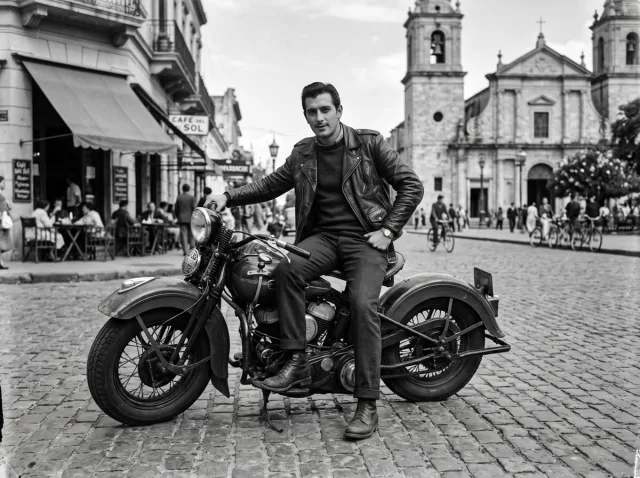
Colorize
An old black-and-white photo, in natural colour.
1 photo · 8 creditsWhat changes, and what stays yours
Read across from the 8 pairs above. An effect redraws the style; the person, their clothes and the place come through, with the odd surprise we’d rather tell you about.
| Effect | What changes | What stays |
|---|---|---|
| AI Action Figure | He becomes a toy in a clear box. His climbing rope comes along as an accessory, with an ice axe and a red bottle added. | His face and smile, the orange helmet, the blue jacket. |
| Ghibli Filter | Everything is painted: the rice, the trees, puffy clouds in a brighter sky. | The dirt path, the bicycle and its basket, her straw hat and the way she sits. |
| 3D Cartoon | A rounder face, a bigger nose and eyes, smooth toy-like skin. | His cap, shirt and net, the boat and the white harbour behind. |
| Anime | Drawn outlines and flat colour. She also got a pair of glasses she wasn’t wearing. | The striped top and apron, the milk jug, the café behind her. |
| Aging | White eyebrows, deeper lines around the eyes and mouth, reading glasses. | Her headscarf, her top, the plants and the window. |
| Baby | A new face: a baby with light-brown curls, sitting on a cream blanket. | The spring park with blossom behind, from the couple’s photo. |
| Hairstyle | Long light-brown hair becomes a short copper-red pixie cut. | Her face, the grey turtleneck, the autumn street. |
| Colorize | Colour is added: a red motorcycle, a brown leather jacket, blue sky. | Every shape: his face and pose, the bike, the cobbles and the church. |
Which of your photos to use for each look
An effect can only work with what the photo shows. These are the photos we used, and why each one suited its effect.
You, waist up, holding something
What’s in your hands or on you becomes the toy’s accessories: his rope ended up in the box.
AI Action Figure3D CartoonA whole scene, outdoors
Fields, streets and sky are what a painted or drawn look shows off. The person can be small in the frame.
Ghibli FilterAnimeTwo people, both faces clear
One photo of the two of you, side by side and facing the camera. Sunglasses hide what the baby takes after.
BabyAn old black-and-white photo
Scan it or photograph it flat, without glare. If it is torn or creased, restore it first, then add colour.
ColorizePhoto RestorationThen make it move
Any effect result can become a 5-second clip with sound. The first frame is your new picture; one sentence says what happens next. Both clips below took under 40 seconds in our tests.
Ghibli Filter, then moving
She pedals along the path, her hat brim flutters, the rice bends in the breeze and the painted clouds drift slowly. Birdsong and a soft bicycle bell.
8 credits for the picture + 43 for the clip
3D Cartoon, then moving
He lifts the net higher and laughs, the boat rocks gently, gulls fly past and the water sparkles. Harbour sounds and gulls.
8 credits for the picture + 43 for the clip
How to add an AI effect to a photo
- 1
Add a photo
JPG, PNG or WebP from your phone or computer. One person for most effects, two people for Baby.
- 2
Pick an effect
Its sentence is already in the box; change the haircut or the box colour if you like. The button shows 8 credits before you press it.
- 3
Save or make it move
Download the picture, or turn it into a 5-second clip. It stays in My Creations for 30 days.
Photo effects: your questions
About credits, timing and how close the result stays to you. Plans and refunds are on the pricing page.
What is an AI photo effect?
A ready-made change to the style of a photo. You pick one, such as Ghibli Filter or Aging, add your photo, and get back a new picture of the same person and place in that style. You don’t write anything; each effect was tried on real photos before it went up here.
How many credits does a photo effect cost?
8 credits for each picture, whichever effect you pick. Turning the picture into a 5-second clip on MiniMax H3 is another 43. If a run fails, the credits go back on their own.
Can I try photo effects for free?
Yes. Confirm your email and you get 43 free credits, enough for 5 effects.
How long does a photo effect take?
About 30 seconds for one picture in our tests (28 to 39 seconds). Making it move takes under a minute more.
Will the result still look like me?
In our tests the face, the clothes and the place came through in every effect; the style is what changes. Effects can add small things, like glasses in the Anime picture above, so look before you share. Run it again if it’s off.
Which photos work best?
A clear photo with the face in good light and not too small. Baby needs two people in one photo, and Colorize needs a black-and-white one. Dark, blurry or crowded photos give weaker results.
What would your photo look like?
Your first 5 effects are free once you confirm your email. After that each one is 8 credits, and a failed run costs nothing.