Colorize black and white photos
Turn a black and white or faded photo into colour in one tap. Skin, sky and trees come out natural, and every face stays the same person.
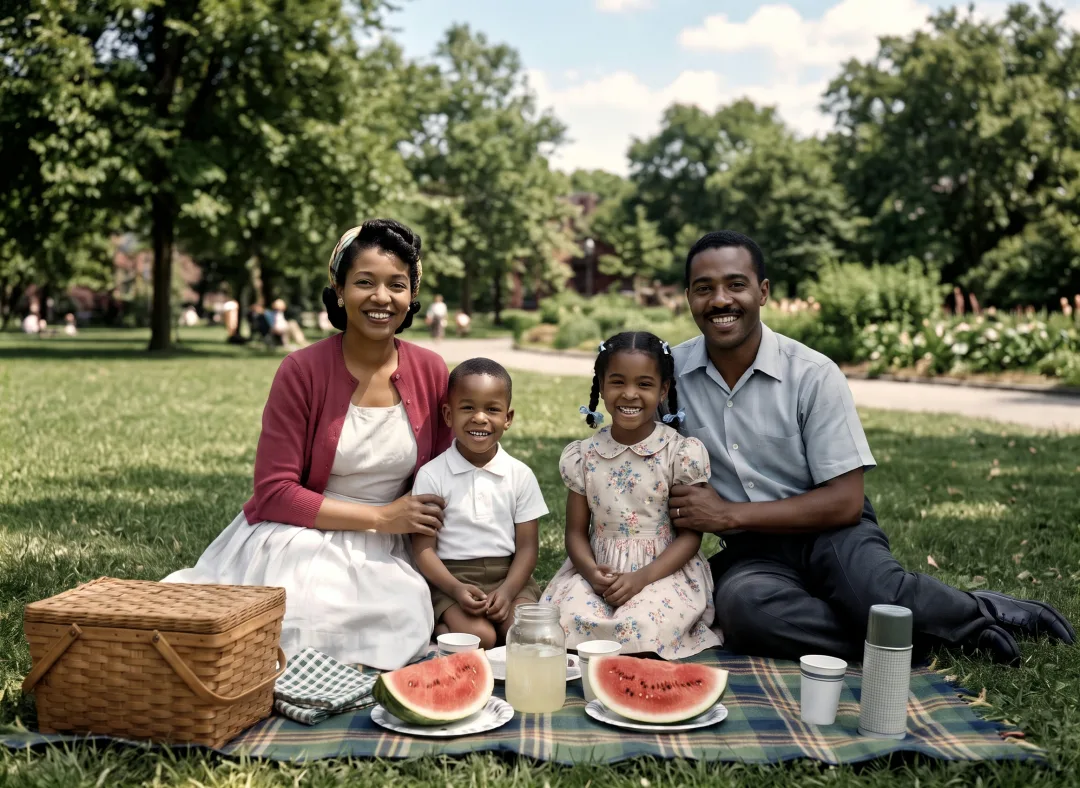
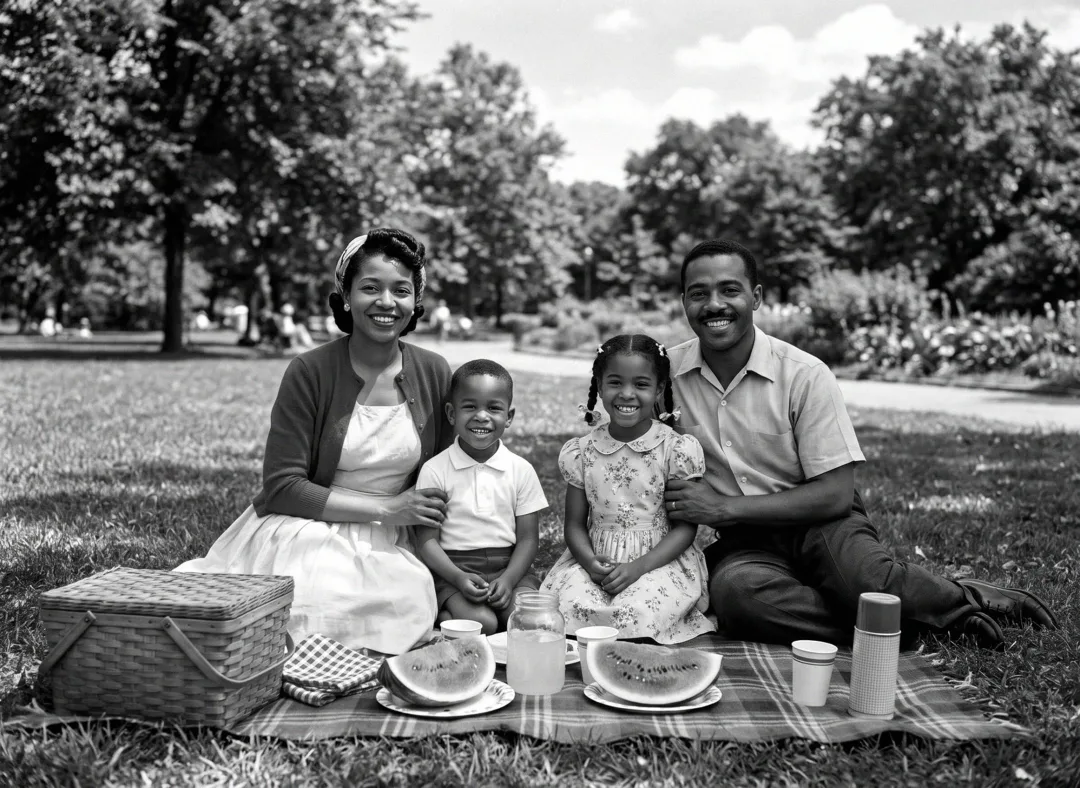 BeforeColorized
ColorizeA black and white 1950s photo of a family of four on a picnic blanket
How do you turn a black and white photo to color?
Upload the photo and press Colorize. The AI looks at what’s in it, a face, a sky, a lawn, a brick wall, and paints each part the colour it most likely was. Our runs took 28 to 37 seconds and cost 8 credits each, and the photo comes back in colour at 2K, about 2400 pixels on the long side.
Some colours are close to certain: skin, hair, sky, grass, trees and brick. Others were never in the photo at all. A dress, a car or a door can look the same grey in any colour, so the AI picks one. If you remember the real colour, write it in the box under the photo and it will use yours.
Colorize old photos: black and white, sepia or cracked
Old family photos come in three states. Each row is one of them, colorized once. Most started as colour photos we turned grey or brown ourselves, so we can show you where the colours came back right and where they didn’t.
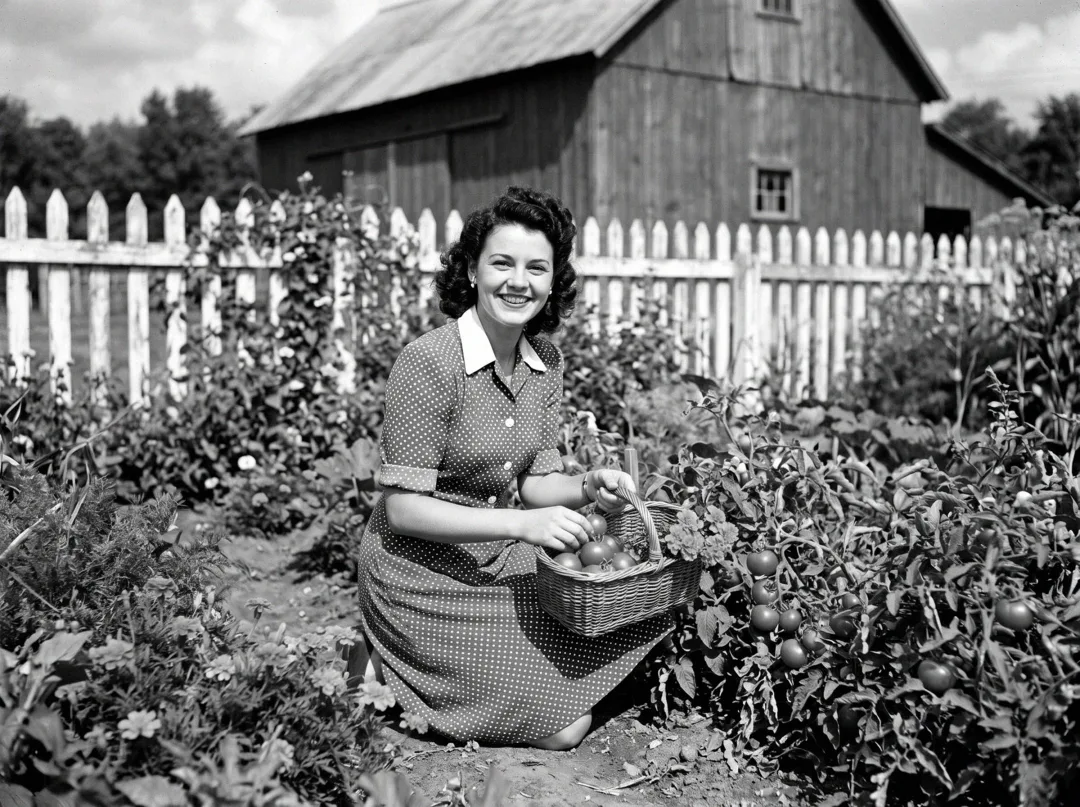
Black and white
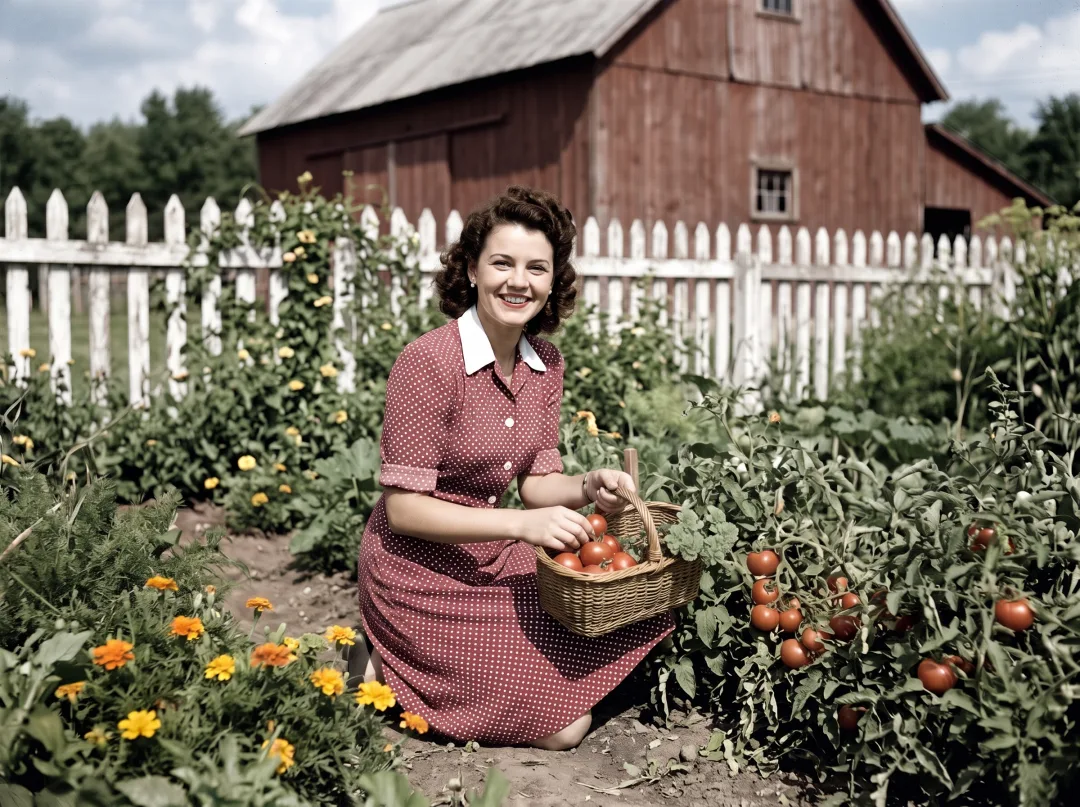
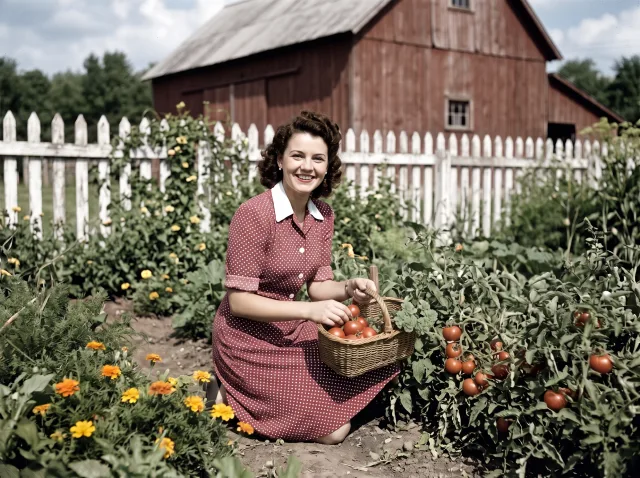
A clean 1940s garden photo: a woman kneeling among tomatoes and marigolds, a fence and a barn behind her.
The barn came back red, the marigolds orange and the tomatoes ripe, all as they were. Her dress came back red. In the real photo it was green: grey in black and white could have been either.
Ready in 28 s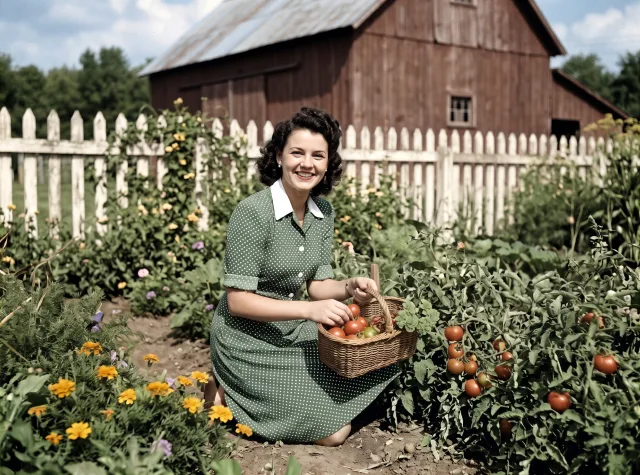
 GuessedYour colours
Sepia and faded
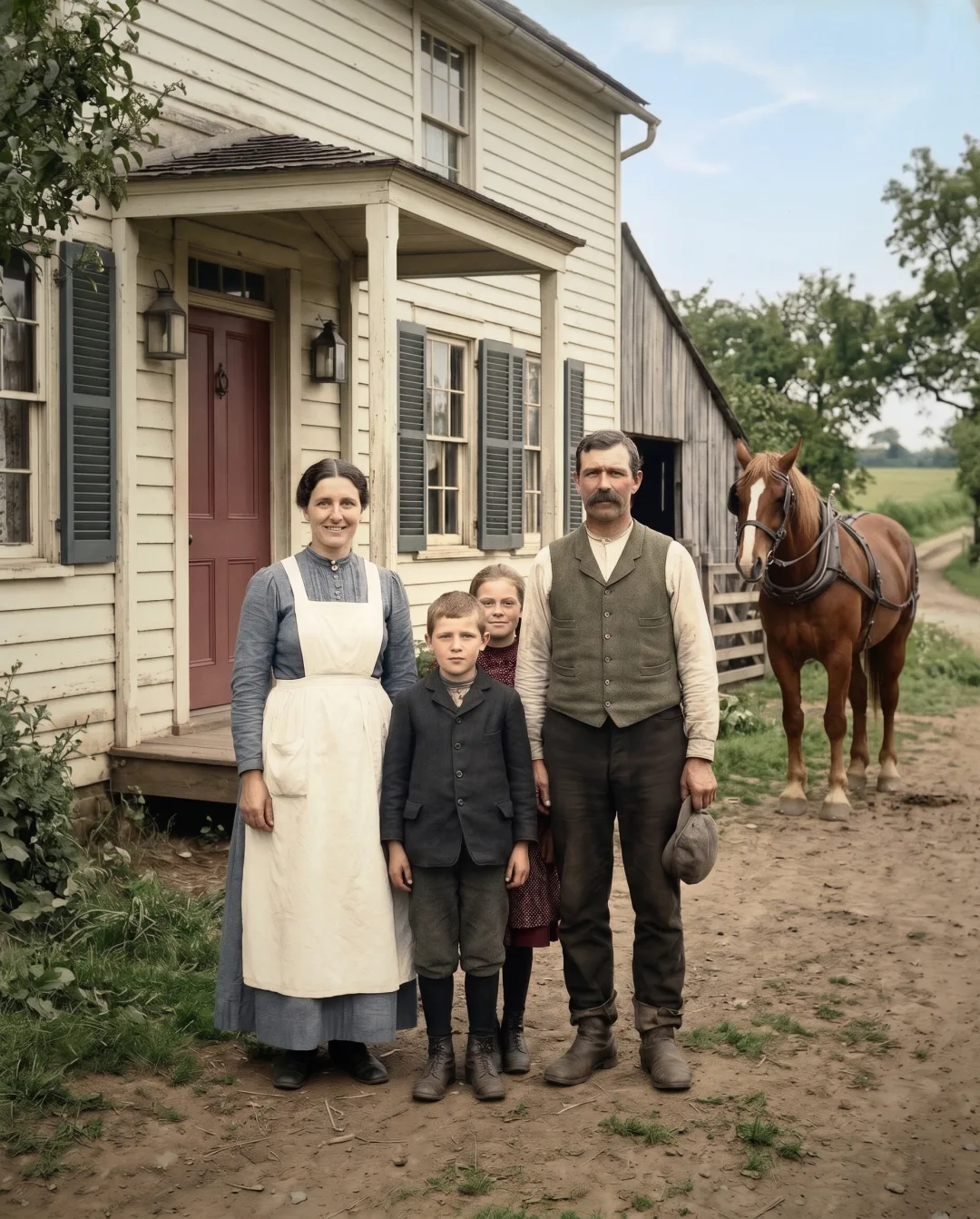
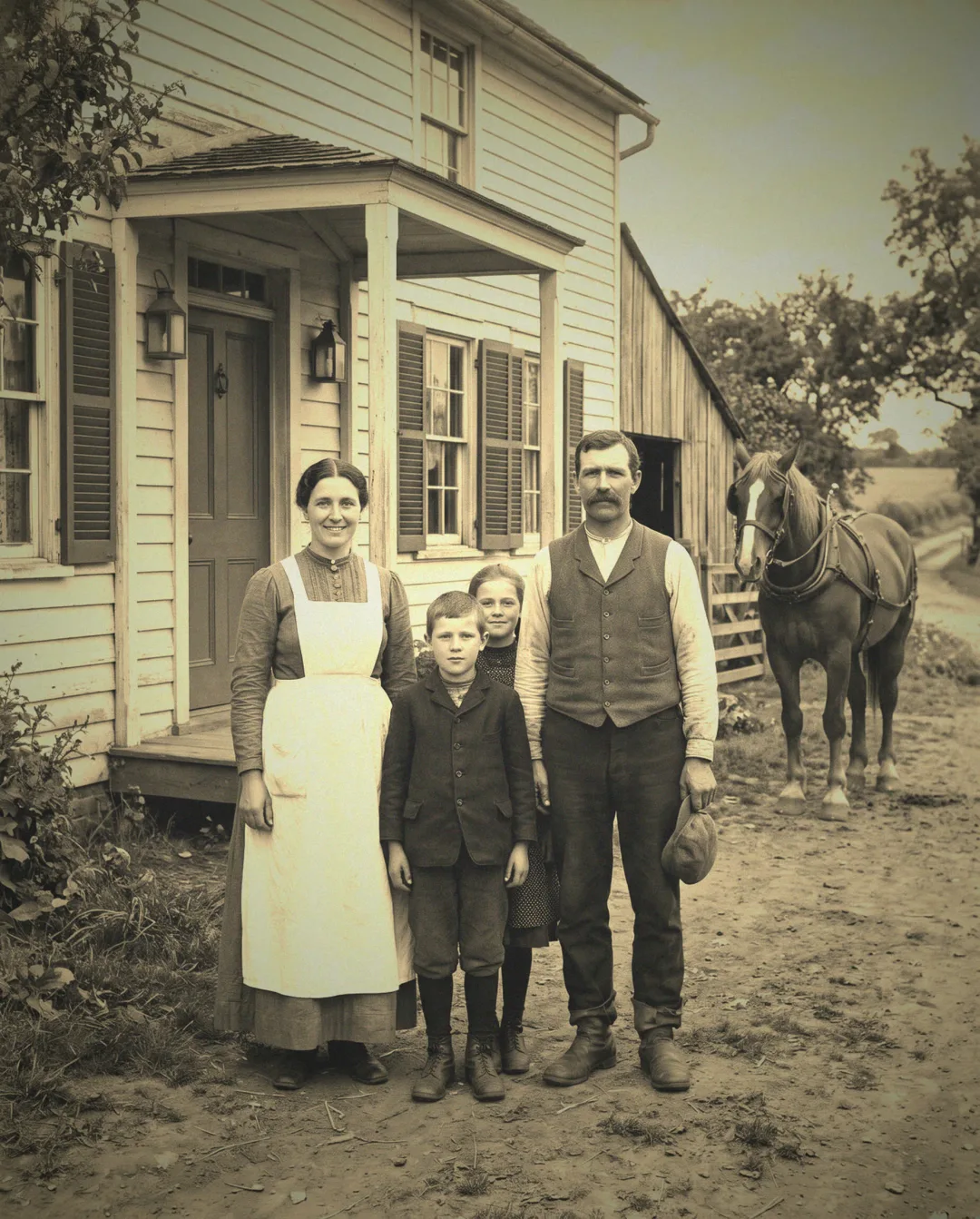
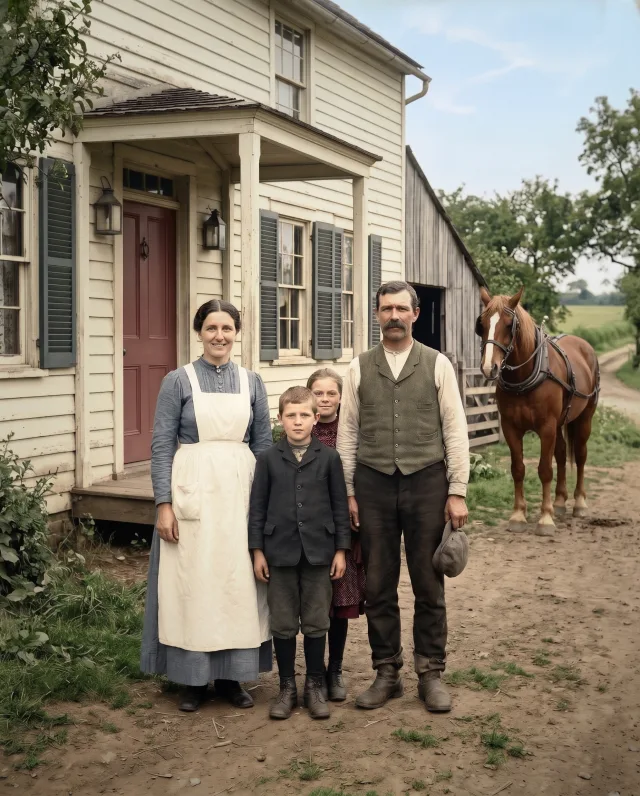
A yellowed, washed-out photo of a farm family, the way prints from the 1910s look now.
The yellow cast is gone: a white farmhouse, green shutters, a chestnut horse and real skin tones. The door came back a darker red than it was, and the mother’s blue dress came out grey-blue.
Ready in 28 s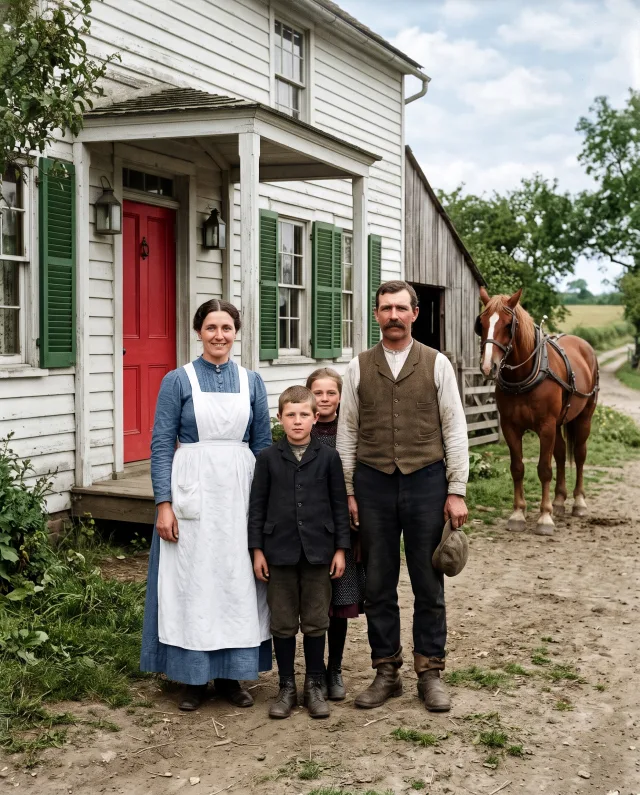
 OursReal
Cracked, torn or stained
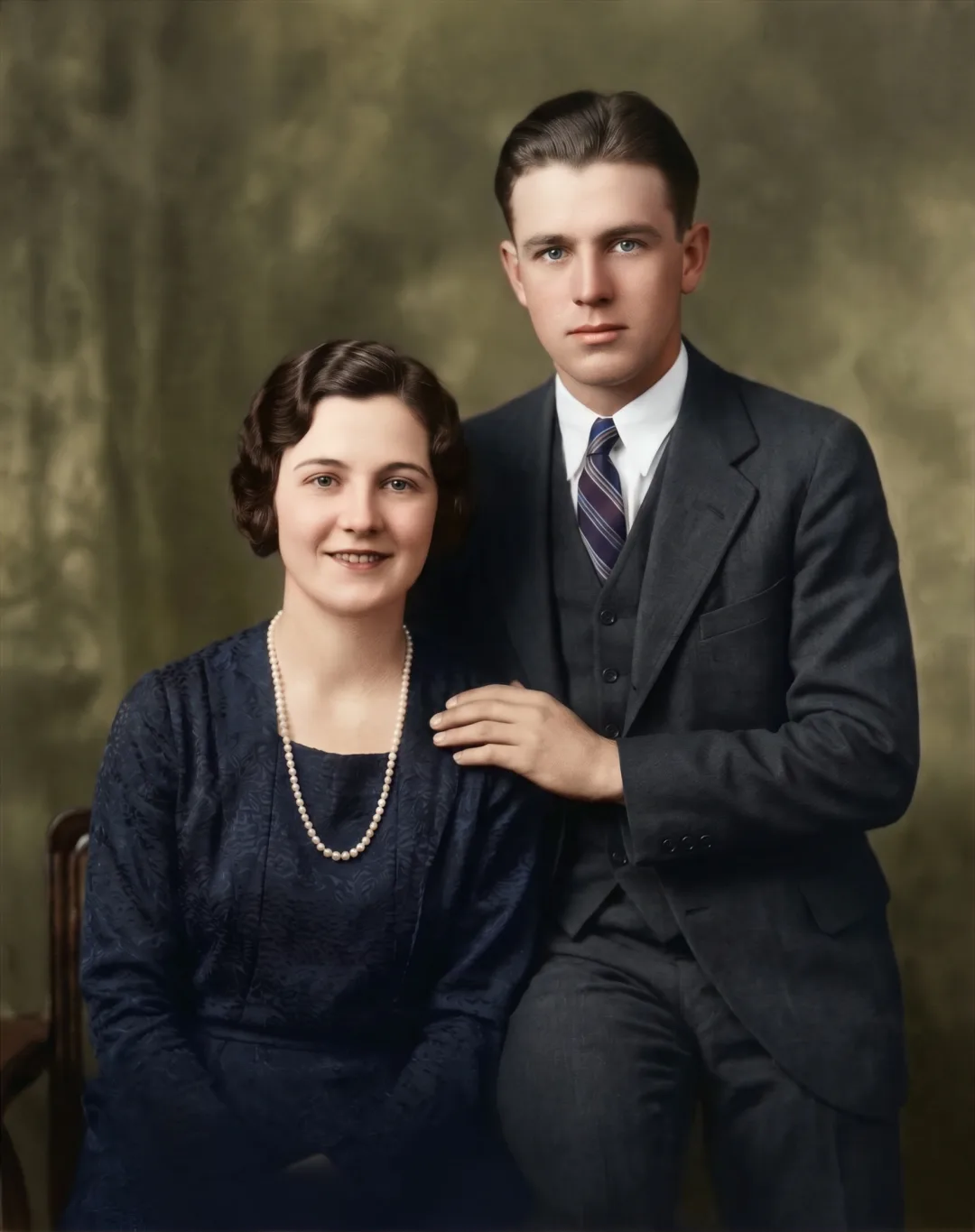
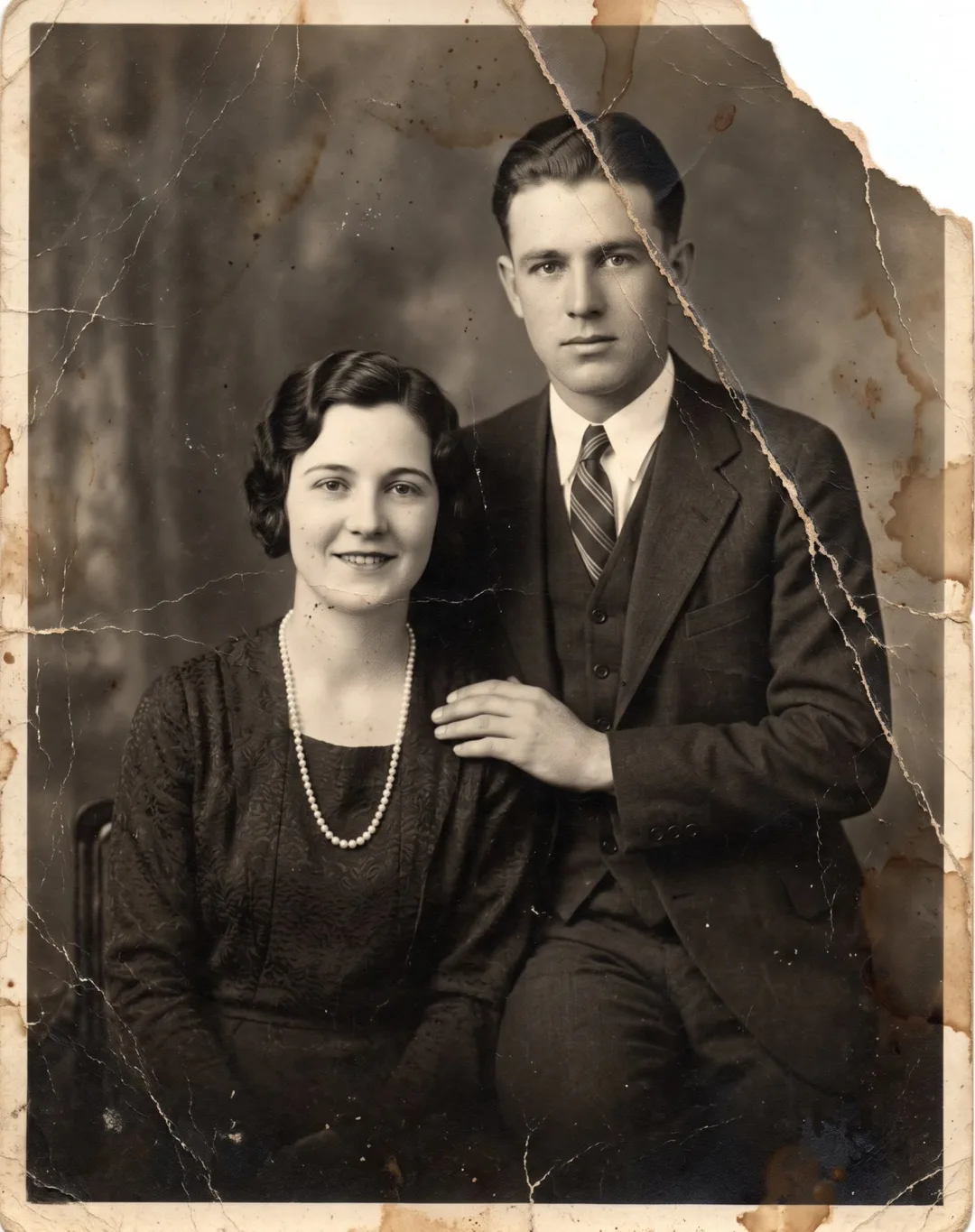
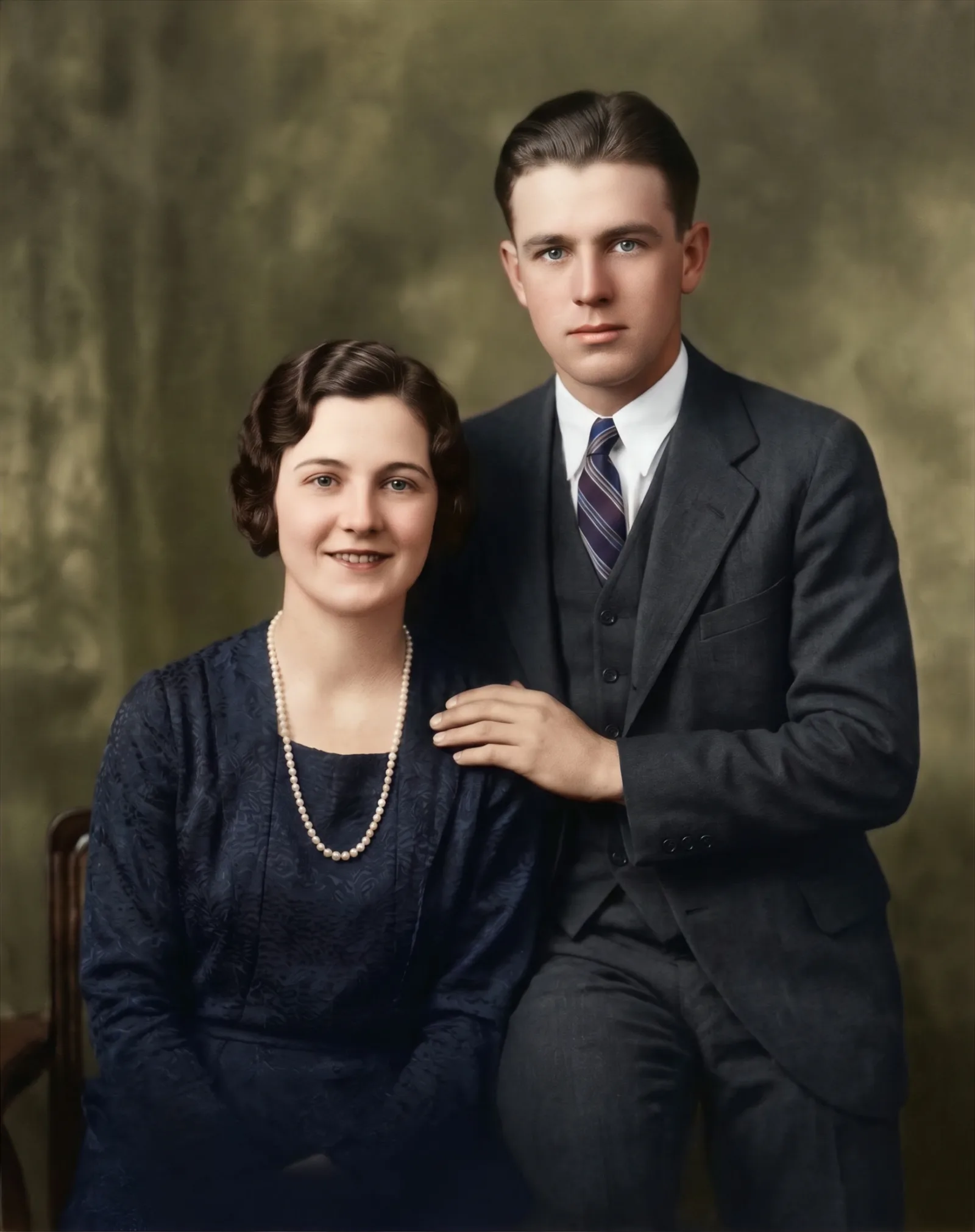
A 1930s studio portrait with a web of cracks, a crease, a torn corner and water stains.
With repair on, the cracks, the tear and the stains went in the same run as the colour: his striped blue tie, her pearls and dark blue dress. It still costs one run’s credits.
Ready in 29 s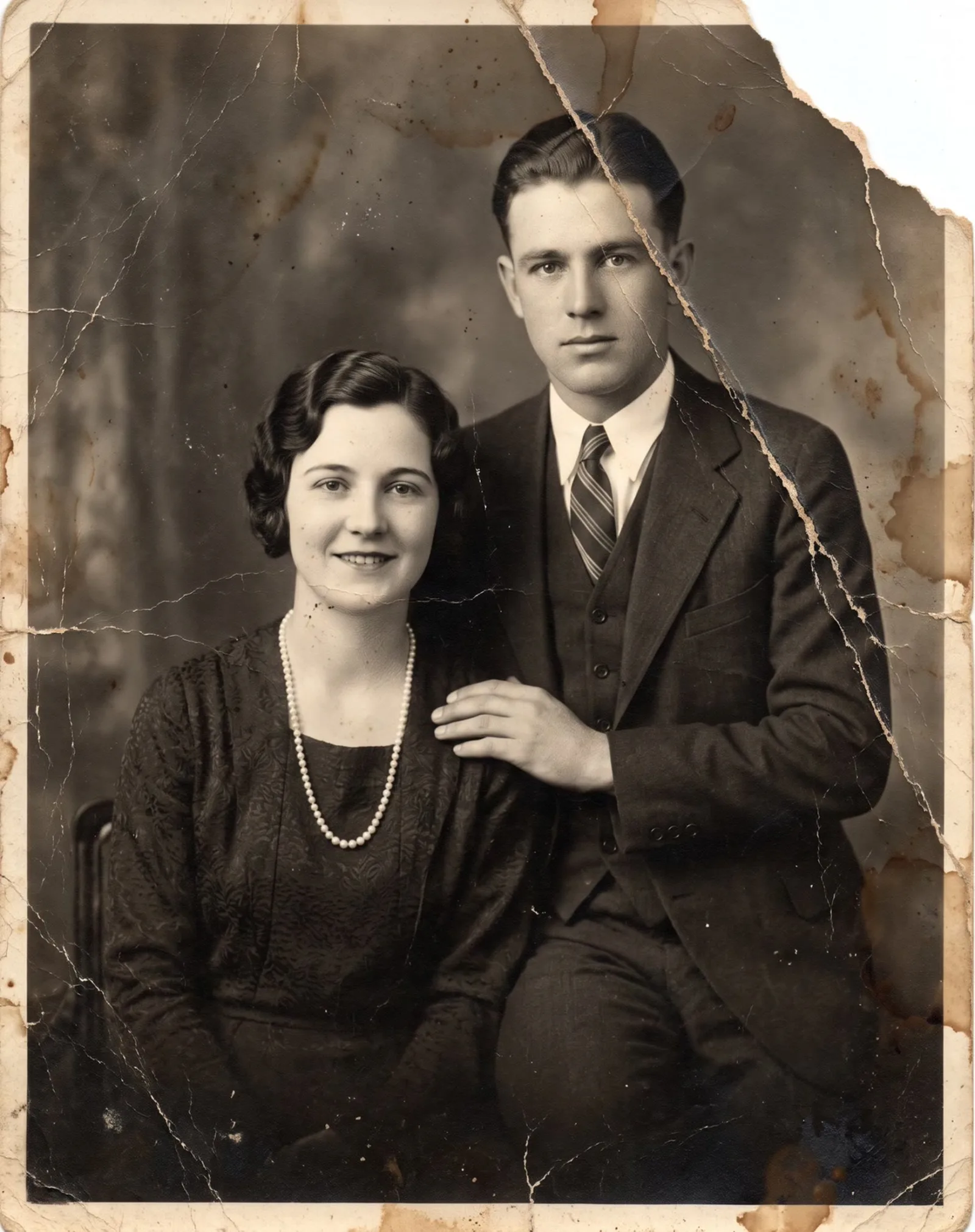 Before
 After
Every face stays the same person
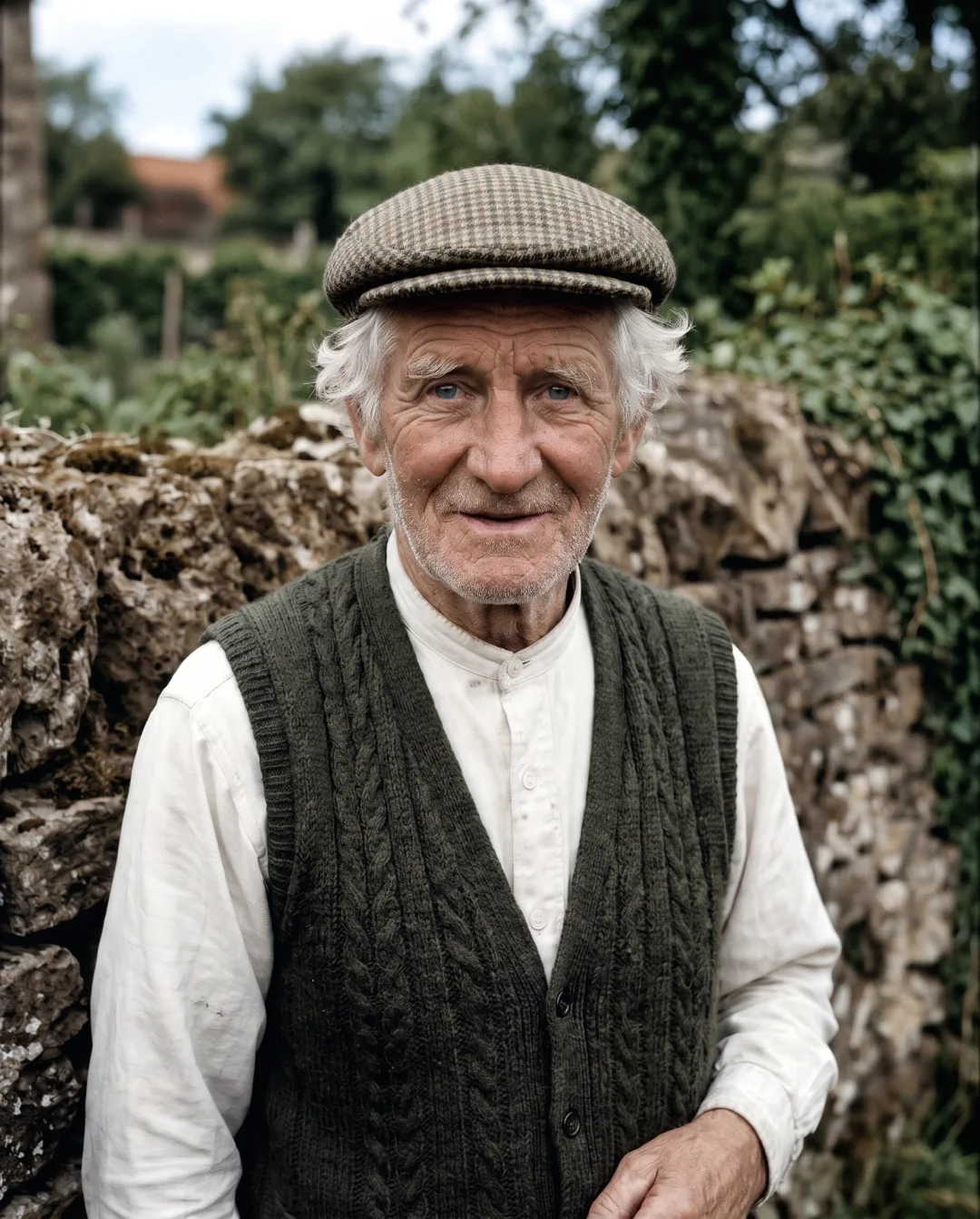
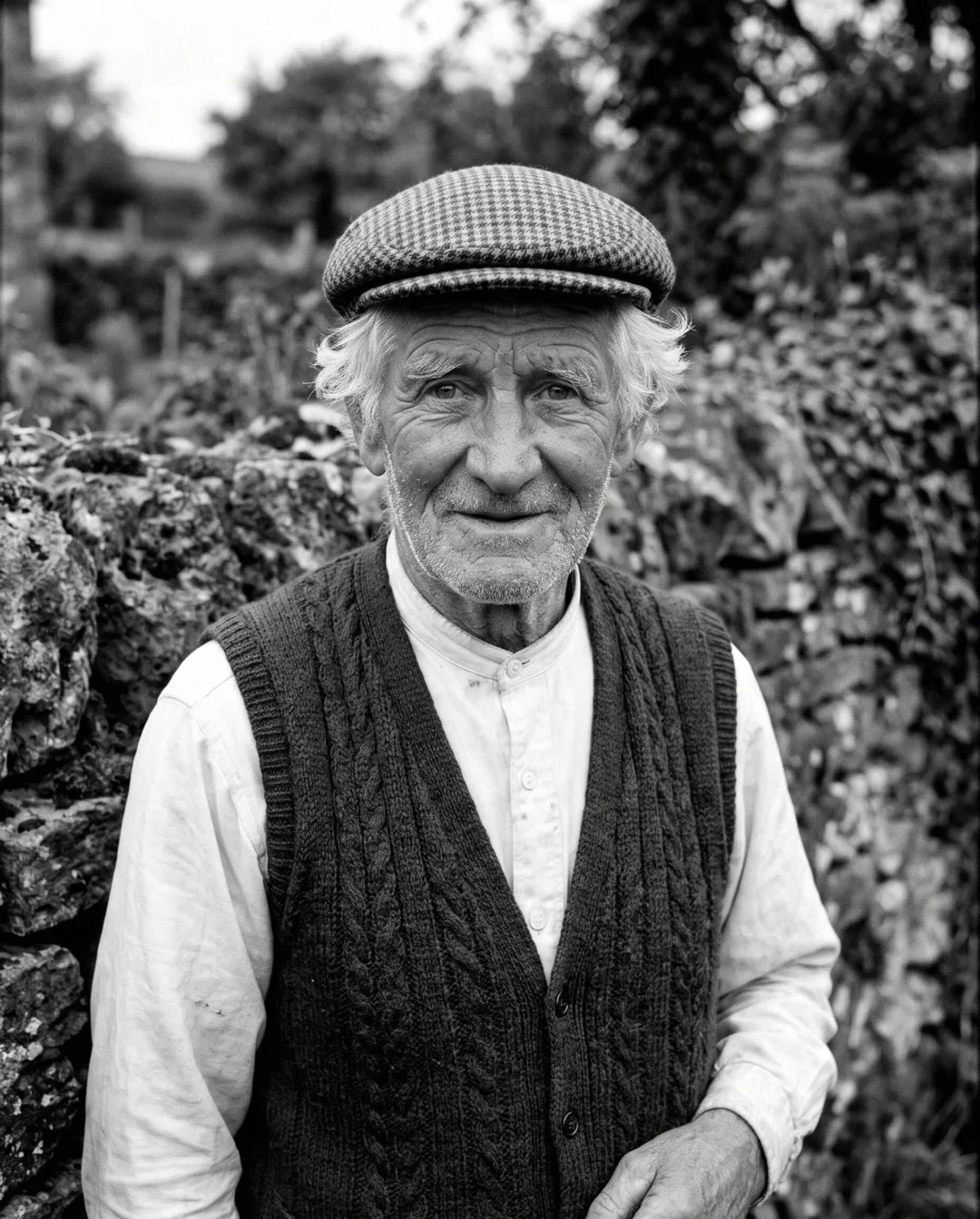
Colour that changes who someone is would ruin a family photo. We made these three portraits in colour first, so you can check each face against the real one. Skin, hair and eyes came back right; the clothes are where it guessed.
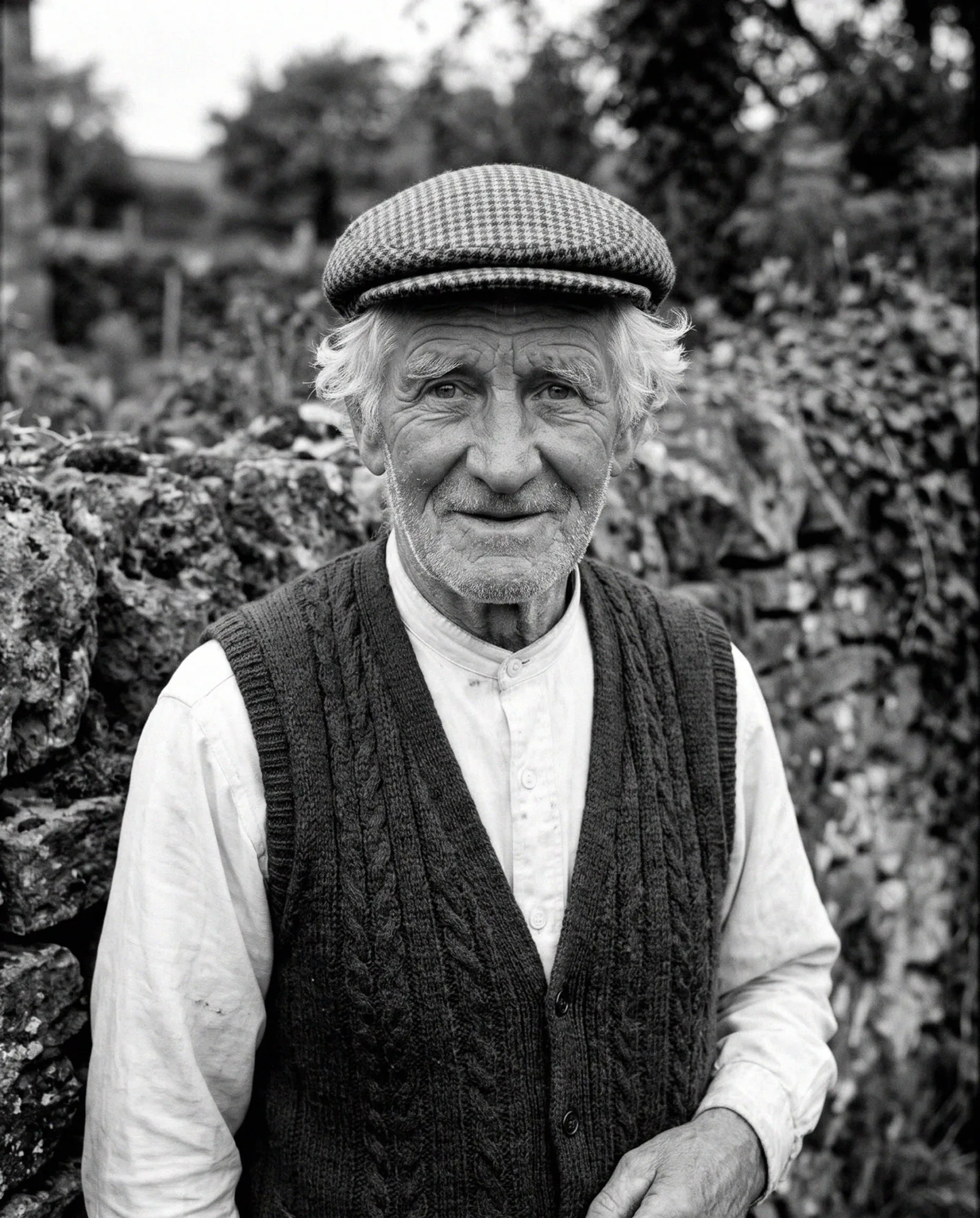 Uploaded
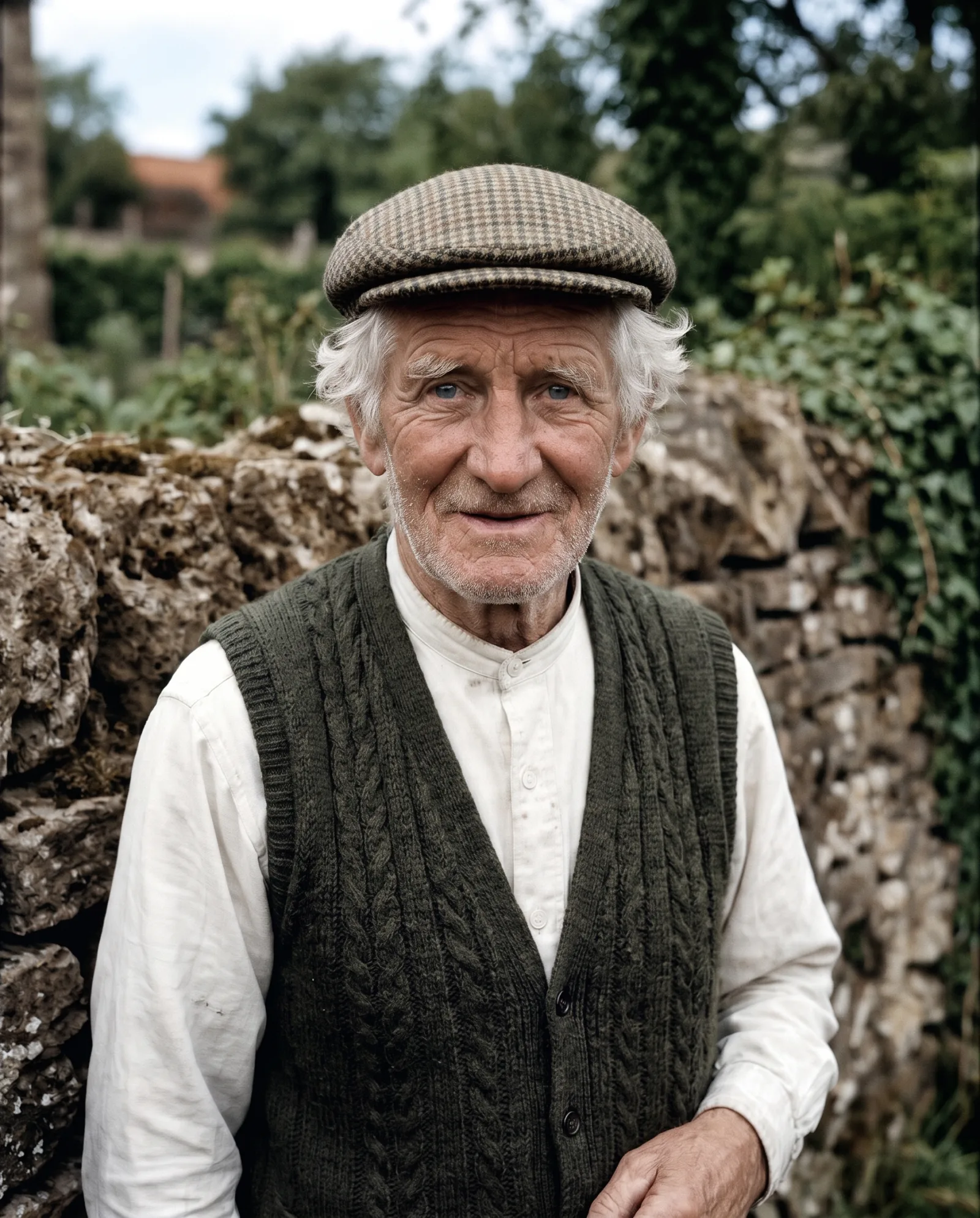 Colorized
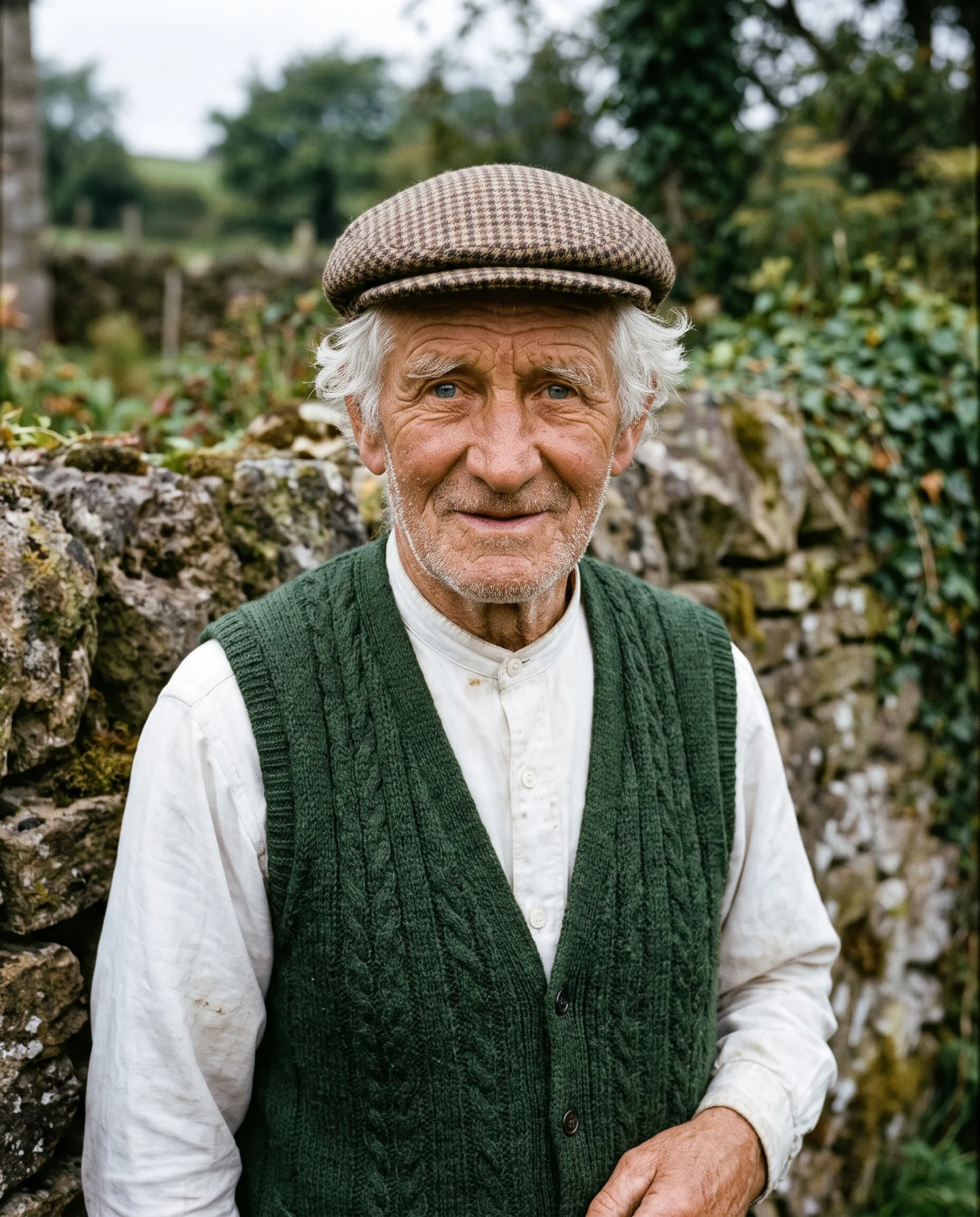 Real
A farmer in his seventies
His weathered skin, white hair and pale eyes are right, and so is the dark green waistcoat. The cap came back grey; it was brown.
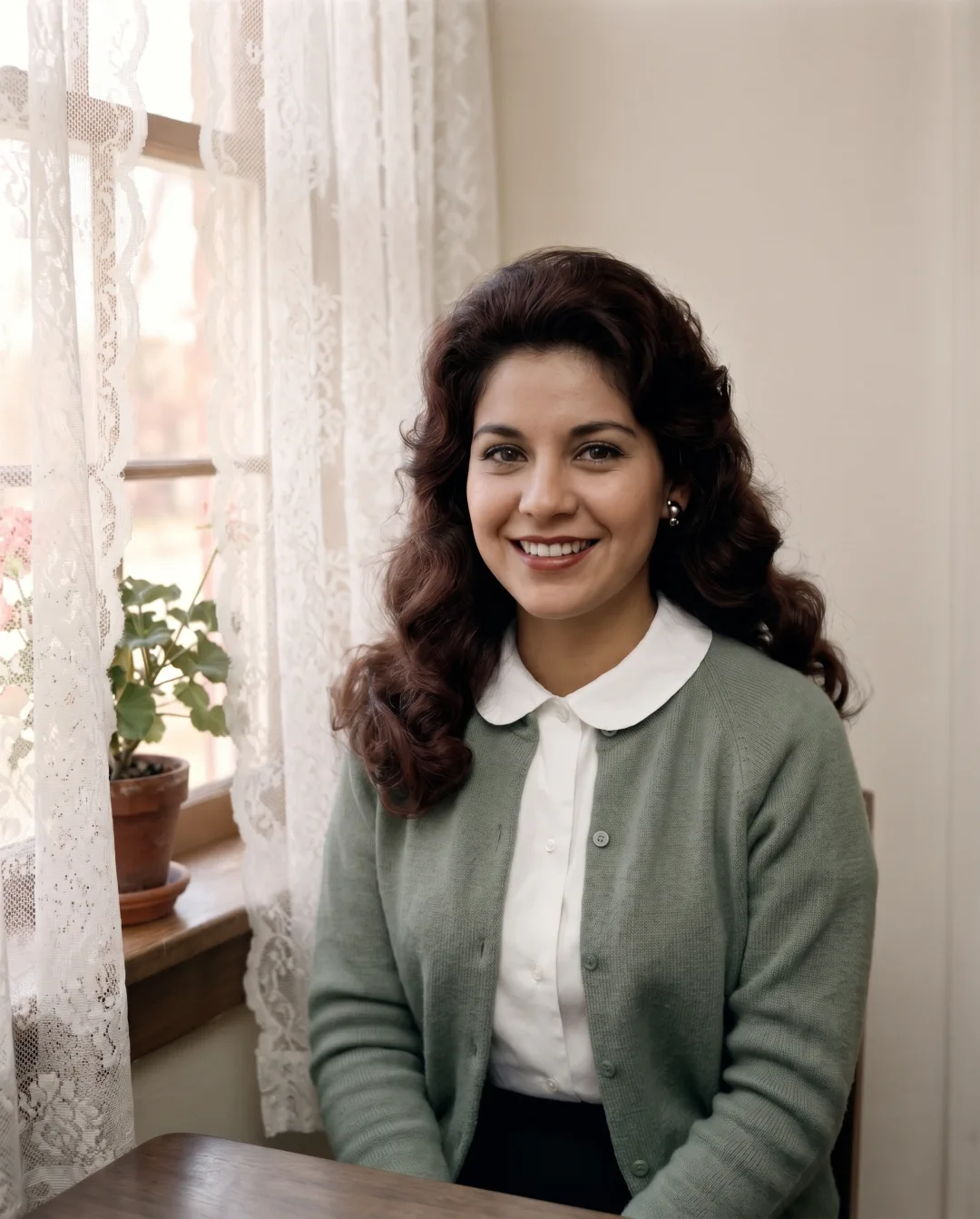
 Uploaded
 Colorized
 Real
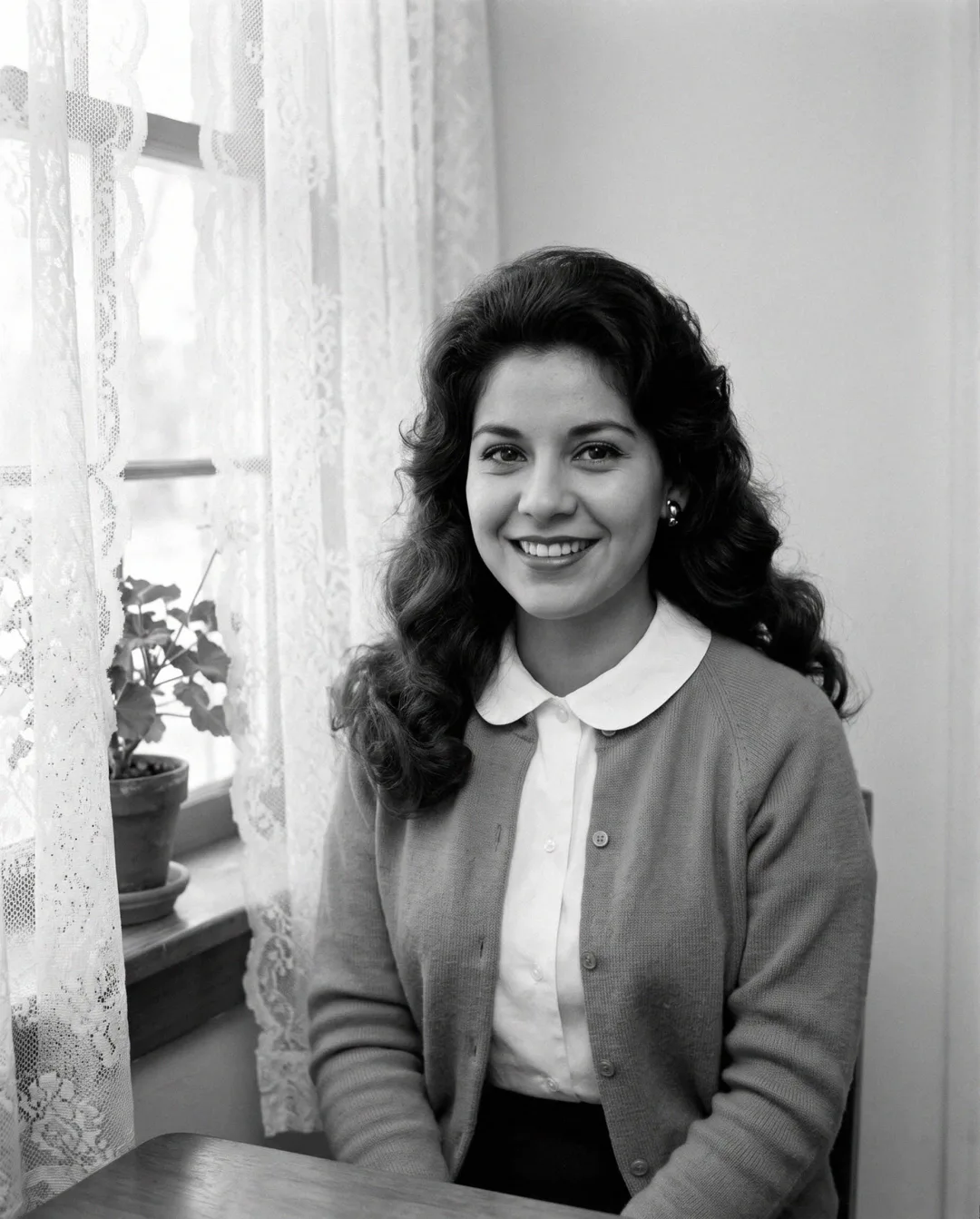
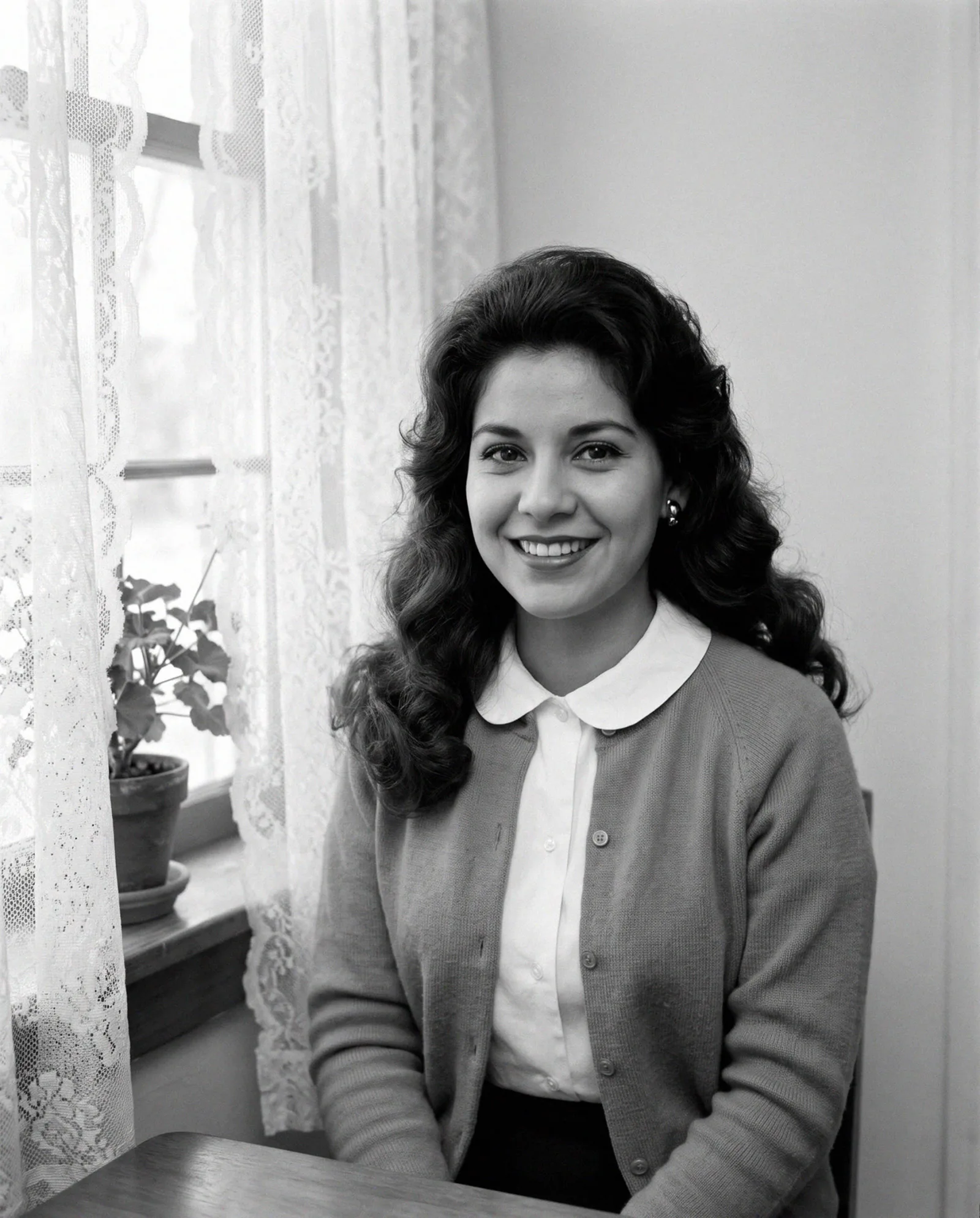
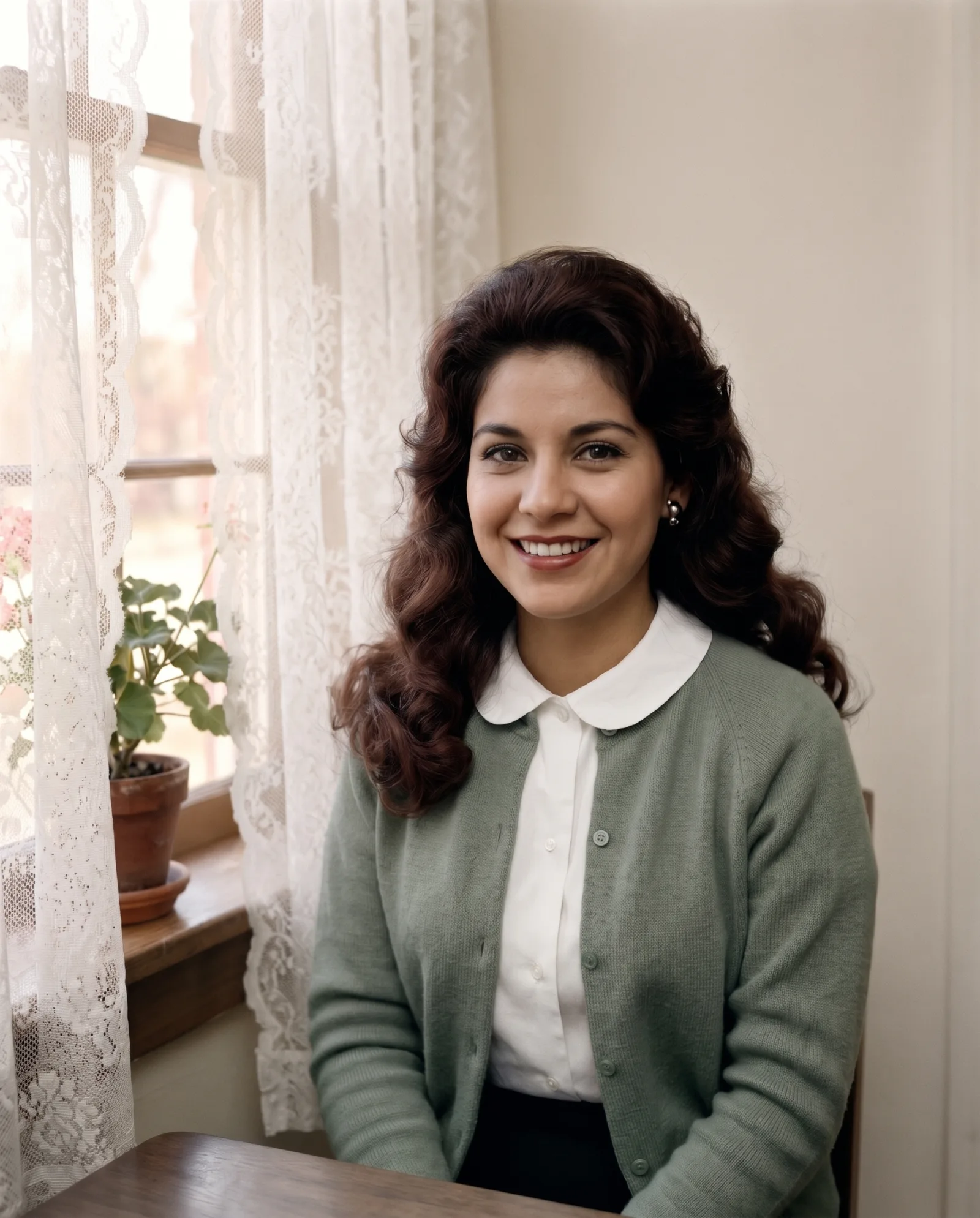
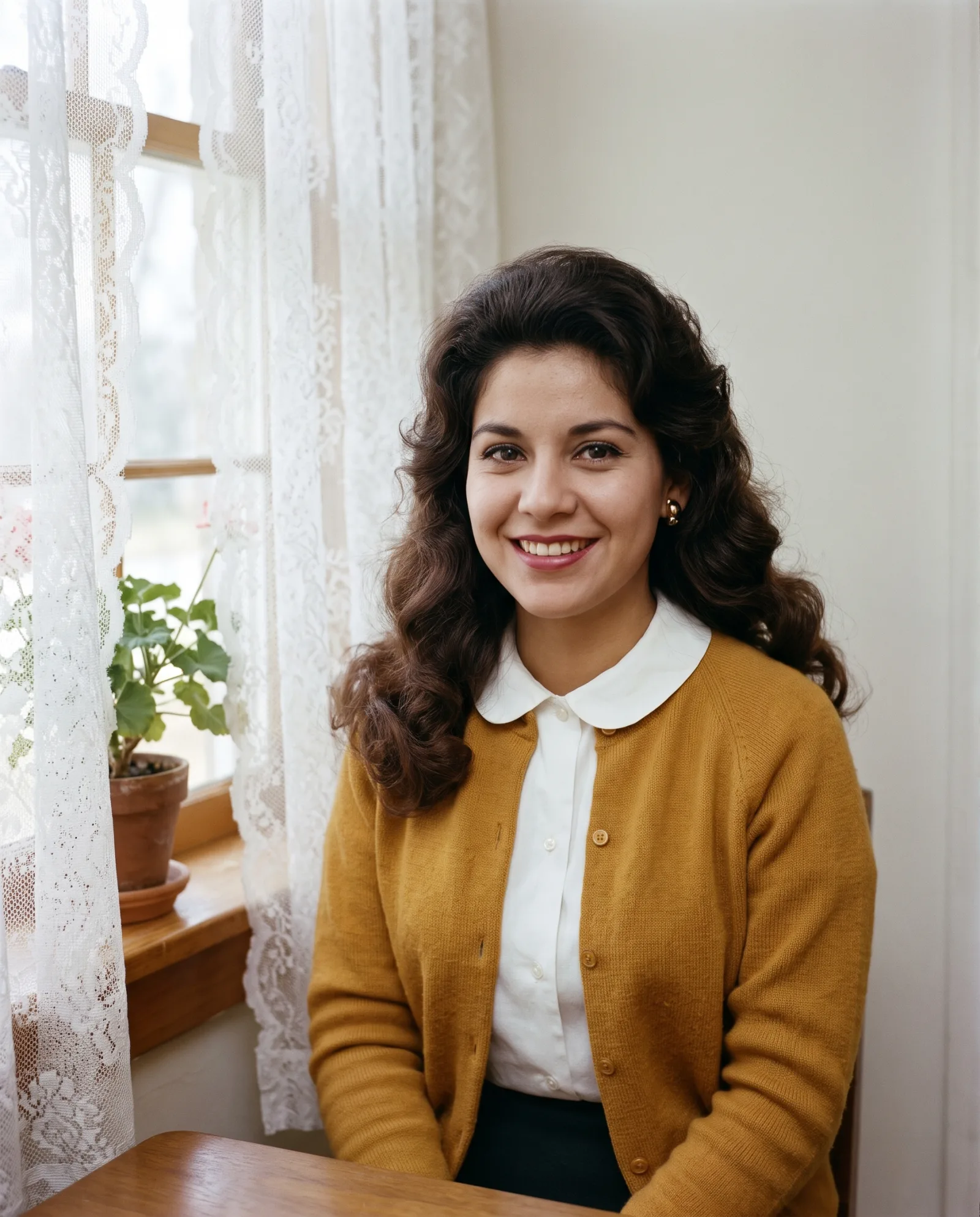
A young woman by a window
Her face, dark brown hair and red lips are right. Her cardigan came back sage green; it was mustard yellow.

 Uploaded
 Colorized
 Real
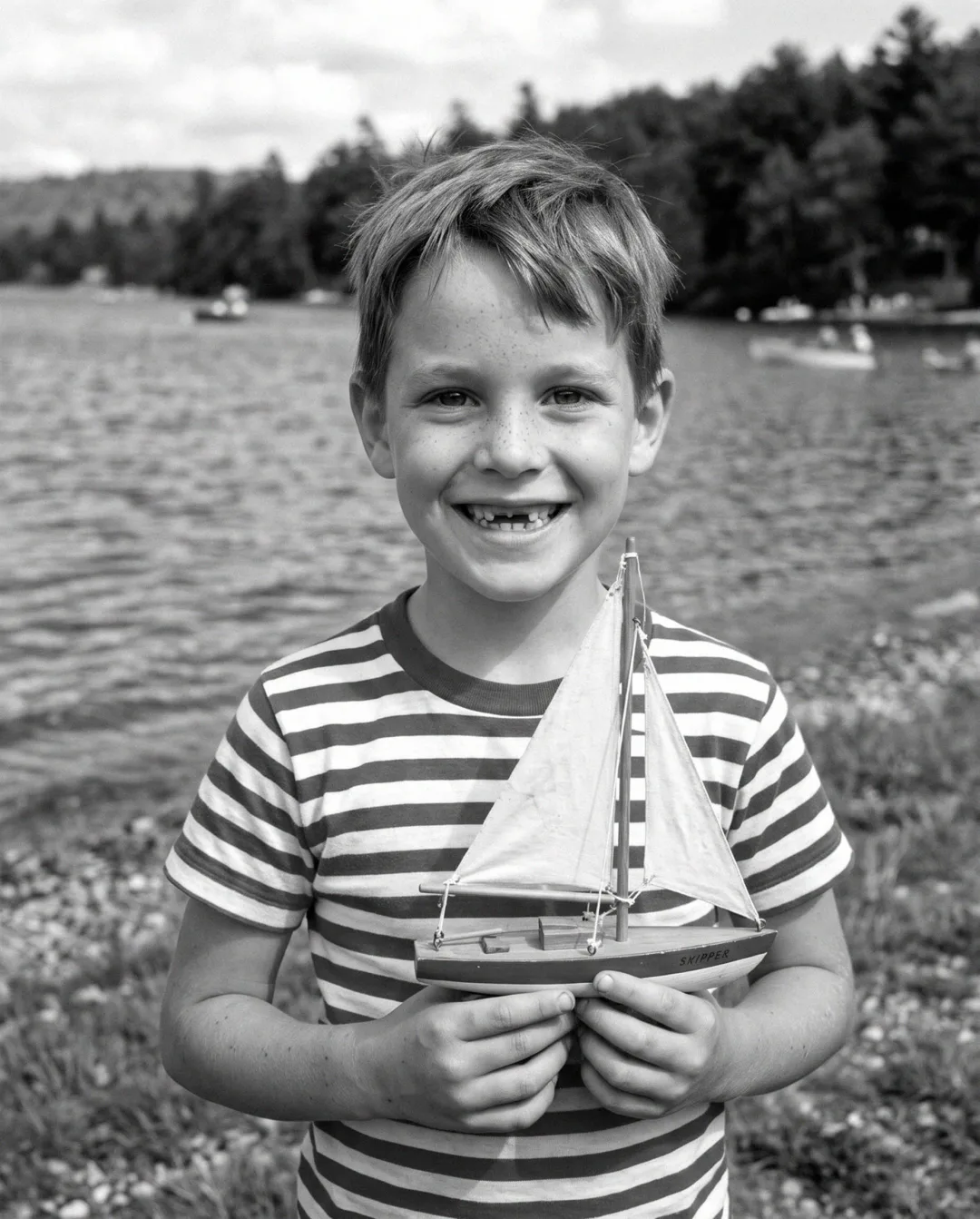
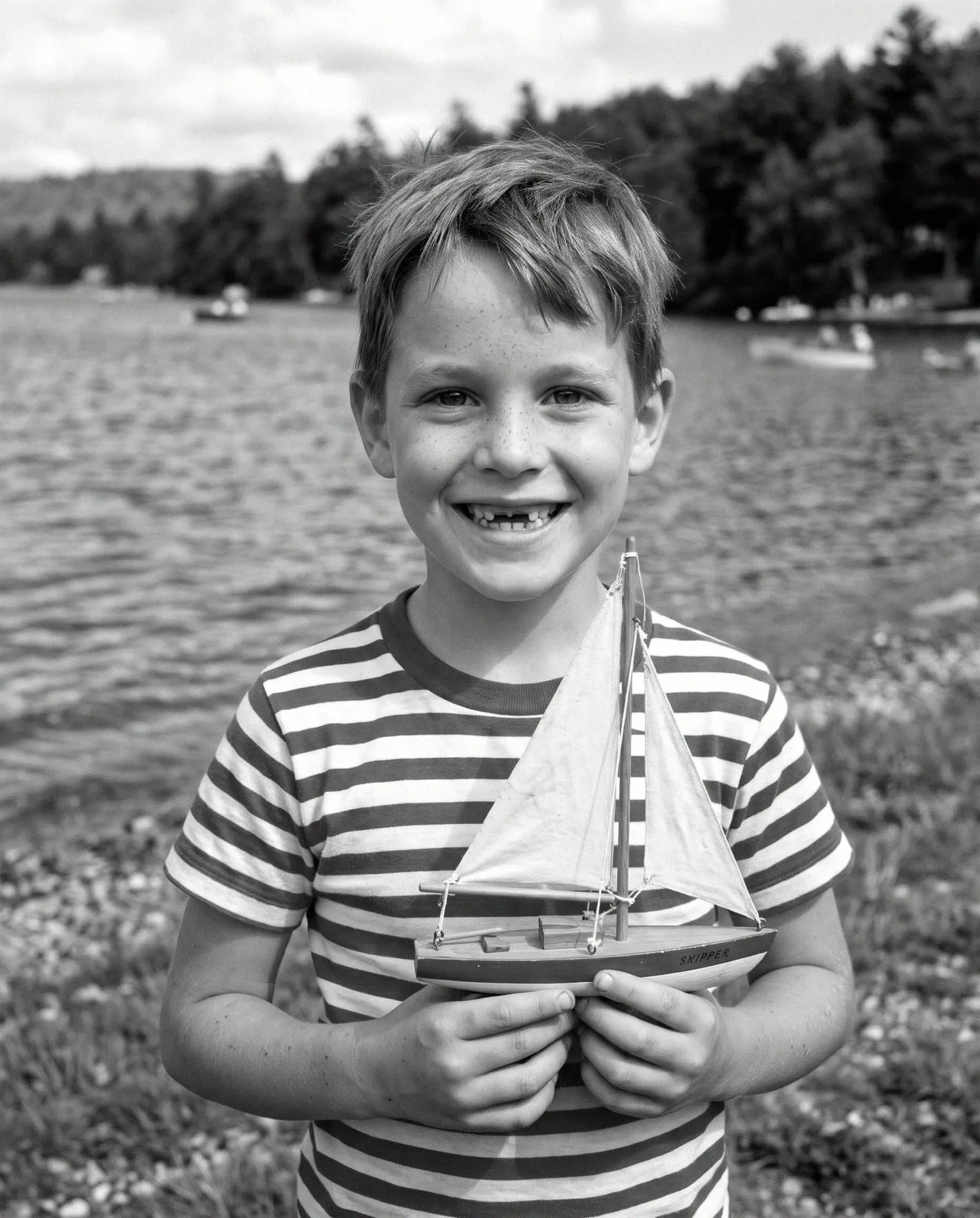
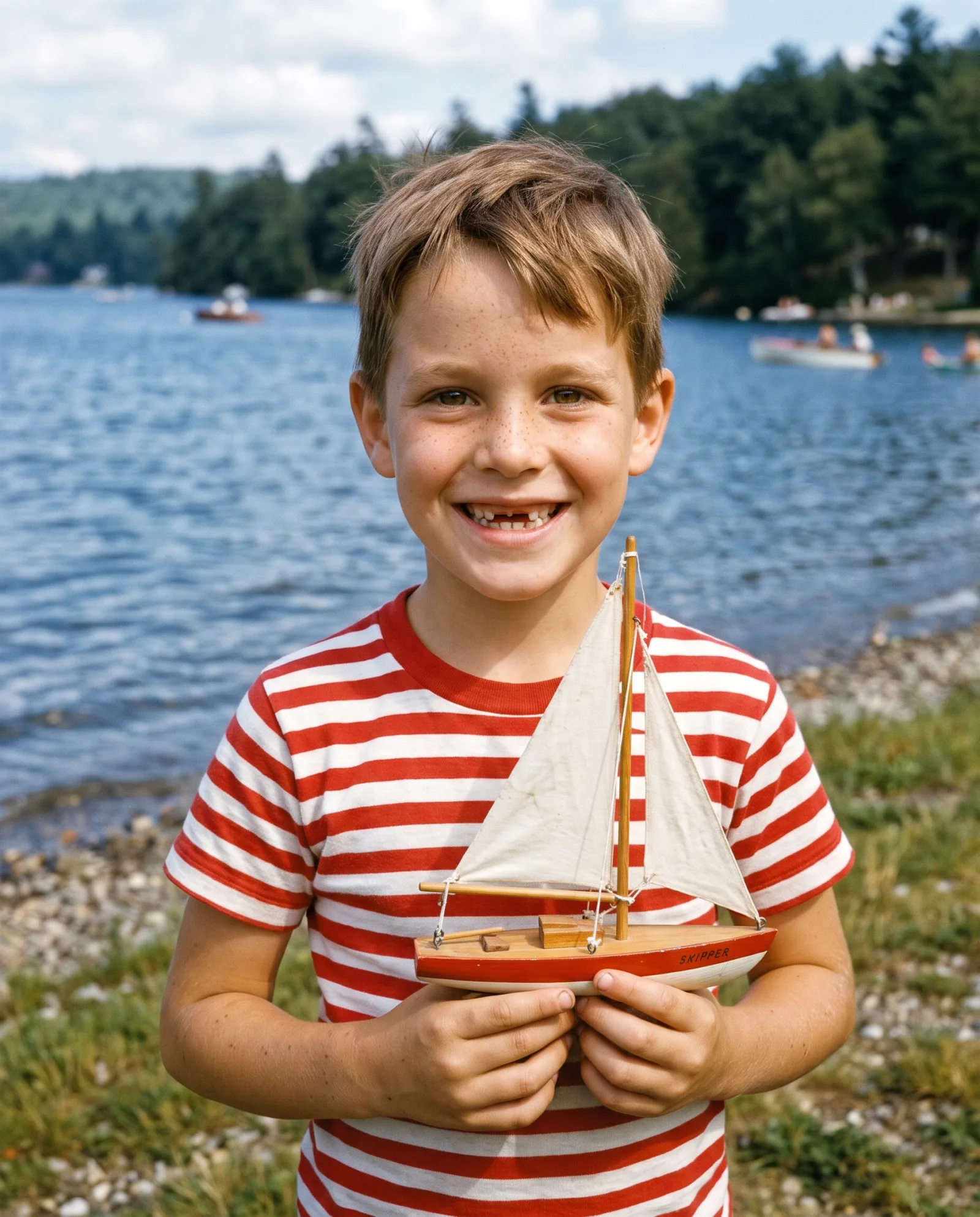
A boy with a toy boat
The freckles, the gap in his teeth and the blue lake are right. His striped shirt came back navy and white; it was red and white.
If you remember what someone wore, write it in the colour box before you press Colorize. It changes only what you name. Once they’re in colour, you can make one of them talk in their own words.
Which colours are real, and which are guessed?
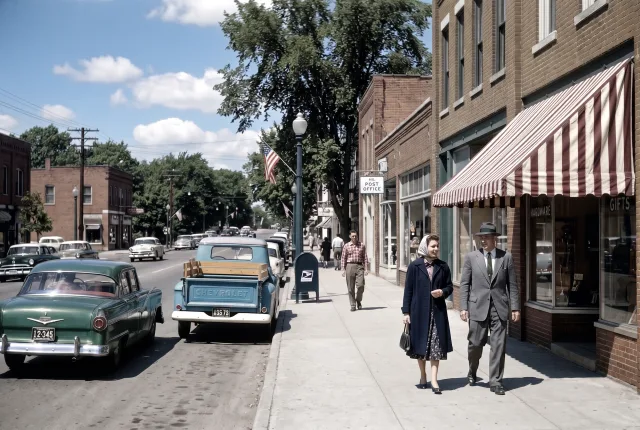
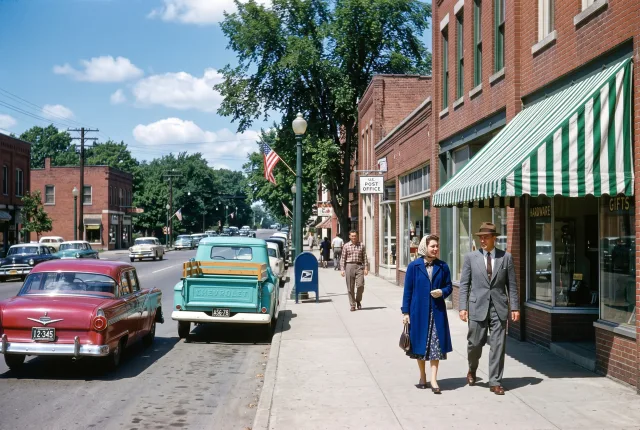
A black and white photo keeps how light or dark each thing was, not its colour. Sky, skin, grass and brick have one likely colour, so those come back right. A car, a coat or an awning could have been any colour, so the AI picks one. We kept the colour original of this street to check every guess.
 1234567
- RightSky and treesBlue and green, as they were.
- RightBrickBrick red, as it was.
- RightHis suitGrey, as it was.
- CloseThe pickupPale blue. It was turquoise: close.
- CloseHer coatNavy, almost black. It was a bright royal blue.
- Guessed wrongThe car in frontGreen. It was cherry red.
- Guessed wrongThe awningRed and white. It was green and white.
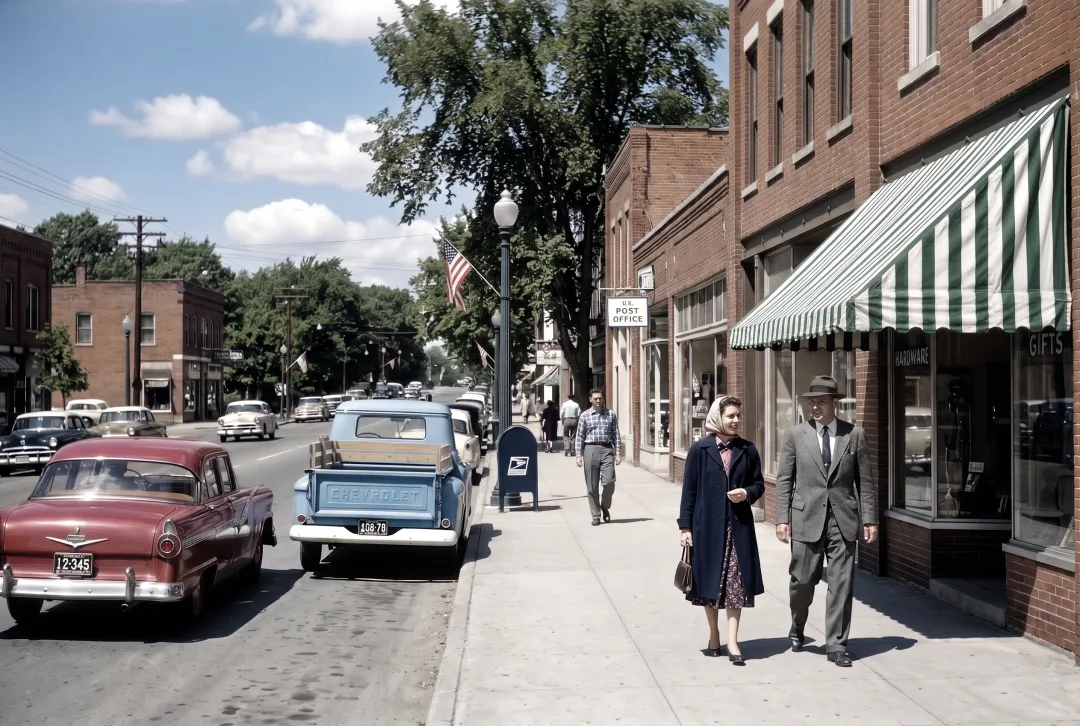
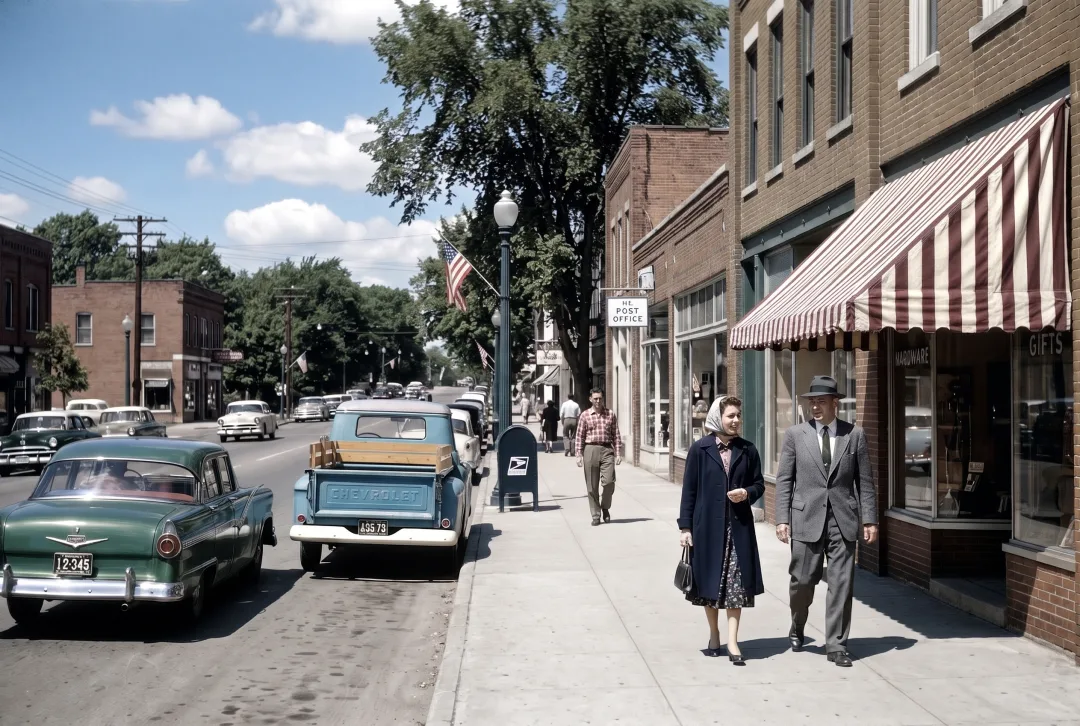 GuessedYour colours
Know the real colours? Write them down
Under the Colorize button there’s a box for the colours you remember. For this street we typed one sentence:
The car in front is cherry red. The shop awning has green and white stripes.
Both came back right, at no extra cost. Only what we named changed: the pickup and her coat stayed as they were guessed.
When did colour photos come out?
The first colour photo is from 1861, but colour only became the everyday family snapshot around 1970. That’s why most photos of grandparents and great-grandparents are black and white. All five pictures below are real colour photos from their time.
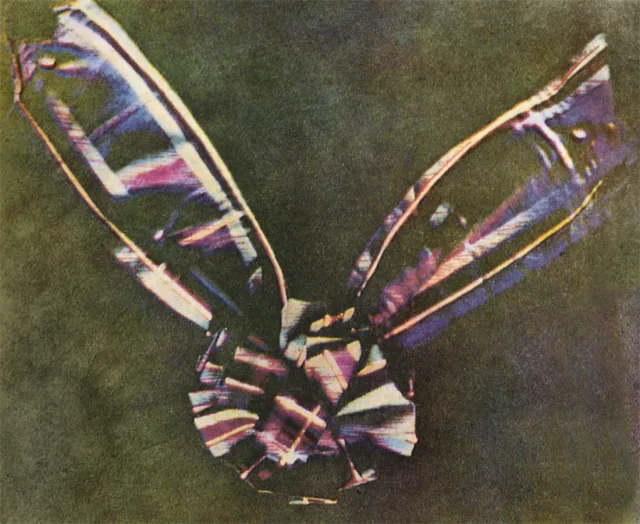 1861
The first colour photograph: a tartan ribbon, taken three times through red, green and blue filters for a lecture by James Clerk Maxwell.
Thomas Sutton for James Clerk Maxwell, 1861 · Source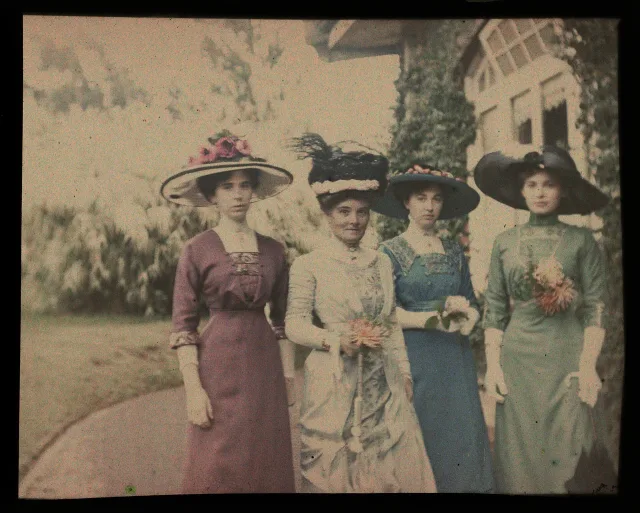 1907
Autochrome glass plates, made by the Lumière brothers, go on sale: the first colour photos people could buy and take themselves.
The Gullick family on an autochrome, 1910 · Source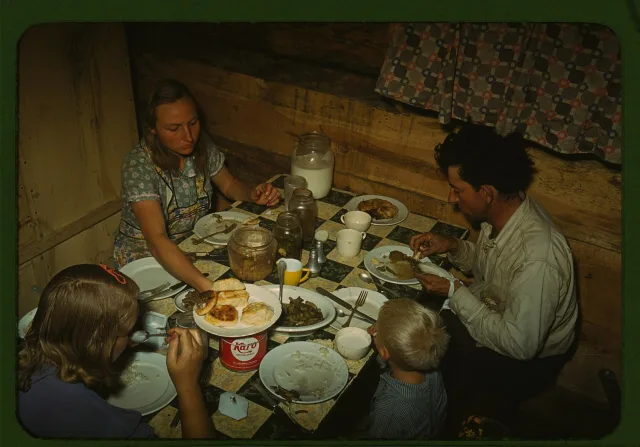 1935
Kodak brings out Kodachrome, a colour film for slides.
A family at dinner in Pie Town, New Mexico, by Russell Lee, 1940 · Source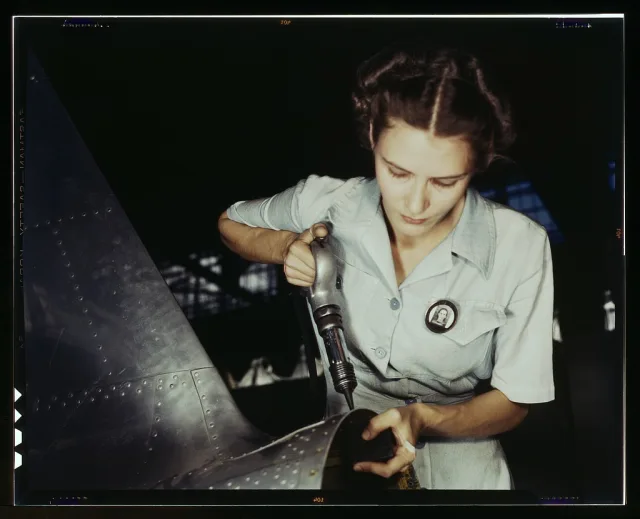 1942
Kodacolor arrives: Kodak’s colour film for prints, the kind that ends up in family albums.
Virginia Davis at work in Corpus Christi, by Howard R. Hollem, 1942 · Source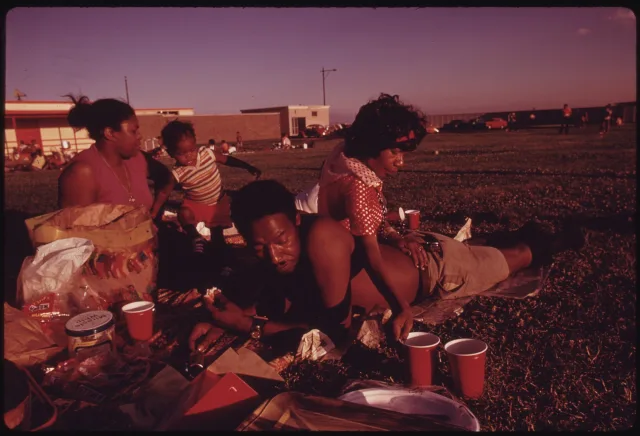 1970
Film is cheaper and flash is easier, and colour has become the normal family snapshot.
A family picnic on a Chicago beach, by John H. White, 1973 · Source
So a family photo from before the 1960s was most likely taken in black and white. Colorizing shows it the way the people in it saw that day, with some colours guessed.
Colorize only, or colorize and repair?
Both cost the same. Colorize only changes the colours and leaves every mark on the print. Colorize and repair also takes the folds, scratches and stains out, in the same run.
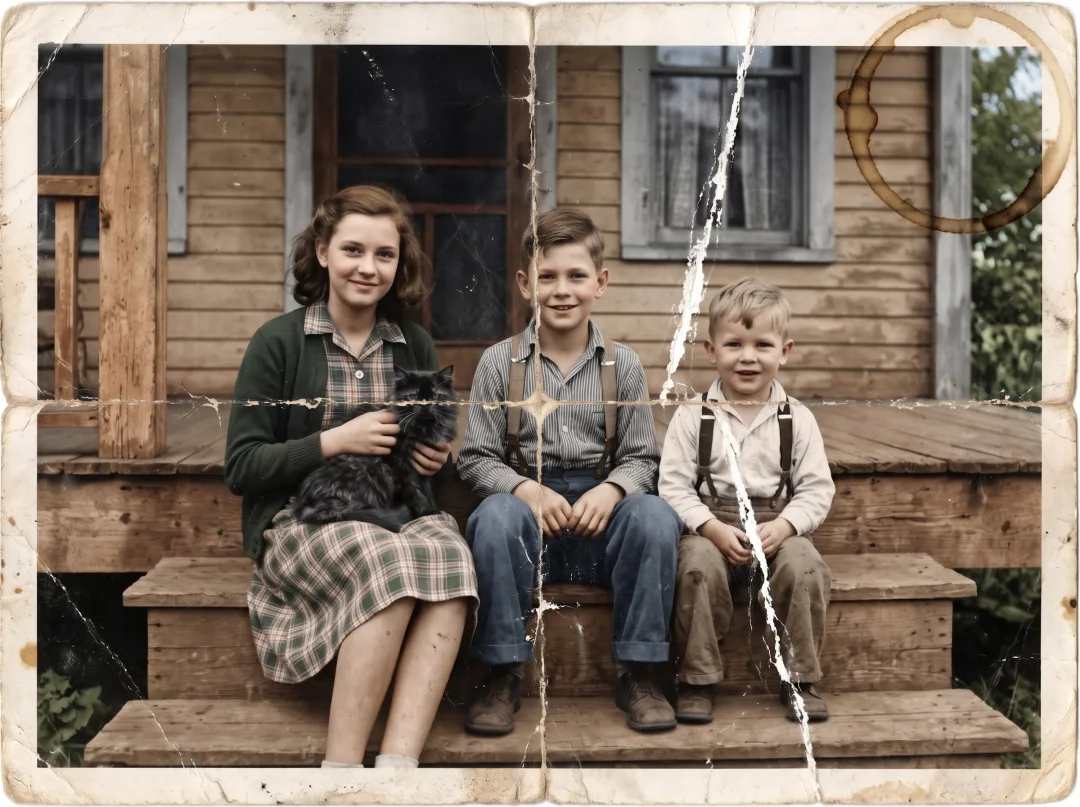
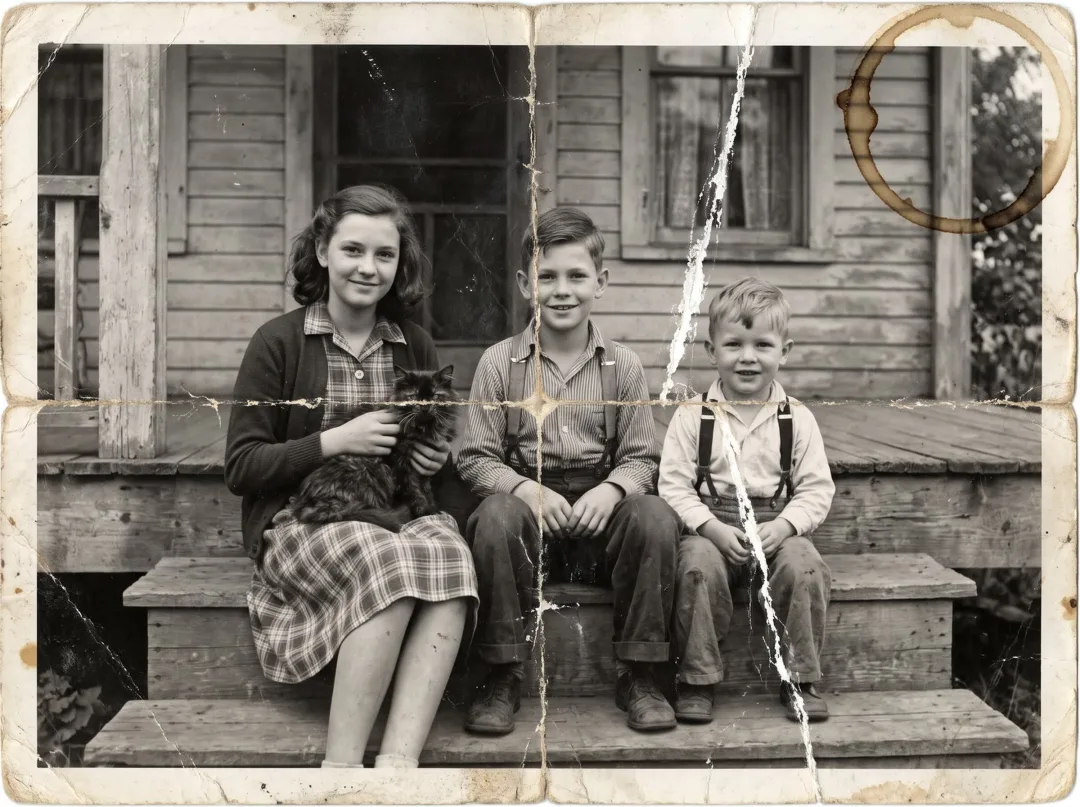 BeforeColorize
Colorize
The three children are in colour; the folds, the scratches and the coffee ring are still there. Pick it when the print is clean, or when you want it to keep its age.
Ready in 37 s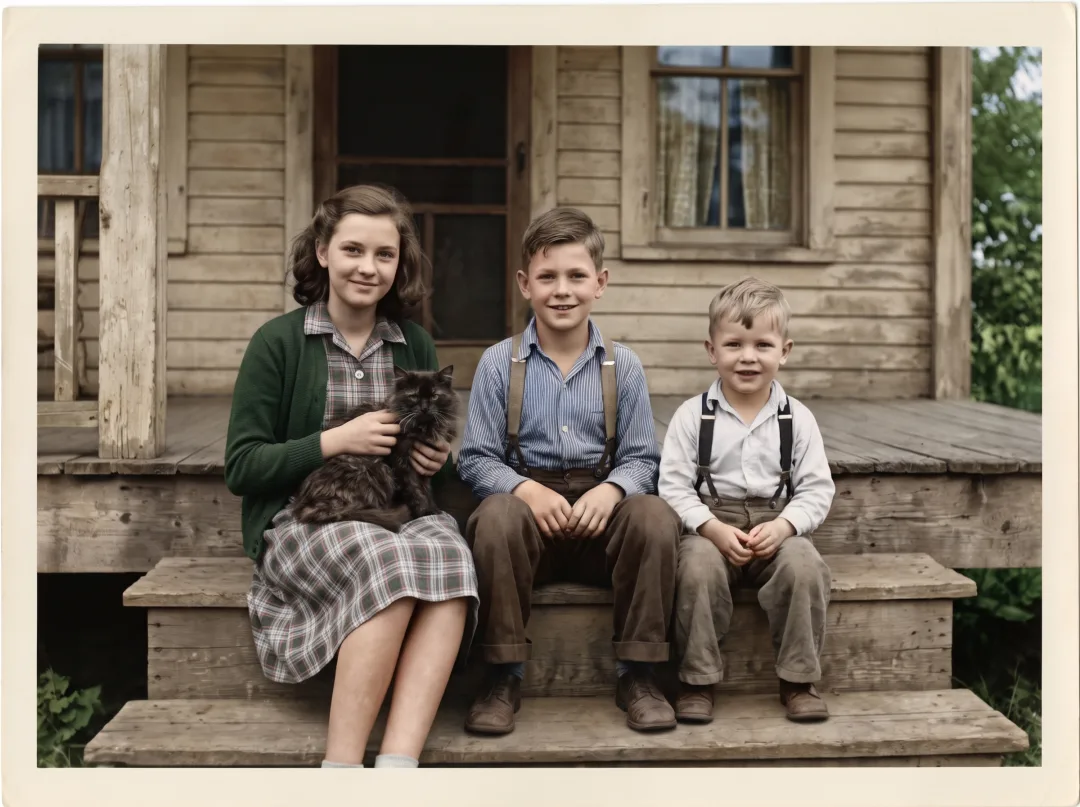 BeforeColorize and repair
Colorize and repair
The folds, scratches and coffee ring are gone, and the paper border is kept. Pick it when the print is cracked, folded, torn or stained.
Ready in 29 sLook at the middle boy’s shirt: grey in one run, blue in the other. Nothing in a black and white photo says which, so each run can pick differently. If the first colours aren’t right, try again or write the colour in the box.
How to colorize a black and white photo
Upload it, choose whether to repair it too, and press Colorize. Both choices are 8 credits, and a failed one gives them back.
- 1
Upload the photo
A scan or a phone photo of the print, black and white or sepia. JPG, PNG or WebP. Crop out the album page around it first if you can.
- 2
Press Colorize
Pick Colorize and repair if the print is cracked or folded, and write any colours you remember. Our runs took 28 to 37 seconds; you can leave the page and find it in My Creations.
- 3
Compare and download
Drag the line to check every face against the original, then download the colour photo as a JPG. Not the colours you wanted? Run it again or add a hint.
Colorize it, then make it move
Once the photo has its colours, it can become a 5-second video: the family on the blanket laughing, the leaves moving.
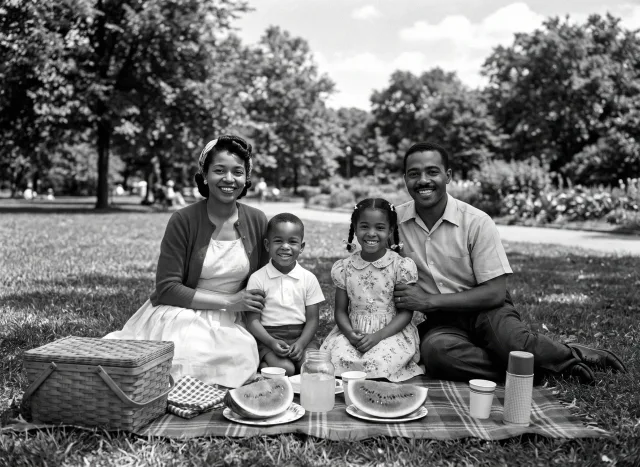
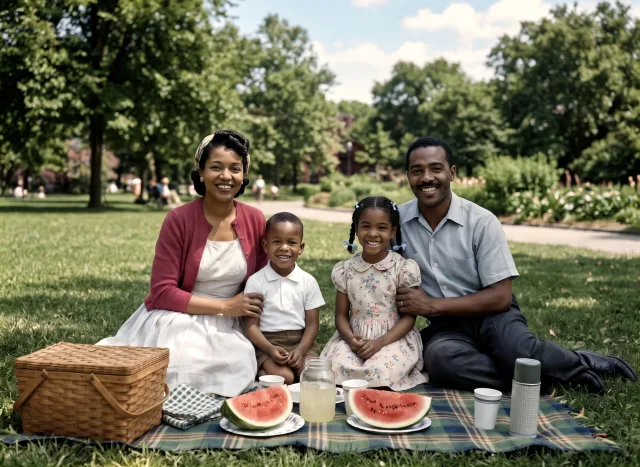
The little boy holds up a slice of watermelon and takes a big bite, the girl laughs and leans on her mother, the father puts an arm around them.
That’s the sentence we wrote. The boy bites into his watermelon and the family laughs, with the colours from the photo kept from the first frame to the last.
Both steps: 51 creditsAnimate an old photoColorizing photos: your questions
About faces, accuracy, damage, sepia, blur and credits. Plans and refunds are on the pricing page.
How do I colorize a black and white photo?
Upload it on this page and press Colorize. Our runs took 28 to 37 seconds and cost 8 credits, and you get it back in colour at 2K. If you know what colour something was, write it in the box before you start.
Will the faces still look like them?
Yes. In every photo on this page the faces came back as the same people: the old farmer’s wrinkles, the boy’s freckles and the gap in his teeth. Skin, hair and eyes are the colours it gets right most often; clothes are where it guesses.
Are the colours historically accurate?
Partly. A black and white photo only records how light or dark each thing was. Skin, sky, grass and brick have one likely colour and come back right. Clothes, cars, doors and awnings could have been any colour, so they are a guess: in our street photo the AI made a red car green. Write the real colours in the box and it uses them.
Can it fix scratches and tears too?
Yes. Choose Colorize and repair and the cracks, folds, tears and stains go in the same run, for the same 8 credits. Colorize only leaves every mark as it is. To fix the damage and keep it black and white, use photo restoration.
Can I colorize a sepia or faded photo?
Yes. Upload it as it is: the brown or yellow tint goes and real colours come back. Our sepia farm photo got its white farmhouse, green shutters and chestnut horse back.
Can it colorize a blurry photo?
It will add colour, but it won’t make it sharp. Run the photo through the photo enhancer first to make it clear, then colorize the clear copy.
When did colour photos come out?
The first colour photograph was made in 1861, and the first colour plates anyone could buy went on sale in 1907. Kodak’s colour films followed in 1935 and 1942, but colour only became the normal family snapshot around 1970. That’s why most photos from before the 1960s are black and white.
Is it free to colorize photos?
Sign in and confirm your email and you get 43 free credits, enough for 5 colorizes, plus 8 free credits each day you come back, enough for one more. After that each one is 8 credits, the colour hint costs nothing, and a failed run gives the credits back.
How long do you keep my family photos?
Your photo stays next to the colour copy in My Creations, so you can compare them: 30 days on the free plan, or while a paid plan is active plus 90 days. Delete both whenever you like. We don’t use your photos to train AI. The colorizing is done by Nano Banana 2, Google’s image model.
Can I make the colorized photo move?
Yes. Open the colour photo in Animate Old Photos, write what should happen, and you get a 5-second video: on this page, the boy bites into his watermelon and the family laughs. It costs 43 credits more.
Whose photo will you see in colour first?
5 free colorizes once you confirm your email. After that each one is 8 credits, and a failed one costs nothing.