Live Photo maker
Turn a short video into a Live Photo for your iPhone, and choose the exact moment that shows before you press. Made in your browser; nothing is uploaded.
BubblesThree seconds of a backyard bubbles clip, with the photo taken from the middle. Press and hold the photo to play it, the way Photos does.



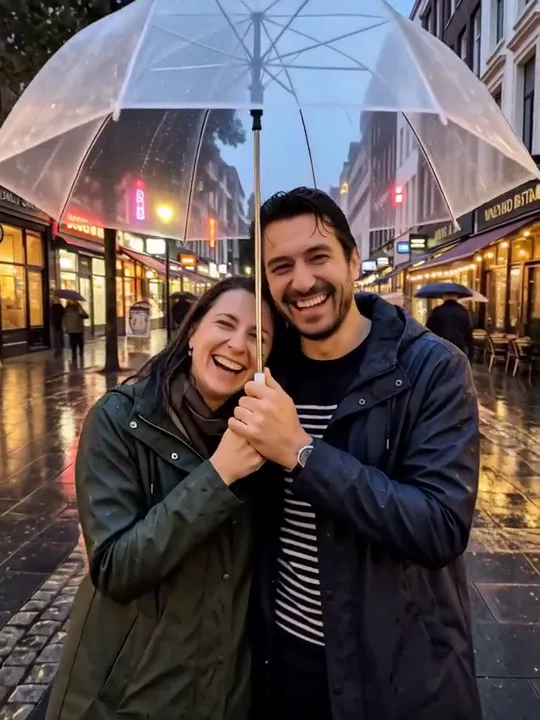
Keep the laugh, not only the pose
A photo catches one instant. A Live Photo keeps the seconds around it, so the moment the umbrella tipped and you both laughed is still there when you press.
In your album it sits with your other photos and looks like one, until someone holds a finger on it.
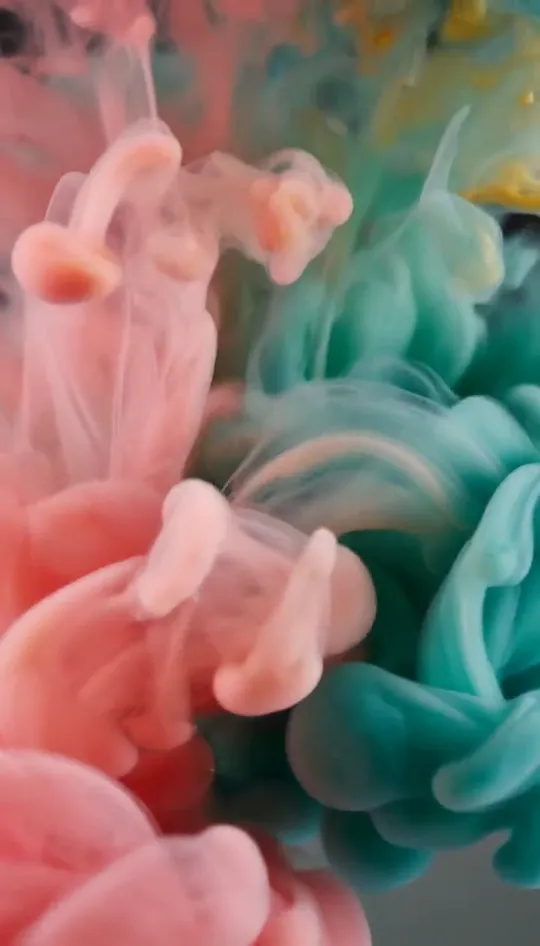
A tall clip for a tall screen
Slow things make the best lock screens: ink in water, steam off a cup, leaves in wind. Film them upright and the whole picture fits the phone.
Pick a quiet cover. It is the frame you will see every time you pick up your phone.

Start with a photo, end with a Live Photo
No video of the moment? Animate a still photo with AnimatePhotos first. A few seconds of gentle movement come back as an MP4.
Drop that MP4 here, and the photo you started with becomes something you can press and watch move in your album.
How do I make a Live Photo from a video?
Drop the clip into the box, trim it to about three seconds, pick the frame you want people to see before they press, and download the zip. On your iPhone, open it in Files, select both the photo and the video, and save them together; Photos shows them as one Live Photo. The video never leaves your browser.
- 1
Drop your video
Any short clip from your phone or computer: MP4, MOV or WebM. It opens on this page and is never uploaded.
- 2
Keep about three seconds
Slide Start to where the moment begins, then set Length. Three seconds is close to what an iPhone keeps for its own Live Photos.
- 3
Pick the photo
Move Cover to the frame people see before they press. Any moment inside the part you keep will do.
- 4
Save both to Photos
On your iPhone, open the zip in Files, select the photo and the video together, and save them in one go.

 LIVE
Choose the photo people see before they press
A Live Photo shows one still until someone presses it. The tool starts with the middle of the part you keep. In this clip, that lands mid-blow.
Where the tool starts: lips pursed, eyes on the seeds.
No LIVE badge? Check these four things
Most of the time the files are fine and something happened on the way into Photos.
The photo and the video show up as two items
They were saved one at a time. Delete both, open the zip in Files again, select the two files together, then save them in one go.
Only the photo was saved
The video was left out of the selection. In Files, tap Select, tick both files that share a name, then save.
It stopped moving after you sent it
Many chat apps and email may pass on only the photo. Send the zip itself, or use AirDrop or iCloud Drive, which can keep the two together.
Holding it plays almost nothing
The part you kept is very short. Go back, set Length to two or three seconds, and download again.
Using it as a moving lock screen
Whether a Live Photo moves on the lock screen depends on your iPhone’s software. The cover shows either way, so choose it with the clock in mind.
- 1
Film upright
A tall clip fills a phone screen. A sideways one loses its left and right edges.
- 2
Leave the top quiet
The clock sits over the upper third. Keep faces and the main movement lower down.
- 3
Pick a calm cover
You will see it every time you wake the phone, so choose a frame that is easy to look at.
How long should a Live Photo be?
iPhone’s own Live Photos last about three seconds. Here is the same bubbles moment kept for one, three and five seconds.
- LIVE
One second
Over before your eye catches it. The press feels like a twitch.
519 KB zip - LIVE
Three seconds
Enough for one whole gesture, and the length people are used to.
1.1 MB zip - LIVE
Five seconds
More of the moment, and a noticeably bigger file.
1.8 MB zip · 61% bigger than three seconds
Live Photo or GIF?
Both move. They suit different places.
| Live Photo | GIF | |
|---|---|---|
| When it plays | When you press and hold it | On its own, over and over |
| Where it plays | In Photos on an iPhone, iPad or Mac | In almost any chat, website or app |
| How it looks | Full video quality behind a sharp photo | At most 256 colors, so skin and sky can look grainy |
| What you download | A photo and a video, in one zip | One file |
Need it to play by itself in a chat? Make a GIF from the clip. Already have a Live Photo and want a normal video? Turn it into an MP4.
Questions about making Live Photos
Short answers. Everything runs in your browser.
How do I make a Live Photo from a video?
Drop the clip into the box at the top, keep about three seconds of it, pick the frame you want as the photo, and download the zip. On your iPhone, open the zip in Files, select both files, and save them together.
Can I choose which photo shows before you press?
Yes. Move Cover to any frame inside the part you keep. The tool starts in the middle, which is often between two expressions, so it is worth a look.
Why doesn’t my Live Photo show the LIVE badge?
Usually the photo and the video went into Photos separately, or only one of them did. Open the zip in Files again, select both, and save them in one go. If it stopped moving after you sent it to someone, send the zip instead.
Can I use it as a moving lock screen?
You can set it as your wallpaper like any photo. Whether it moves there depends on your iPhone’s software; the cover you chose shows either way.
How long should the video be?
About three seconds, like the ones your iPhone takes. You can keep up to five, but the press feels long and the file grows by more than half.
Is my video uploaded? Is it free?
Nothing is uploaded: the video is read and saved by your own browser. It is free, with no sign-up and no watermark.
Which browsers can make one?
A browser that can save H.264 video, such as Chrome or Edge on a computer. If yours can’t, the page says so when you press Make Live Photo.
Can I make a Live Photo on Android?
Live Photo is an iPhone format, so Android galleries won’t play it. Android phones keep their own moving photos, called motion photos; to turn one into a video anyone can watch, use Live Photo to video.
Can I make a Live Photo from a still photo?
Not directly, because a Live Photo needs a few seconds of video. Animate the photo with AnimatePhotos first, then drop the video it gives you here.

No video? Animate a photo, then save it as a Live Photo.
AnimatePhotos turns one still photo into a few seconds of natural movement. Bring the clip back here to press and play it in your album.