AI hug video generator
Add one photo of the two of you, or one photo of each, and get a 5-second hug. You see the credits before you press the button.

HugSlow, tight hug · “The two of them slowly turn towards each other, step in and hold each other in a long, tight hug, eyes closed, chins resting on each other’s shoulders.”
 MiniMax H3
Pick the hug: one airport photo, three ways
Two sisters just landed. We gave the same photo three different sentences and made one clip from each. The sentence is under every clip, so you can borrow it or change it.
Quick side hug
The older sister turns, wraps one arm around her younger sister’s shoulders and pulls her into a quick side hug, they lean their heads together for a moment and both laugh at the camera.
Our run: they leaned their heads together and laughed, but no arm went round. A side hug can come out this light; run it again, or pick the slow hug.
Bear hug with a lift
The younger sister turns and throws both arms around her older sister in a big bear hug, lifts her a few centimetres off the floor, sets her back down, and they both burst out laughing.
Our run: a full hug, then they stepped back laughing, still holding arms. The lift doesn’t show: their feet are out of the frame.
Slow, tight hug
The two sisters slowly turn towards each other, step in and hold each other in a long, tight hug, eyes closed, chins resting on each other’s shoulders, swaying very slightly.
Our run: they stepped in and held the hug to the last frame while the camera drifted closer. Our pick of the three.
How do you make an AI hug video?
Upload one photo with both people in it, or one portrait of each, pick how they hug and press Make them hug. You get a 5-second clip; ours took 30 to 40 seconds each. Two separate portraits are first joined into one shared photo, which you check before it moves.
- 1
Add your photos
One photo of the two of you is enough. If they were never in the same photo, add one of each: joining them is one extra step of 8 credits.
- 2
Check the joined photo
Only when you added two photos. If a face, a jacket or the place looks wrong, redo just this step; nothing has moved yet.
- 3
Pick the hug
Quick side hug, Bear hug, Slow, tight hug or My younger self. Each one is a sentence you can read, and you can write your own instead.
- 4
Make them hug
43 credits with MiniMax H3, shown on the button first. You get a 5-second MP4 with sound. If a clip fails or is blocked, the credits come back on their own.
A photo of you together, or one photo each?
Both make a hug. A shared photo keeps your own place and light; two portraits add one step, and you see that step before anything moves.
| Compared | A photo of you together | One photo each |
|---|---|---|
| Where the hug happens | Where you took the photo | A place made for the joined photo; you can describe it |
| Faces and clothes | Exactly as in the photo | Kept from each portrait in both of our joins; anything the portraits didn’t show is made up |
| Credits | 43 | 51 (43 for the hug + 8 to join) |
| Made for | Friends, family, a team, a couple | People far apart, your younger self, someone who isn’t here |
The same choice comes up for kisses; the AI Kissing page shows it with two selfies from two cities.
Hug your younger self
Add a photo of you now and an old photo of you, and the two of you meet in one frame. Pick My younger self: that hug is always a gentle one.

 Now, and at 20 in 1999
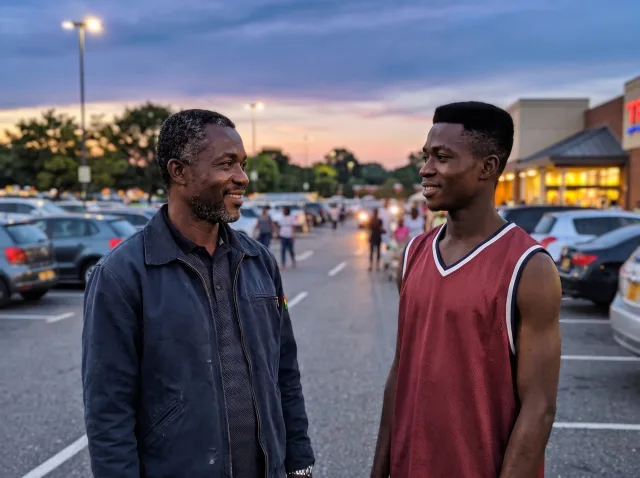 Joined · you check itThe hug
The joined photo kept the grey temples, the beard and the navy jacket of the man today, and the flat-top and red jersey of the old film photo, and put them both in today’s parking lot at dusk. The old photo’s faded colours didn’t come along: in the joined photo both look as if they were taken the same evening. In the clip the man today pats his younger self on the arm, they pull into a hug with a pat on the back, then step apart smiling.
A photo of you as a child works here too, and only here: My younger self accepts childhood photos because its hug can’t be changed. Every other hug on this page is for adults.
A hug with someone who isn’t here
People make these for a parent they lost, or a grandparent they never met. Take your time with the joined photo; if it doesn’t feel like them, redo only that step.
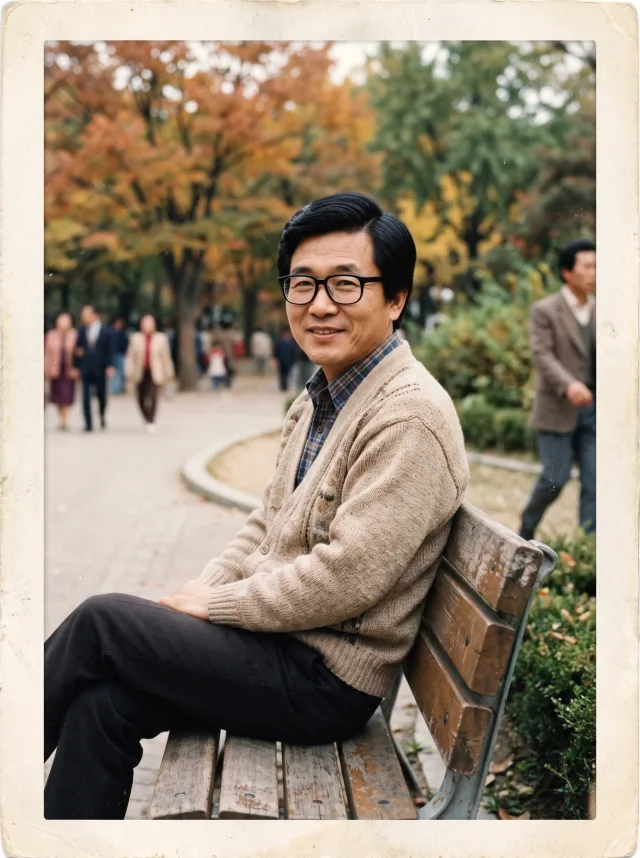
 Dad in the 1980s, her today
 Joined · you check itThe hug
His glasses, side parting and beige cardigan came through from the old print, and she kept her trench coat and long hair. The faded print look did not: he is in the same autumn light as she is, which is what makes them look like they are standing together. In the clip he reaches out, she turns to him, and they hold the hug on the path until the clip ends.
The clip is something imagined from two photos, not a memory. It can be a way to see them together, but it isn’t a record of a day that happened.
A table between them
She reached across the plates, then the clip jumped: the table was gone and the two of them were hugging standing up in the aisle. The hug looks real; the room doesn’t add up.
Photos that don’t hug well
We tried a photo people often have: two friends across a table. Here is what came out, and what to look for instead.
Both standing
A hug starts with a step towards each other. People sitting down have to stand up first, and the clip has only 5 seconds.
Nothing in between
A table, a desk or a counter has to go somewhere. Crop to the two of you, or use one photo of each and let them be joined standing.
Turned a little towards each other
Two people facing the camera can hug, but bodies already angled in give arms an easier path.
Half body or more
Arms and backs are what a hug is made of. Tight face crops leave the model to guess where the arms go.
If a clip fails or our safety check stops it, the credits go back to your balance on their own.
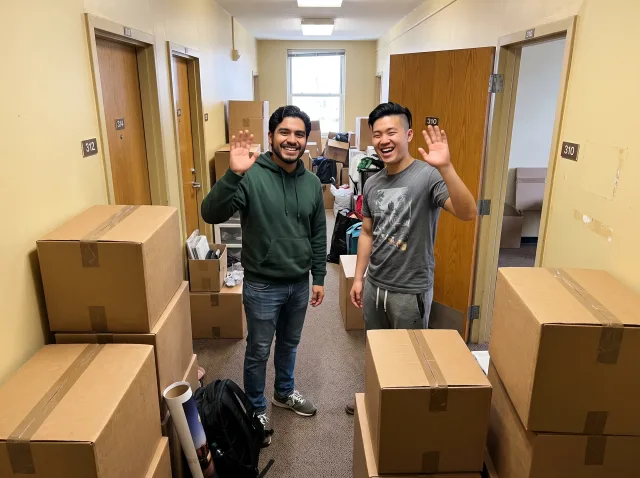
Two roommates on moving-out day
The last photo before the boxes went into two different cars. In the clip they stop waving, high-five, then pull into a back-slapping hug and step back grinning.
Send it to the group chat on the first day apart, or keep it for the reunion. A side hug suits friends who don’t hug much; Bear hug suits the ones who do.
Make a friends hug
Teammates after the final whistle
Two players in muddy green kits, already arm in arm. In the clip they turn into a tight hug, hold it, then step apart laughing.
Coaches and parents make these for the end-of-season post. The mud, the kit and the pitch stay as they were in the photo.
AI hug: your questions
About photos, younger selves, people who have passed away and credits. Plans and refunds are on the pricing page.
Can I make an AI hug for free?
Yes, once. Confirm your email and your first clip from one photo is free, with no watermark. After that a hug is 43 credits, or 51 from two photos.
Can I hug my younger self?
Yes. Put a photo of you now in the first slot and an old photo of you in the second, then pick My younger self. Childhood photos are accepted for this hug only, and its sentence can’t be edited: it is always a gentle hug.
Can I make a hug with someone who has passed away?
Yes. Add their photo and yours; we join them into one photo first, and you can redo that step until it feels right before anything moves. The clip is imagined from the two photos, so treat it as a picture of a wish rather than a record.
How do I get an AI hugging photo instead of a video?
Two ways. With two photos, save the joined photo before you animate it. With any clip, tap Photo under it and save the moment where they hold each other.
Can three or more people hug?
We have only tested hugs between two people. You can try a photo of three, but more arms means more ways for hands to go wrong, and we haven’t seen how it turns out.
Why are their arms or hands strange?
Arms crossing behind backs are hard to draw, and the model has to invent whatever the photo hides. Half-body photos with both people standing and nothing between them come out best; a new run of the same photo is a new take.
Can I pick how they hug?
Pick Quick side hug, Bear hug or Slow, tight hug, or tap Describe your own and say who moves first, how tight, and what happens after. One short sentence works better than several.
Who can see the photos I upload?
Only you. The hug clip and the photos you added stay in My Creations for at least 30 days, and you can delete them there whenever you like. We don’t train models on any of it.



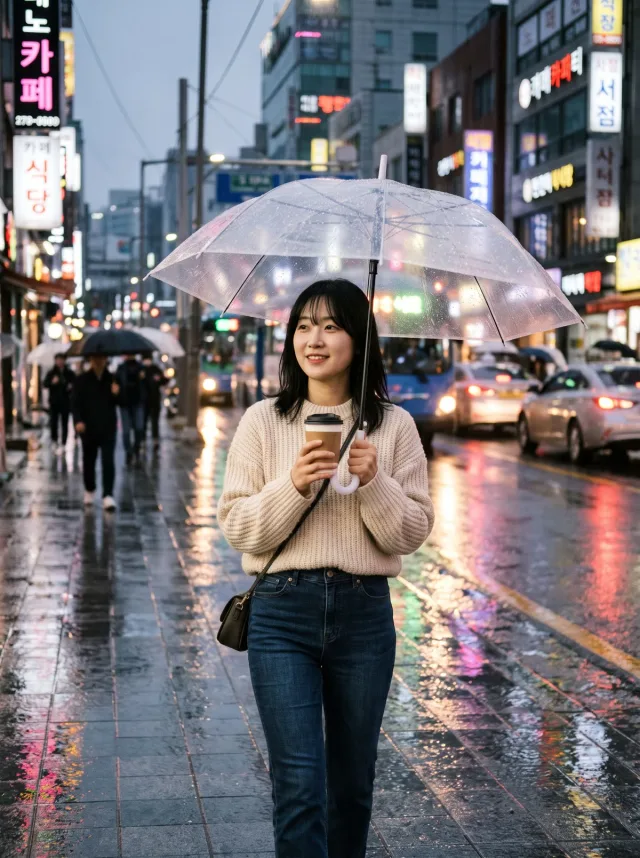
Two people, one hug
One photo of you both, or one of each. 43 credits, and a failed clip costs nothing.