Photo animator
Turn one photo into a 5-second video. Pick a motion, or write your own.
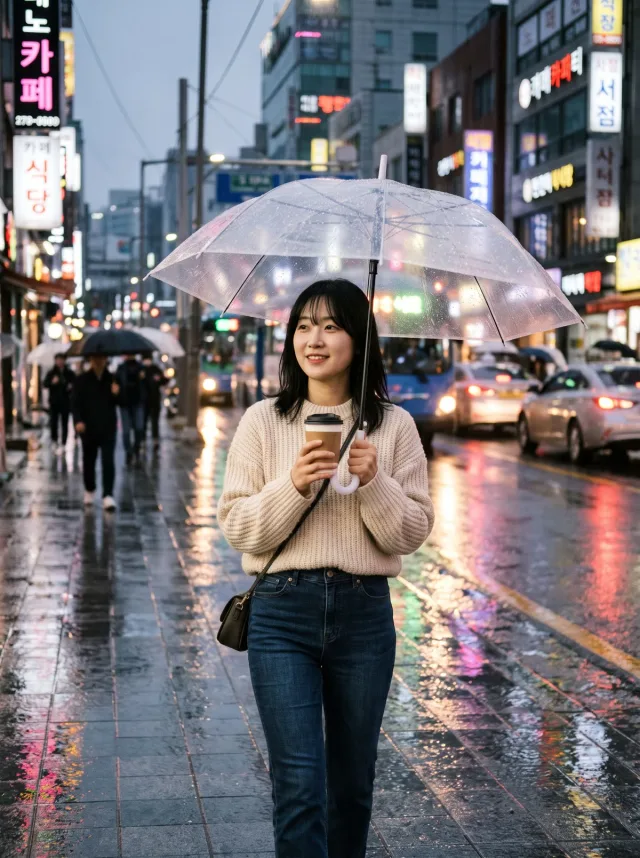
AnimatedBring to life · “They breathe and shift their weight, the head turns a little, hair and clothes move in a light breeze.”
 MiniMax H3
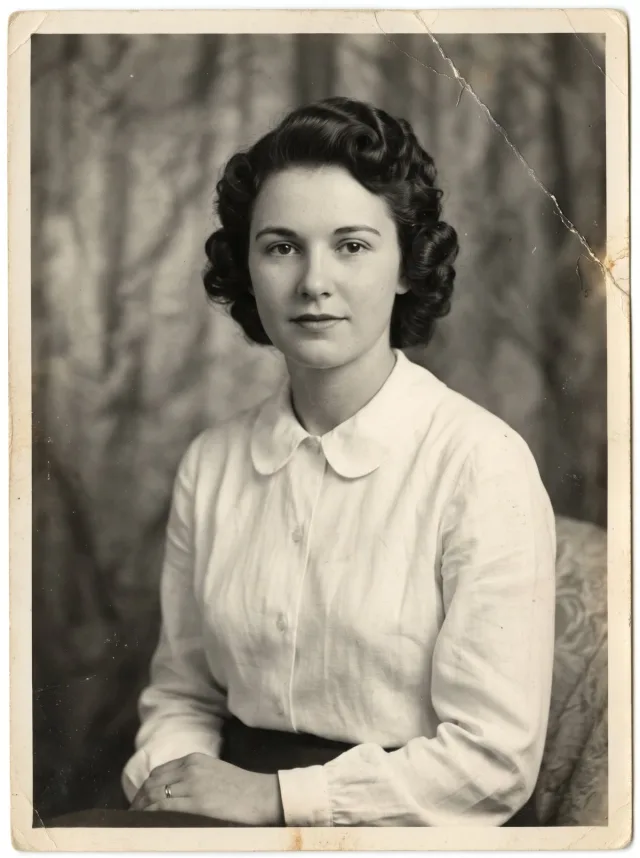
Make an old family photo smile
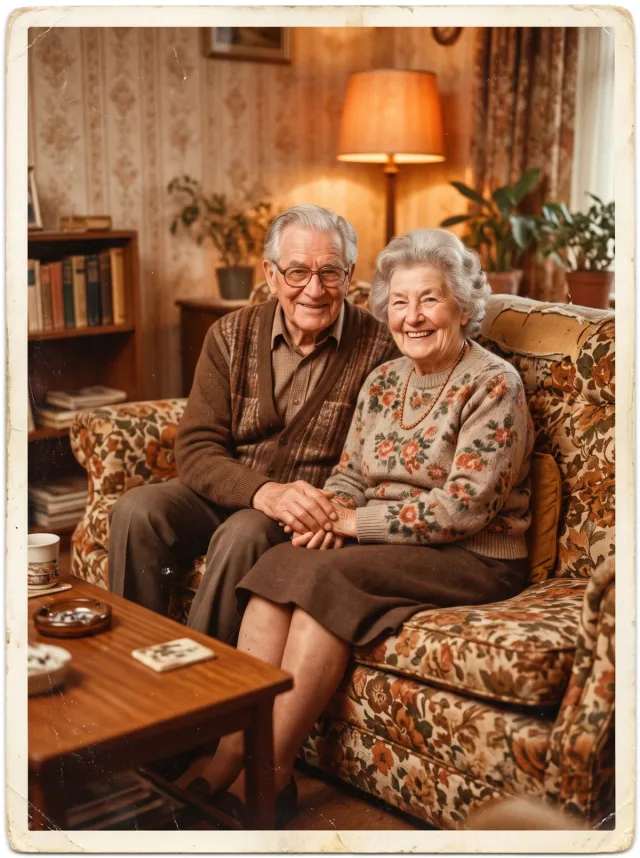
Pick Smile & blink for a portrait from the family album. The motion is one slow blink and a smile and nothing else, so the face has little room to drift from the person you remember.
Our 1940s print stayed black and white. The grain stayed, and so did the crease across the corner. Scan it flat and without glare before you upload.
Animate an old photo
Bring a pet photo to life
Bring to life suits a dog or cat that is doing nothing much: breathing, an ear twitch, a turn of the head. Ours stops looking out of the window, turns to the camera and wags.
Choose a photo with the whole animal in it. A tail or paw cut off by the edge has to be made up by the model.

Make two people hug
Hug needs two people standing side by side, both facing the camera. From there they turn to each other and hold on; here she rests her head on his shoulder.
Couples make it for anniversaries. Families make it for someone who lives far away.
In our clip the sun also sank to the horizon within five seconds. If the light matters, try adding “the light stays the same” to the motion text.

Send a birthday wave
Wave hello lifts one hand and waves at the camera, so it needs a hand that is free and inside the frame. Our birthday girl holds the balloons in one and waves with the other.
Keep it as a GIF for the family group chat, or as an MP4 with sound for a message that arrives on the day.
What is a photo animator?
A photo animator turns one still photo into a short video in which the people, animals and scene move. Here you upload a photo, pick a motion such as Smile & blink or Wave hello, and get a 5-second clip in about a minute.
Nothing is filmed again. A video model takes your picture as the very first frame and draws the seconds that follow, so the face, the clothes and the background all come from your photo. Only the movement is new.
How do you animate a photo?
Upload a photo, pick one of nine motions or type your own, and press Animate. About a minute later the clip is ready to save as a video, a GIF or a Live Photo.
- 1
Add the photo
From your camera roll, or dragged onto the box. JPG, PNG, WEBP or HEIC up to 20 MB, with one clear subject.
- 2
Choose what moves
Tap one of the nine motions, or write up to 2,000 characters of your own. The words fill the box, ready to change.
- 3
Press Animate
From 28 credits on MiniMax H3, shown on the button. Your first one is free once you confirm your email.
- 4
Watch, then save it
Play it in the page, then keep it as an MP4, a GIF or an iPhone Live Photo, or run it again with another motion.
One photo, four kinds of photo animation
We gave the same picture to four ready-made motions. Each clip took about a minute on MiniMax H3. Watch what changes, and what doesn’t.
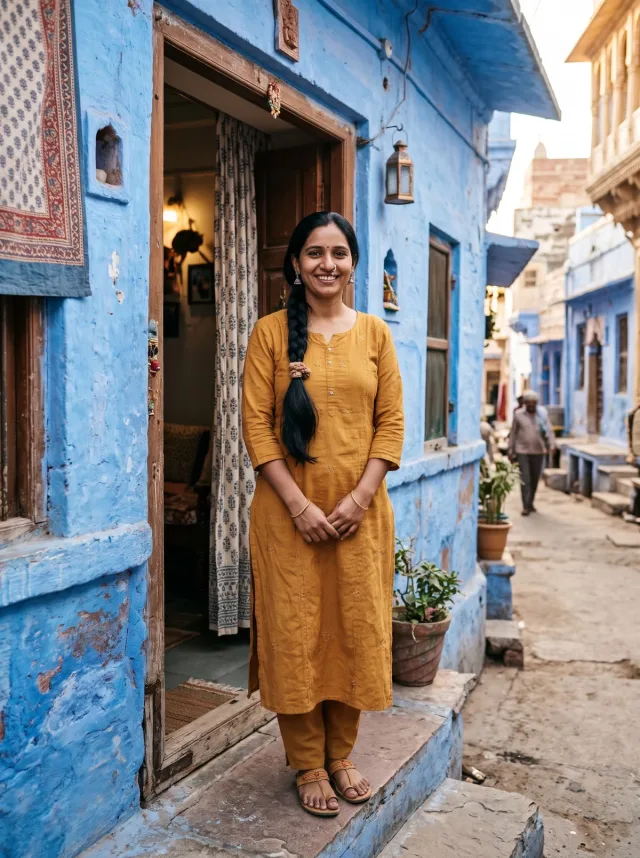
She breathes, shifts her weight and her braid sways. People pass in the street behind her.
Good for: Any photo, when you are not sure what to ask forOne slow blink, then a warm smile. Her head barely moves, so her face stays exactly hers.
Good for: Close portraits and old family printsShe lifts her right hand, waves at the camera twice and lowers it again.
Good for: Greetings, birthdays and short messagesShe holds still while the camera glides in towards her face.
Good for: Landscapes, products and slow revealsFaces can drift when a head turns far from the camera or a hand passes in front of it. Smaller motions keep a face best.
Nine motions to start from
Each one is a prompt we wrote and tried on our own photos. Tap it and the words fill the box, ready for you to change.
Bring to life
Breathing, a small turn of the head, hair and clothes moving. The safest pick for any photo.
Smile & blink
A blink and a smile and nothing else. Made for close portraits and faded prints.
Talk
The lips and face move as if speaking. For real words in a real voice, use Talking Photo.
Wave hello
A hand comes up and waves. Needs one hand free and inside the frame.
Dance
A few seconds of dancing from the waist up. Works best when the whole upper body shows.
Hug
Two people turn towards each other and hug. Needs two people standing side by side.
Kiss
Two faces lean in for a kiss on the cheek or lips. Needs both faces clear and close.
Camera push-in
People hold still and the camera moves slowly closer. Lovely on scenery and objects.
Animate the scene
Water, clouds, leaves and lights move while the people stay just as they are.
Same photo, two prompts
Short prompts leave the model guessing. Say who moves, what they do, where the camera goes and what we hear.
Make it move.What we got
The model chose on its own: he lifts a tangle of noodles out of the pot. It looks fine, but it isn’t what we had in mind, and he never looks up.
He lifts the ladle and pours broth into a bowl, steam rises, then he looks up and grins at the camera. The camera pushes in slowly. Kitchen sounds.What we got
He pours, looks up and grins while the camera moves in, in that order, with the clatter of a busy kitchen.
Name the person or animal that moves, so the model doesn’t pick someone in the background.
Write the actions in the order they should happen. Two or three is plenty for five seconds.
Say whether the camera stays still, moves closer or turns. Leave it out and the model decides.
Models with sound add the noises you name. Without it, the clip is silent.
When to change the model
MiniMax H3 is the default because it keeps faces steady and costs least. Switch only when the photo asks for something else.
Keep the default
Faces, family photos, pets. It holds a face steadily through small movements and costs the least.
- Credits
- 43
- Length
- 5s
- Quality
- 480p–768p
- Sound
- Yes

Rain, sea, fire and sound
Pick it when the scene should move as much as the people, or you want real ambient sound in an 8-second clip.
- Credits
- 160
- Length
- 8s
- Quality
- 720p
- Sound
- Yes

Fast action and dance
Pick it for running, jumping, sport and dance, where quick limbs smear on the lighter models.
- Credits
- 175
- Length
- 5s
- Quality
- 720p–1080p
- Sound
- No
Which photos animate well
The model can only move what it can see. Four things decide most results. Here is each one done well and done badly.
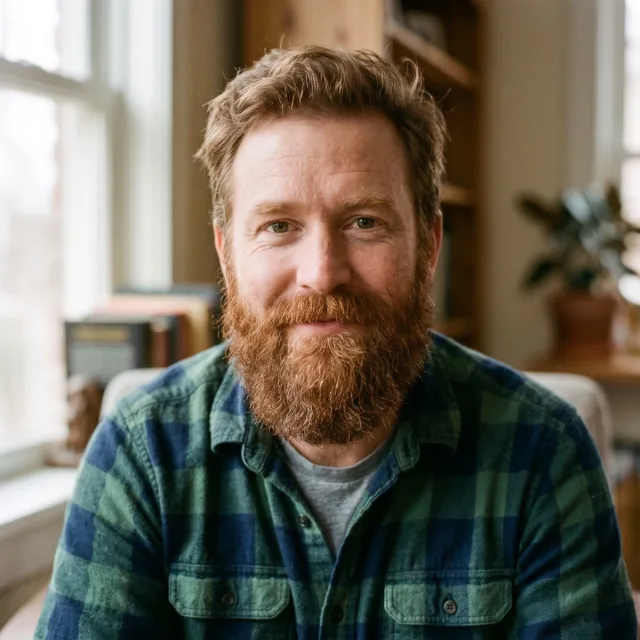 Animates well
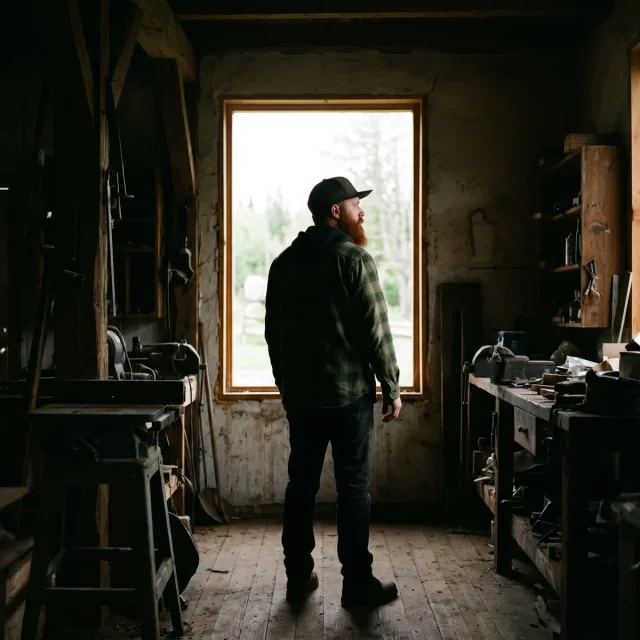 Hard to animate
A face you can see
Light on the face, both eyes visible, looking near the camera. A face in shadow or turned away comes out smeared, or as someone else.
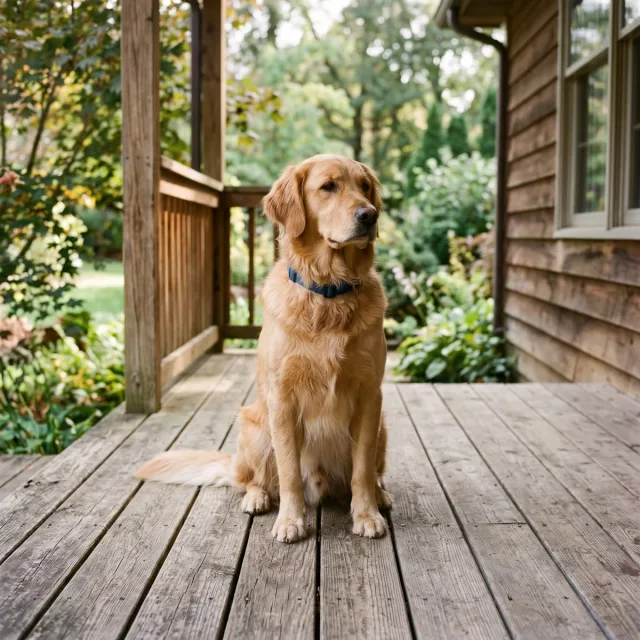 Animates well
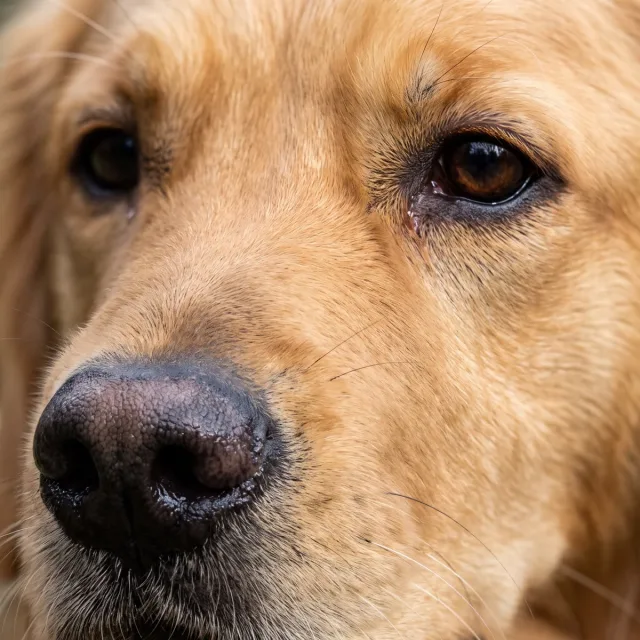 Hard to animate
The whole subject in frame
Leave room around heads, hands and paws. When part of the body is cut off, the model has to invent it as soon as it moves.
 Animates well
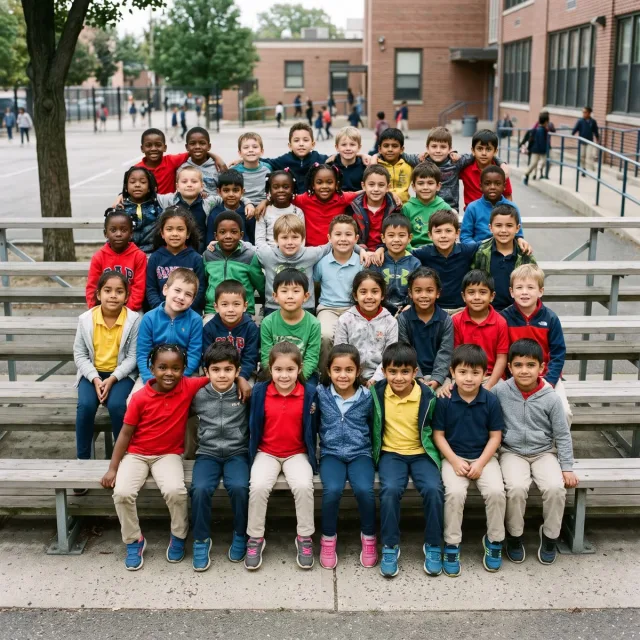 Hard to animate
One to three people
Every extra person gets fewer pixels. In a crowd, the faces at the back blur and borrow features from their neighbours.
 Animates well
 Hard to animate
Sharp and not tiny
Blur stays blur, and it gets worse once things move. Use the largest copy you have, or restore an old print first.
Do you need a photo animator app?
Most search results for “photo animator” are apps. This one runs in the browser on iPhone, Android, Mac and Windows, so there’s nothing to install, and the clip saves straight to your camera roll.
| What | A photo animator app | This website |
|---|---|---|
| Install | Download it from an app store first | Nothing. Open the page in any browser |
| Sign in | A store account, often a second login too | Google or email, one step |
| Free result | Often watermarked or limited to a trial | One free clip, with no watermark |
| Models | Usually one, chosen for you | 9, and you choose for each clip |
| You save | Mostly a video in the app’s own gallery | MP4, GIF or iPhone Live Photo |
| Paying | Weekly or yearly in-app subscriptions are common | A monthly plan or a one-time pack, from $9.90 |
Want an icon? In Safari or Chrome choose Add to Home Screen and the page opens like an app.
Three ways to keep your animated photo
Every clip downloads in all three formats at no extra cost. Pick the one that fits where it’s going.
MP4
The full clip, up to 1080p, with sound when the model makes it.
Reels, TikTok, Shorts, WhatsAppGIF
A silent loop that plays anywhere a picture can go, no play button needed.
Chats, email, slides, forumsLive Photo
A still that moves when you press it, saved straight into the Photos app.
iPhone lock screen and albumsPhoto animator questions
About getting one photo to move the way you want. Plans and refunds have their own page.
What is a photo animator?
A photo animator is a tool that turns a still photo into a short video. Here it is a website: you upload a picture, choose or describe a motion, and an AI video model draws the next 5 to 8 seconds, starting from your photo.
Do I need a photo animator app?
No. AnimatePhotos runs in the browser on iPhone, Android, Mac and Windows. Pick a photo from your camera roll, and save the result back to it as a video, a GIF or a Live Photo.
Will an animated face still look like the same person?
Usually, yes. Your photo is the first frame, so the face, clothes and background start out exactly as they are. Small motions such as a smile or a blink keep a face best; big head turns, hands crossing the face and dark or tiny faces are where it can drift.
Can I choose exactly what moves?
Yes. Write one or two sentences: who moves, what they do, what the camera does and what we hear. Anything you leave out is up to the model, so if something should stay still, say so, for example “the background stays still”.
Why does my animation look strange?
Most odd results start with the photo: a face in shadow, a body cut off at the edge, a crowd, or a small blurry file. Try a sharper copy, a looser crop or a gentler motion. If a run fails outright, its credits come back on their own.
Can I animate a photo with several people in it?
Yes. Two or three people work well, and Hug and Kiss need two. In big groups each face is only a few pixels wide, so the faces at the back can blur. Crop to the people who matter before you upload.
Can I animate the same photo again with a different motion?
Yes. Your photo stays in My Creations, 30 days on the free credits and for as long as you use AnimatePhotos on a plan or pack. Open it again, change the motion or the model and run it as often as your credits allow. Each run costs the same as the first.
How many photos can I animate on a plan?
On the default model a 5-second clip is 43 credits, so Basic (1,400 credits a month) makes 32 clips, Pro (4,500) makes 104 and Premium (10,000) makes 232. At 480p the same clip is 28 credits, so Basic makes 50. Bigger models and 1080p use more per clip, and the cost shows on the button before you start.
More ways to animate a photo



Animate your first photo free
Confirm your email and your first 5-second clip is on us. No app to install and no card needed.