Live Photo to video
Turn a Live Photo, a .livp file or an Android motion photo into an MP4 or GIF that plays anywhere. Works on any computer, right in the browser.
GondolaThe gondola Live Photo (IMG_4127.JPG + IMG_4127.MOV) as an MP4, played once. Drop your own files to convert them.
Still on your iPhone? It can do this by itself
If the Live Photo is in your Photos library, you don’t need this page. Your iPhone keeps the Live Photo and adds the video next to it.
- 1
Open the Live Photo
Find it in Photos and tap it, so it fills the screen.
- 2
Tap More
The round button with three dots, at the top of the screen.
- 3
Choose Save as Video
The new video lands in your Recently Saved album.
| Save as Video on iPhone | This page | |
|---|---|---|
| Where it works | In Photos on your iPhone or iPad | In Chrome or Edge on a computer |
| What it takes | Live Photos in your library | Photo + movie pairs, .livp files, Android motion photos, or the movie alone |
| What you get | A video in your library | An MP4 or a GIF, played once, looped or bounced |
| Many at once | One Live Photo per save | A folder of pairs in, one zip out |
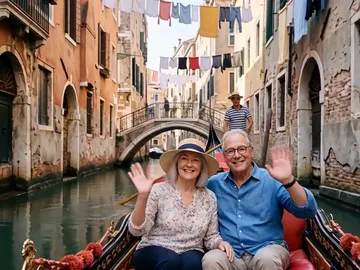
Put a trip’s Live Photos into your video edit
Copied off a phone, every Live Photo turns into two files with the same name: a photo and a three-second movie. Convert the pair and you get an MP4 that drops onto a timeline like any other clip.
Three seconds of a gondola sliding past is often the shot that ties a travel edit together.
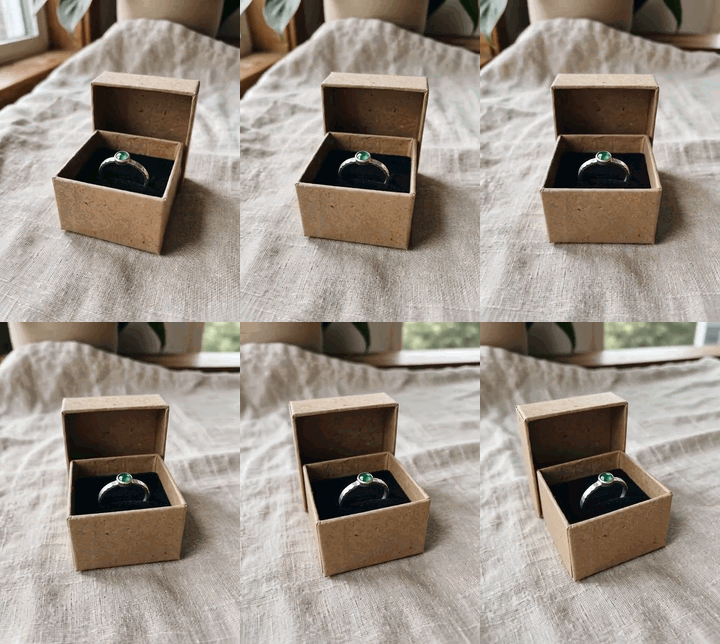
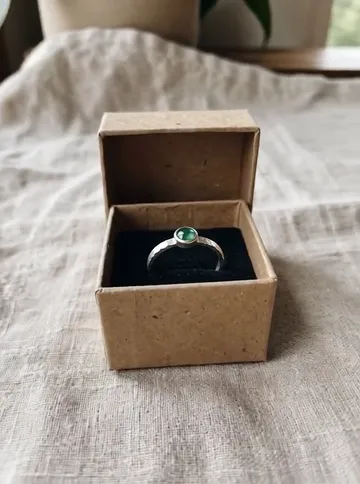
Send the moment as a GIF that moves in the chat
A GIF starts playing the second it lands, wherever it lands: a group chat, an email, a forum post. Nobody has to press anything.
This one is 240 pixels wide, small enough to send anywhere, and it starts over by itself as soon as it ends.

An Android motion photo, saved as a real video
Phones that take motion photos keep the seconds of movement inside the photo file itself. Most photo viewers on a computer show only the still, so the movement seems to be gone.
Drop the photo here and the hidden part comes out as an MP4 you can play, share or edit anywhere.
How do I turn a Live Photo into a video?
On an iPhone, open the Live Photo in Photos, tap More, then Save as Video, and it appears in Recently Saved. If the Live Photo is already on a computer, as a photo and a movie, a .livp file or an Android motion photo, drop it into the box at the top, choose MP4 or GIF, and download. Everything happens in your browser.
- 1
Drop the photo and the movie together
Select both files that share a name, such as IMG_4127.JPG and IMG_4127.MOV, and drop them in at once. They are opened here and never uploaded.
- 2
Choose MP4 or GIF
MP4 for editing apps and anything that plays video. GIF for places that only show pictures.
- 3
Pick how it plays
Once, the way it was shot. Loop plays it three times in a row. Bounce goes forward, back and forward again.
- 4
Convert and download
One Live Photo saves as one file. Drop several and they come back together in a single zip.
Which file do you have?
A Live Photo changes shape depending on where it has been. All four go into the same box.
A photo and a movie with one name
Copied off an iPhone onto a computerDrop both at once. Files are matched by name, so a whole folder can go in together. The photo can be .JPG or .HEIC.
One .livp file
Downloaded from iCloud in a web browserDrop it as it is. It is read as the bundle of a photo and a movie it appears to be; we have not tried it on a real iCloud download yet.
A photo with the video inside
Taken as a motion photo on an Android phoneDrop just the photo. If movement was saved in it, that is what you get back. If not, the page tells you there is nothing moving to save.
Only the movie
The photo went missing, or you only kept the clipDrop it alone. The movie is the whole moving part, so nothing is lost without the photo.
MP4 or GIF?
The same three seconds of the gondola, both ways. The MP4 is about 12 times smaller.
MP4About 382 KB
- Plays in every video player, editing app and social app.
- Full color, as sharp as the original movie.
- Plays once, unless the player is set to repeat.
GIF4.5 MB · 36 frames
- Moves by itself in chats, emails and web pages, and starts over on its own.
- Up to 256 colors per frame, so soft gradients turn blotchy.
- Made 480 pixels wide at 12 frames a second, to stay small enough to send.
Make it last longer than three seconds
A Live Photo holds about three seconds. Repeat them and the moment lasts three times as long, with nothing made up.
Once 3 s
Exactly as it was shot.
Loop 9 s
Three times in a row. Each pass starts again from the first frame.
Bounce 8.9 s
Forward, back, forward. With no jump at the turn, it suits slow things like water, steam and smoke.
Loop and Bounce use up to the first six seconds of a movie.
Convert a whole folder at once
Twelve Live Photos copied off a phone are 24 files. Drop them all in together: they are matched by name and come back as one zip of 12 MP4s.
 IMG_4201
 IMG_4202
 IMG_4203
 IMG_4204
 IMG_4205
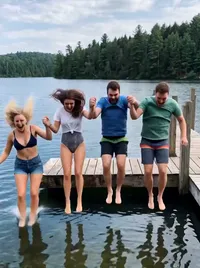 IMG_4206
 IMG_4207
 IMG_4208
 IMG_4209
 IMG_4210
 IMG_4211
 IMG_4212
24 files · 4.1 MB 12 MP4s in one zip · about 3.3 MB
Files that are not photos or movies are left out and counted, so you can see what was skipped.Questions about turning Live Photos into videos
Short answers. Your files never leave your device.
How do I turn a Live Photo into a video?
On an iPhone, open it in Photos, tap More, then Save as Video. If the Live Photo is already on a computer, drop its files into the box at the top of this page, choose MP4 or GIF, and download.
My Live Photos are on my PC as a photo and a video. How do I convert them?
Select both files that share a name, for example IMG_4127.JPG and IMG_4127.MOV, and drop them in together. You can drop many pairs at once; each pair becomes one video.
How do I convert an Android motion photo to a video?
Drop the photo file on its own. The few seconds of movement stored inside it come out as an MP4 or GIF. If the photo has no movement saved, the page says so.
Can I convert many Live Photos at once?
Yes. Drop a whole folder of photos and movies. They are paired by name, converted one after another, and downloaded together as one zip.
Should I pick MP4 or GIF?
MP4 in most cases: it is about 12 times smaller and keeps the full picture. Pick GIF when it has to move by itself somewhere that only shows images.
Can the video be longer than three seconds?
Yes, by repeating it. Loop plays the moment three times in a row; Bounce plays it forward, back and forward. Both are free and use up to the first six seconds of the movie.
I only want the still photo. Where is it?
If you have a pair, the .JPG or .HEIC file already is the photo. A motion photo still opens as a normal photo anywhere. To pick a different moment from the movie, use Video Frame Extractor.
Do my photos leave my computer?
No. Your browser opens and converts them on your own device, so nothing is uploaded. There is no sign-up and no limit on how many you convert.

Want more movement than the camera caught?
AnimatePhotos turns one still photo into several seconds of new, natural motion: hair in the wind, a slow smile, water that keeps flowing.