Photo to GIF
Line up your photos, choose how long each one stays, and get a GIF that loops. Your photos stay on your device.
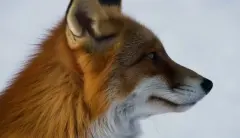
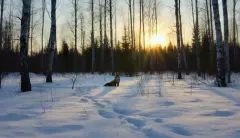
Fox storyFour photos, 1.2 s each, with a 0.4 s crossfade between them. 36 frames at 480 × 274.
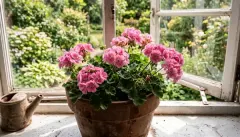
Turn weeks of photos into one growing plant
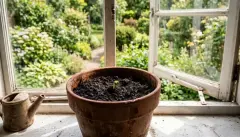
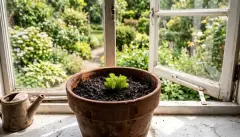
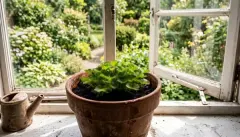
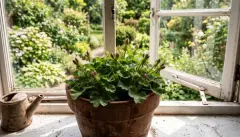
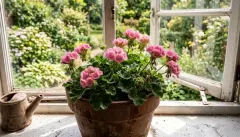
Took a photo of the same pot every few days? Drop them in, and the GIF plays the whole season in a few seconds: bare soil, a first shoot, leaves, buds, then a pot full of flowers.
Keep the camera in one spot and the photos line up frame on frame, so only the plant changes. Give the first and last photo a longer stay and people see where it started and where it ended.
 1
 2
 3
 4
 5
- 6
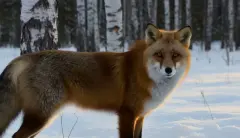
Tell a short story with four photos
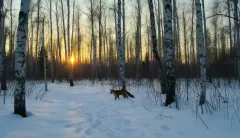
A walk in, a stare, a profile, a last look at the sunset. Four photos from one afternoon read like a small film when each one gets about a second and soft fades join them.
Put the wide shot first so people know where they are, then move in close. Drag the photos into that order in the strip before you make the GIF.

Make a face-changing sticker from one character
Six expressions of the same avatar, half a second each, make a reaction GIF that flips between laughing, crying, fuming, gasping, winking and heart eyes.
Pick the square shape so it sits well in a chat, and keep it small: these six faces came to 210 KB at 320 × 320.



How do you make a GIF from photos?
To make a GIF from photos, add the photos, drag them into the order you want and set how long each one stays: around 0.1 s per photo plays like motion, and half a second or more plays like a slideshow. Then pick a shape, a size and how photos of other shapes fit, choose hard cuts or crossfades, and download. Everything happens in your browser.
- 1
Add your photos
Pick or drop several at once: JPG, PNG, WebP or AVIF, up to 60 photos. They open in this tab and stay on your device.
- 2
Put them in order
Use the arrows on each photo to move it, or Sort by name. Click a photo to give it its own time, so the first or last one can stay longer.
- 3
Choose the look
Shape and width set the size of the GIF. Fit decides what happens to photos of another shape: bars, a crop, or a soft blurred fill. Add a crossfade for smooth changes.
- 4
Download it
Press Make GIF, watch it play, then download a GIF that loops forever, once or three times. No watermark, nothing to sign up for.
 3
 4
Hard cuts or crossfades between your photos
The same four fox photos, 1.2 s each, made both ways. Same length, same size on screen; one jumps, one flows.
Hard cut
Each photo snaps to the next. It suits before-and-after pairs, comic beats and anything you want to feel quick.
288 KB GIF · 4 pictures · 4.8 sper changeCrossfade, 0.4 s
Each photo melts into the next over 0.4 s, and the last one fades back into the first so the loop never jumps.
2.7 MB GIF · 36 pictures · 4.8 sA fade is made of in-between pictures, eight of them for every change here, so the GIF holds 36 pictures instead of 4. That is why the crossfade file is close to ten times bigger. If the GIF has to be small, use hard cuts, or shrink it afterwards.
How long should each photo stay?
The six windowsill photos at three timings. The time changes how the GIF feels and how long it runs, not how big the file is: all three are 581 KB.
0.1 s each
0.6 s loop · 581 KBToo quick to look at any one photo. The plant seems to shoot up, like a time-lapse.
0.5 s each
3.0 s loop · 581 KBEach stage is there long enough to see, and the loop still comes round fast.
1.5 s, then 0.3 s, then 1.5 s
4.2 s loop · 581 KBThe bare pot and the full bloom stay longest, so the start and the end land; the middle photos pass quickly.
Click a photo in the strip to set its own time. Photos you don’t touch keep the time set for all.
Photos of different shapes in one GIF
A wide, a square, a tall and a phone-tall photo of the same café visit, each made into one square GIF. Fit decides what happens to the parts that don’t match.
 Wide
 Square
 Tall
 Phone-tall
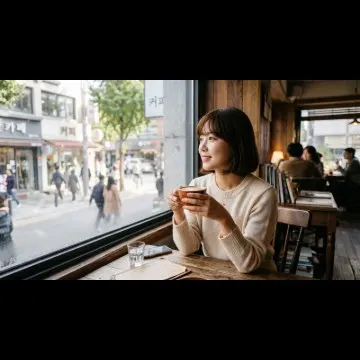 Wide
 Phone-tall
Whole photo
254 KB GIFNothing is cut off. Black bars fill the gap above and below a wide photo, or at the sides of a tall one.

 Wide
 Phone-tall
Fill and crop
331 KB GIFThe photo fills the frame and the edges that hang over are cut. Keep the person near the middle.

 Wide
 Phone-tall
Blurred fill
282 KB GIFThe whole photo sits on a soft, darkened copy of itself, so there are no hard bars and nothing is lost.
All four photos went into each GIF: 4 pictures, 0.9 s each, 360 × 360.
Only one photo? A slow push-in, or real movement
With a single photo this tool can only move the camera. AI photo animation moves what is in the photo. Same photo, both as a GIF.


Push-in, free here
The camera creeps in and back out. The woman, the rain and the lights stay still.
50 pictures · 3.0 s · 5.3 MB GIF
AI photo animation
She tilts the umbrella and smiles, rain falls and the reflections ripple. It uses credits.
51 pictures · 5.1 s · 5.0 MB GIFAnimate this photo with AIWhat makes a photo GIF big
Every bar is a GIF this tool made. Length barely matters; the number of different pictures and their size do.
- Shown in a chat or a forum? 480 wide is plenty.
- Crossfades cost about eight extra pictures per change. Shorten the fade or use hard cuts to save space.
- A busy photo, like leaves or a crowd, takes more room than a clear sky.
- Need it under a limit? Run the finished GIF through the GIF compressor.
Photo to GIF: your questions
About timing, order, shapes, file size and your photos.
How do I make a GIF from photos?
Add your photos with the box at the top of this page, put them in order with the arrows, and set how long each one stays. Choose a shape, a width and a fit, turn on the crossfade if you want soft changes, then press Make GIF and download it.
How long should each photo stay?
About 0.1 s per photo plays like motion, which suits a burst of photos or a time-lapse. Half a second to a second suits a slideshow. Give the first and last photo 1.5 s or more if the start and end matter, like a before and after.
My photos are different shapes. What happens?
The GIF takes one shape: the first photo’s, or square, 4:5 or 16:9. Each photo is then fitted to it: Whole photo adds black bars, Fill and crop cuts the edges, and Blurred fill puts the photo on a soft copy of itself so nothing is lost.
Can I make a GIF from just one photo?
Yes. Turn on Push-in and the GIF slowly moves in and back out, so it loops smoothly. Nothing in the photo moves, though. For a person who blinks, smiles or turns, use AI photo animation instead.
How many photos can I add?
Up to 60. In our test, 60 photos at 480 wide with hard cuts made an 18-second GIF of 5.1 MB in 6.5 seconds. Crossfades with many large photos can be too much for a browser tab; the tool tells you, and hard cuts or a smaller width fix it.
Why are my photos in the wrong order?
Photos are added in the order your device hands them over, which is not always the order you took them. Press Sort by name to put IMG_2 before IMG_10, or move any photo with its arrows. The number on each photo is its place in the GIF.
How big will the GIF be?
Four photos with hard cuts at 480 wide came to 288 KB in our test; the same photos at 800 wide were 712 KB, and with crossfades 2.7 MB. If you need it smaller, use a smaller width, fewer fades, or the GIF compressor.
Are my photos uploaded?
No. The photos are opened and the GIF is made inside your browser tab, so they never reach our servers. There is no watermark, no sign-up and no limit on how many GIFs you make.
More ways to make and fix GIFs
Video to GIF
Have a clip instead of photos? Cut the moment you want into a GIF.
OpenGIF Compressor
Crossfades made it too big? Shrink it to fit a chat or a forum limit.
Open
Video Frame Extractor
Pull the photos for your GIF out of a video, frame by frame.
Open
AI GIF Generator
No photos yet? Describe the GIF and let AI make it.
OpenWant the person in your photo to really move?
A GIF from photos changes the picture. AI photo animation brings one photo to life: a smile, a turn, wind in the hair, rain on the street.