GIF background remover
Remove the background from any GIF, frame by frame, right in your browser. Nothing is uploaded, nothing is watermarked, no account needed.
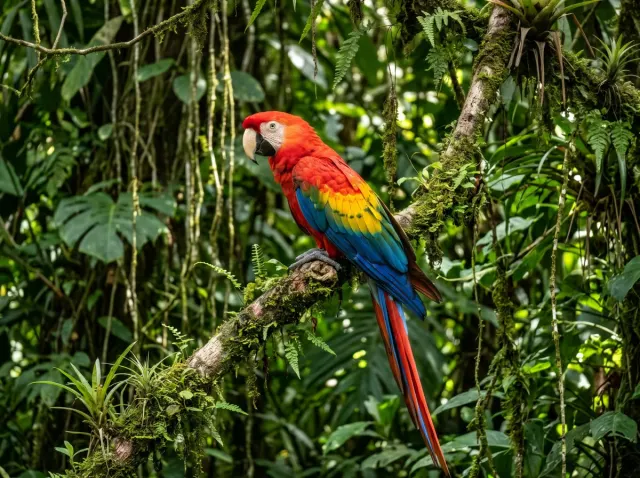
SubjectThe macaw is kept; the rainforest and the branch go. Every frame was cut on its own, so the wings stay whole as they open.
 Sent · 9:41
Turn a GIF into a sticker for your group chat
This sloth was drawn on flat green, so One color did the work. It took out every bit of green, even the small gap under the waving arm, and left the white sticker border whole, so it looks the same on a dark or a light chat theme.
Keep a sticker short, two to four seconds, and crop it close around the character before you cut. A small square file sends fast and looks the same on a dark or a light chat theme.
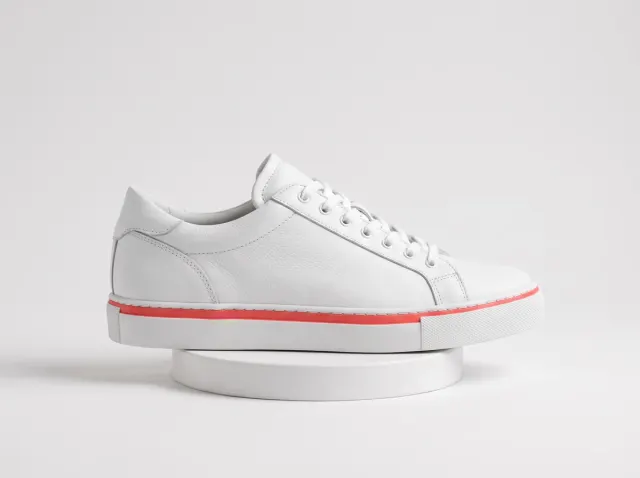
 Court Low, white / coralLeather · sizes 36–46$89
Show a product turning on your own background
We tried the hardest product shot: a white sneaker on a white pedestal against a white wall. Subject kept the sole, the laces, the toe and the pedestal, but read the white side panel as wall and cut through it, so the page shows through the side of the shoe.
For a white product, film the turn on a colored or dark backdrop and the panel stays solid. If you already have a white-on-white GIF, put the cut on a page close to white, like this listing, where the gap hardly shows.
Put a person over a slide, a banner or a web page
Subject kept the chef whole in every frame, white jacket included, in a kitchen full of steel pans and other cooks. The wok was the hard part: it is kept in some frames and dropped in others, so this works for the person, not the pan.
On a dark slide like this one, download the WebP: its soft edge blends in. On a light slide, take the GIF. The WebP keeps faint grey traces of the kitchen behind him that only show on light colors, and the GIF’s hard edge drops them.
How do you remove the background from a GIF?
Drop the GIF into the box, pick Subject for photos and video clips or One color for flat backgrounds, check the edges on a dark and a light preview, and download a transparent GIF, WebP or APNG. Every frame is cut in your browser; the GIF is never uploaded.
- 1
Drop the GIF
A GIF, a short MP4 or an animated WebP. Long clips are cut frame by frame, so trim to the part you need first.
- 2
Pick Subject or One color
Subject finds the bird, the person or the product and drops everything else. One color removes a single flat color, which is cleaner on cartoons and green screens.
- 3
Check the edges
Flip the preview between checker, dark and light. A thin ring of the old background shows on one of them if the edge needs a matte color.
- 4
Download
Transparent GIF for anywhere that takes a GIF, WebP or APNG for soft edges. Nothing to sign up for and no watermark on the file.
Subject or One color: which one to pick
Most GIF tools give you only one of these. Here are the same two GIFs cut both ways, so you can see where each one wins.
CleanOne color: Takes out all the green, even the gap under the arm, and keeps the white border. Keep the tolerance low: set loose, it also took the sloth’s grey eye patches.
 Mostly clean
Subject: Cuts the outline just as cleanly, but leaves small patches of green inside the gaps between the arm and the body.
 Not clean
One color: Takes out a few bright leaves and nothing else. A rainforest is a hundred greens, not one.
Mostly cleanSubject: Keeps the macaw and drops the jungle and the branch. On a light page, the blur of the flapping wings shows as a grey smudge.
Rule of thumb: if you could paint the background with one bucket of paint, use One color. If it has leaves, rooms, streets or people in it, use Subject.
Will my GIF cut cleanly?
Four kinds of GIF that background removers get wrong, each cut once with Subject and shown as it came out. The small picture is the GIF before.
 Mostly clean
Curly hair in the wind
Every curl is kept, loose ones included, and the city behind her is gone. Strands blurred by the wind come out as soft grey wisps on a light page; on a dark page they look like hair.
Posting on a light page? Flip the preview to Light before you save: the wisps only show there.
 Mostly clean
See-through soap bubbles
She is cut cleanly in every frame. Bubbles still near the wand are kept and stay see-through, as they should. The ones that float away are dropped, so in the GIF they vanish in mid-air.
If the bubbles are the point, crop the GIF close to her so they stay near the wand.
 Clean
Green jacket, green hedge
An olive jacket against a green hedge, and Subject told them apart in every frame: collar, hands and folded arms all clean, on dark and on light.
Clothes the color of the background trip up One color, not Subject. Use Subject whenever someone wears the background’s color.
 Mostly clean
A fast, blurry ollie
The ollie itself cuts cleanly, board included, even mid-air and blurred. In the last second, after he rolls out of the picture, the AI keeps something else instead: other skaters and a concrete ledge.
Trim the GIF to the trick before you cut. Frames where the subject has left are where it guesses.
Transparent GIF or WebP: what the edge looks like
A GIF pixel is either fully see-through or fully solid, nothing in between. WebP and APNG can be half see-through, so their edges are soft, but they also keep half of any blur in the clip. Same macaw, same cut, zoomed to the head.
On a dark page
On a dark page all three look clean. Up close the GIF’s edge is stepped, but the dark hides it.
On a light page
On a light page the GIF shows a thin dark rim along the head and back, and the WebP turns the wing blur into a grey haze. A white matte lightens the GIF’s rim, so the matte GIF is the cleanest of the three here.
| Transparent GIF | Transparent WebP | Transparent APNG | |
|---|---|---|---|
| Edge | Hard, 1-bit. Set Matte color to the color it will sit on | Soft, fades into any color | Soft, fades into any color |
| Size of our macaw | 686 KB | 645 KB | 3.0 MB, because it is lossless |
| Opens in | Every browser and nearly every app that takes a GIF | Every current browser | Every current browser |
| Pick it when | The place you post only takes GIF | Web pages, slides and anything you will place on different colors | You need every pixel exact and size doesn’t matter |
Is a transparent GIF bigger or smaller?
Smaller, in all five of our GIFs, because the background is no longer stored. How much depends on how much background there was: the macaw GIF lost 86%, the sloth sticker only 20%. The WebP of the same cut is smaller again.
Posting where files must be small, like a chat app or a forum? Run the cut-out through the GIF compressor.
Your GIF never leaves your device
Most background removers upload your file and send the result back. This one does the cutting inside your browser tab.
The cutting model loads once
The first GIF downloads the model to your browser. After that it is cached, so the next GIF starts straight away, even with a weak connection.
Each frame is cut on your computer
Your graphics chip does the work where the browser allows it, and the processor where it doesn’t. A 4-second GIF is about 50 frames.
Nothing is sent to us
The GIF and the cut-out never leave the tab. Close it and they are gone; there is no copy on a server to delete.
GIF background removal: your questions
About cutting, edges, file size and privacy. Making a new GIF from a photo is on the AI GIF generator page.
How do I remove the background from a GIF?
Drop it in the box at the top of this page, choose Subject or One color, look at the result on a dark and a light preview, then download. You don’t need an account and the GIF never leaves your browser.
Is it really free, and is my GIF uploaded?
Yes, free with no limit, and no. The cutting runs in your browser tab, so the GIF stays on your device. There is no watermark on what you download.
Why is there a white or colored outline around my cut-out?
A GIF can only make a pixel fully clear or fully solid, so the soft pixels at the edge keep a bit of the old background. Set Matte color to the color the GIF will sit on, or download a WebP, which has soft edges.
Should I use Subject or One color?
One color for a flat background you could fill with one bucket of paint, such as a green screen, a white wall or a cartoon sticker. Subject for everything else: rooms, streets, trees, crowds.
Why did it miss some hair, the bubbles or part of the subject?
Subject decides, frame by frame, what belongs to the subject. It struggles with what is see-through or blurred by motion, like bubbles drifting away, a pan mid-toss or hair in the wind; with parts the same color as the background, like a white shoe on a white wall; and with frames where the subject has left the picture. Trim the GIF to the moment you need, or use One color if the background is flat.
Why does the first GIF take longer?
The first time, your browser downloads the cutting model, about 90 MB. It is cached after that, so the next GIFs start at once. A long or large GIF also takes longer because every frame is cut on its own.
Will the transparent GIF be bigger than the original?
Usually smaller. In our tests the cut GIF was 20% to 86% smaller than the original, because the background is gone. A WebP of the same cut is smaller still.


Need a GIF to cut out first?
Make one from any photo with the AI GIF generator, then bring it back here to remove the background for free.