Video to GIF
Turn any MP4, MOV or WebM clip into a GIF that loops the way you want. It all happens in your browser, so the video never leaves your device.
480 × 270 · 84 frames · about 5.9 MB
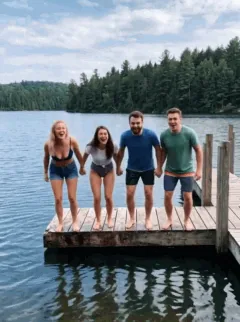
Make as many GIFs as you like, unmarked and without an account. Nothing is uploaded.Family toastThe 5-second family toast at 360 pixels wide and 17 frames a second: 84 frames in one GIF. A narrower GIF, fewer frames a second or a shorter part makes it lighter.
Make a reaction GIF for the group chat
Only the three seconds of the countdown and the splash, cut from a longer clip with the two handles. At 240 pixels wide and 12.5 frames a second it came to 38 frames and 1.6 MB, small enough to send without a wait.
For a reaction, keep it short and narrow. People see it at thumbnail size in a chat anyway, and every extra second adds frames.
Keep a moment from a trip on your blog
Four seconds of a gondola ride, turned into a GIF that loops forever beside the story of the day. It plays on its own, with no play button and no sound to switch off.
At 400 pixels and 17 frames a second it holds 67 frames and weighs 5.8 MB. For a lighter page, drop to 10 frames a second: the water still moves, it just moves in fewer steps.
Show one step of a tutorial, three times over
A how-to reads better when each step shows the move itself. This drawing step plays three times and then rests on the last frame, so it doesn’t keep tugging at the reader’s eye while they follow along.
Slow movements need few frames. At 10 frames a second the whole 5-second step is 52 frames and 3.1 MB.
How do you turn a video into a GIF?
To turn a video into a GIF, drop an MP4, MOV or WebM file into the box, drag the handles to the part you want, pick a width and a frame rate, choose loop forever or a set number of times, and download the GIF. The video is read in your browser and never uploaded.
- 1
Drop the video
An MP4, MOV or WebM clip from your phone, camera or screen. It is opened right here on your device, so nothing is uploaded, and there is no sign-up.
- 2
Drag the handles
Keep only the part you want. A GIF holds up to 300 frames, so the handles stop at the longest part that fits.
- 3
Pick width, frame rate and loop
Width from 240 pixels to the video’s own, 10 to 50 frames a second, and loop forever, once, 3 times or forward and back. The size estimate updates as you go.
- 4
Download the GIF
Free, with no limit on how many you make and no watermark on any of them.


How fast a GIF can really play
A GIF stores how long each frame stays up in hundredths of a second, so only some frame rates exist: 50, 33, 25, 20, 17, 12.5 and 10. We made a 3-second stopwatch at 60 frames a second and turned it into a GIF at each of the fastest settings. The squares show which of its first 12 frames each GIF keeps.
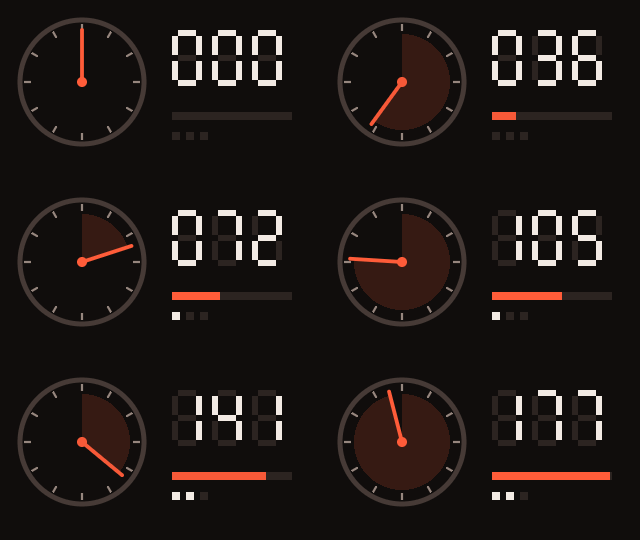
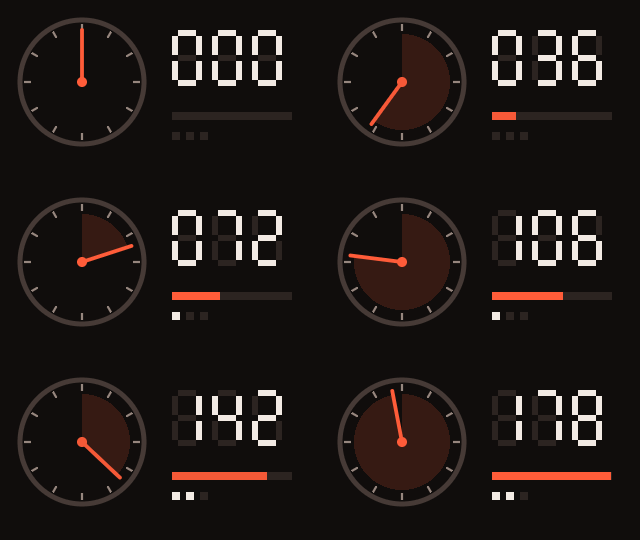
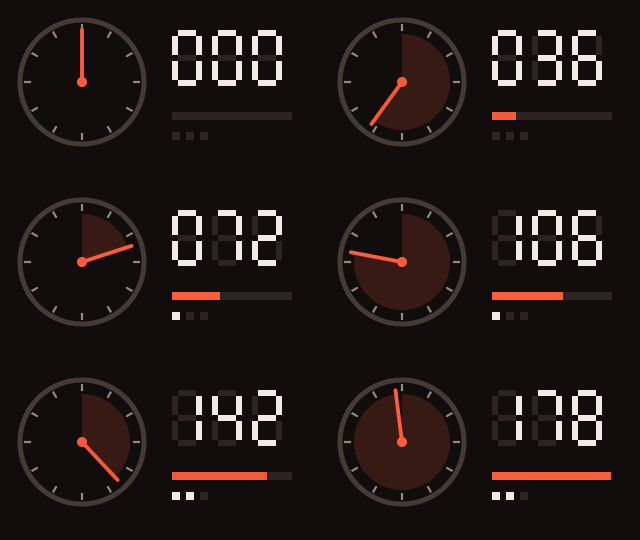
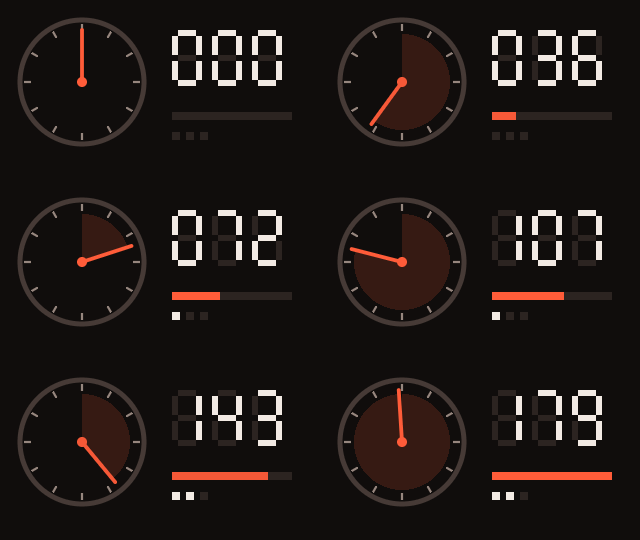
Set to 1/100 of a second, this one should be the fastest. Browsers treat a frame that short as 1/10 of a second instead, so it crawls: watch its counter fall behind.
So a 24 fps film comes out at 25, which looks the same. A 30 fps phone video sits between 25 and 33; pick 25 for a smaller file. A 60 fps clip tops out at 50, and that is as smooth as a GIF gets.
Loops that don’t jump
Where the last frame cuts back to the first, a GIF can jolt. After each GIF is made we compare that cut with an ordinary step between two frames, and tell you if it jumps. Here is how big the cut was in four of ours.
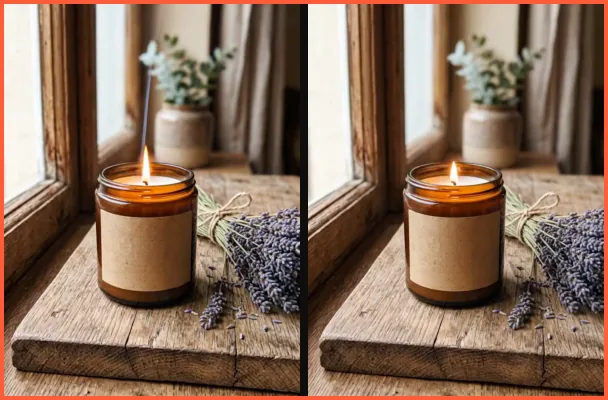 Last frameFirst frame
The flame leans one way at the end and the other at the start.
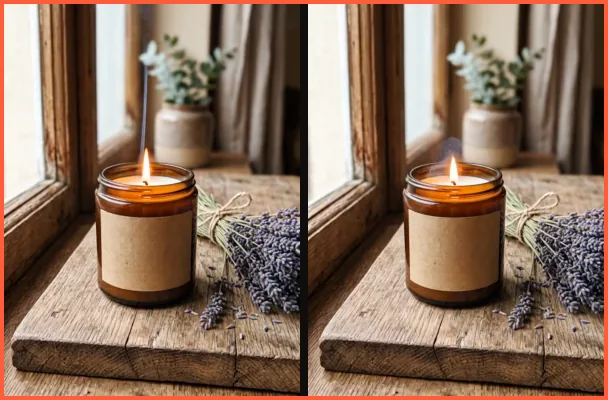 Last frameFirst frame
Handles moved to where the flame stands most alike. A smaller jump, never zero.
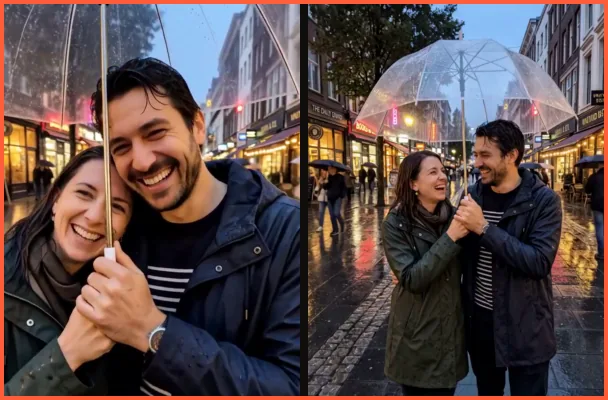 Last frameFirst frame
They end in a close-up and start from across the street.
It plays to the end and then backward, so there is no cut at all. Twice the frames, twice the size.
Use forward and back when the movement can run in reverse: a turn, a nod, a camera drifting in. When it only goes one way, like a flame or running water, move the handles until the first and last frames look alike.
Why a sunset sky turns into stripes
Each GIF frame can hold 256 colors. A smooth sky needs far more, so neighboring shades get merged into bands. Smooth gradients scatters fine grain between the bands instead, so the eye blends them back together.
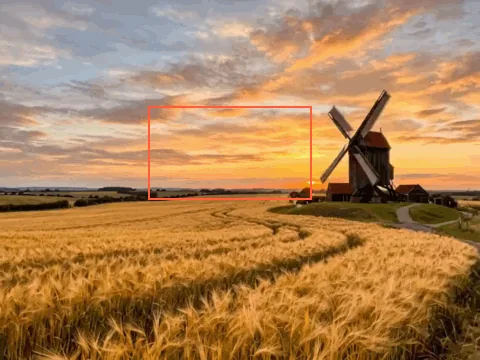


Both GIFs are the whole windmill clip at 480 pixels and 17 frames a second, enlarged 3 times here. The grain costs bytes: this one grew by 29%. Leave it off for cartoons, screen recordings and flat colors, where there are no gradients to save.
What width and frame rate do to the size
The same 5-second family toast, made nine ways. Size grows with both: twice the width means about four times the pixels in every frame, and each step up in frame rate adds more frames.
The original MP4, 560 pixels wide and every bit as smooth, is 365 KB: smaller than even the lightest GIF here. Where a video can play, that is the lighter choice; turn a GIF back into one with GIF to MP4.
Video to GIF questions
About frame rates, loops, size and the files you can use. Need a GIF smaller after it’s made? That is the GIF compressor.
Is this video to GIF converter free, and is my video uploaded?
It is free with no limit and no watermark, and nothing is uploaded. The video is opened and the GIF is written by this browser tab on your device, so a private clip stays private.
What frame rate should I pick? Can a GIF be 60 fps?
No. The fastest a GIF plays reliably is 50 frames a second, because frame times are stored in hundredths of a second and browsers slow down anything shorter than 2/100. For most clips 17 or 25 looks smooth; 10 or 12.5 is fine for slow movement and keeps the file small.
Why is my GIF so big?
A GIF saves every frame as a full picture, so width and frame rate multiply. Our 5-second test clip was 2.4 MB at 240 pixels and 10 fps, and 19 MB at 480 pixels and 25 fps. Make it narrower, lower the frame rate or keep a shorter part. To shrink one you already have, use the GIF compressor.
How long can the GIF be?
Up to 300 frames: 30 seconds at 10 frames a second, 12 seconds at 25. Very wide GIFs get fewer frames so a phone doesn’t run out of memory, and the handles stop at the longest part that fits.
How do I make my GIF loop without a jump?
Pick Forward and back, and the clip plays to the end and then in reverse, with no cut. If the movement only runs one way, move the handles until the first and last frames look alike. After each GIF we tell you if the loop still jumps.
Why does the sky in my GIF look striped?
A GIF frame holds 256 colors, and a sunset or a soft shadow needs more, so close shades merge into bands. Turn on Smooth gradients to blend them with fine grain. In our test it made the file 29% bigger.
Can I use a video from my iPhone?
Yes, drop the .MOV in as it is. Most iPhone videos are recorded as HEVC, which some browsers can’t open; if yours can’t, you will see a note saying so, and Safari can. A Live Photo is a picture with a short video inside; save it as a video with Live Photo to Video first.
Can I make a GIF from a YouTube video?
This tool only works with video files on your device; it doesn’t fetch anything from YouTube or other sites. Use clips you filmed yourself or have the rights to share.
Keep going with these free tools


Only have a photo?
Bring it to life as a short AI video first, then come back and turn the best part into a GIF.