Old photo restoration
AI photo restoration for torn, creased, stained and faded prints. Upload a scan or a phone photo of it, and get the same picture back without the damage, with the same faces.
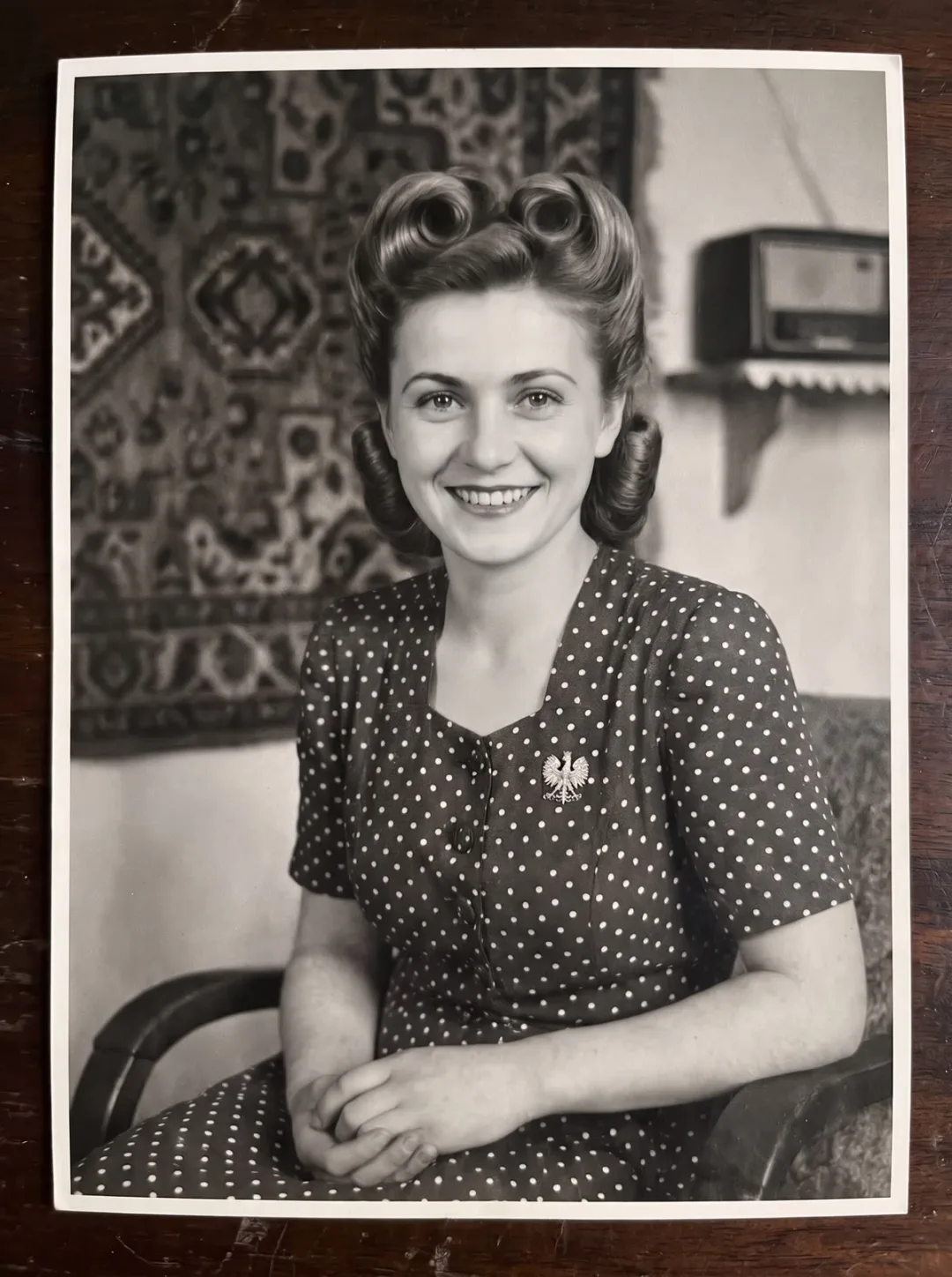
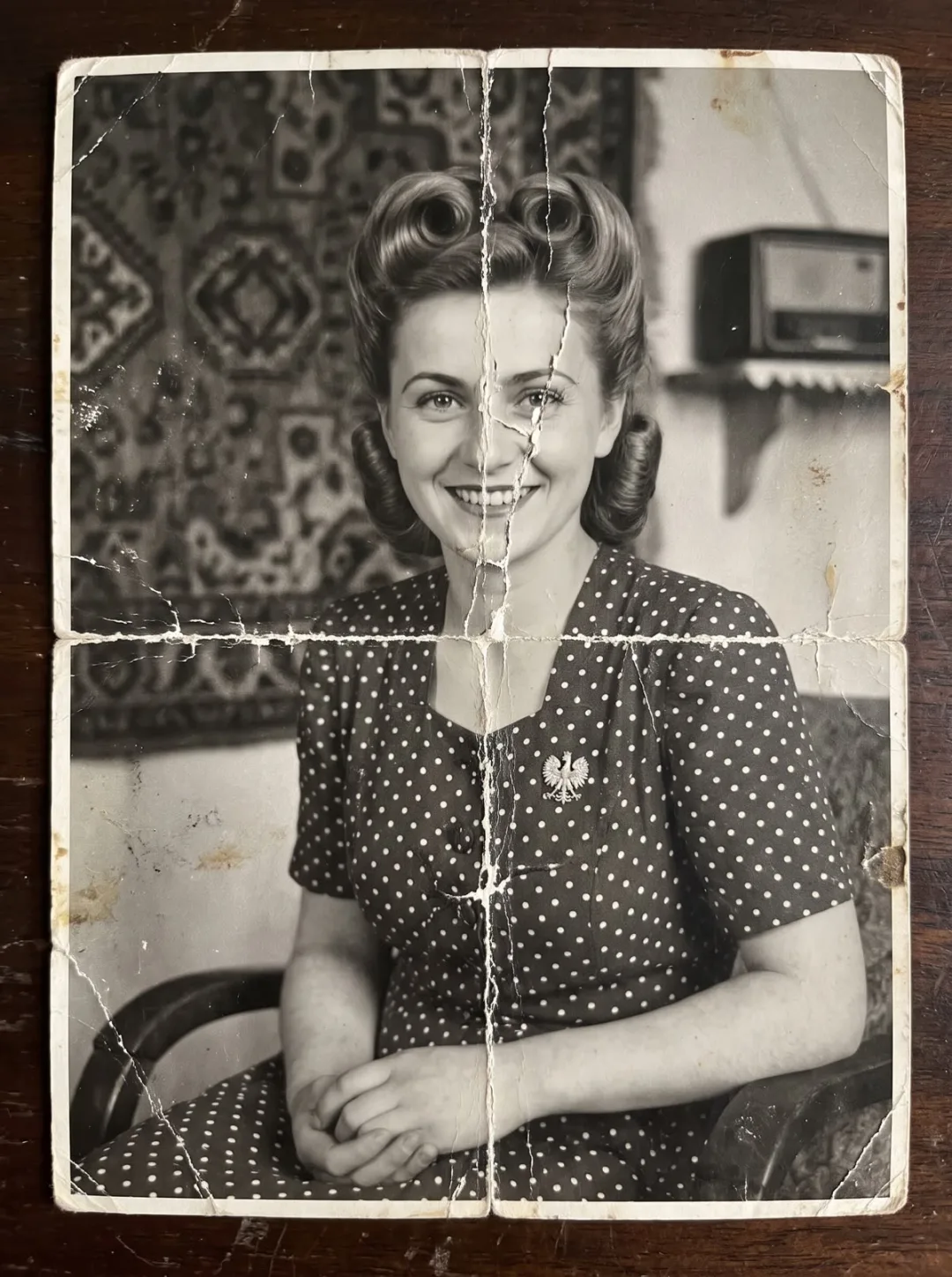 BeforeRestored
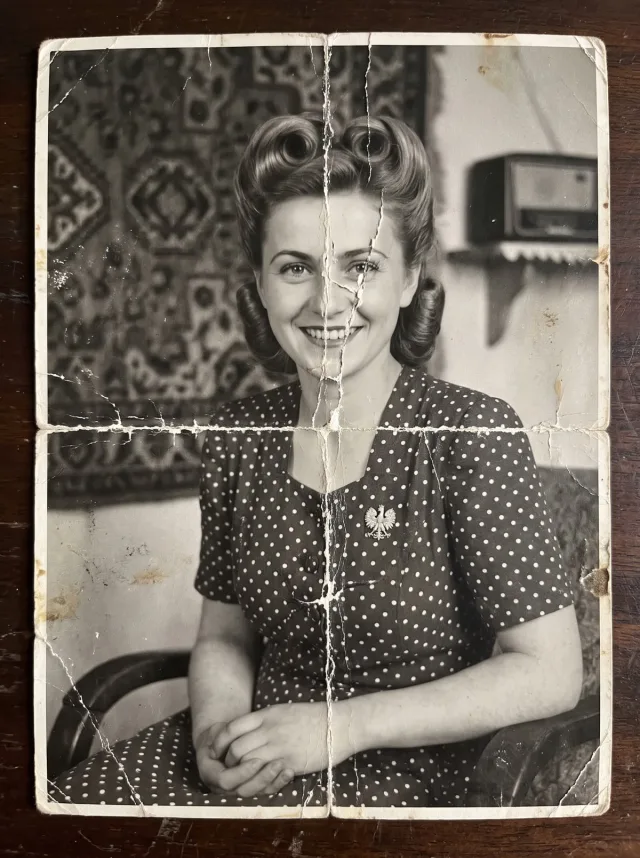
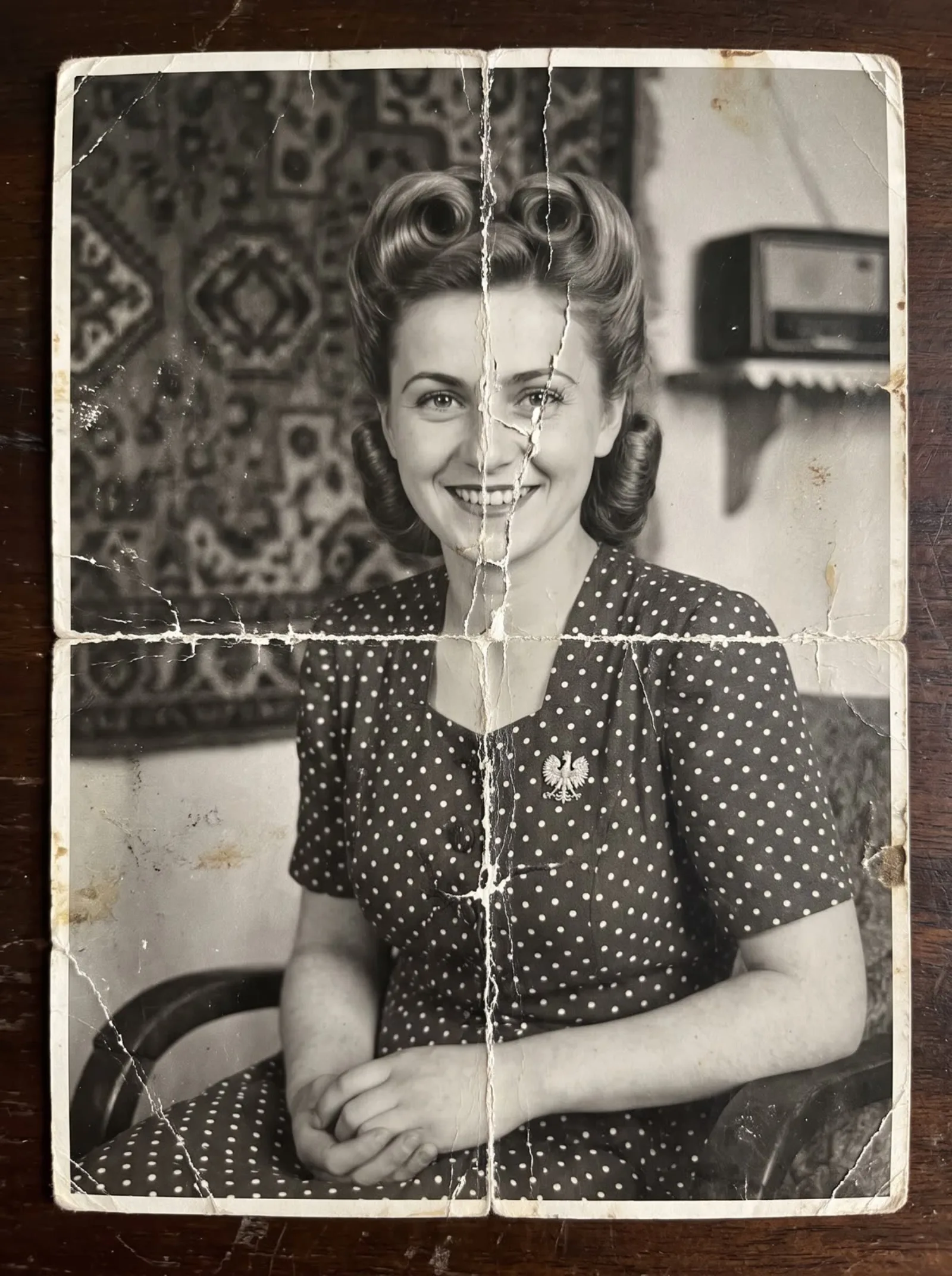
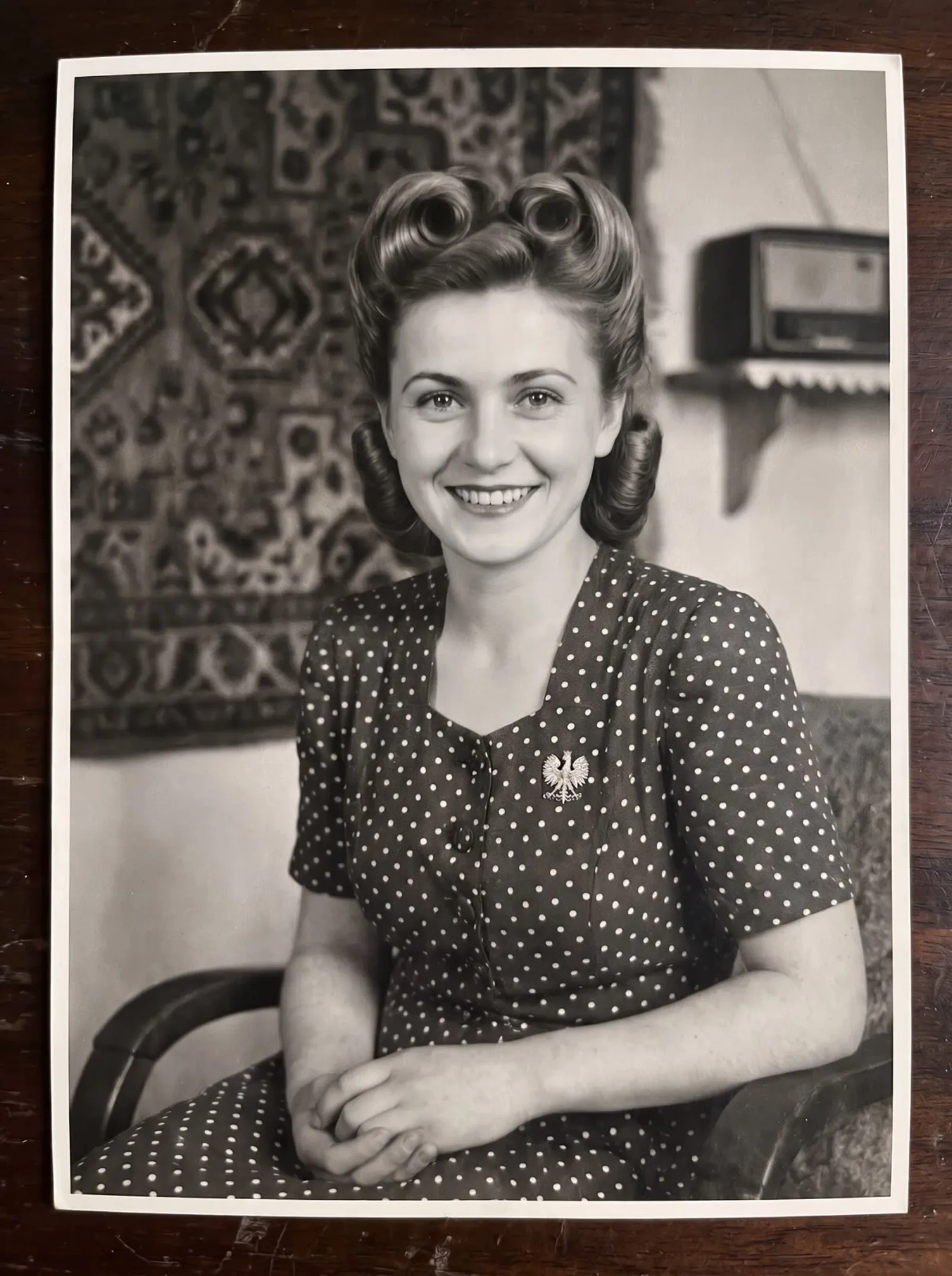
RepairA 1940s portrait folded in four, with white crease lines through her face
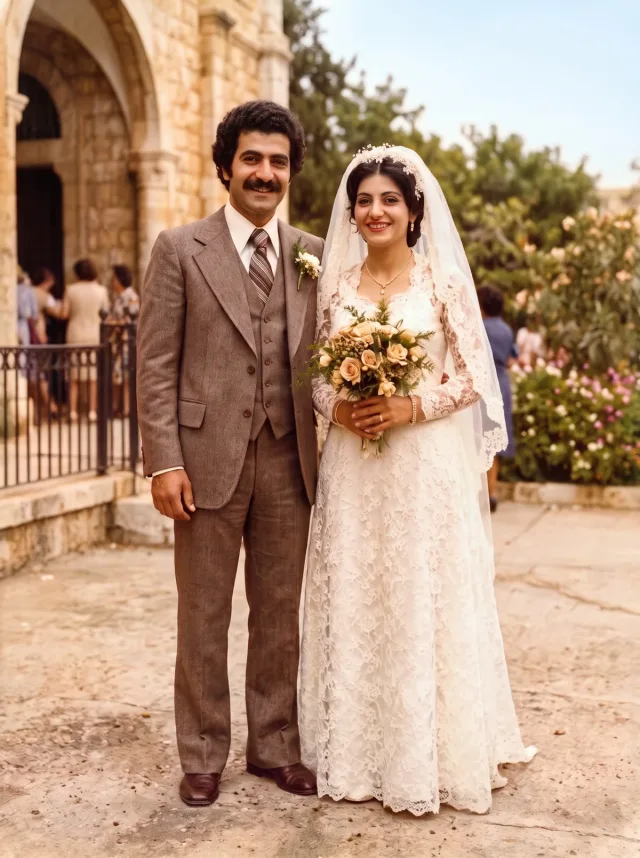
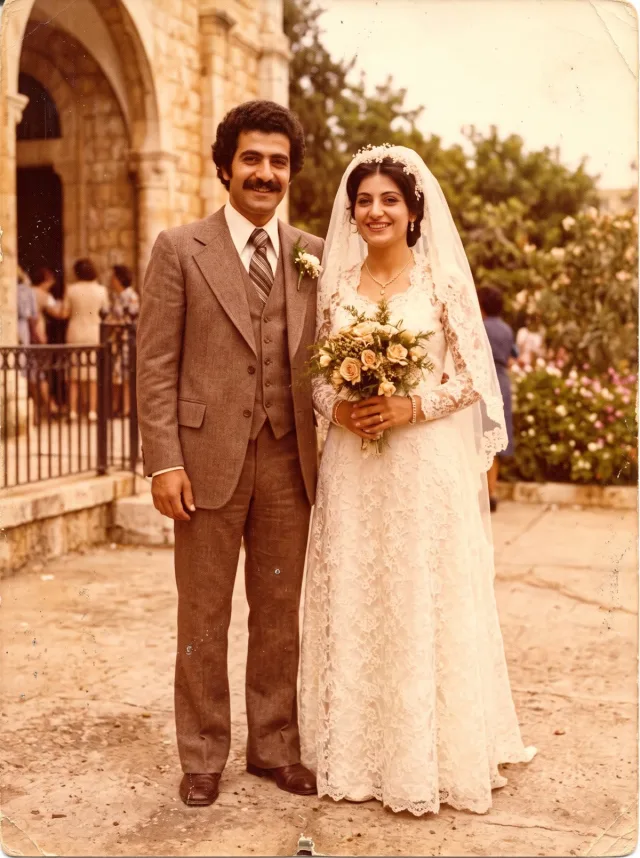
Faded color prints get their color back
Color prints from the 1970s and 80s often fade to orange, until everyone looks sunburnt and the sky is gone. Repair takes the cast out and brings back colors that look like the day itself.
This wedding photo outside a stone church had turned orange all over. After one run the sky is blue again, her lace dress is white and his brown suit is still brown. Their faces did not change.
Restore a faded photo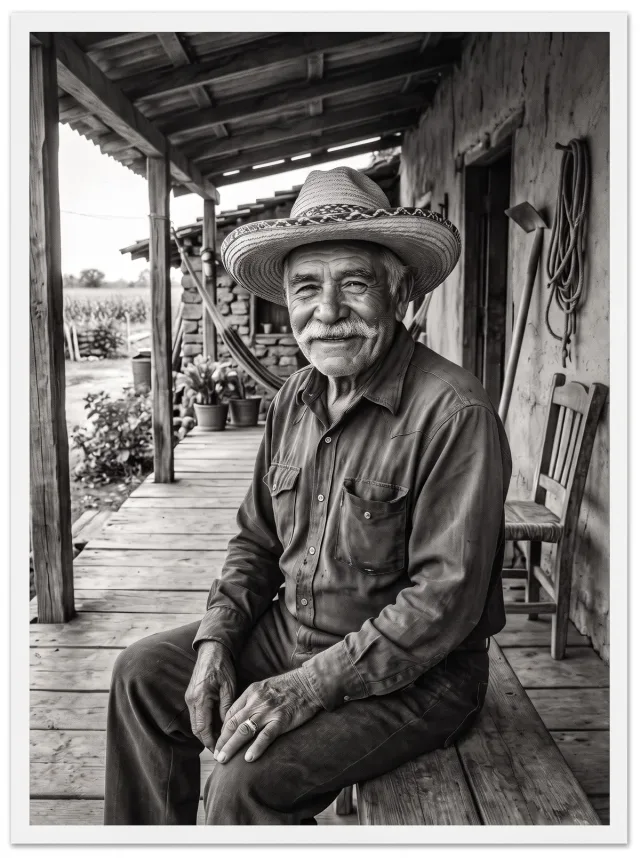
Scan it, or photograph it flat
No scanner? A phone works. Take the print out of the album sleeve, lay it flat by a window and hold the phone straight above it, with the whole print and its border in the frame. Turn the flash off, because it leaves a white glare that looks like damage.
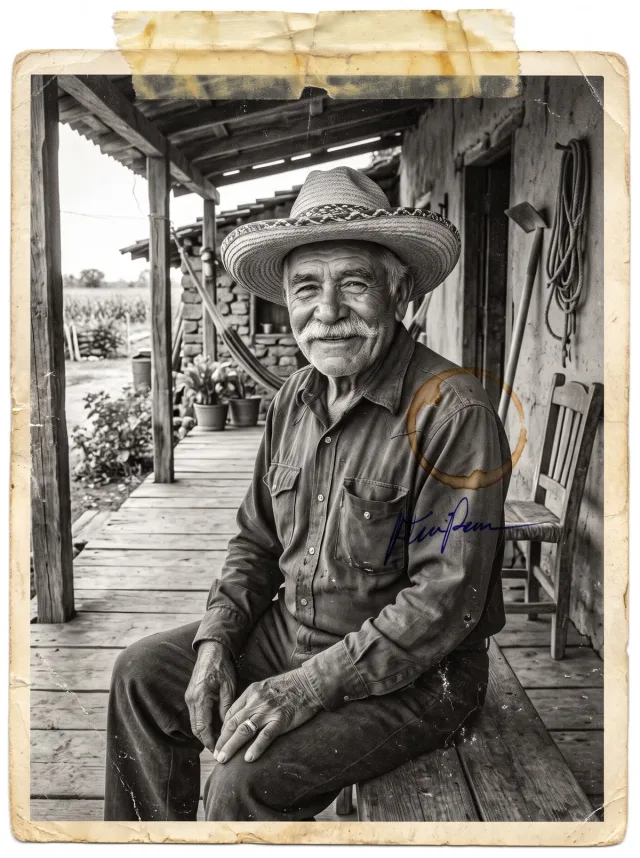
This photo of a grandfather on his porch had yellowed tape across the top, a coffee ring and a pen mark on his shoulder. All three are gone, and the straw hat, the moustache and the porch boards are just as they were.
The white paper border stays on, cleaned up, so the print still looks like a print.
How do you restore an old photo?
Scan the photo or photograph it flat, upload it and press Restore photo. In about 30 seconds you get the same photo without the tears, creases, stains and scratches, and the faces stay the same. It is 8 credits, with color or without.
- 1
Scan or photograph it
A flatbed scan is best. A phone photo works if the print is flat, evenly lit and fills the frame, with no flash.
- 2
Choose what to do
Repair keeps a black-and-white photo black and white. Repair and add color fixes the damage and colors it in the same run.
- 3
Restore photo
The button shows the credits before you press it. Our repairs took 30 to 41 seconds each. If one fails, the credits come back on their own.
- 4
Save it, or make it move
Download the restored photo to print or share. Or turn it into a 5-second clip, for 43 more credits.
Eight kinds of damage, eight old photos
Each one is a single Repair run on a different kind of damage. Hover a photo to wipe the damage away.
 BeforeRestored
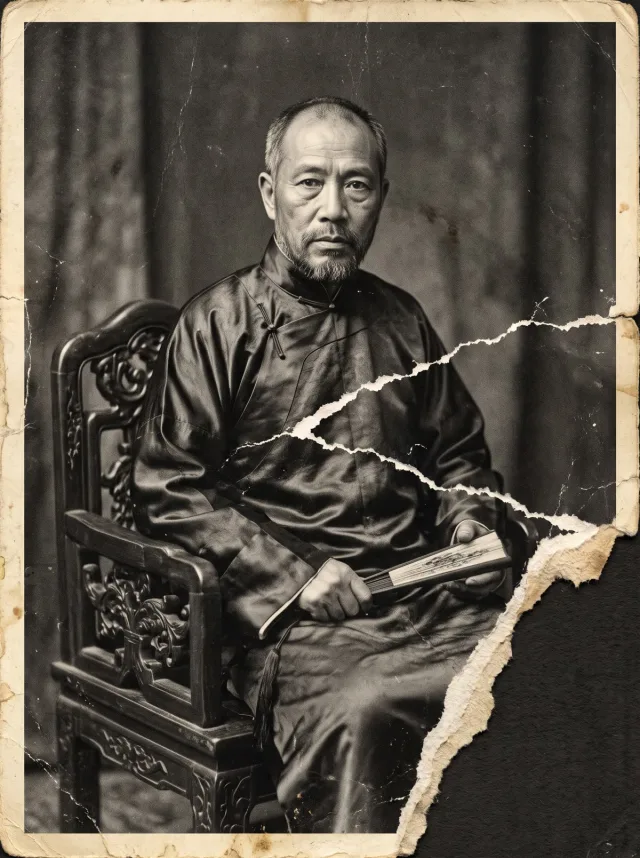
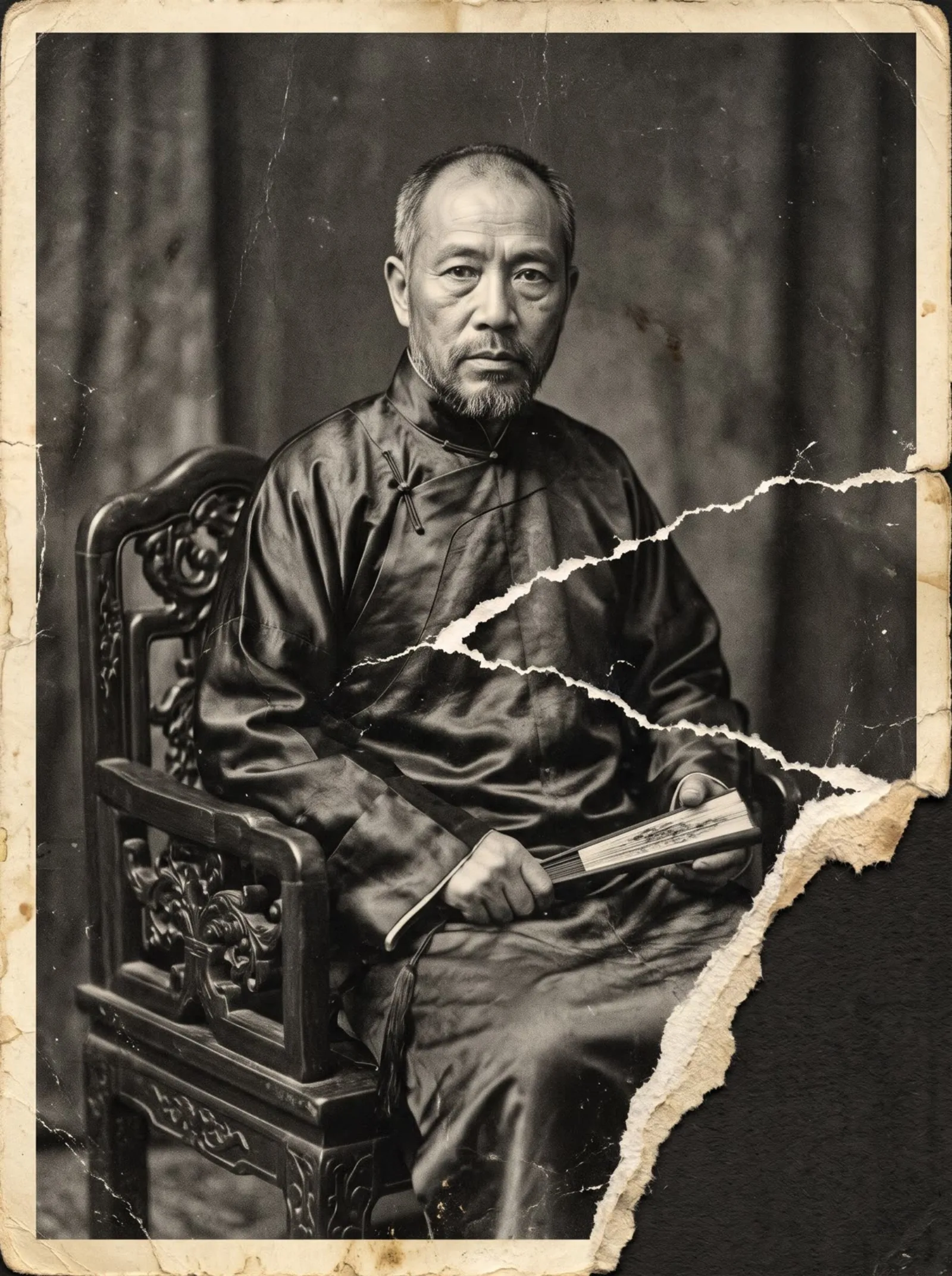
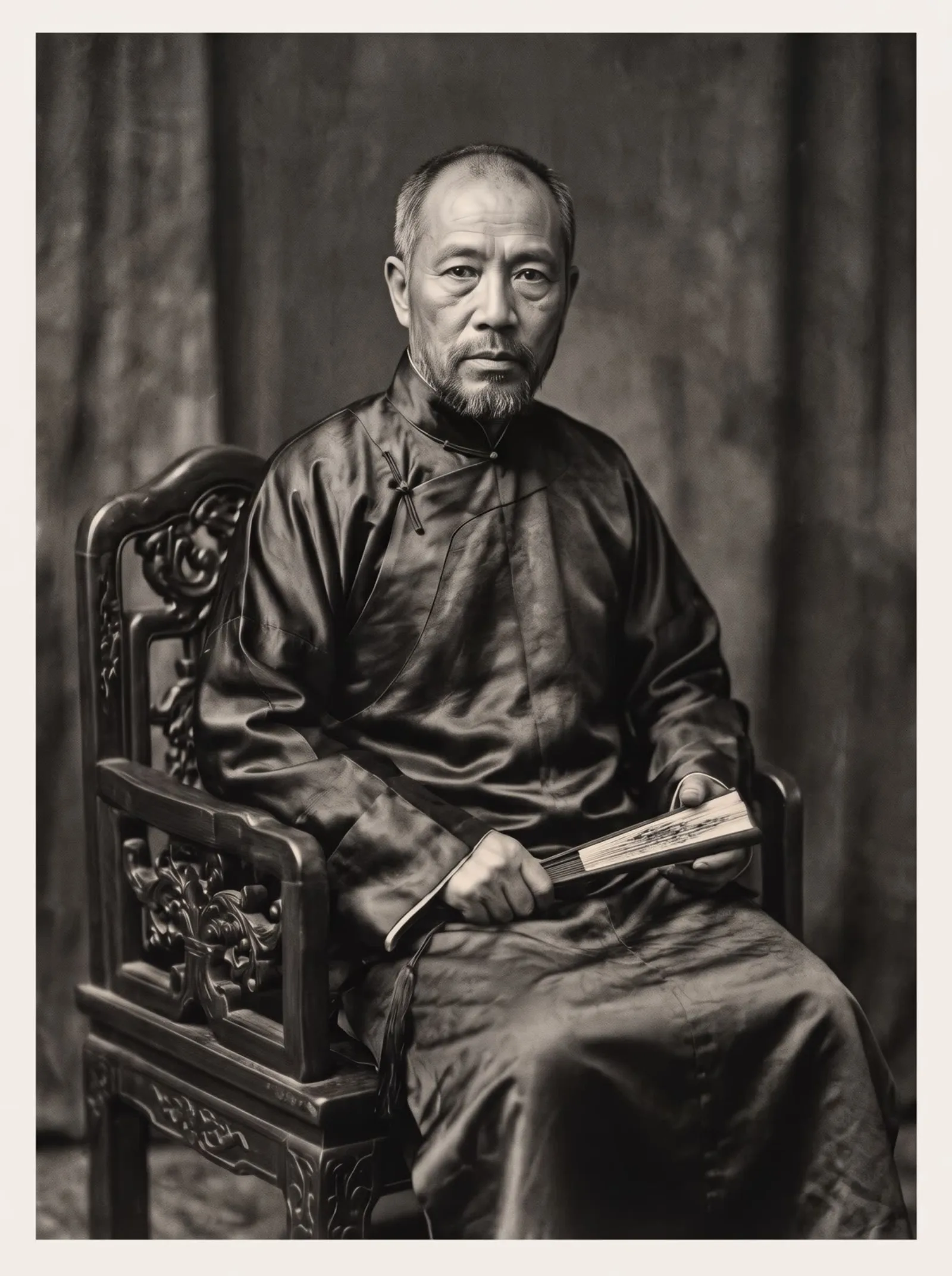
Torn, with a piece missing
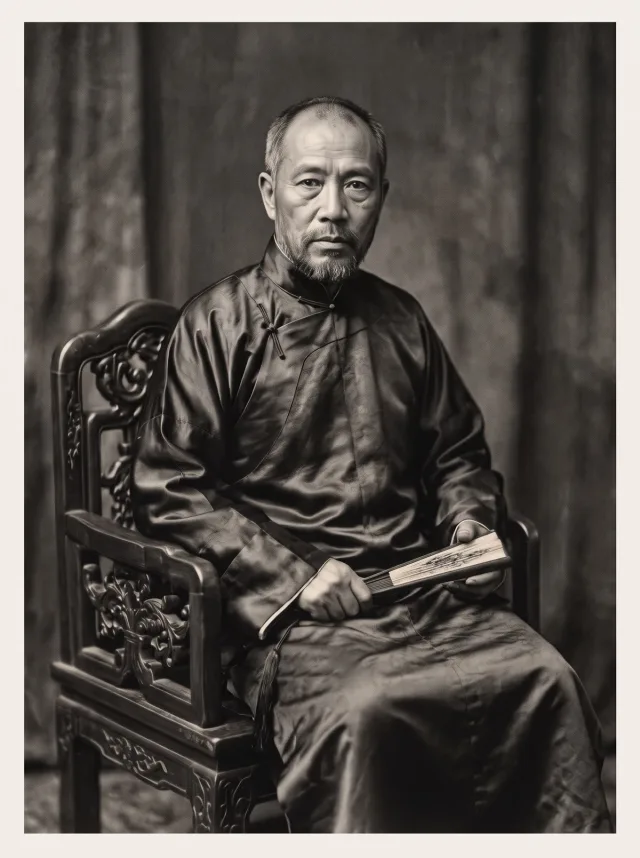
A corner was gone and a tear ran across his chest. The corner was rebuilt with more robe and more chair, and the tear is gone.
 BeforeRestored
Folded and creased
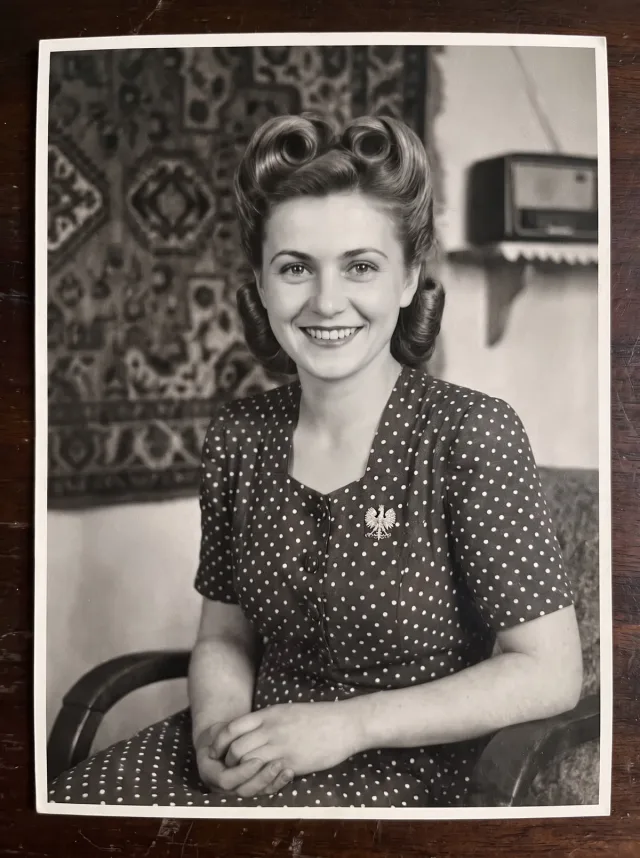
Folded in four, with white lines through her face. The lines are gone and the polka dots run straight across where the folds were.
BeforeRestoredFaded to orange
A 1970s color print that had turned orange. The sky is blue again and the dress is white.
BeforeRestoredTape, coffee and pen
Yellowed tape, a coffee ring and a pen mark. All three are gone.
 BeforeRestored
Water stain
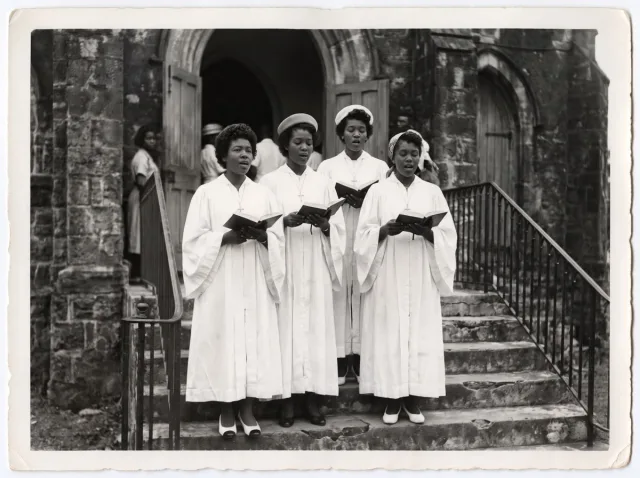
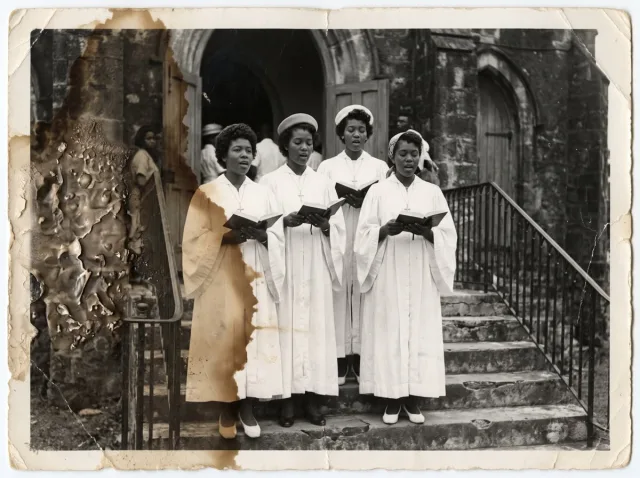
A brown stain covered the left third. The woman under it now wears a white robe like the others.
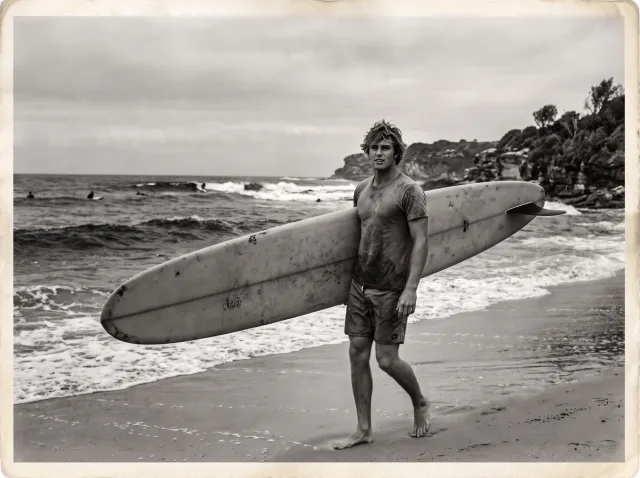
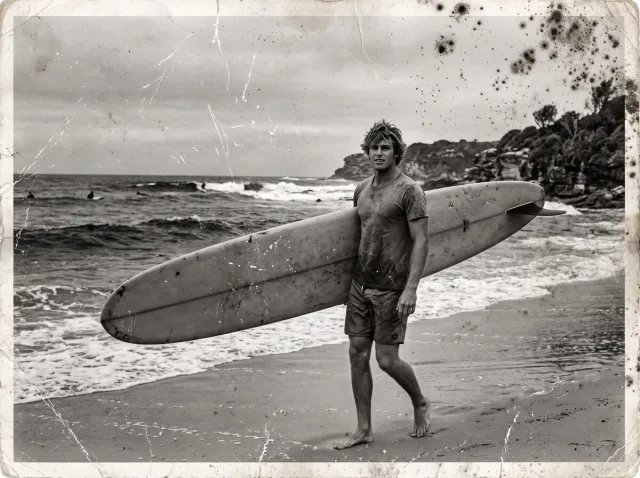 BeforeRestored
Scratches and mould
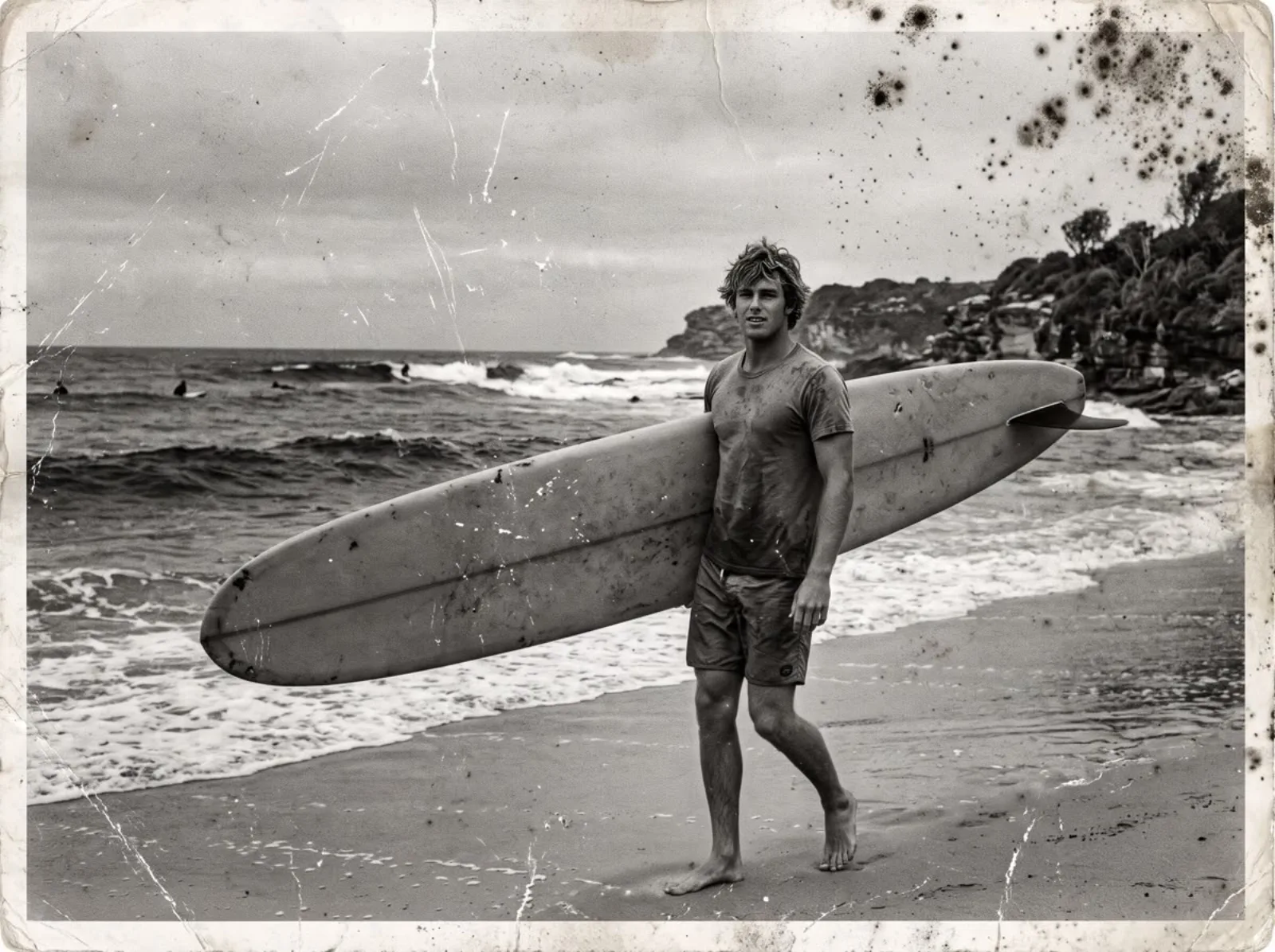
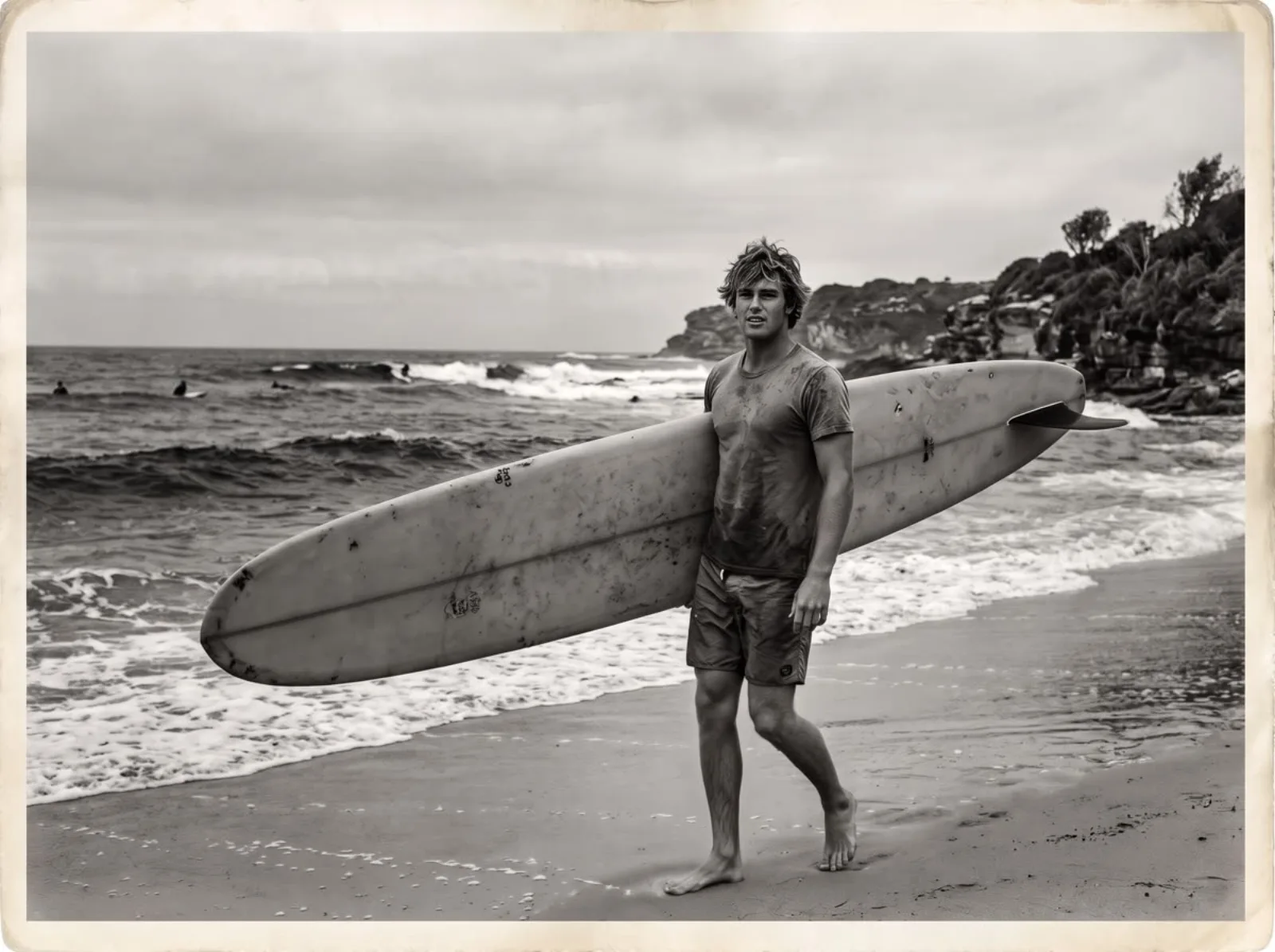
White scratches all over and dark mould spots in one corner. Both are gone; the waves and the board are untouched.
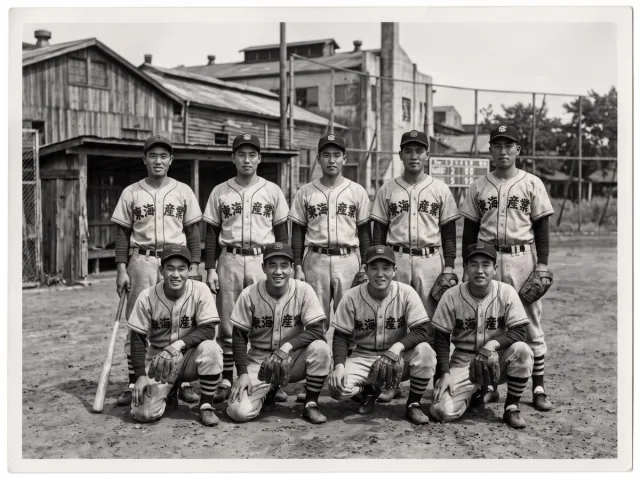
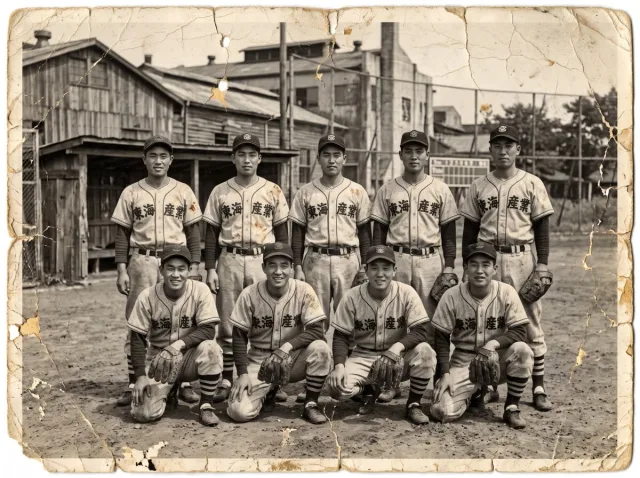 BeforeRestored
Cracked and flaking
Cracked like dry paint, with flakes missing. The surface is smooth again and every player is still there.
 BeforeRestored
Blurry
Out of focus when it was taken. A little sharper, but the faces are still soft. More on this one below.
Still them, up close
Restoring should take the damage away, not swap the person. These are the faces from the photos above, cut from the same files and enlarged, before and after.
 Before
 After
A merchant in the 1920s
The thin beard, the lines round his eyes and the set of his mouth are the same. Only the grain and the stains are gone.
 Before
 After
A young woman in 1944
A crease ran right across her face. It’s gone, and the smile and the curls are still hers.
 Before
 After
A surfer in the 1960s
Scratches and specks crossed his face and hair. Now it’s clear, with the same wet hair and the same face.
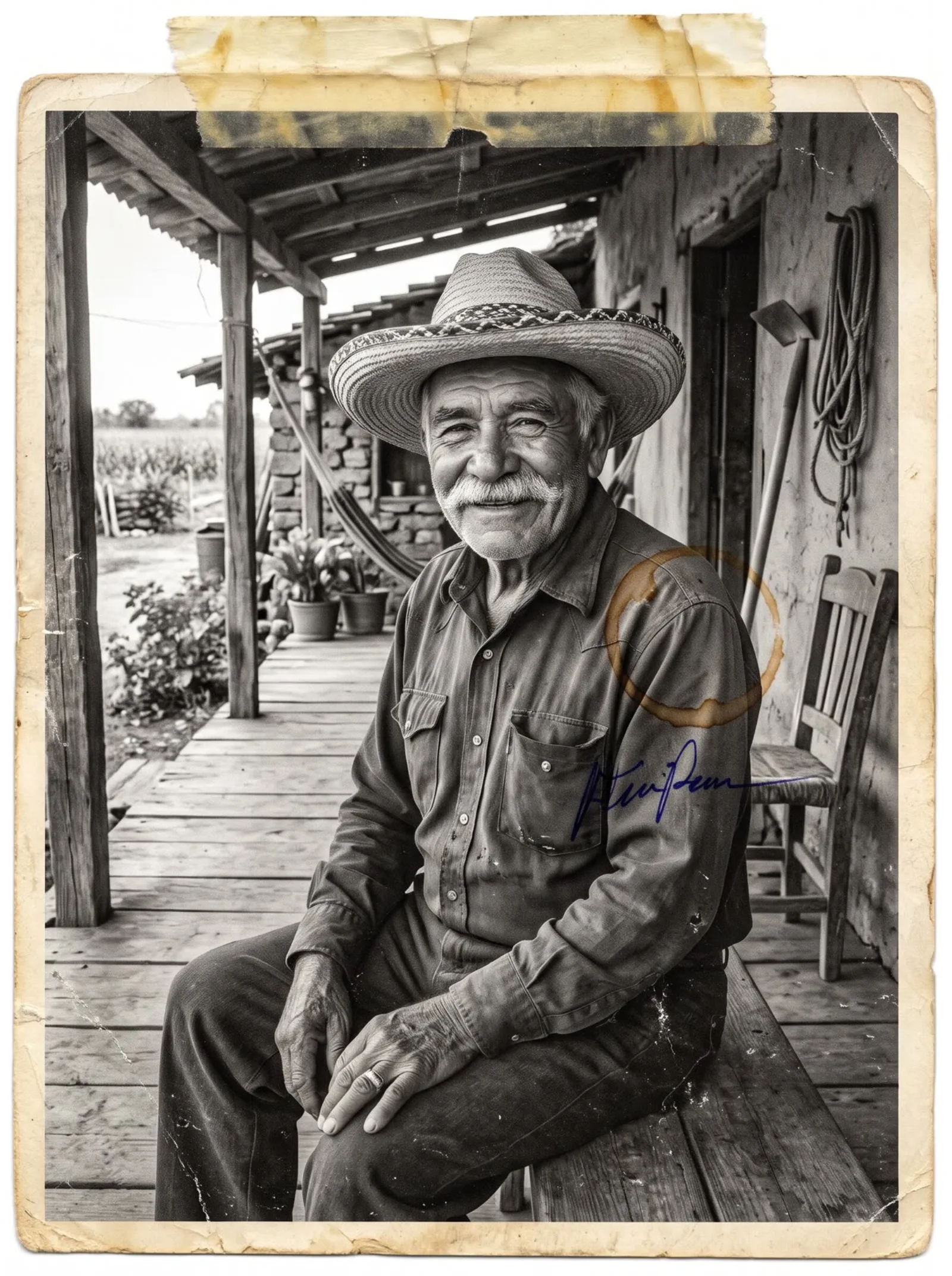 Before
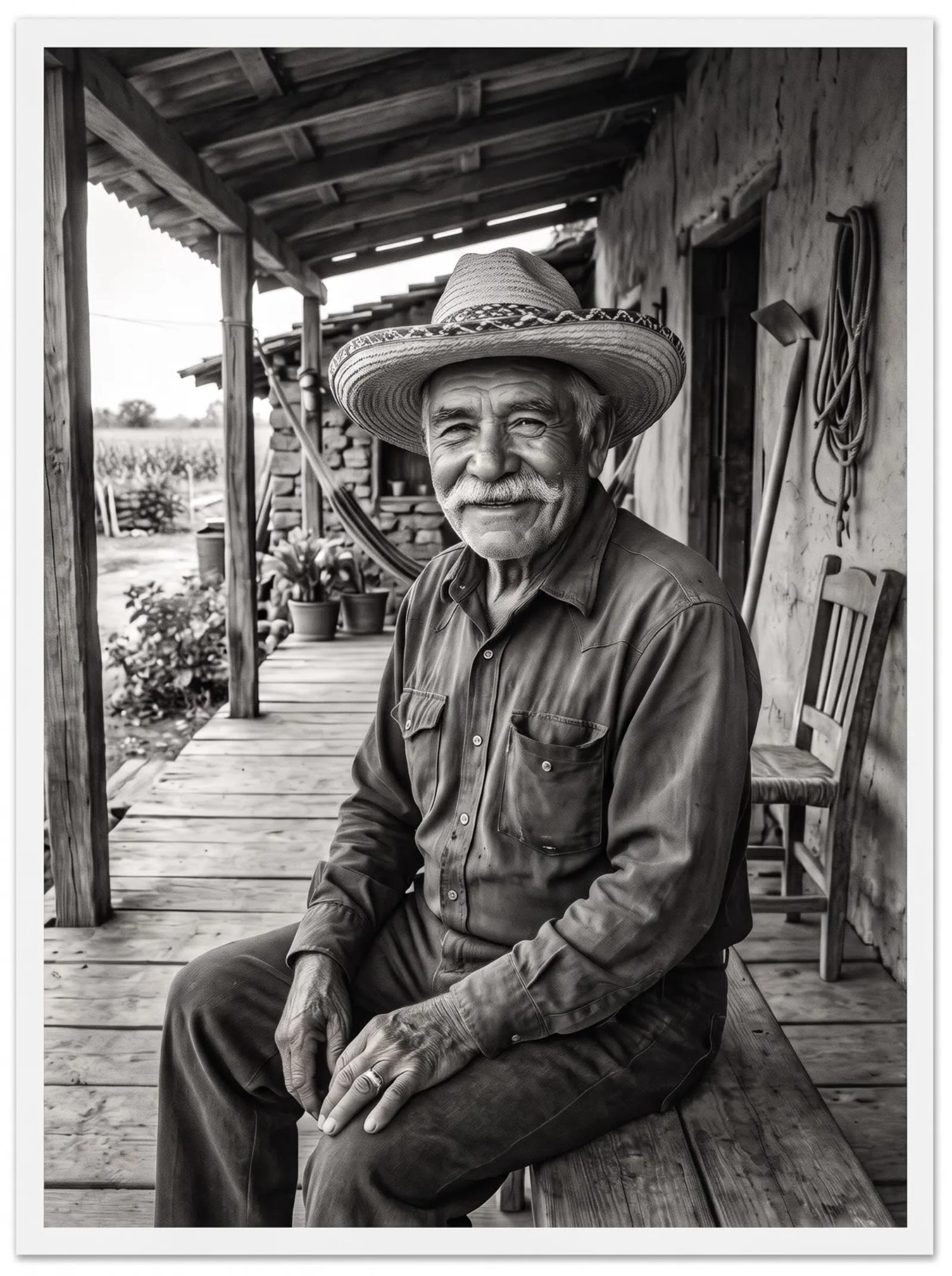 After
A grandfather on his porch
The moustache, the hat brim and every deep line are where they were. The coffee ring next to him is gone.
Where damage covered part of a face, that part has to be rebuilt. Check it before you print, and try again if it doesn’t look like them.
Add color to a black-and-white photo
On the site, Repair and add color fixes the damage and colors the photo in one run, for 8 credits, and the AI picks the colors; Colorize Photo lets you write the ones you remember. For these four we colored the repaired copy in a second run and wrote one line of the colors we wanted; it’s under each photo. Hover to see it in black and white.
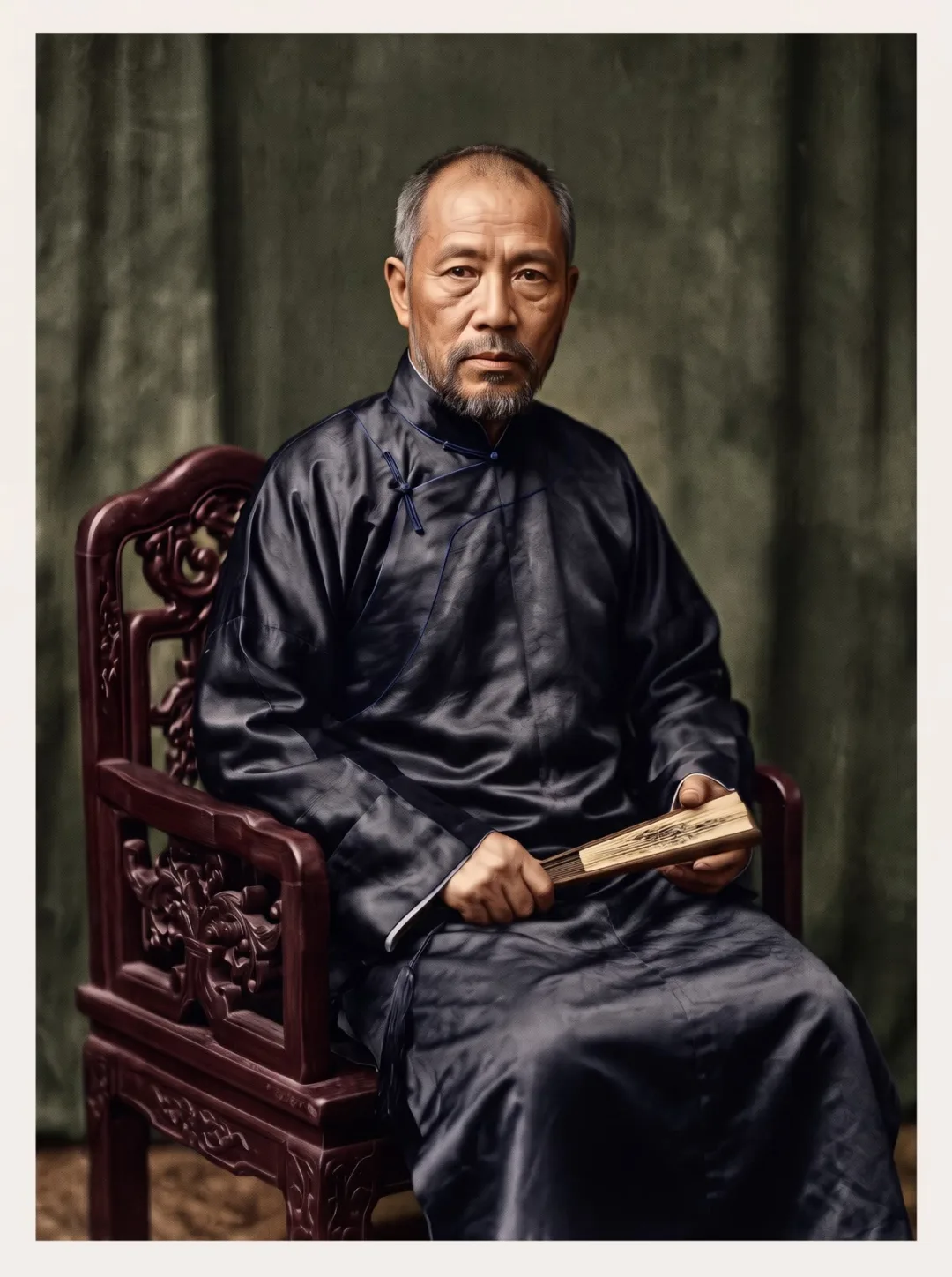
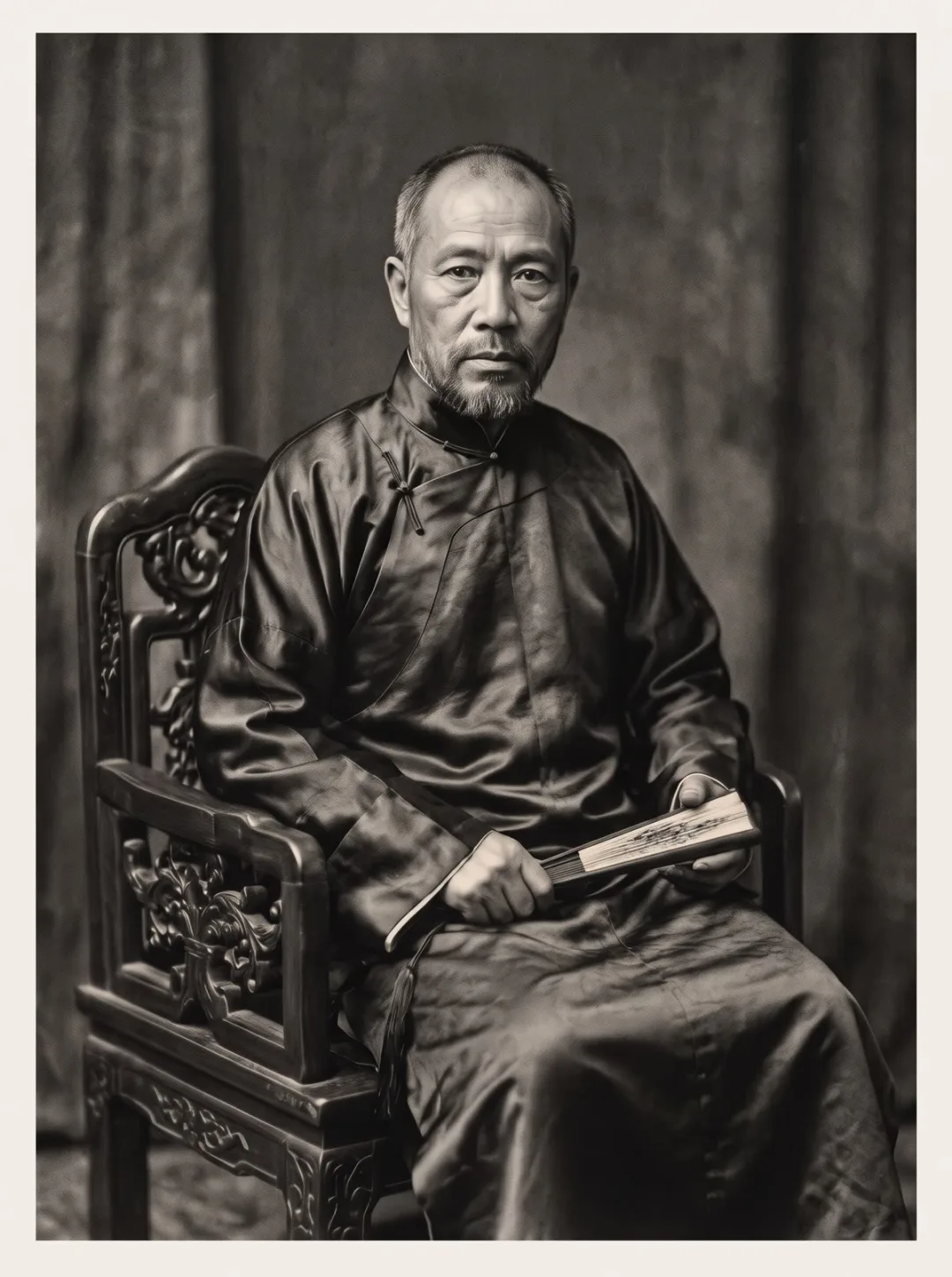 31 s
Deep blue-black silk, dark red carved wood chair, warm studio light.
Navy silk, a dark red chair and a green curtain behind him. The skin looks natural, not painted.
 31 s
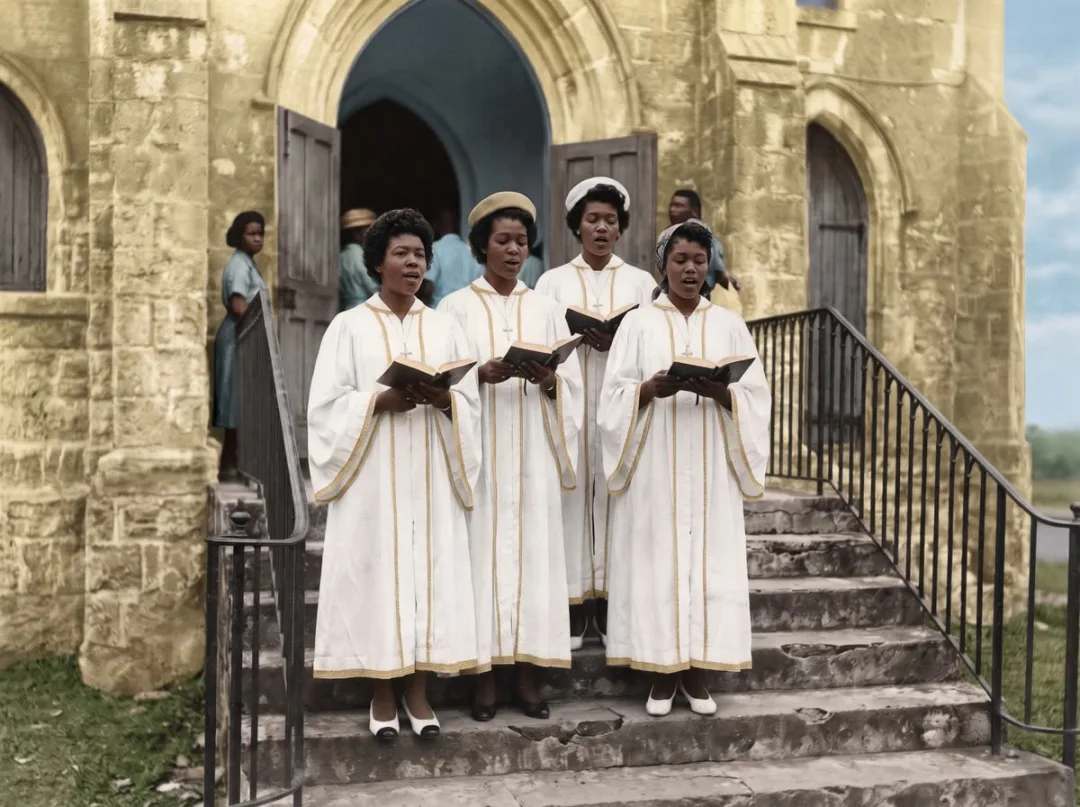
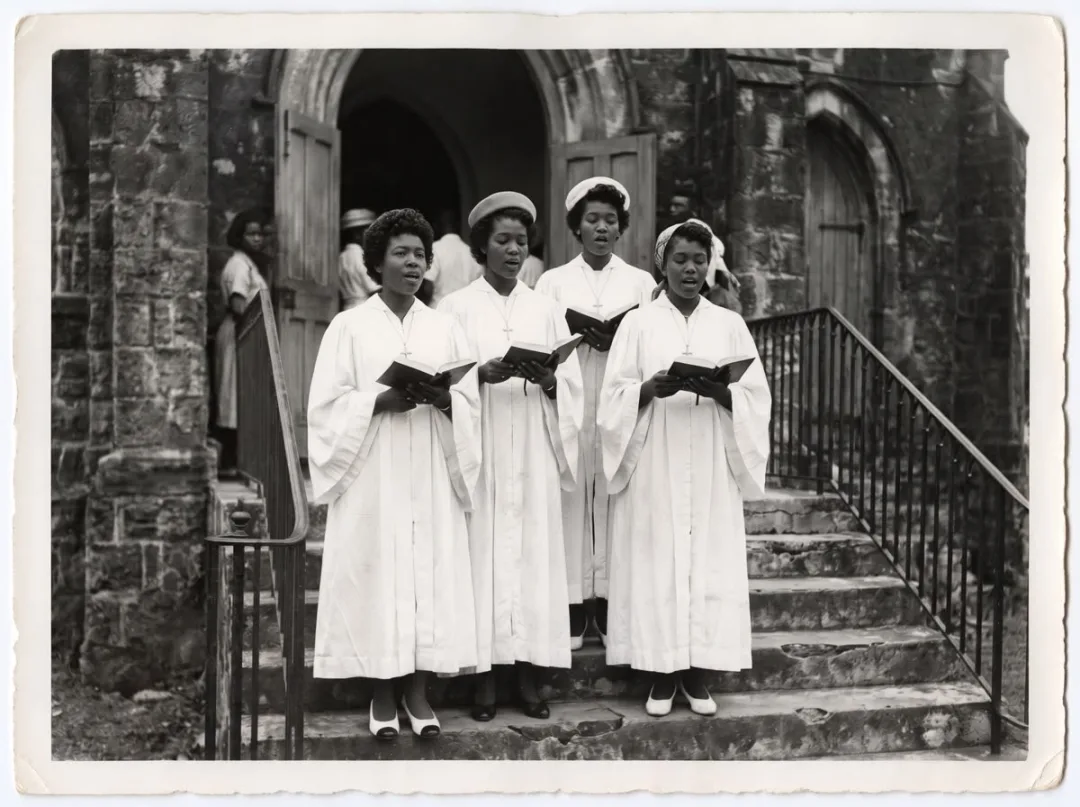
White robes with gold trim, a pale yellow church and blue sky.
White robes with gold trim and a blue sky, as asked. The church came out a much stronger yellow than the pale one we wanted.
 39 s
Red lipstick, a navy dress with white polka dots, warm brown hair.
The navy dress with white dots, auburn curls and red lipstick. The rug behind her came out blue and red without being asked.
 38 s
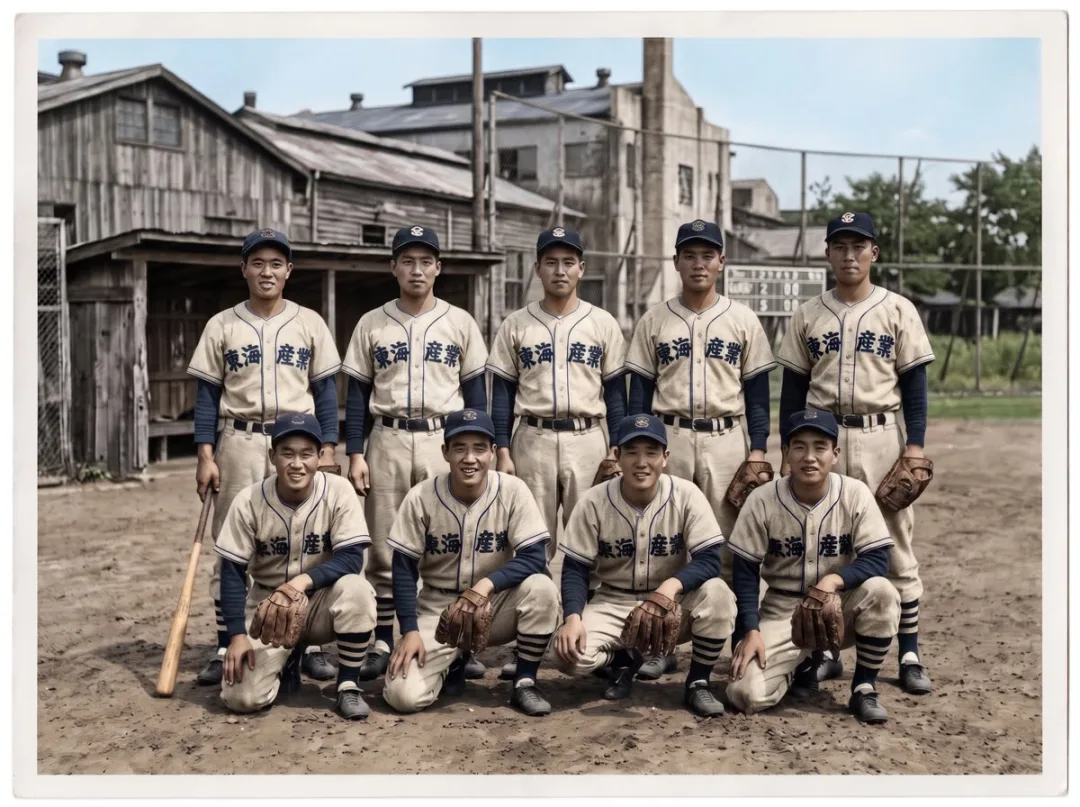
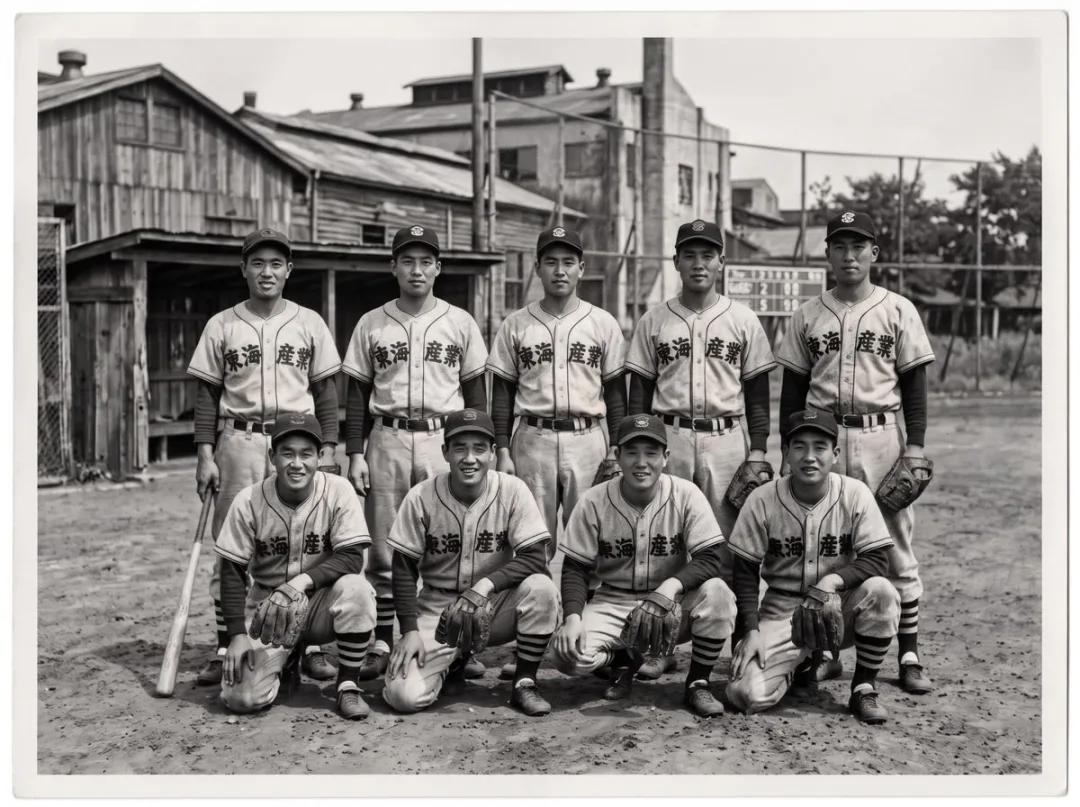
Cream uniforms with navy trim, green outfield, a clear sky.
Cream uniforms with navy trim and a clear blue sky. We asked for a green outfield, but the ground stayed brown dirt, which is what the photo shows.
Colors are guessed from the era and the shades of grey. If you know a dress was green, check the result: nothing in a black-and-white photo tells the AI that.
From a damaged print to a moving photo
Restore it in color, then make it move: two steps, each with its own price, and you can stop after the first. Under each clip is the sentence we wrote.
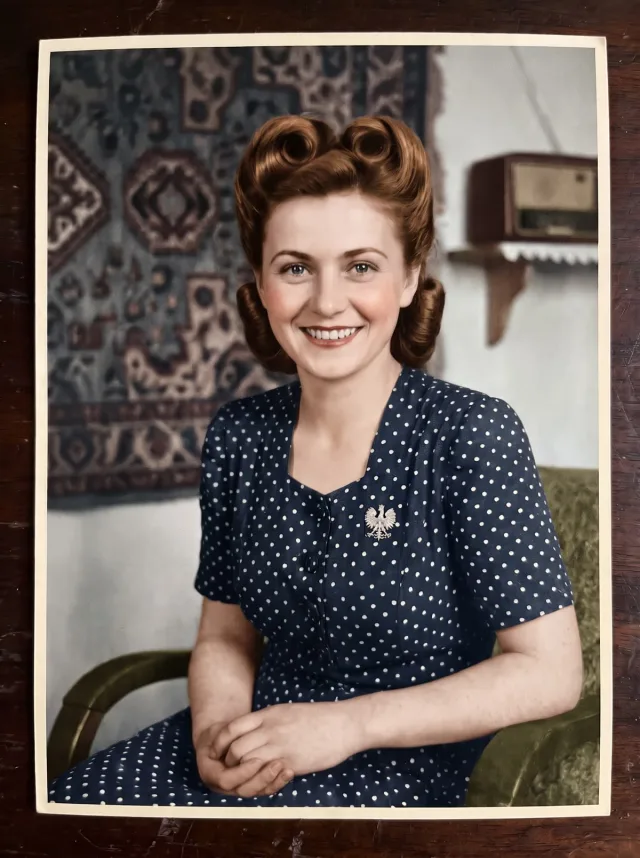
She smiles slowly, tilts her head and touches her hair, then looks into the camera. Soft vintage room sound.
She closes her eyes, smiles and lifts a hand to her curls, then looks back at the camera. Halfway through, the camera moves in past the white border, so the clip ends on her face, not on the print.
Both steps: 51 credits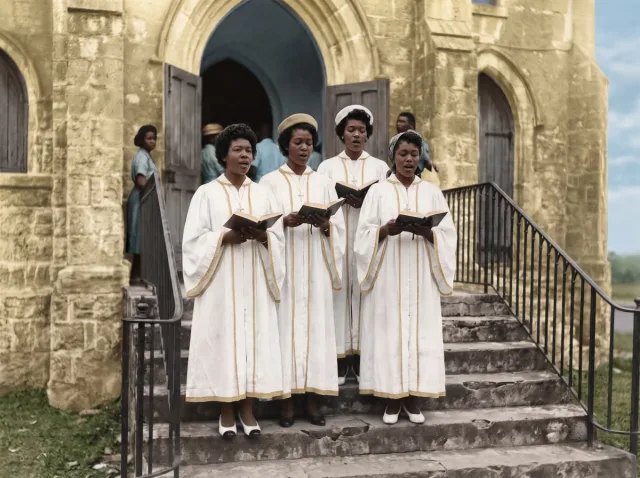
The four women start to sing, swaying gently together, robes moving, one smiles at the others. A soft gospel hum.
All four sing from their books, sway a little and end with a smile. The movement is small: nobody steps or turns.
Both steps: 51 creditsRepair, add color or make it move?
Most photos need only the first. Do them in this order, and pay only for the ones you use.
| Compared | Repair | Add color | Make it move |
|---|---|---|---|
| What it does | Takes out tears, creases, stains, scratches, spots and fading | Turns a black-and-white or sepia photo into color | Turns the photo into a 5-second clip with sound |
| What stays the same | Faces, pose, clothes, background, and black and white stays black and white | Faces, grain and framing | The first frame is your photo |
| Best for | Any damaged print, color or not | A clean or repaired black-and-white photo | A clear, repaired photo with faces you can see |
| Credits | 8 | 8 with the repair, as Repair and add color | 43 |
| Our runs took | 30 to 41 seconds | 31 to 39 seconds | 38 to 47 seconds |
| You get | A 2K picture, about 1800 × 2400 for a portrait | A 2K picture, same size | A 5-second clip |
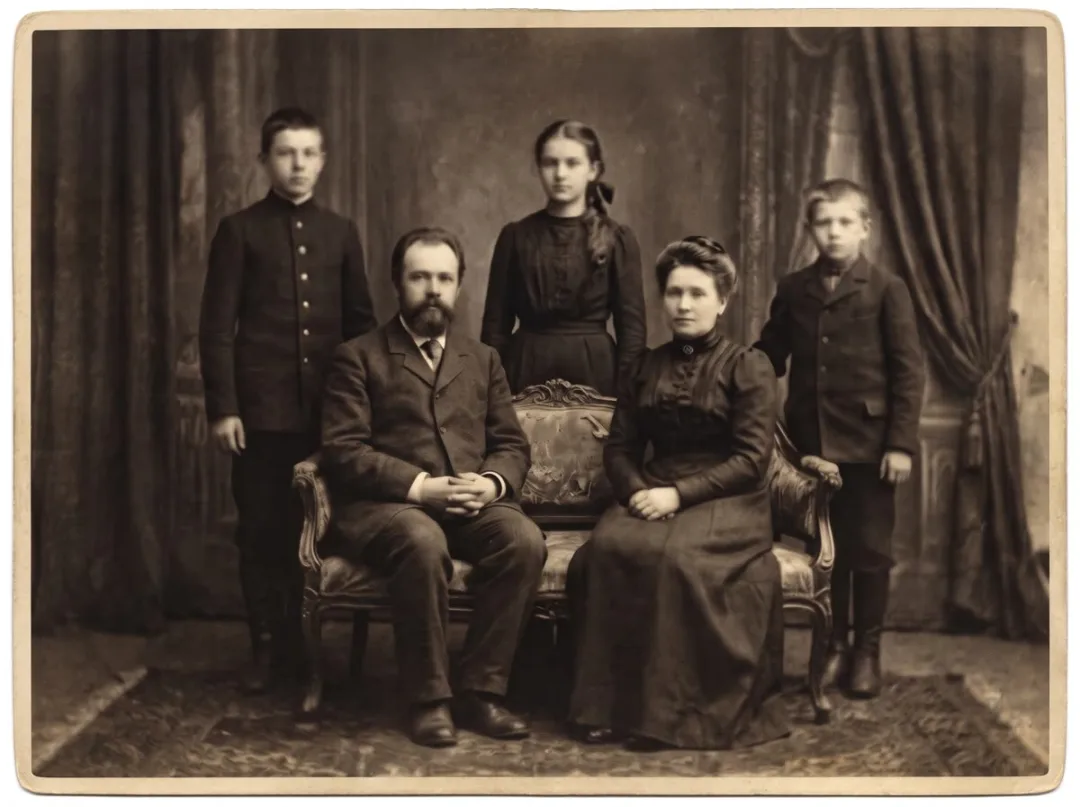
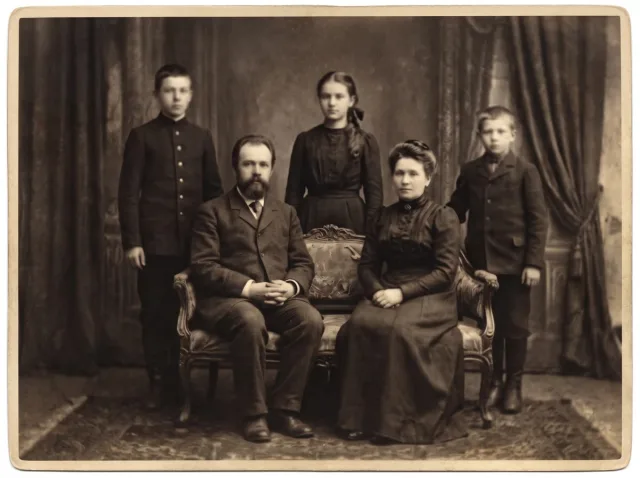
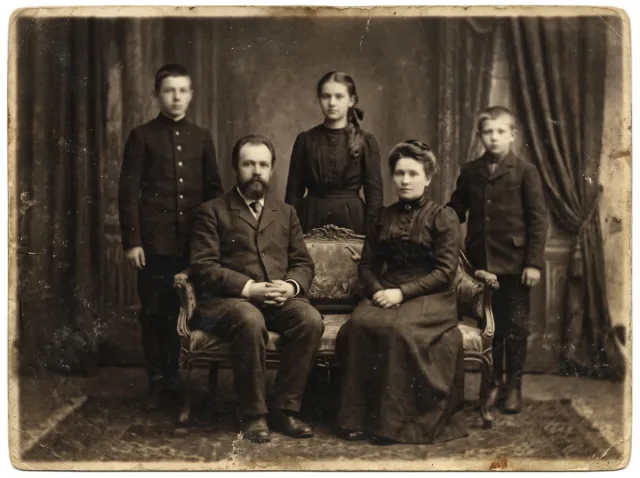
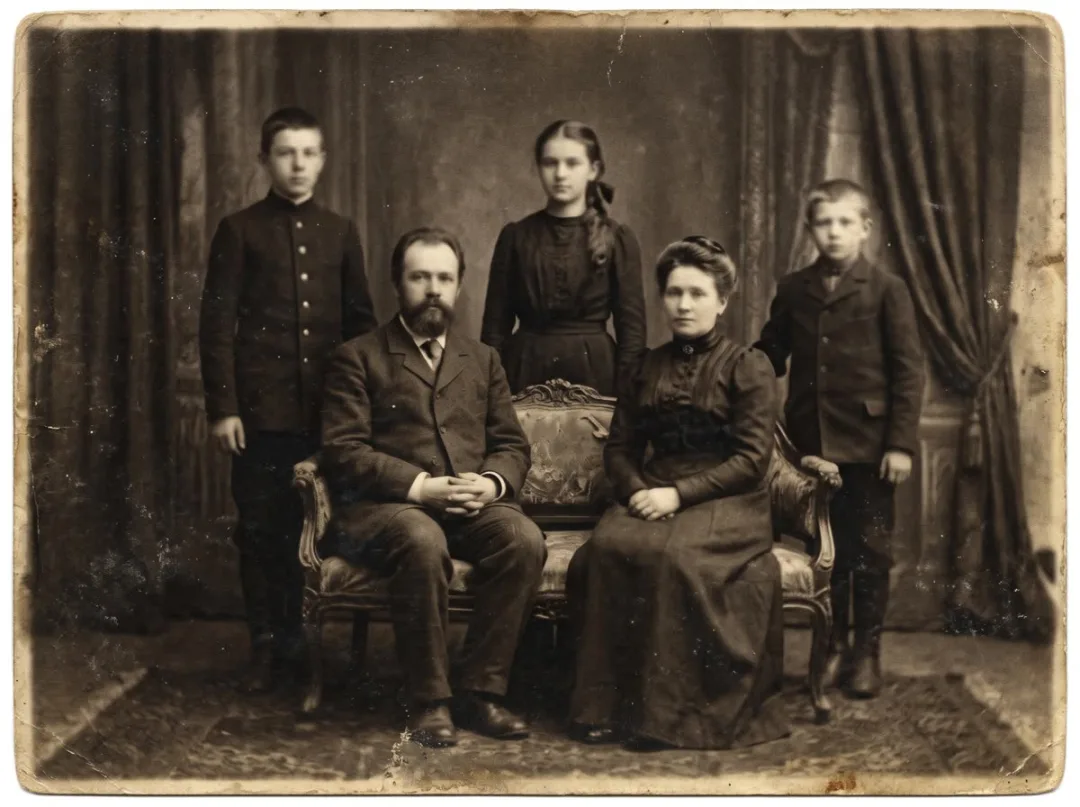 BeforeRestored
The one that barely changed
This family of five sat for a studio portrait in the 1910s, and the photo was out of focus from the start. After Repair it is a little sharper and less faded, but the faces are still soft.
Restoring fixes what happened to the print: tears, folds, stains, fading. It can’t bring back detail the camera never caught, and anything sharper would be a new face, not theirs.
- Look for a better copy first: another print, a negative or a bigger enlargement.
- Scan it at the highest setting your scanner has; a small, blurry scan gets no sharper.
- If this is the only copy, the restored one is still cleaner to print and share.
Photo restoration: your questions
About damage, faces, color, printing and credits. Plans and refunds are on the pricing page.
How do I restore an old photo?
Scan the photo or photograph it flat, upload it and press Restore photo. In about 30 seconds you get the same photo without the tears, creases, stains and scratches, with the same faces. It costs 8 credits, with color or without.
Can it fix torn, creased or water-stained photos?
Yes. On this page are a torn print with a corner missing, one folded in four, a large water stain, an orange fade, scratches and mould, tape and coffee, and a cracked surface. One Repair run fixed each of them.
Will the face still look like them?
In our eight photos, yes: we put the faces side by side, before and after, and they are the same people. Where damage covered part of a face, that part is rebuilt, so look closely before you print.
Can it colorize a black-and-white photo?
Yes. Choose Repair and add color: one run fixes the damage and colors the photo, for 8 credits. The colors are picked to fit the era, with natural skin tones. To pick the colors yourself, use Colorize Photo and write the ones you remember; that costs nothing extra.
Can every old photo be restored?
Not all the way. A photo that was blurry when it was taken only gets a little sharper, because the detail was never there. Damage to the print itself, like tears, stains and fading, is what restoring fixes best.
Is there a free AI photo restoration?
Confirm your email and you get 43 free credits, enough for 5 restorations online. After that each one is 8 credits, and a failed run costs nothing.
Can I print the restored photo?
You download a 2K picture, about 1800 by 2400 pixels for a portrait. That should be enough for a small print, but we haven’t tested printing it ourselves, so check a proof first.
Can I make the restored photo move?
Yes. Our 1944 portrait closed her eyes, smiled, touched her curls and looked back at the lens; the four choir singers sang and swayed. A 5-second clip is 43 credits, so repair, color and a clip on one photo come to 51.


Which old photo would you fix first?
Your first 5 restorations are free once you confirm your email, then 8 credits each. A failed run costs nothing.