
Wan 3.0 image to video
Alibaba’s Wan 3.0 on your own photo: a 5-second clip with sound, 480p or 1080p. Looking for Wan 2.5? See how the two differ below.

The corner shop, 1960s
What is Wan 3.0?
Wan is Alibaba’s family of video models, and Wan 3.0 is the newest one we run. Alibaba listed it on 6 August 2026.
On AnimatePhotos you upload a photo, say what should happen and what you should hear, and get a 5-second MP4 with matching sound at 480p (88 credits) or 1080p (343 credits). Wan 2.5 is the earlier version from September 2025; this page runs 3.0, not 2.5.
Wan 2.5 and Wan 3.0: what changed?
Wan 2.5 is the Wan model Alibaba put out in September 2025. Wan 3.0 followed in August 2026. Here is what Alibaba said about each.
Wan 2.5 · 23 September 2025
supports synchronized audio generation with visuals, enables 10-second long video generation
Listed as a preview, from a photo or from words, at 480P, 720P or 1080P and 5 or 10 seconds.
Wan 3.0 · 6 August 2026
uniformly supports multiple creative functions including reference, editing, replication, and driving
Two weeks later Alibaba added a Prime version, which it calls “the high-speed version of the Wan3.0 video generation model”.
This page runs Wan 3.0, not Prime. We don’t offer Wan 2.5.
Which Wan can you install yourself?
On GitHub, Alibaba’s Wan-Video account publishes Wan2.1 and Wan2.2 under the Apache-2.0 license. When we checked on 12 November 2026 there was no repository for Wan 2.5 or Wan 3.0, and none of the Alibaba pages we read says whether 2.5 will be opened up.
Want to run Wan on your own computer? Start with Wan 2.2. Want a clip from your photo without installing anything? Use Wan 3.0 here.
Wan: Open and Advanced Large-Scale Video Generative Models
Wan-Video on GitHub, the description of Wan2.1 and Wan2.2
Old photos with the sound you remember
Wan 3.0 makes the sound in the same run as the picture. For a family print, that means you can ask for the noises of the place, not just the movement.
A faded 1960s print of a couple behind the counter of their corner grocery, photographed on the table with its white border. Our sentence: “The shop bell rings, he hands her an apple and says something, she laughs and swats his arm; cars pass outside, a radio plays softly. Keep both faces and the faded colors as in the photo.”
Describe the sound you remember: the bell over the door, the radio on the shelf, the street outside. One or two sounds are easier to get right than a whole soundtrack.
In our 480p run the print stayed a print on the table, white border and faded colours included. The bell rang at the start and he handed her the apple, but by the end his thin mustache had gone and her beehive had loosened into curls. The radio and the passing cars didn’t come through clearly. Our 1080p run at the top of this page kept her hair and most of his mustache.
One old photo, three models
The same shop photo and the same sentence, with sound on all three. Look at the faces, the faded colours and the credits.
Wan 3.0 · 480p · 88 credits
Our run, 211 seconds: the bell rang, he handed her the apple and she laughed. The print, its white border and the faded colours held, but by the end his mustache was gone and her beehive had loosened.
Seedance 2 · 480p · 173 credits

Our run, 178 seconds: the camera pushed into the print until it became a live, full-colour shop with cars outside. He gave her the apple and said a line, and she laughed, but the white border and faded colours were gone and his face looked more modern.
MiniMax H3 · 768p · 43 credits

Our run, 38 seconds: he picked up the apple but kept it, and she laughed and swatted his arm. The faded colours and white border held, but his thin mustache faded and his face looked younger.
How do you use Wan 3.0 on a photo?
Add a photo, write what happens and what you hear, pick 480p or 1080p and press Make video. You get a 5-second MP4 with sound for 88 credits at 480p.
- 1
Add your photo
Here you start from one photo; a phone snap of an old print is fine. In the Create studio Wan 3.0 also works from words alone, or from two photos that set the first and last frame.
- 2
Write the moment and the sound
One action, one or two sounds, and what must stay as it was, like the faces and the faded colours.
- 3
Pick 480p or 1080p
480p is 88 credits and 1080p is 343; both are 5 seconds with sound. The clip keeps your photo’s shape, or you can ask for wide, tall or square in the Create studio.
- 4
Save it with its sound
Download the MP4. It stays in your account for 30 days. If a clip fails or our safety check stops it, the credits go back to your balance on their own.
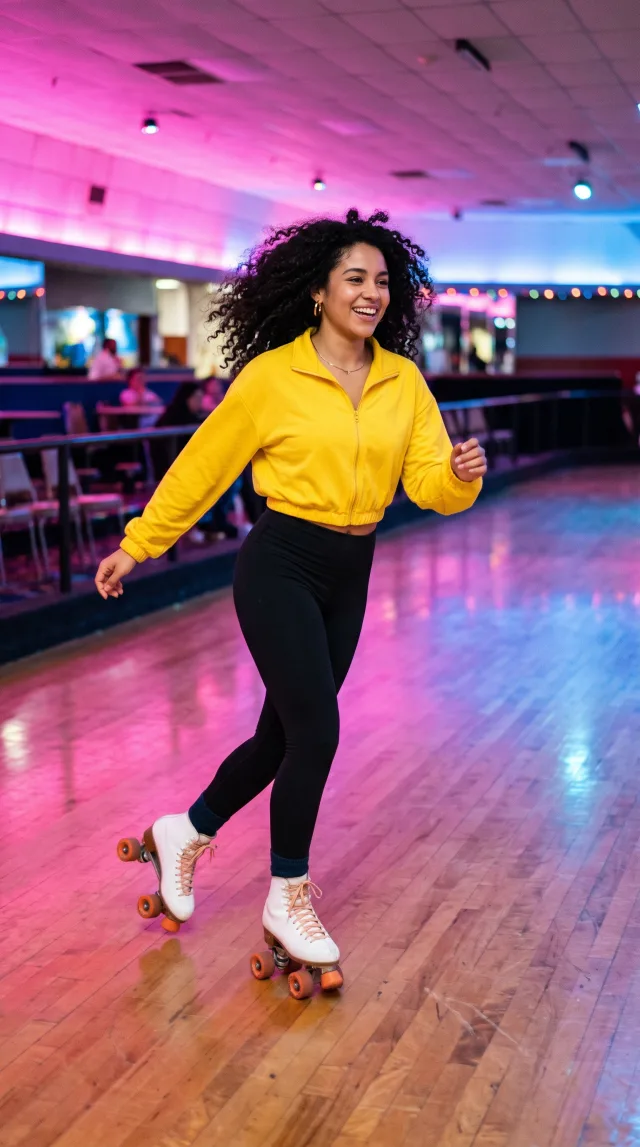
A roller-rink photo that spins
A tall photo under pink and blue lights, ready for a story or a reel. Sound comes in the same run, so the clip doesn’t need a track laid over it.
Our sentence: “She spins on one skate, arms out, then glides past the camera laughing; wheels rumble and disco music echoes.”
Make a clip for your feed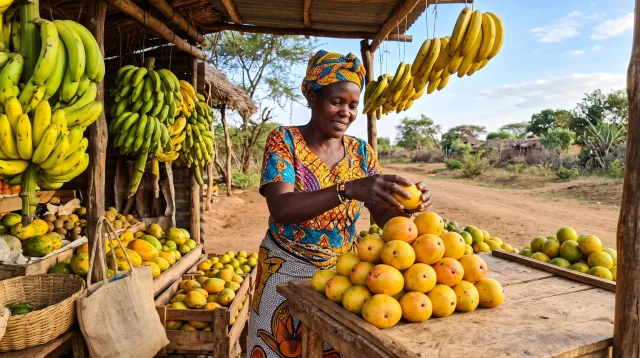
The fruit stall, finished for the day’s first customer
One photo of the stall while it’s being set up. A short clip with the sounds of the road says “open” better than a still.
Our sentence: “She sets the last mango on top, steps back and smiles at the camera; passing footsteps and a motorbike in the distance.”
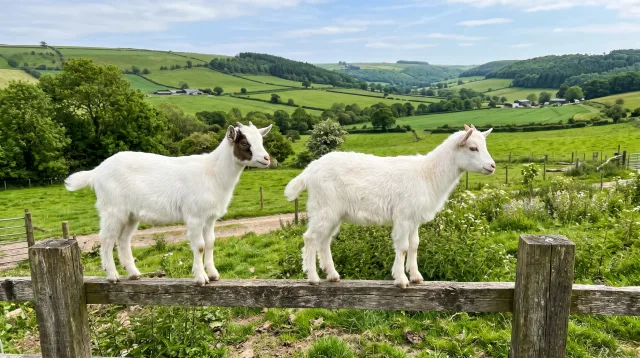
Two goats on a fence
Animals are easier when you ask for one small thing, like a hop or a call, and the sound that goes with it.
Our sentence: “One goat hops off the fence, the other bleats and follows; wind in the grass.”
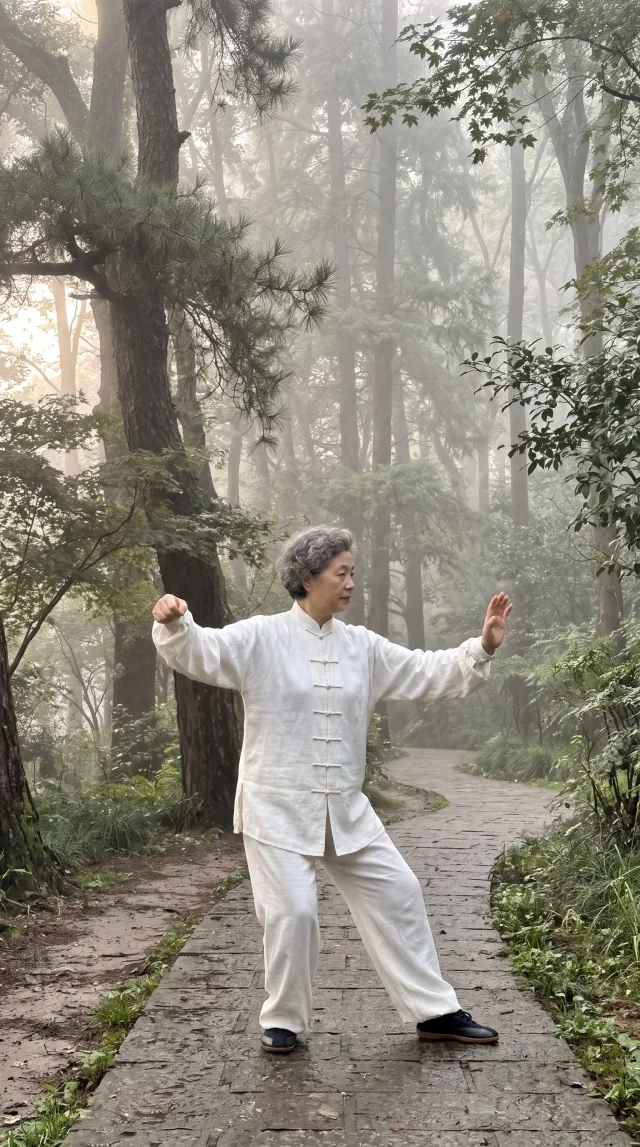
Grandma’s morning tai chi
A photo from a misty park path at dawn, sent to family far away. Slow movements suit five seconds, and the sounds of the morning make it feel like being there.
Our sentence: “She moves slowly from one pose to the next, sleeves flowing; birdsong and a distant broom sweeping. Keep her face as in the photo.”
Is Wan 3.0 free?
Not on its own. Confirm your email and you get free credits that make one MiniMax H3 clip, with sound, from any photo.
After that a Wan 3.0 clip is 88 credits at 480p. Credits come in packs that never expire or a monthly plan, and a clip that fails costs nothing.
Wan 3.0 and Wan 2.5: your questions
Versions, open source, price, length and two-photo clips. Plans and refunds are on the pricing page.
Can I use Wan 2.5 on AnimatePhotos?
No. We run the newer one, Wan 3.0. Everything on this page, the clips included, is Wan 3.0 or the other models named next to it.
Is Wan 2.5 open source?
Not as far as we can find. Alibaba’s Wan-Video account on GitHub publishes Wan2.1 and Wan2.2 under Apache-2.0. On 12 November 2026 it had no Wan 2.5 repository, and we found no statement from Alibaba on whether 2.5 will be released.
Is Wan 3.0 free?
Not here. The free credits you get after confirming your email make one MiniMax H3 clip. A Wan 3.0 clip is 88 credits at 480p.
Who makes Wan?
Alibaba. Wan 2.5 and Wan 3.0 are listed in Alibaba Cloud’s Model Studio, and the open Wan2.1 and Wan2.2 are on Alibaba’s Wan-Video GitHub account.
Can Wan 3.0 make clips longer than 5 seconds?
Not here: every Wan 3.0 clip on AnimatePhotos is 5 seconds. Alibaba listed 10-second clips for the Wan 2.5 preview, but we don’t offer longer Wan clips.
Is 1080p worth 343 credits on Wan 3.0?
In our runs of the shop photo, both kept the print, its white border and the faded colours. The 480p clip lost his thin mustache and loosened her beehive; the 1080p clip kept her hair and most of his mustache, and it is much sharper. That is one run each, so it won’t hold for every photo. Try the moment at 480p for 88 credits, then make the one you keep at 1080p.
Is Wan 3.0 the same as Wan 3.0 Prime?
No. Alibaba describes Prime as “the high-speed version of the Wan3.0 video generation model”. We run Wan 3.0, not Prime.
Can Wan 3.0 start from two photos?
Yes, in the Create studio: add a first photo and a last photo, and Wan 3.0 fills the 5 seconds between them. On this page you start from one photo.





Hear the photo, not just see it move
One photo, one sentence about the moment and its sound. 88 credits at 480p, and a failed clip costs nothing.