AI GIF generator
Start from a photo or a sentence. Get a looping GIF you can send anywhere.
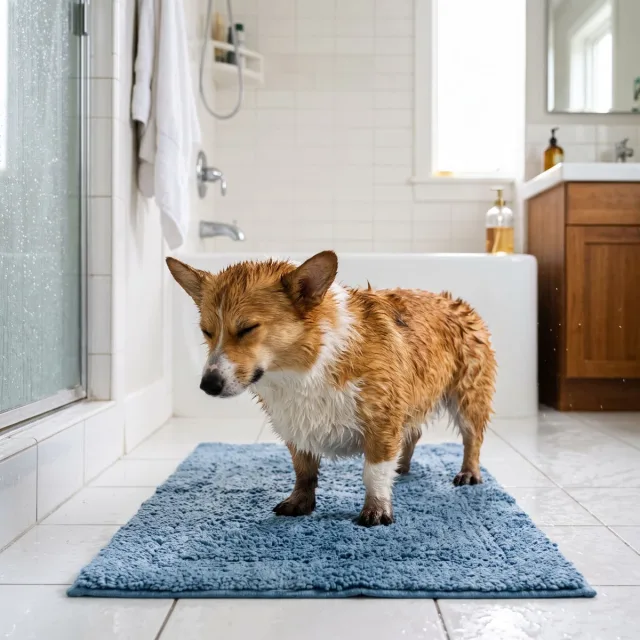
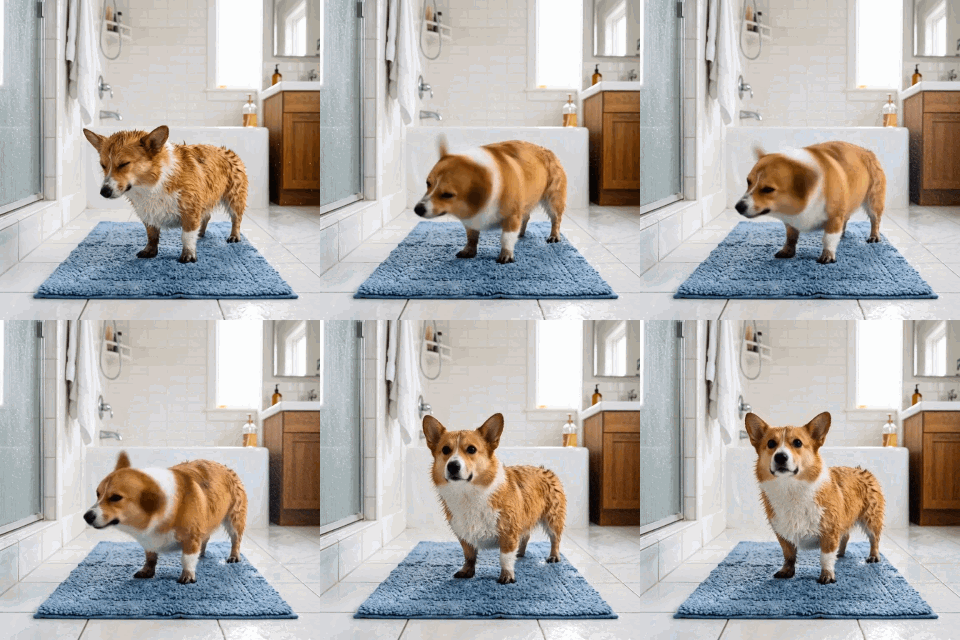
Action“The corgi shakes off the water hard, droplets fly everywhere, its ears flop, then it looks at the camera.”
 MiniMax H3

Make a reaction GIF from your own selfie
One ordinary selfie and the words “he grins and gives a big thumbs up to the camera, nodding”. Your own face replying in the group chat lands better than a stranger’s from a GIF library.
The whole picture sways with his arm, so every frame is new and this GIF is twice the corgi’s size. Take the 320 px version, 1.8 MB, if the chat app complains.
Make a reaction GIF
Turn a selfie into an eye-roll GIF
We asked for “she rolls her eyes slowly and sighs, unimpressed”. She looks up at the ceiling, then closes her eyes, and her hand stays at her neck the whole time.
Name the feeling as well as the movement (“with a sigh”, “slowly”) and the timing comes out closer to a real reaction.
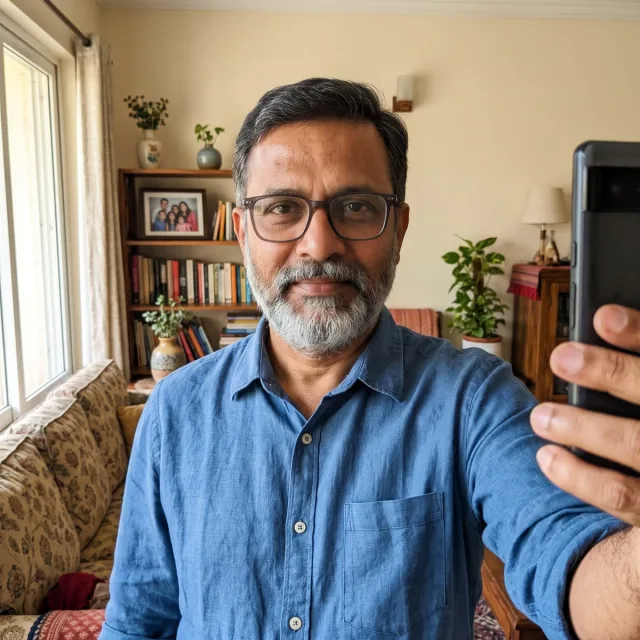
A facepalm GIF, as it came out
Hand to the forehead, a shake of the head, then a laugh. The hand, the head and the camera all move, which made this the heaviest of the seven GIFs on this page.
A phone appeared in his other hand; the selfie had none. We left it as it came out. If it happens to you, add “his other hand is empty” and run it again.
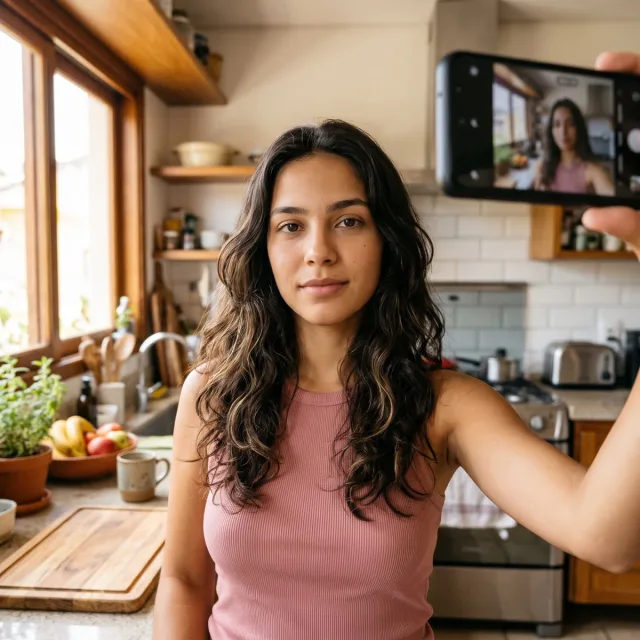
Make a happy-dance GIF for good news
Arms up and a laugh, with her hair swinging. Big movements make the most cheerful GIFs, and they still read at 240 px in a chat.
A phone showing her own selfie popped into the top corner. Selfies taken at arm’s length sometimes get the phone drawn back in.
How do you make a GIF with AI?
Upload a photo or switch to From words and type a scene, say what should happen, pick a width and press Make a GIF. You get a 5-second clip and save it as a GIF at 10 frames a second. Our corgi GIF was 1.8 MB at 480 px and 0.8 MB at 320 px; the MP4 of the same clip is always kept too.
- 1
Add a selfie or type a scene
From a photo, the person or pet in it does the action. Switch to From words when you have no picture and the whole scene comes from your sentence.
- 2
Describe one action
A thumbs up, an eye roll, a facepalm, a shake. One clear action reads at a glance, which is what a reaction GIF needs.
- 3
Pick a width
320 px for chats, 480 px for pages and posts, 240 px when the file has to stay small. You can still change it when you save.
- 4
Save the GIF or the MP4
A GIF costs 43 credits and took about 41 seconds in our tests. Save as GIF for chats, or keep the MP4 when a site accepts video; it has the sound and the full 768 px.
Text to GIF: type a sentence, no photo needed
Switch to From words and describe the scene. These two sentences went in exactly as written, each run once, and both came out wide.
A fluffy grey kitten wearing a tiny white astronaut suit floats inside a spaceship, paws waving, Earth in the window behind. Cute, cinematic.
The camera pushed in until the kitten filled the frame. Lively, and 2.9 MB as a 480 px GIF.
A steaming mug of tea on a windowsill on a rainy night, raindrops running down the glass, warm lamp light, cosy. Static camera.
Almost still: the rain is faint and the steam hard to see. Calm, and only 0.3 MB at the same width.
Why one GIF is 0.3 MB and another is 4 MB
All seven GIFs on this page are 5 seconds long and 480 px wide (the two made from words are wide, so shorter). The difference is how much of the picture changes. Parts that stay still are stored once; every pixel that moves is stored again in every frame.
Want a small GIF? Ask for one action and keep the camera still.
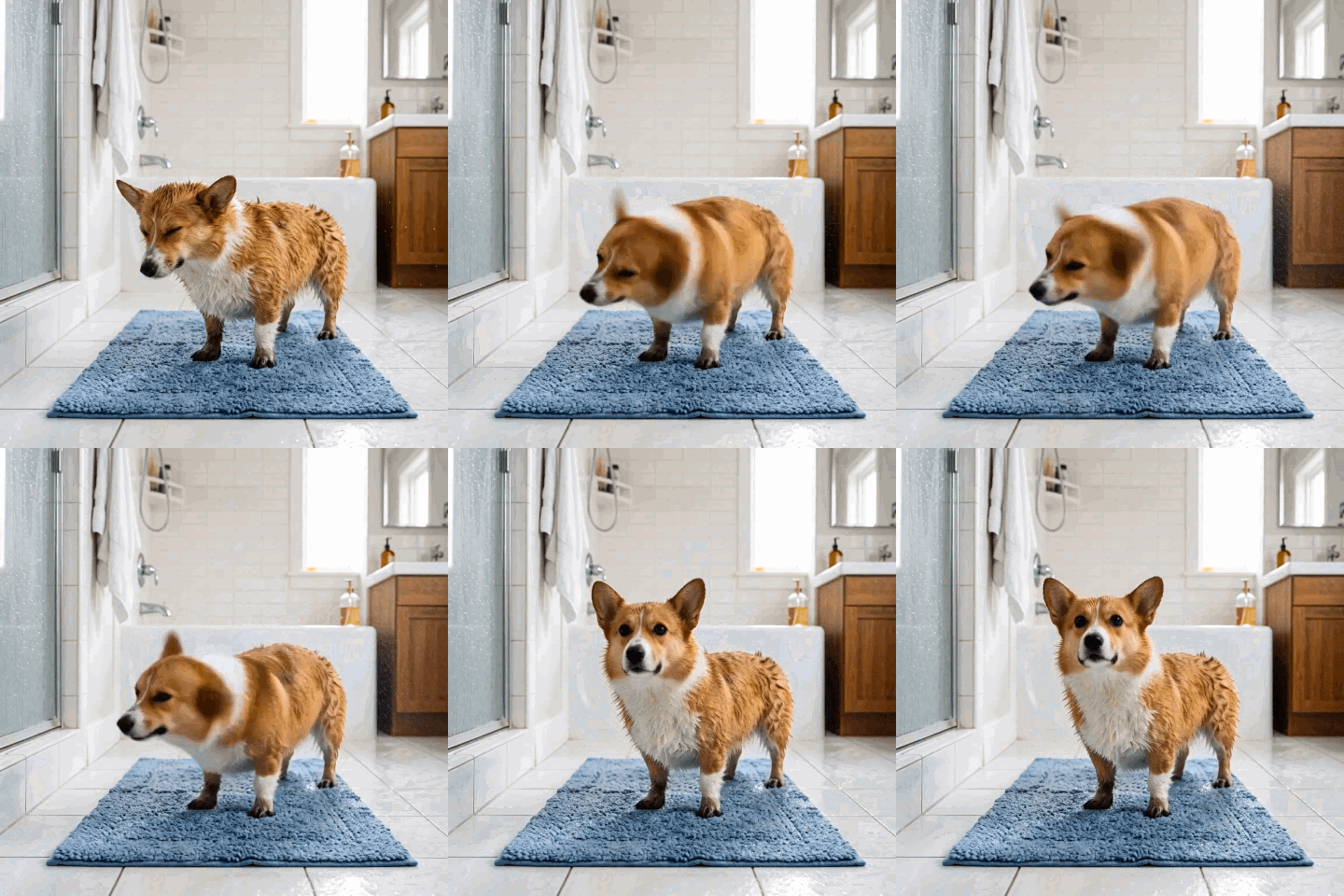
Three GIF sizes from the same clip
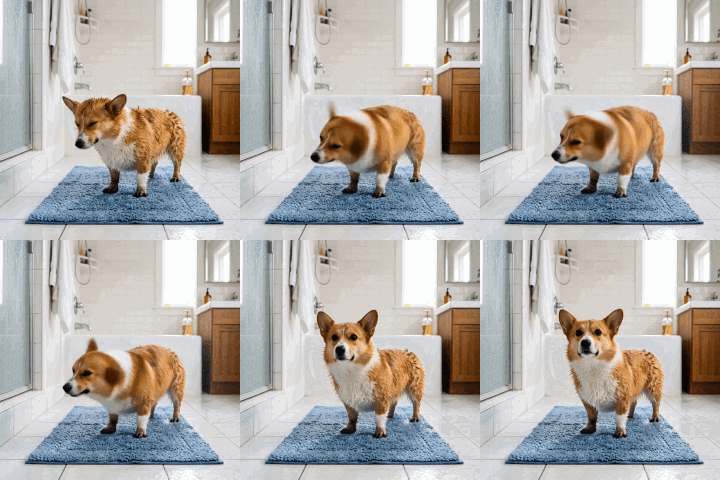
The corgi GIF at each width you can pick, side by side at the same scale. These are the files Save as GIF wrote, not mock-ups: each step down roughly halves the file.
GIF or MP4: which file should you send?
Every GIF you make starts as an MP4 of the same clip, and you keep both. Here is when each one wins, measured on the corgi.
| Compared | GIF | MP4 |
|---|---|---|
| File size, same 5-second clip | 1.8 MB at 480 px, 10 frames a second | 2.4 MB at 768 px, 24 frames a second, with sound |
| Colours | Up to 256 a frame, so skies and skin can band a little | Full colour |
| Sound | None | Kept if the clip has it |
| Plays by itself | Yes, everywhere an image shows, and loops on its own | Only where video autoplays |
| Best for | Replies, reactions, emails, docs | Posts, stories, anything with sound |
Words for reaction GIFs
Describe the movement, not the feeling. “Happy” gives a vague smile; “throws both arms up” gives a GIF people recognise.
“grins and gives a big thumbs up, nodding”“rolls her eyes slowly and sighs”“brings a palm to the forehead and shakes the head, then laughs”“puts a hand on the heart and smiles”“eyes go wide, mouth opens, hands to the sides of the head”“throws both arms up and does a happy little dance”Where a GIF beats a video
Anywhere a picture shows and a video wouldn’t play by itself.
Group chats
Reply with your own eye roll instead of a stock one.
Work chat
A thumbs up from you, not a cartoon, on the launch thread.
Newsletters
A small GIF above the headline plays in most inboxes.
Docs and guides
Show a moment in a doc where a video won’t play.
Pet accounts
The shake, the zoomies, the head tilt, on a loop.
Cards and invites
A wave or a toast from the person sending it.
Questions about the AI GIF generator
About making GIFs, their size and where they play. Billing questions are answered on the pricing page.
How do I make a GIF with AI?
Upload a photo or switch to From words and type a scene, describe one action, pick a width and press Make a GIF. The clip is ready in under a minute; save it as a GIF, and the MP4 stays in your creations.
Can I make a GIF from my own photo?
Yes. A selfie works best: one face, looking at the camera, in good light. Describe the reaction, such as a thumbs up or an eye roll, and your face does it.
Can I make a GIF from text?
Yes. Choose From words and describe the scene, the subject and what moves. No photo is needed; the whole picture is made from your sentence, wide, square or tall.
How big is the GIF file?
It depends on the width and on how much of the picture changes. Our 5-second corgi GIF was 1.8 MB at 480 px, 0.8 MB at 320 px and 0.5 MB at 240 px. A near-still rainy window was 0.3 MB; a swaying selfie with a facepalm was 4.2 MB at 480 px.
Does the GIF loop?
Yes, it plays again from the start forever. It isn’t made to be seamless: a clip that ends near where it began, like the corgi looking back at the camera, loops smoothly; a big gesture jumps back.
Where can I send it?
Anywhere that takes an image: chats, work chat, email, docs and social posts. If a GIF is too big for an app, save it again at 320 or 240 px, or send the MP4.
Can I make a GIF of my dog or cat?
Yes. Pets work as well as people. Name one clear action, like shaking off water, tilting the head or a big yawn, and say how it ends. Our corgi shook hard and then looked back at the camera, which also made the loop smooth.
Why did something appear that wasn’t in my photo?
The model sometimes adds a prop that fits the action. In two of our four selfie GIFs a phone showed up that the person was not holding. If that happens, add “empty hands, nothing else in the frame” to your sentence and make it again.
Does the GIF have sound?
No. GIFs can’t carry sound. Keep the MP4 of the same clip if you want it with sound.

Your face, your reaction
Your first GIF is free once you confirm your email. Bring a selfie or a sentence.