Image to video
Upload one image, say what should happen, get a 5-second clip with sound. Your first one is free.
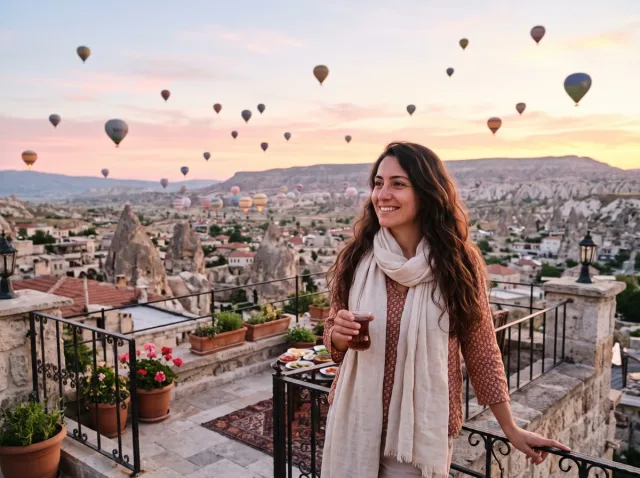
Prompt“The balloons rise slowly into the sky, the wind lifts her scarf, she turns to the camera and laughs.”
 MiniMax H3
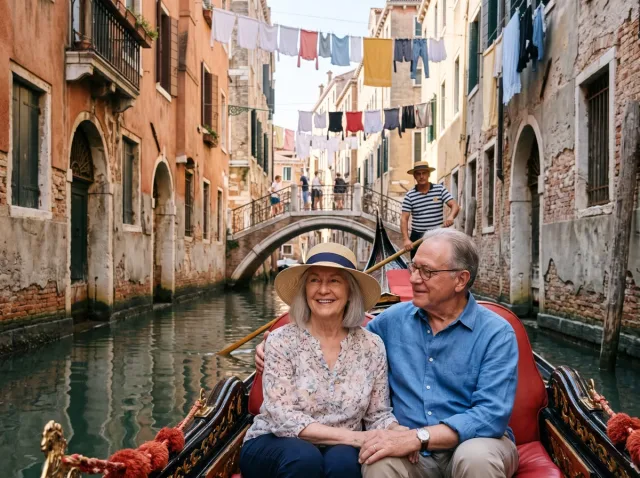
Turn a travel photo into a short video
A still from a gondola ride becomes the moment itself: the couple turn, wave at the camera and smile, and the laundry lines above the canal sway. The faces, the straw hat and the painted houses stay as they were in the photo.
Short holiday clips are what people post and send to family. One sentence about who does what is enough; the model fills in the water and the light.
We also asked for the boat to glide under the bridge. It barely moved. Waves and smiles come out reliably; a big move through a busy scene can take a second try.
Animate a travel photo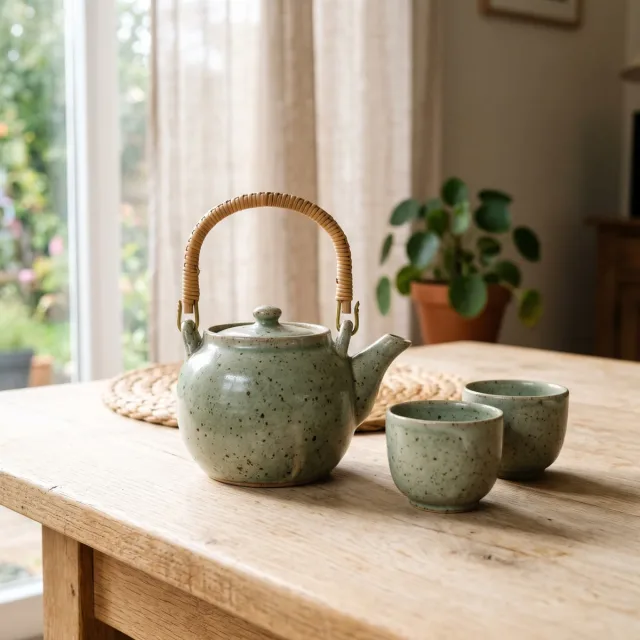
Make a product photo into a product video
A shop photo of a handmade teapot turns into a slow walk around it, with steam curling from the spout. A moving picture stops the scroll on a product page or in an ad far better than a still.
Square in, square out, so it drops straight into a marketplace listing or a feed. Write what the camera does (“orbits slowly”) and one small thing that moves (“steam rises”).
As the camera turned, the room behind filled in with a lamp, a vase and a framed print that were never in the photo. For a clean product clip, shoot on a plain background or ask for a still camera.
Bring a profile picture to life
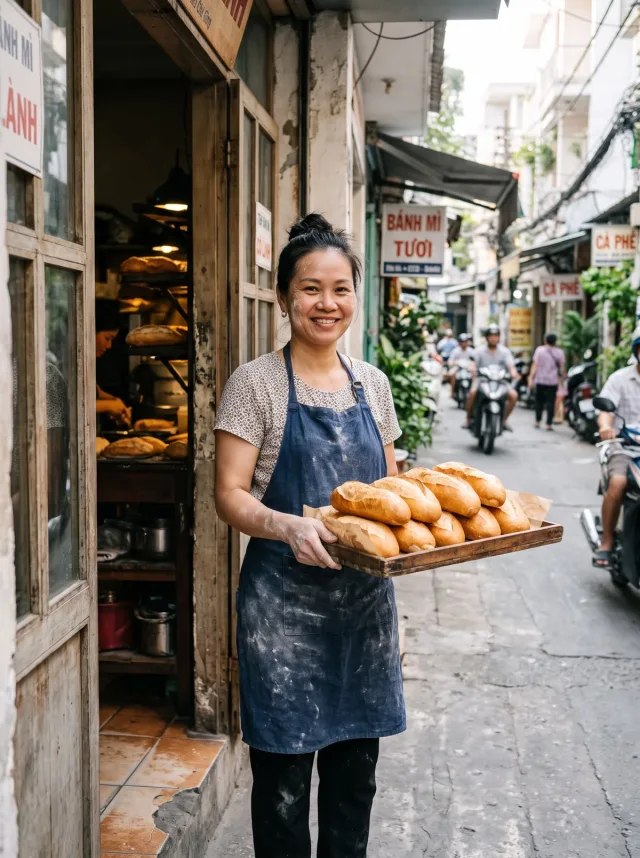
A baker in the door of her shop smiles at you as the camera eases closer, while scooters and people pass in the street behind. It is the same person, in the same apron, in the same doorway.
Use it at the top of an About page, a booking profile or a shop’s social account. A tall image gives a tall video that fills a phone screen.
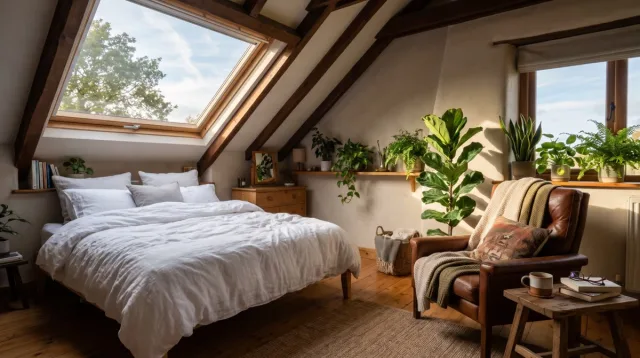
Walk into a room from one listing photo
One photo of an attic bedroom becomes a slow step into the room, toward the bed and the plants by the window. The bed, the beams, the plants and the chair keep their places; only the camera moves.
Short walk-ins help a rental or a holiday let look lived in. Ask for one slow camera move and nothing else, and the room stays true to the photo.
Ask for a gentle move. The faster the camera, the more the model has to invent behind the things it passes.
How do you create a video from an image?
Upload the image, write one sentence about what should happen, pick a model and download the clip. The default model makes 5 seconds at 768p with sound for 43 credits.
- 1
Upload one image
Drop it in, paste it or pick it from your phone. The video keeps its shape, so crop first if you want a tall or a square clip.
- 2
Say what should happen
Who moves, how the camera moves and what you should hear. One or two sentences is plenty.
- 3
Pick a model
MiniMax H3 for most photos. Veo 3.1 Fast for 8 seconds, Kling 3.0 for fast action.
- 4
Download it
Save the MP4, or turn it into a GIF or a Live Photo on the same screen.


Free image to video, without the small print
“Free” on video sites can mean a 2-second preview, a blurry export or a queue. Here is what ours is, all of it.
- How many free clips
One, after you confirm your email: 43 credits, exactly one clip on the default model.
- What quality
768p, 5 seconds, with sound: the same as a paid clip on the default model.
- Watermark
None. The free clip downloads the same as a paid one, with nothing in the corner.
- Card needed
No. Confirming your email is all it takes.
- Unlimited?
No. Each clip is counted in credits, and a plan tells you up front how many clips it makes.
Will the person still look like themselves?
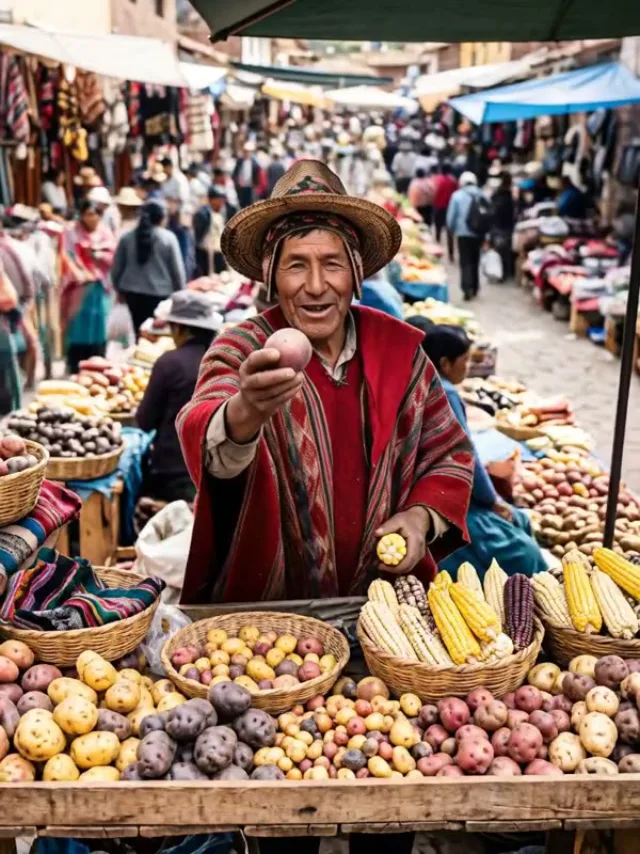
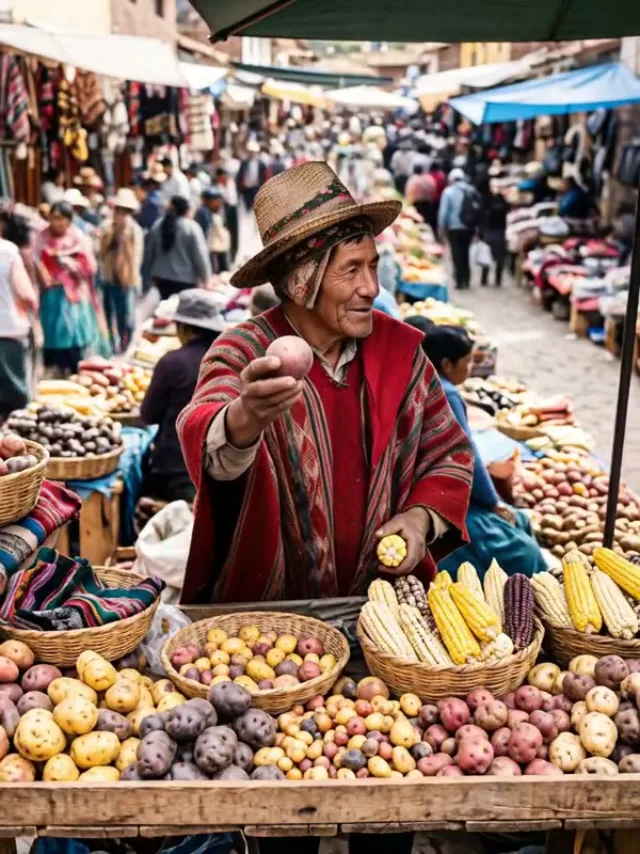
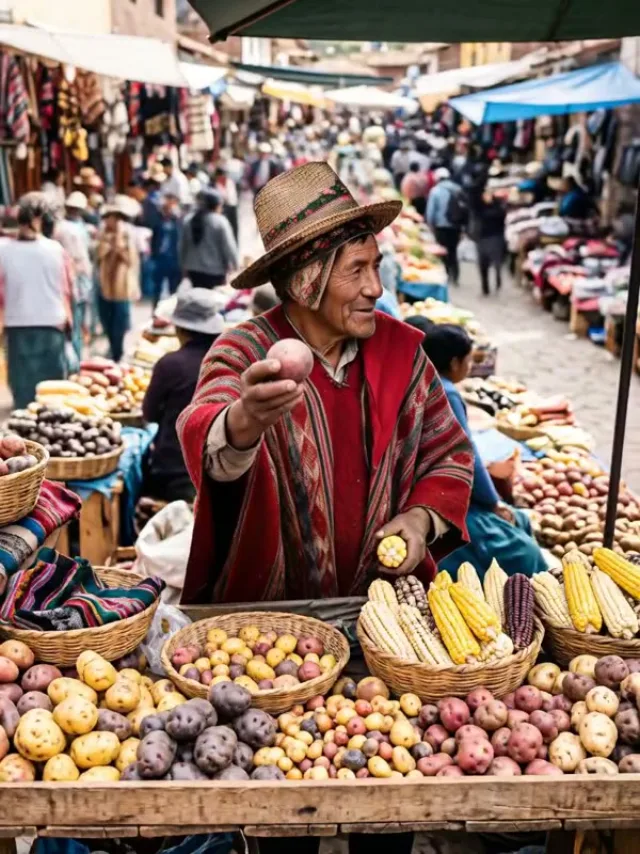
Yes, for the 5 seconds. Here is one clip laid out second by second: what stayed from the photo, and what the model changed.
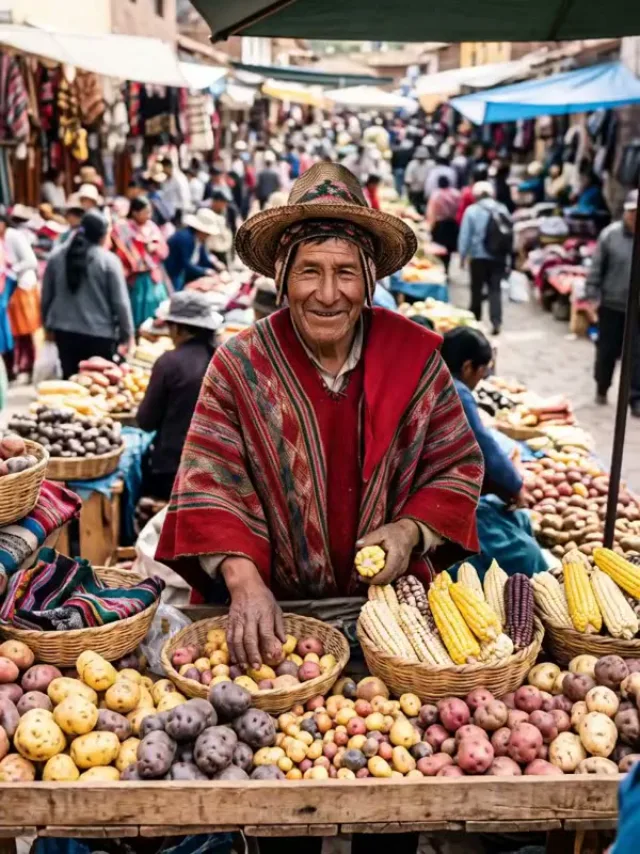
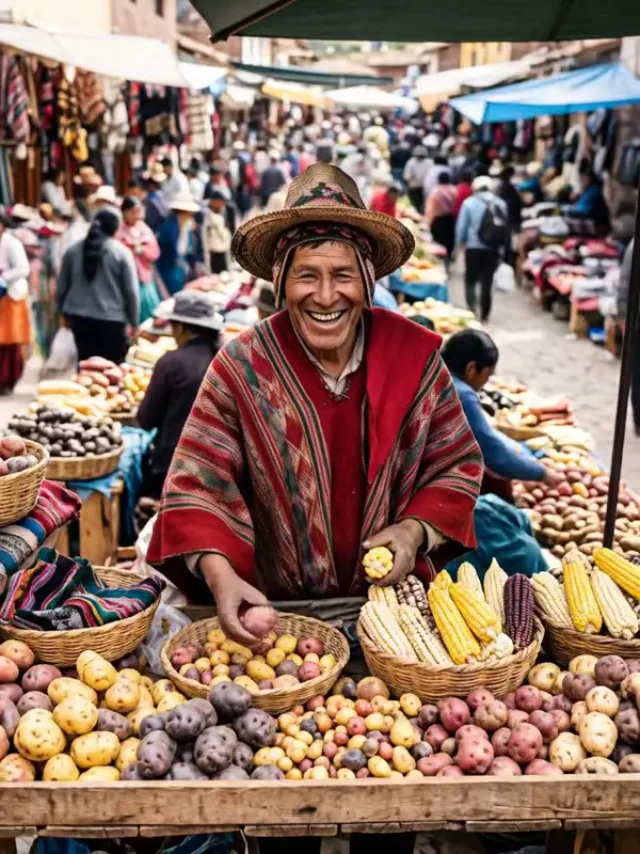
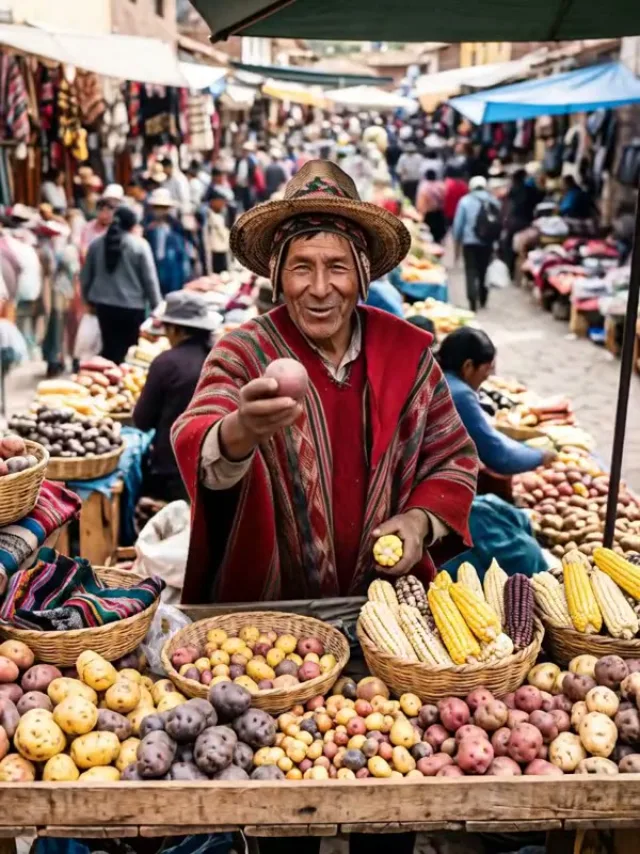
 0s1s2s3s4s5s
Stays from the photo
- His face, the lines around his eyes and his smile
- The straw hat, the ear flaps and the pattern on the red poncho
- The potatoes, the corn and the baskets on the stall
- The market street and its colours behind him
Changes as it moves
- His expression: a big laugh at the start, a closed smile at the end
- His hand: from the basket to holding a potato out to you
- His head: at 4 seconds he turns to look at someone on his left
- The crowd behind him walks; the potato we asked for in purple came out pink
A clear, front-on face in good light keeps best. A tiny face in a crowd, or one half hidden, gives the model more to guess.
One image, three models
The same photo of a delivery rider and the same sentence: “The light turns green, he pushes off and rides past the camera, puddles splash.” Here is what each model made, what it costs and how long it took.
- Credits
- 43
- Length
- 5 s
- Sound
- Yes
- Ready in
- 37 s
Pushes off across the crossing and rides toward the camera; the puddles splash and shine. The cheapest with sound.
- Credits
- 160
- Length
- 8 s
- Sound
- Yes
- Ready in
- 81 s
Opens on your photo at the red light, then it turns green and he rides off through the puddles. The longest clip: 8 seconds with rain and traffic sound.
- Credits
- 175
- Length
- 5 s
- Sound
- No
- Ready in
- 122 s
Opens right on your photo, then rides across the crossing and out of frame. The most lifelike movement, no sound.
Six more models sit in the same menu, from 33 to 225 credits a clip. Start on MiniMax H3; switch when a clip needs more length or faster action.
One image, or a slideshow of many?
“How to create a video with images” can mean two different things. This page makes one image move. If you have a stack of photos to play one after another, that is a slideshow.
Make a slideshow with Photo to GIF| Question | Image to video | Photo slideshow |
|---|---|---|
| What goes in | One image | Several images |
| What you see | New movement inside the picture: people, water, the camera | Each picture stays still; they follow one after another |
| Sound | Made with the clip: wind, voices, the street | Music you add yourself |
| Length | 5 to 8 seconds | As long as you have pictures |
| Cost | 43 credits a clip | Free, in your browser |
| Good for | One moment that comes alive | A trip, a year or a birthday in pictures |
Image to video: your questions
About free clips, length, faces and prompts. Plans and packs are on the pricing page.
Is image to video really free, and is it unlimited?
Your first clip is free once you confirm your email: 43 credits, one 5-second clip at 768p with sound and no watermark. It isn’t unlimited. After that, each clip costs credits from a plan or a pack, and the plan says how many clips it makes.
How long is the video, and can I make it longer?
5 seconds on most models, 6 on Grok Imagine Video and Hailuo 2.3, and 8 on Veo 3.1 Fast. For a longer video, use the last frame of one clip as the first frame of the next with First & Last Frame, and join them.
Does the video keep the face and clothes from my photo?
Yes, in every clip on this page: the face, hair and clothes carry through. Expressions and head positions change, because that is the movement. Front-on faces in good light keep best.
Can I use a screenshot, a drawing or an AI-generated image?
Yes. Anything that is a picture works. A drawing stays a drawing and an AI image keeps its style. Crop away phone bars and buttons from a screenshot first, or they will be in the video too.
Can I make one video from several images?
Not on this page: it makes one image move. To play several photos one after another, use Photo to GIF. To move from one picture to another, use First & Last Frame.
What should I write in the prompt box?
One sentence about who moves, one about the camera, and what you should hear. “She laughs and turns to the camera. The camera stays still. Wind and birds.” Leave out what is already in the picture.
Why does the video add things that weren’t in my image?
The model only sees the front of things. When the camera turns or moves forward, it has to draw what was hidden, so a lamp or a shelf can appear. Ask for a still camera, or a slow and small move, to keep it close to the photo.
Which aspect ratio should I pick for TikTok, YouTube or a website?
The video takes the shape of your image. Crop it tall (9:16) for TikTok, Reels and Shorts, wide (16:9) for YouTube and a website header, and square for a shop listing or a feed.
Start with one image
A holiday photo, a product shot or a portrait. Your first clip is free.