First & last frame to video
Upload where the shot starts and where it ends. AI makes the 5 seconds in between.
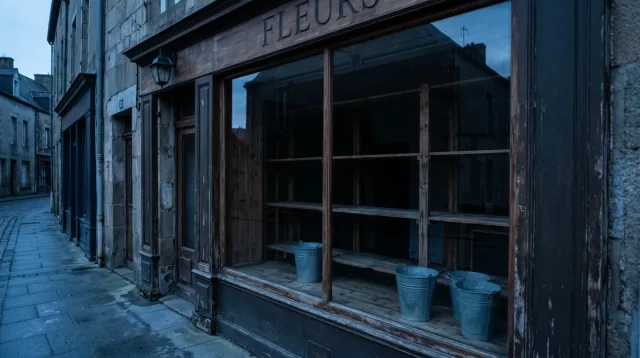
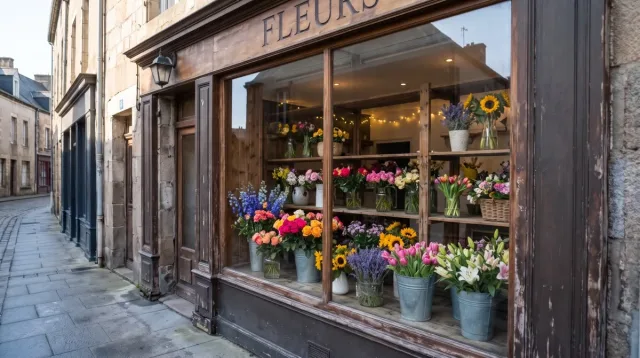
Prompt“Time passes from dawn to noon: the light warms, a florist carries buckets of flowers into the window display, the lights come on.”
 MiniMax H3
Before and after, as one smooth clip
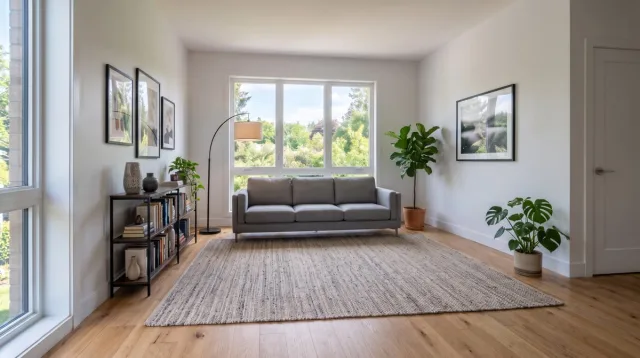
An empty white room as the first frame, the same room furnished as the last. In between, the rug, the sofa, the shelves and the plants turn up one piece at a time until the room matches the second photo.
It works for a renovation, a home staging, a garden or a makeover: anything you photographed twice from the same spot. The clip shows the change instead of asking people to compare two pictures.
Take both photos from the same place, at the same height. Then the walls and the window stay put and only the things you changed move.
Make a before and after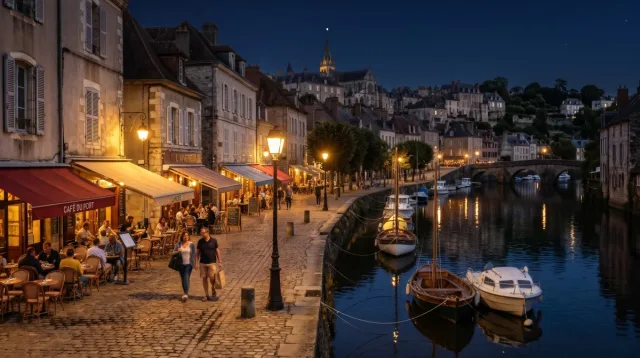
Day into night on the same street
A riverside street by day, then the same street at night. The sky darkens and the lamps and café lights come on one by one, until their reflections shimmer in the river.
A day-to-night shot is a classic opener for a travel video, a hotel or a restaurant page. You need two pictures of one view; the hours in between are drawn for you.
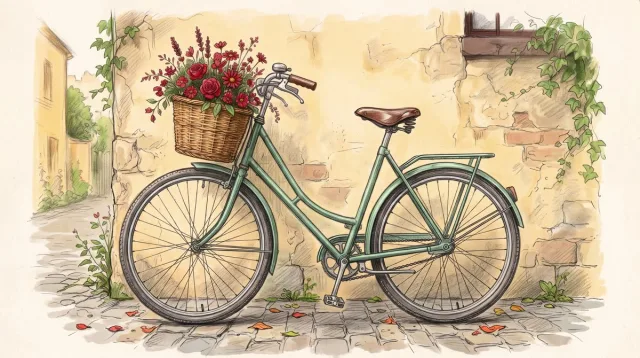
From a pencil sketch to the finished picture
A pencil drawing of a bicycle with a flower basket as the first frame, the painted version as the last. The mint green, the red flowers and the yellow wall arrive on the same lines.
Illustrators use this to show their process on social media and in a portfolio: the start and the end of the work in one short clip.
We asked for the colour to go in stroke by stroke. It filled the whole picture in under a second instead, then held still. For a slower reveal, add a middle step: a half-coloured version as a third image, and make two clips.
How do you make an AI transition between two images?
Two uploads, one sentence, one press. 43 credits for 5 seconds at 768p with sound.
- 1
Upload the first frame
The picture the clip opens on. Here, a florist’s window at dawn with empty shelves.
- 2
Upload the last frame
The picture it should land on: the same window, now full of flowers with the lights on.
- 3
Say how it gets there
What moves, what grows, how the light changes. You don’t need to describe the two pictures again.
- 4
Make the transition
The model draws every frame between your two. Download the MP4 when it is ready.
What happens between the first and last frame?
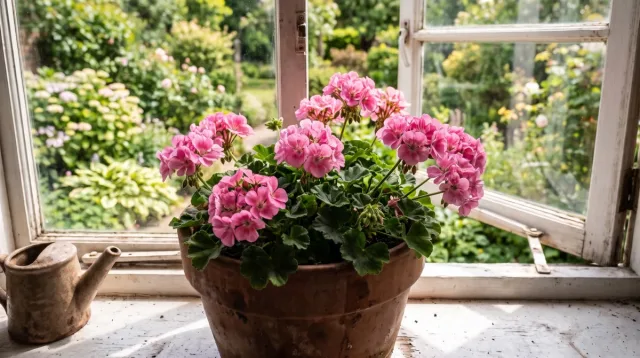
We gave it a pot with a sprout and the same pot in full bloom. Here are the 5 seconds it drew, one frame each second.
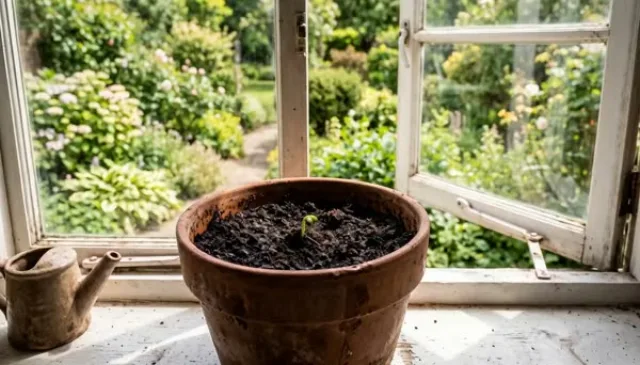 0sYour first frame
Our first frame: a sprout just breaking the soil.
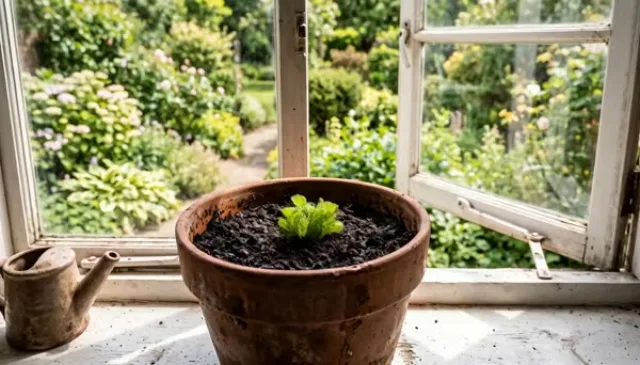 1s
Two small leaves open.
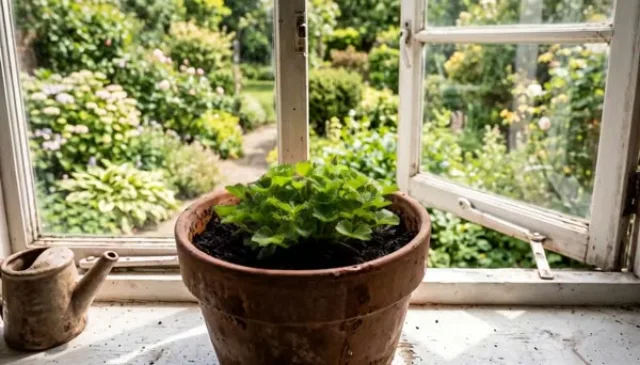 2s
The stem climbs and more leaves come.
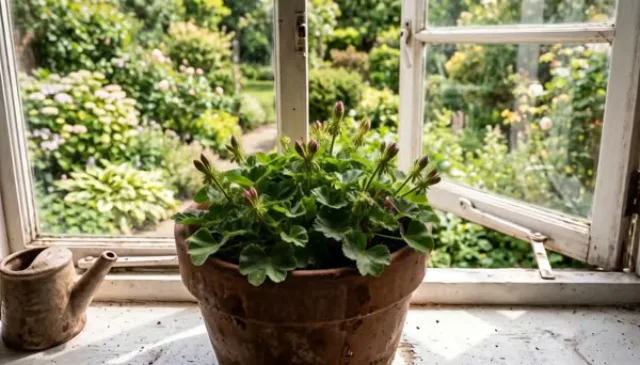 3s
The plant fills out; the first buds show.
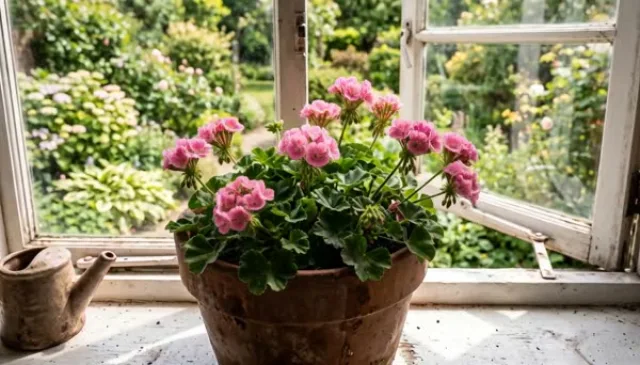 4s
The buds open pink.
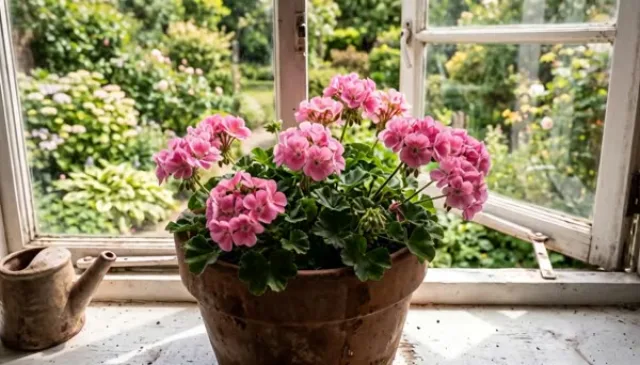 5sYour last frame
It lands on our last frame: a bush full of flowers.
AI transition or a crossfade?
Any video editor can fade one picture into another. Here is the same pair both ways, so you can see what the AI adds.
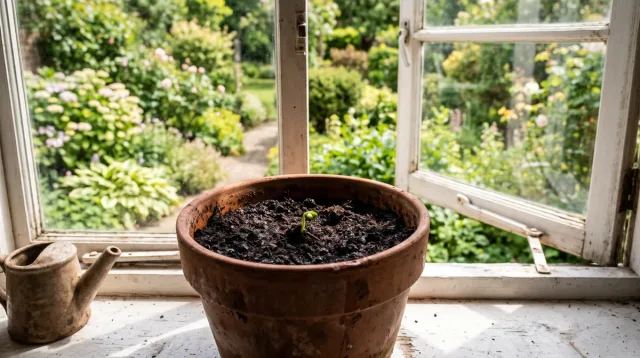
Crossfade
The flowers appear like a ghost over the sprout, then the sprout is gone. Nothing grows.
AI transition
The sprout grows, leaves unfold and buds open, so the second picture feels earned.
| Question | AI transition | Crossfade |
|---|---|---|
| What the middle is | New pictures, drawn frame by frame | Your two pictures laid over each other |
| Things move | Yes: leaves grow, people walk, lights switch on | No: one picture fades out as the other fades in |
| The camera | Can move between the two | Stays where it is |
| Time | About a minute | Instant, in any editor |
Which two images make a good AI transition?
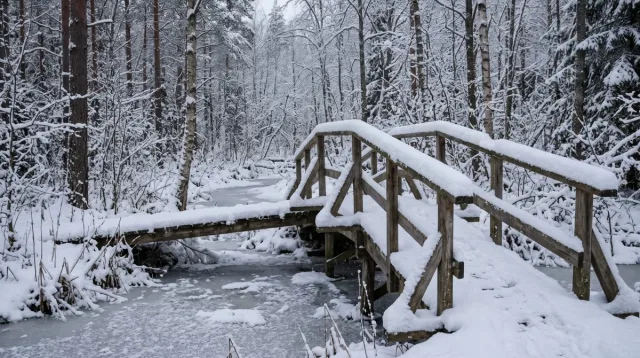
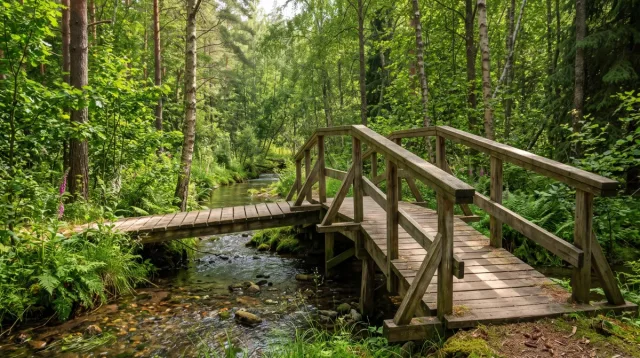
Two pictures of the same place or the same person link smoothly. Two pictures with nothing in common don’t. Three pairs we tried:
 Links
Same bridge, winter to summer
Links, a little late: the bridge holds still for half the clip, then the snow melts in a rush and the stream runs.
 Links
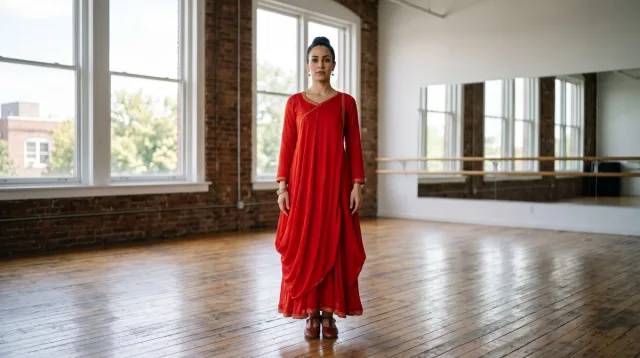
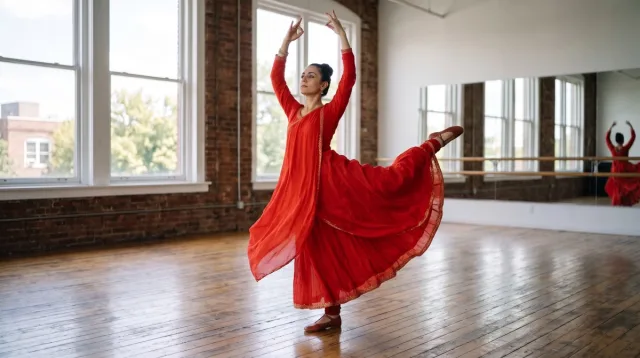
Same dancer, start to finish
Links: she turns, the red dress swirls, and she stops right in the final pose.
 Doesn’t link
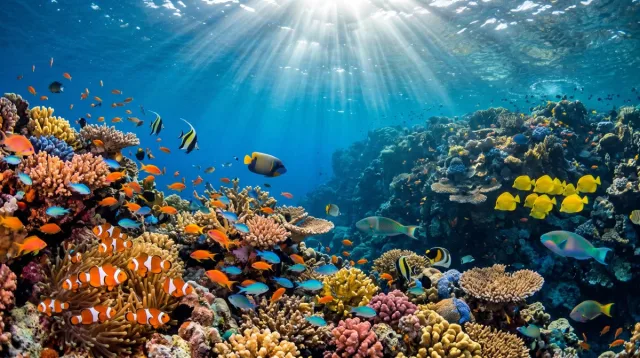
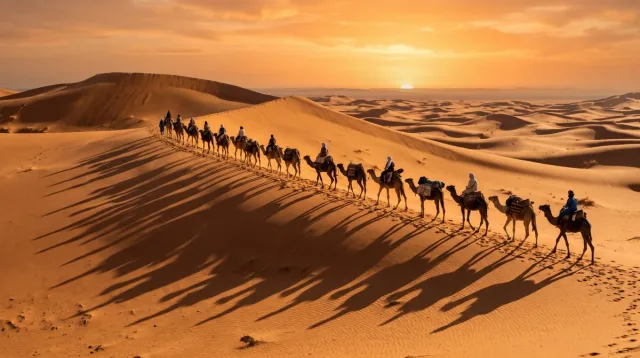
A reef, then a desert
Doesn’t link: with nothing in common, it invented a planet floating between the two. Pick a pair that shares a place or a person.
Make a video longer than 5 seconds
The last frame of one clip is the first frame of the next. Three pictures of the same florist’s window gave us two clips and 10 seconds that join without a jump.
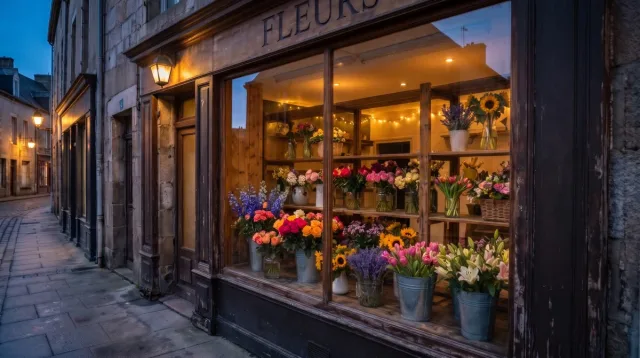
In the second clip the shadows grow, the sky turns deep blue and the street lamps come on. Put the two clips one after the other in any editor; frame B is in both, so the cut doesn’t show.
An AI transition between two videos
Already have two videos? Take a frame from each and let the AI draw the bridge between them, instead of a cut or a wipe.
Open Video Frame Extractor- 1
Save the last frame of video one
Open your first video in Video Frame Extractor and save its very last frame.
- 2
Save the first frame of video two
Do the same with your second video, keeping its first frame.
- 3
Make the transition and drop it in
Upload the two frames here, make the clip and put it between your videos.
Which AI video models support first and last frame?
7 of the 9 models in our menu take a last frame. We ran the florist pair on three of them: all three opened on the first picture and landed on the second.
5 seconds · with sound · ready in 72 s

8 seconds · with sound · ready in 106 s

5 seconds · no sound · ready in 176 s
| Model | Last frame | Credits | Length | Sound |
|---|---|---|---|---|
| MiniMax H3 | Yes | 43 at 768p | 5 s | Yes |
| Grok Imagine Video | First frame only | — | 6 s | Yes |
| Seedance 2 Mini | Yes | 48 at 480p | 5 s | Yes |
| Wan 3.0 | Yes | 88 at 480p | 5 s | Yes |
| Hailuo 2.3 | First frame only | — | 6 s | No |
| Veo 3.1 Fast | Yes | 76 at 720p | 8 s | Yes |
| Seedance 2 | Yes | 173 at 480p | 5 s | Yes |
| Seedance 2 Fast | Yes | 225 at 720p | 5 s | Yes |
| Kling 3.0 | Yes | 175 at 720p | 5 s | No |


First and last frame: your questions
About pairs that work, longer videos, transitions between videos and models.
How is this different from regular image to video?
Image to video takes one picture and the model decides where the clip ends. Here you also give the ending, so the clip lands exactly on your second picture. It costs the same on the same model.
Do the two images need the same size and shape?
They should have the same shape, and ideally the same place and camera angle. If one is tall and one is wide, crop the second to match the first before you upload.
Why did my clip jump or turn into something strange?
The two pictures had too little in common, so the model had to make up a path between them. Our coral reef to desert grew a floating planet. Use two pictures of the same place, person or object.
What should I write in the transition prompt?
How it gets from one picture to the other: “the snow melts and the stream starts to flow”, “she turns and raises her arms”. Leave out what is already in the pictures.
Does it work with people, or only with places?
People work too. Our dancer went from her starting pose to her final pose in one turn. Use two photos of the same person in the same place, and change the pose, not the face or the clothes.
Can I put an AI transition between two videos I already have?
Yes. Save the last frame of the first video and the first frame of the second with Video Frame Extractor, upload them here, and put the new clip between your two videos.
Does a first and last frame clip cost more?
No. On most models it costs the same as a one-image clip: 43 credits on MiniMax H3. Veo 3.1 Fast costs less here, 76 credits instead of 160. Your first clip is free after you confirm your email, with no watermark.
Does Kling support a start and end frame? Which models do?
Yes, Kling 3.0 does. In our menu, MiniMax H3, Veo 3.1 Fast, Kling 3.0, Seedance 2 Mini, Wan 3.0, Seedance 2 and Seedance 2 Fast take a last frame; Grok Imagine Video and Hailuo 2.3 only take a first frame.
Start with two pictures
A before and an after, a day and a night, a sketch and the painting. Your first clip is free.