Four steps from a still picture to a 5-second video, with the prompts we used and what goes wrong.
The short answer
To animate a photo with AI, upload one clear photo, write one sentence about what should move and what should stay still, and press Animate. With the default model, MiniMax H3, you get a 5-second 768p video with sound in about 59 seconds for 43 credits. Confirm your email and your first one is free.
Updated 11 Nov 2026 · 12 min read · every clip on this page was made here, with the prompt shown
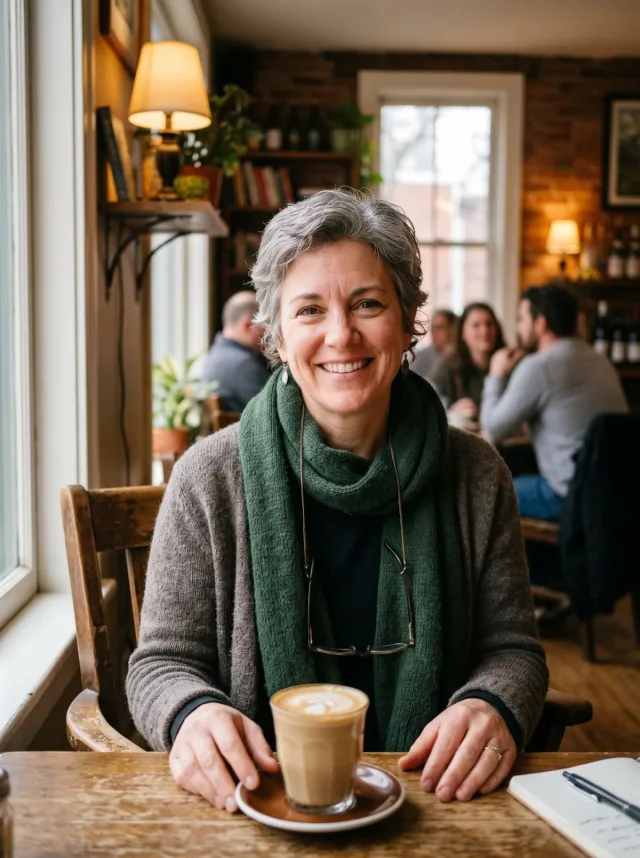
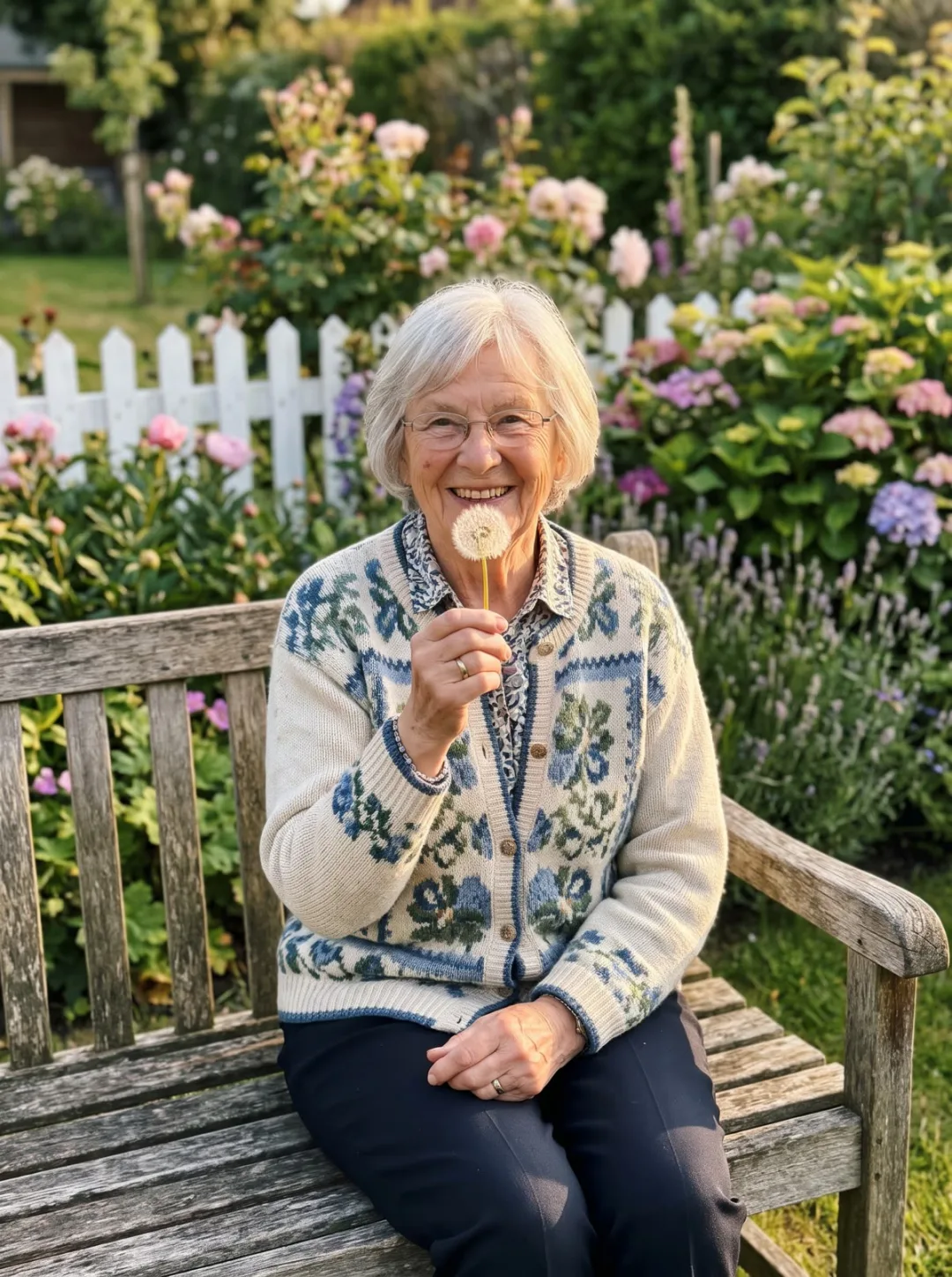
Photo5 s video “She blows gently on the dandelion…”MiniMax H3 · 768p · sound on · she blew twice and smiled; the seeds stayed on
How to animate a picture in four steps
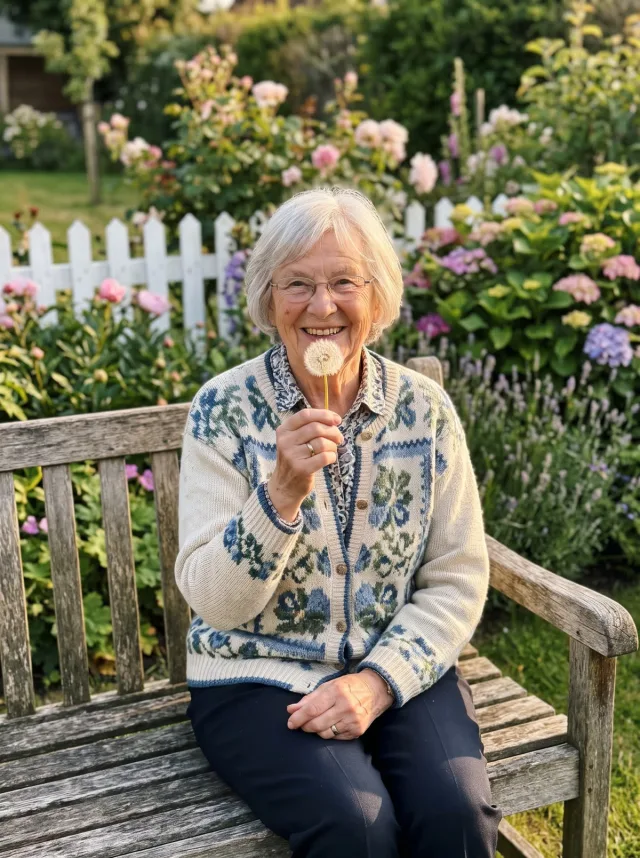
The same photo of the garden bench all the way through. Nothing to install: it runs in the browser on a phone or a computer.
1
Drop it heregarden-bench.jpg
Pick a photo
One clear photo where the person, pet or thing you want to move is big and sharp. Phone photos, scans of old prints and screenshots all work, as JPG, PNG, WEBP or HEIC.
2
She blows on the dandelion and smiles.
Say what moves
One sentence: who moves, how, and what stays still. “She blows on the dandelion and smiles. The camera stays still.” That is the whole prompt.
3
MiniMax H3Kling 3.0Seedance 2
Pick a model
MiniMax H3 is already picked: 43 credits for 5 seconds with sound. Switch only when the photo needs fast action or a moving camera; the table further down says when.
4
MP4GIFLive Photo Saved
Download it
Save the MP4 with sound, or turn it into a GIF or a Live Photo in your browser at no extra cost. Not right? Change one sentence and run it again.
Two different things are both called “animate”
Free editors move the frame. AI moves what is inside it. The same photo, both ways, playing in step.
Pan and zoom
What a free editor’s Animate button does
The whole picture slowly zooms in and drifts. She does not move: not her lips, not her hands, not the dandelion. Free in Canva, Adobe Express and PowerPoint, and right for a slide or a post with text on it.
AI image to video
What an AI model does
From the same photo she purses her lips, blows on the dandelion twice and smiles. The bench, the cardigan and the garden stay as they were. What it did not do: the seed head stayed whole, though the prompt asked for the seeds to drift away.
Want the photo to slide into a slideshow? A free editor is enough. Want the person in it to do something? That takes an image-to-video model, and the rest of this guide is about that.
Which photos animate well
Two photos, one run each. Both came back with a problem worth knowing before you pick yours.
Good photo
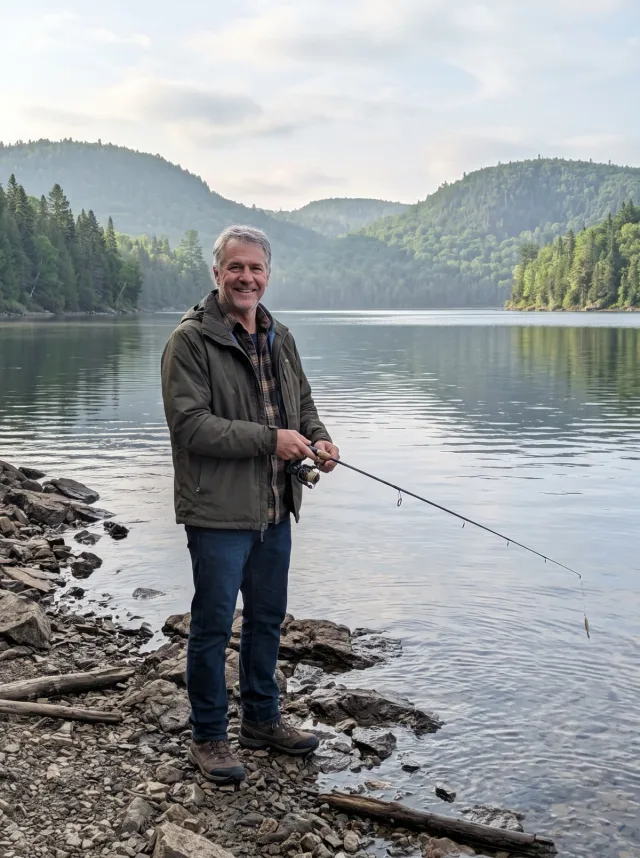
One man, full body, space around him
He casts cleanly and his face and jacket hold. Then the camera followed the line out over the lake: by second 2 he is out of the frame and the last three seconds are water, although the prompt said the camera stays still. The photo was fine. For a move that points out of the picture, write “the camera stays on him”.
Hard photo
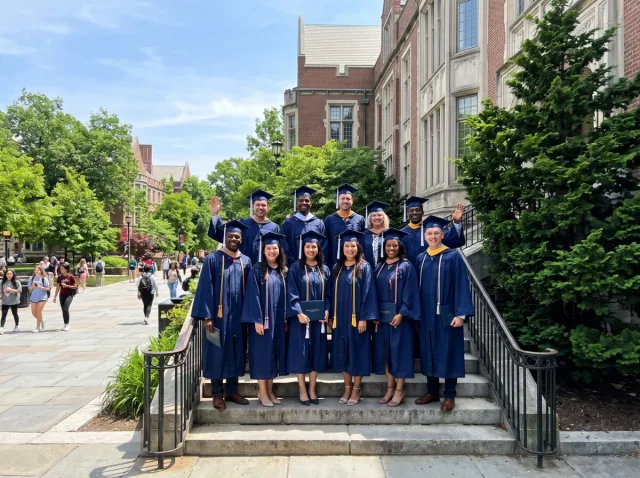
Ten small faces, taken from far away
The caps fly and the cheer fits. Look at the faces, though: at this size they go soft, and the man raising his arm at the front left loses his features mid-throw. Crop to two or three people and the faces get their pixels back.
One subject, big in the frame
The model spends its detail on what fills the picture. A face the size of a fingernail has too few pixels to move well.
Keep the move inside the frame
When the action points out of the picture, a cast line or a thrown ball, the camera may follow it and leave the person behind. Add “the camera stays on him”.
Sharp matters more than new
A 1960s print animates well if the face is in focus. Blur and heavy grain get worse once things start to move.
Show what should stay
Anything the photo hides, a hand behind a back or a face behind a cup, has to be invented the moment it comes into view.
Six prompts you can copy
One for each kind of photo people bring to us. Every clip was made from the prompt under it, word for word, in one run on MiniMax H3.
She raises her right hand and waves at the camera, then laughs. Quiet café chatter. The camera stays still. Keep the faces, clothes, light and background as in the first frame.
Her right hand comes up and waves, five fingers and all, then she laughs. The camera stays put and people keep walking past the window. The one to copy when you want someone to move an arm.
The couple walk down one step toward the camera and smile at each other; the bride’s veil lifts in the wind. Church bells. The camera stays still. It stays a black-and-white 1960s photograph with its grain and white border. Keep the faces, clothes, light and background as in the first frame.
Black and white, grain and the scalloped border hold for all five seconds, and they turn to smile at each other. They walked several steps rather than one and the frame tightened a little; the veil barely lifts.
The rabbit twitches its nose, turns one ear, then hops once toward the camera. Quiet backyard sounds. The camera stays still. Keep the rabbit’s fur and the garden as in the first frame.
The nose twitches, then the rabbit hops right up to the lens and ends in a close-up, fur and garden unchanged. The ear turn did not show.
Rain falls around them; she leans her head on his shoulder and they both laugh. Rain on the umbrella. The camera slowly pushes in. Keep the faces, clothes, light and background as in the first frame.
They lean their heads together and laugh as the camera pushes in. Raindrops sit on the umbrella, but falling rain is hard to see. Two faces, both kept.
The flame flickers gently and a thin wisp of smoke rises; the light on the shelf moves a little. Soft room tone. The camera stays still. Keep the jar, the label and the shelf exactly the same.
The flame flickers and a thin wisp of smoke rises. The jar and the blank label stay exactly the same, which is what a shop listing needs.
The wheat sways in the wind, the windmill sails turn slowly and the clouds drift. Wind through the field. The camera slowly pans right. Keep the field, the windmill and the light as in the first frame.
The wheat sways, the sails turn and the clouds drift while the camera pans right onto a path. No faces, so nothing to lose.
How to write the sentence
The wave prompt from above, taken apart. Four short pieces, plain words, no special terms.
One action at a time
Five seconds holds one move and a reaction. Ask for three and the model drops or rushes some of them; there is a clip of exactly that further down.
Who movesSheName one subject. With two people, say which one.
What they doraises her right hand and waves at the camera, then laughs.One action and a reaction, in the order they happen.
What you hearQuiet café chatter.Optional. Leave it out and the model picks a sound.
What stays stillThe camera stays still. Keep the faces, clothes, light and background as in the first frame.The part most people skip, and the one that keeps the photo looking like the photo.
How to animate a picture for free
Free tools exist, and for some jobs they are all you need. What matters is what they actually move.
Route
What moves
What it costs
Use it for
Canva’s Animate button
The whole picture: pan, zoom and reveal styles. The people in it stay still.
Some styles free, others need Canva Pro (Canva’s FAQ)
A photo that slides into a slide or a post
Adobe Express animation
The whole picture: spin, pop, slide and zoom, plus moving text and stickers.
Free plan available
A social post with words on it
PowerPoint Animations tab
The picture flies in, zooms or spins as one block.
Comes with PowerPoint
A presentation
A phone’s Live Photo
The few seconds the camera recorded around the shot, nothing new.
Free on iPhone
Only photos taken with Live turned on, so not old prints
AnimatePhotos, first animation
The person, pet or scene itself, for 5 seconds, with sound.
Free: 43 credits when you confirm your email, enough for one MiniMax H3 clip
Seeing your own photo move before you pay anything
To animate a photo in Canva, select it, press Animate and pick a style; that moves the frame. To make the person in the photo move, you need an image-to-video model, here or anywhere else.
Which model to pick
Four of the models on AnimatePhotos. Credits are what you pay for one clip; you see the number on the button before you press it.
Every clip on this page came from MiniMax H3. Our 10 runs for this guide took 59 seconds each on average.
The prompt“She stands up from the bench, walks over to the fence, and then blows on the dandelion and waves at the camera.”
She stands up, takes one step and stops: she never reaches the fence. She blows side-on, then waves. Meanwhile the camera rose and pulled back, and the house, roof and lawn behind her were made up, because they were never in the photo.
Why the AI ruined my photo, and how to fix it
It is the most common complaint about AI animation, and it usually has one of three causes. Here is the bench photo again, this time asked to do three things in five seconds.
Cut it to one action
Ask for the dandelion, not the walk, the fence and the wave. If you want all of it, make three clips.
Crop in before you upload
A group from far away? Crop to the two or three people you care about. Bigger faces keep their shape.
Say what must not change
End the prompt with what stays: the faces, the clothes, the border of an old print. If the camera wanders, say who it stays on.
If a clip fails or our safety check stops it, the credits go back to your balance on their own. A clip that ran but looks wrong is a new run, so change the prompt first.
How to animate a photo: your questions
About free routes, moving arms, cameras, groups and the original photo. Plans and refunds are on the pricing page.
How do I make a person in a photo raise an arm or wave?
Make it the only action: “She raises her right hand and waves at the camera, then laughs. The camera stays still.” In our run the hand came up with five clear fingers and the face did not change. Leave room above the hand in the photo, and do not ask for a walk in the same clip.
Can I animate a picture for free?
Yes, two ways. Editors such as Canva and Adobe Express animate the whole picture for free, with pan, zoom and spin. To make the person or pet in it move, confirm your email here and use your 43 free credits on one MiniMax H3 clip.
How do I animate a photo in Canva?
Select the photo, press Animate in the top bar and pick a style such as Pan or Zoom, then download it as a video or GIF. That moves the frame. Canva does not make the people in the photo move.
Why did the camera move when I wrote that it stays still?
It happens when the action points somewhere the photo does not show. In our runs for this guide the camera followed a cast fishing line out over the lake, and rose to watch a woman stand up. Name who the camera stays on, keep to one action, and it holds far more often; the café wave and the candle kept a still camera.
Can I animate a group photo with lots of people?
You can, but small faces are where it goes wrong first: in our ten-person graduation photo the caps flew and the faces went soft. Crop to the two or three people who matter, or animate the group with one shared move, like everyone throwing caps, rather than a different move for each person.
Does animating a photo change the original?
No. Your photo stays as you uploaded it and the video is a new file. The first frame of the video is your photo, so crop it the way you want the clip to start.


 Veo 3.1 Fast