AI baby dance
Add a photo of your baby, pick a move, and get a 5-second baby dance video to send to the family. Only you see the photo and the clip, and you can delete both anytime.
 MiniMax H3
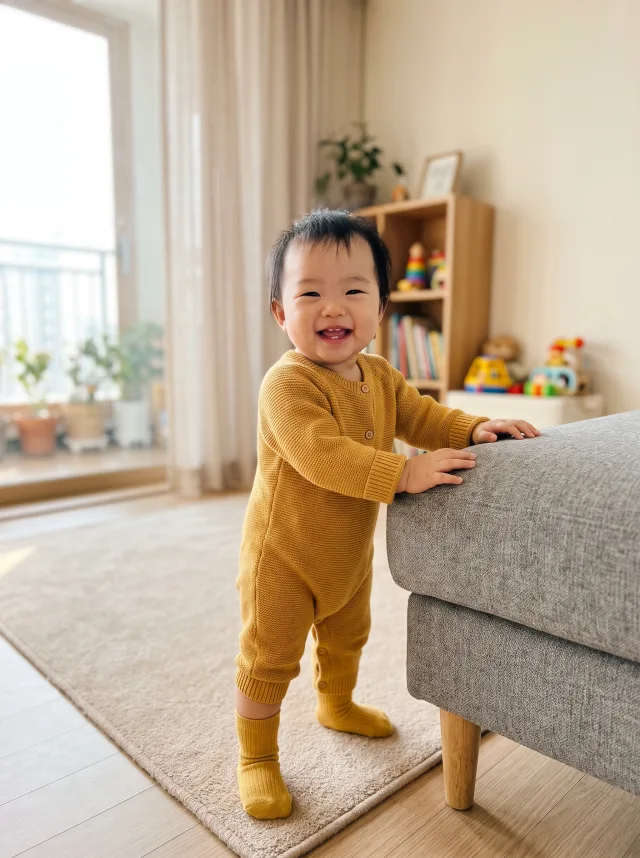
Baby danceClap and sway · “The baby claps its hands a few times and sways gently from side to side, smiling. A gentle, playful little baby dance only.”
Four little moves from one baby photo
A baby in a yellow romper, holding on to the sofa. We made one clip with each move; the words under each clip are exactly what the move asks for. This baby is an AI-generated example photo, like every baby on this page.
Bounce
The baby bounces up and down to the music by bending its knees, smiling and giggling. A gentle, playful little baby dance only.
Our run: still holding the sofa, the baby bent its knees and bounced, smiling all the way through.
Clap and sway
The baby claps its hands a few times and sways gently from side to side, smiling. A gentle, playful little baby dance only.
Our run: the baby let go of the sofa, clapped several times and swayed standing up. Our favourite of the four.
Little shuffle
The baby does a little shuffle, stepping its feet in place and wiggling, laughing. A gentle, playful little baby dance only.
Our run: little steps on the spot with both hands kept on the sofa. The quietest move, easy to miss on a small screen.
Arm wave
The baby waves one arm up and down in time with the music and bobs its head, smiling. A gentle, playful little baby dance only.
Our run: one hand stayed on the sofa while the other arm went up and down again and again. The camera drifted a little.
How to make a baby dance with AI
Upload a photo of your baby, pick one of the four moves and press Make baby dance. You get a 5-second clip with sound for 43 credits; ours were ready in 28 to 38 seconds. The moves can’t be rewritten, so every baby dance stays gentle and fully dressed.
- 1
Add a baby photo
A clear, bright photo where you can see the face. Standing and holding on, held up by a grown-up, or sitting all work.
- 2
Pick a move
Bounce, Clap and sway, Little shuffle or Arm wave. Each is a short sentence you can read before you choose.
- 3
Make baby dance
The button shows 43 credits before you press it. Save the MP4 and send it to the family chat. If the clip fails, the credits come back by themselves.
Your baby’s photo stays yours
Only you can see the photo you upload and the clip it becomes. Nothing goes into a public gallery, and nobody else can open it from your account.
- The photo deletes itself a day after upload.
- The clip stays at least 30 days in My Creations; delete it there any time.
- Never shown publicly on our site.
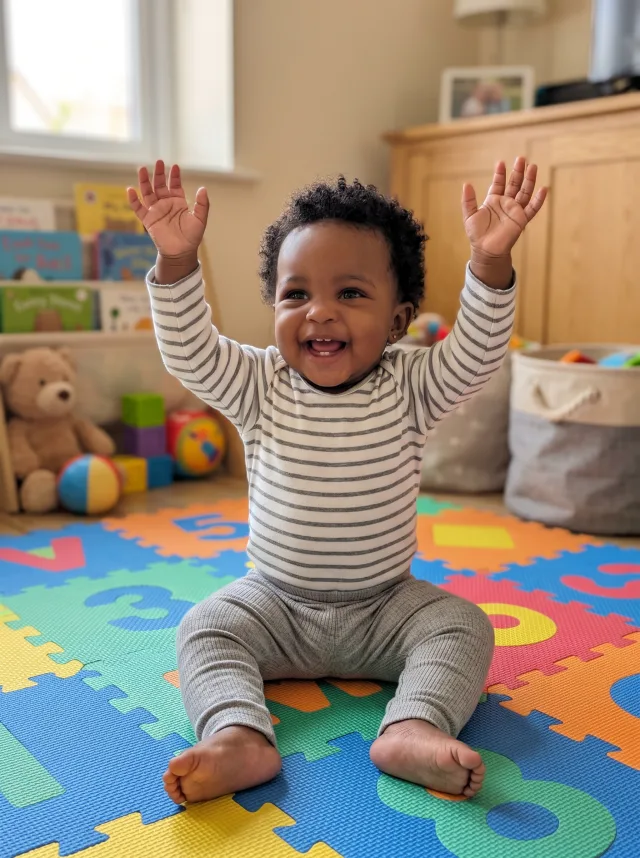
A baby who can’t stand yet
No need to wait for first steps. In our run the baby on the play mat lifted its hands, clapped and swayed from side to side without ever getting up.
Clap and sway and Arm wave suit sitting babies; Bounce and Little shuffle work better when the baby is standing or held.
Make a sitting dance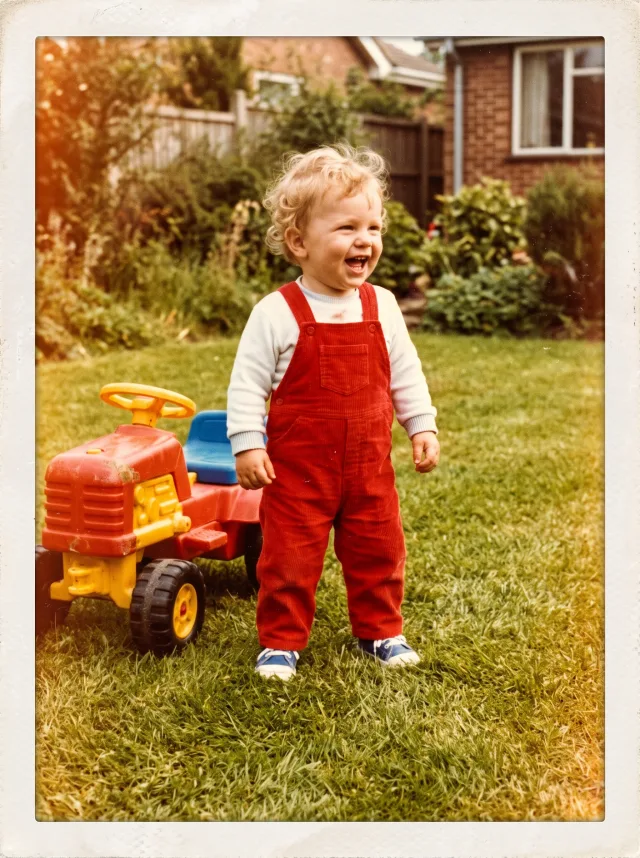
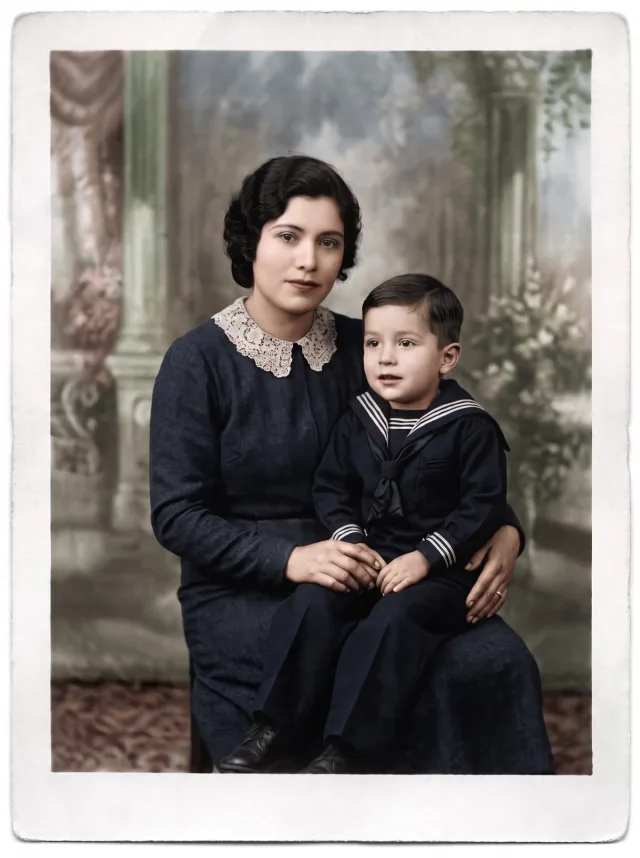
The baby in an old family photo, maybe you
A scanned print from a family album works too. In our run the toddler in red overalls bounced on the lawn and waved both arms, laughing, and the faded colours and the white border of the print stayed as they were.
Send it to the family chat next to a photo of who that baby is today. If the print is scratched or faded, the Bring Old Photos to Life guide shows how to fix it first.
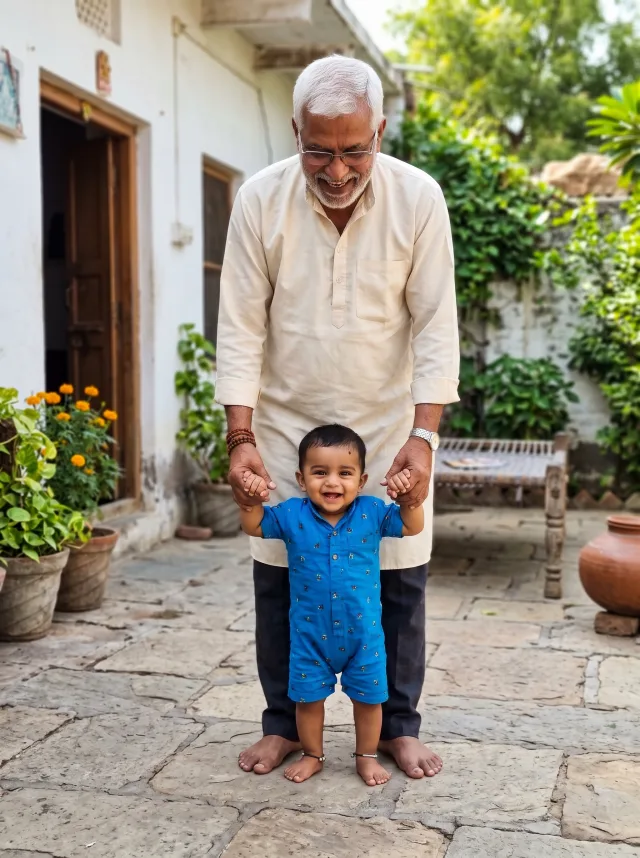
Dancing with Grandpa
Grandpa holds both little hands and the two of them dance on the patio. Our run was the gentlest of all: he laughed down at the baby, but the baby only swayed and bounced a tiny bit.
If you want more movement in a photo with a grown-up, try Bounce, or run it again: each run is a new take.
A dim photo of a crawling baby
The baby stopped crawling, sat back on the carpet and flapped its arms, but its face stayed turned away and it never got up to dance. The room stayed as dim as the photo.
Baby photos that don’t dance well
We tried a photo many parents have: a crawling baby in a dim room, face turned away. This is what came out.
Brighter is better
Daylight from a window or a lit room. A dark, blurry photo stays dark and blurry in the clip.
Face in view
The baby looking towards the camera, not away or down. A face we can see is a face that stays the same.
Standing, held or sitting up
Holding on to a sofa, held up by a grown-up, or sitting. A baby on all fours has to get up first, and 5 seconds is short.
A clip that fails or gets stopped by our safety check costs nothing: the credits return to your balance automatically.
AI baby dance: questions parents ask
About privacy, which photos work, likeness, sound and credits.
Is my baby’s photo private?
Yes. Only you see the photo and the clip. The clip and its photo stay in My Creations for at least 30 days unless you delete them there first, and nothing is ever shown publicly.
Can I make a baby dance video for free?
Your first clip is free once you confirm your email, and it downloads without a watermark. After that each baby dance is 43 credits.
Can I make the viral TikTok baby dance?
Our four moves are short, gentle dances made for babies, not copies of a trend. For a grown-up dancing to a trend, use AI Dance; for your baby, pick the move that’s closest and add your trending sound when you post.
Does it work if my baby can’t stand yet?
Yes. In our run a baby sitting on a play mat clapped and swayed without getting up. Clap and sway and Arm wave suit sitting babies.
Can I use a photo of myself as a baby?
Yes. A scan or a phone photo of an old print works: in our run a toddler on a 1980s-style print bounced and waved, and the faded colours and white border stayed.
Will it still look like my baby?
Every move asks to keep the same baby face and body, and in our Bounce and Clap and sway runs the face stayed the same from start to end. A face that’s turned away or blurry is harder to keep; a clear, bright photo works best.
Why does the dance look strange or blurry?
Usually the photo: dim light, motion blur, a face turned away, or a baby crawling who has to stand up first. Try a brighter photo with the face in view, or run it again; each run is a new take, and a failed clip gives the credits back.
Can I add music?
Every clip comes with its own sound; the move asks for a soft children’s tune. To use a song of your own, add it in your video editor or pick it in the app when you post.


A little dance for the family chat
One baby photo, one of four gentle moves. 43 credits, and a failed clip is free.