Pixar filter: see yourself as a 3D cartoon
Cartoon yourself in the style of a big-studio animated movie: round features, soft light, the same face underneath. About 30 seconds, 8 credits.
 Nano Banana 2

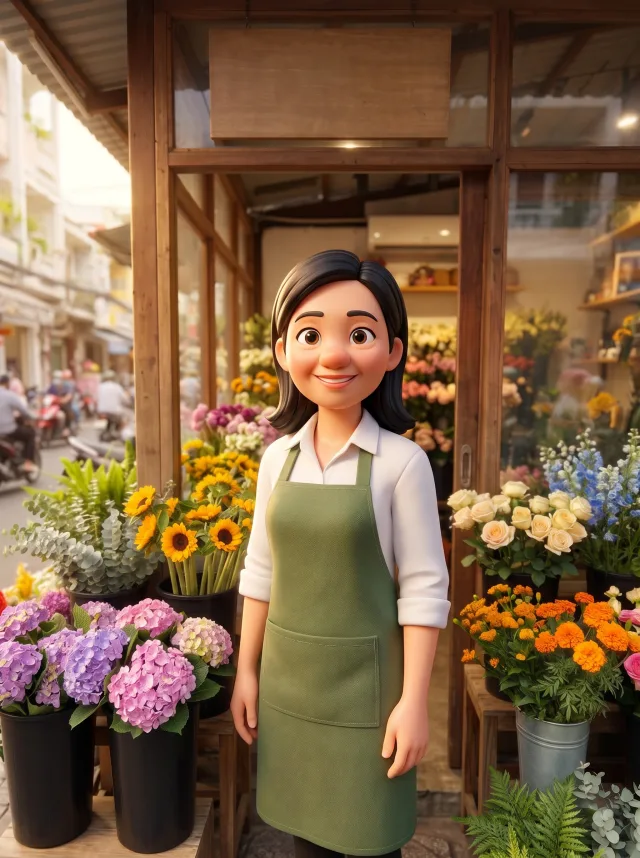
CartoonMovie character · “Completely restyle this photo as a frame from a 3D computer-animated family movie, not a photograph: every person becomes a stylised 3D cartoon character with a big round nose, oversized friendly eyes, smooth plastic-like skin and simplified clothes, the background rendered in the same polished 3D movie style, warm cinematic light, same pose and composition.”
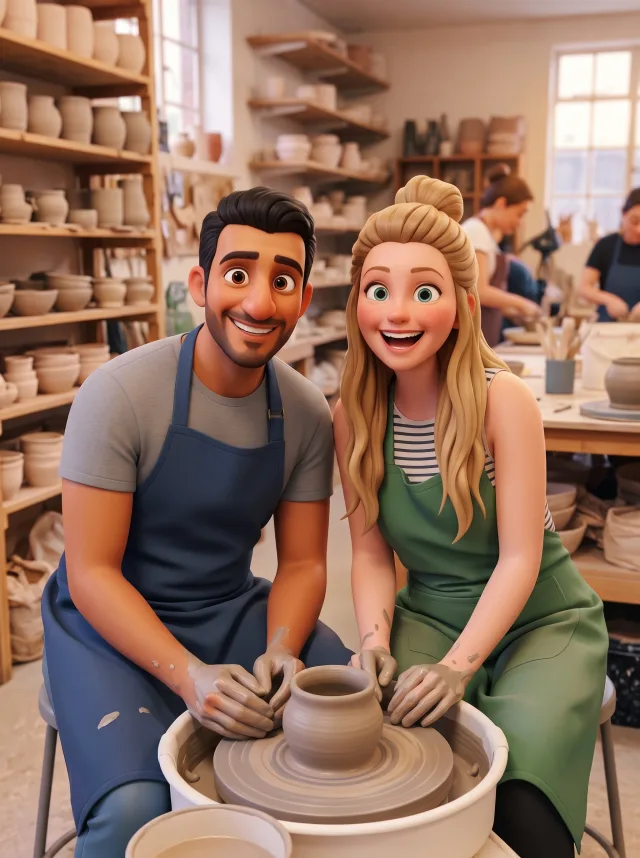

A couple’s profile picture
Two people at a pottery wheel, hands in wet clay. Both became cartoon characters in one run: his beard, her blonde top knot, the aprons and the pot between them all stayed. The clay smears on the aprons were cleaned away.
Use it as a shared profile picture, on an anniversary card, or as the first frame of a clip of the two of you.
Cartoon the two of you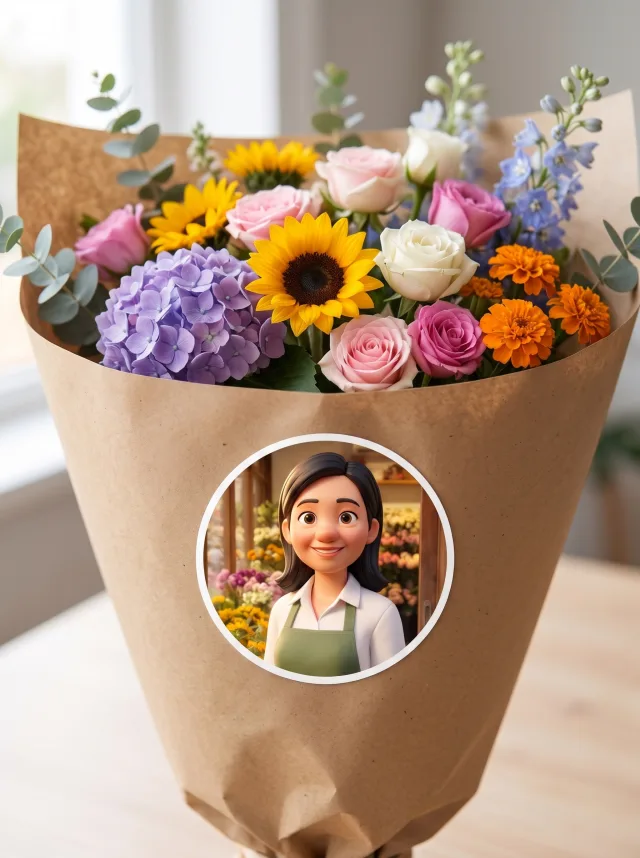
Your face on your shop’s stickers
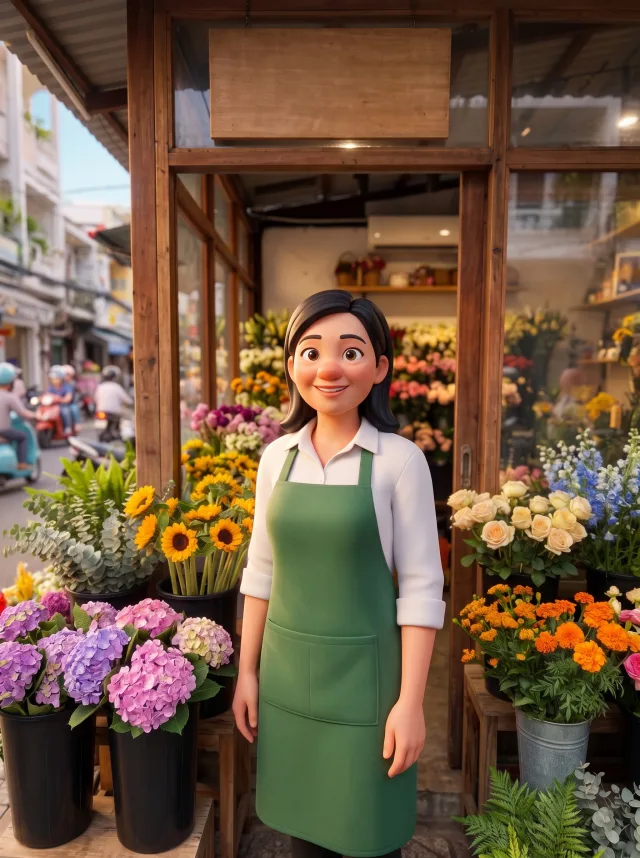
A florist turned herself into a cartoon, then we ran the cartoon once more as a round sticker on a bouquet’s kraft-paper wrapping. Same face, same green apron, small enough for a gift wrap.
Print it on bags, wrapping, a loyalty card or the sign above the door. Customers see who runs the place.
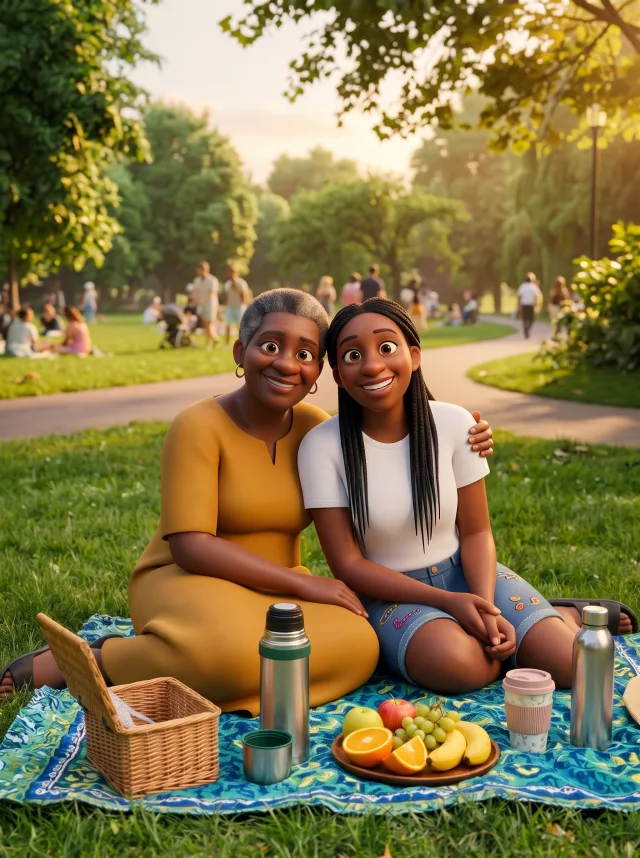
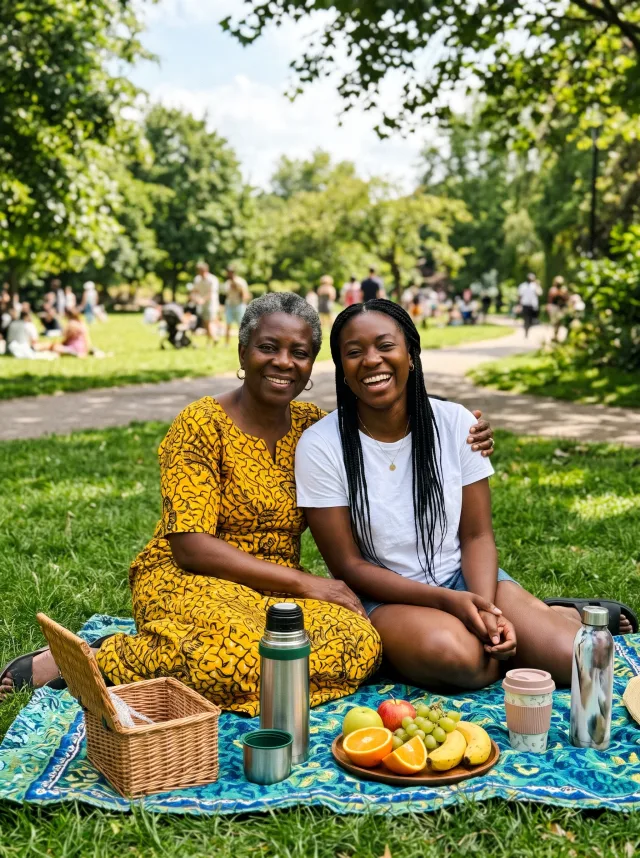
A picture for mum
A mother and her grown-up daughter on a picnic blanket. The cartoon kept the mother’s grey hair, the daughter’s long dark hair, the thermos and the fruit, and gave them both big warm eyes.
In our run her patterned yellow dress came out plain mustard: the pattern was simplified away. Print it, frame it, or send it on her birthday.
How to use the Pixar filter on your photo
A Pixar AI generator repaints your photo as a frame from a 3D animated family movie. Upload a clear photo, keep the ready-made description, and press Cartoon me. About 30 seconds later you get a rounder, softer, big-eyed version of the same person or pet. Each picture is 8 credits.
- 1
Pick a clear photo
Faces towards the camera and even light. One person, two, or a pet all work.
- 2
Keep the description
Movie character is already written; you don’t need to change it. A little less cartoon stays closer to the real face.
- 3
Press Cartoon me
8 credits with Nano Banana 2, shown first. Our pictures took 30 to 35 seconds each. A failed or blocked run gives the credits back.
- 4
Press again, save, or make it move
Not cartoon enough? Press again for a new take. Happy with it? Download it, or turn it into a 5-second clip for 43 credits.
Not cartoon enough? Press again
Some runs stay closer to a photo than you hoped. We ran the florist’s photo twice with the same sentence to see how much two presses differ.
CartoonFirst press
Big eyes, round nose and smooth skin. The flowers and the street behind her stayed close to the photo.
 Cartoon
Second press
Just as cartoon, with a slightly different smile and face. In our two runs neither stayed a photo.
If yours still looks like a photo with smooth skin, press again (8 credits) or use a photo where the face is larger and the background simpler.
Still you underneath
The florist’s photo and her cartoon, side by side.
What stayed
Her shoulder-length black hair, the eyebrows, the green apron over a white shirt, the hydrangeas and sunflowers, the busy street behind her.
What changed
Her eyes got much bigger, her nose rounder and her skin smooth, and she looks younger. The pose, the shop and the light stayed where they were.
Couples, family and dogs
One run each, same sentence. Everyone in the photo turns into a cartoon together.
Both cartoonA couple
Both faces changed in one picture, and both still look like themselves.
Both cartoonMother and daughter
Two generations on a picnic blanket, each with her own hair and smile.
The dress pattern was simplified away.
 Same dog
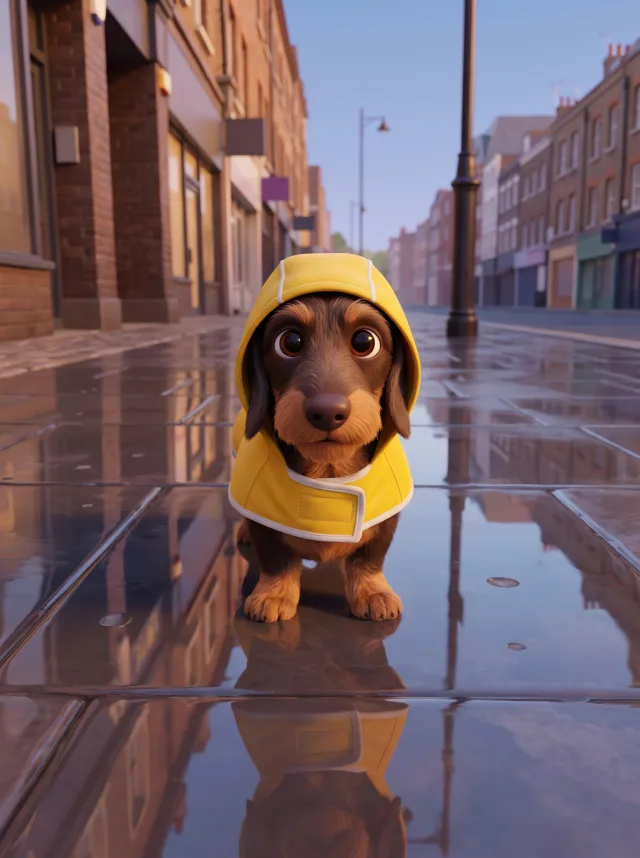
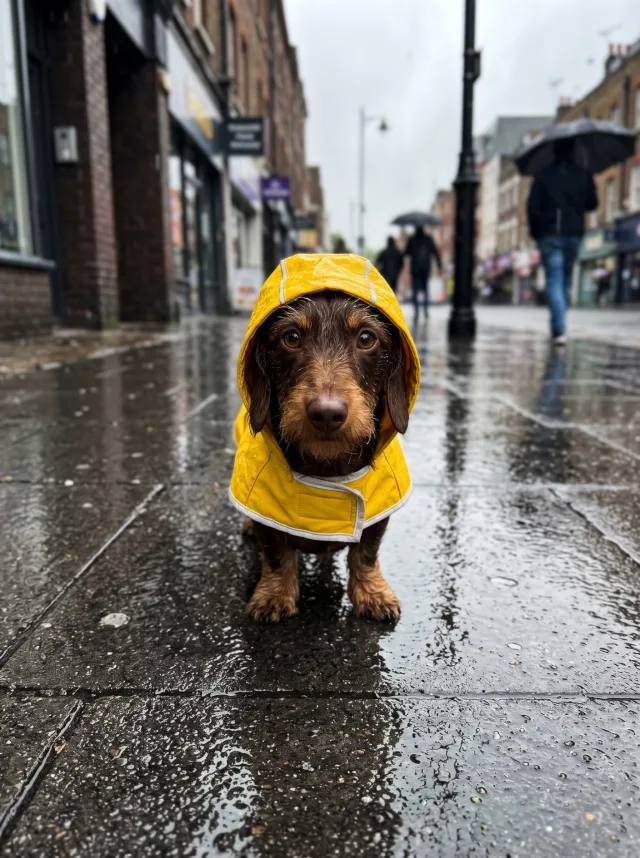
A dog in a raincoat
A dachshund on a wet pavement kept its yellow raincoat and got huge round eyes.
Make your cartoon move
Turn the cartoon into a 5-second clip with sound. A picture and its clip together are 51 credits (8 + 43).
Flowers for you
She holds a bunch of flowers out towards the camera, then blinks and smiles.
Our run: a bouquet appeared in her hand and she held it out to the camera with a big smile. The blank shop sign filled with made-up lettering, so plan to crop or cover it.
Dog in the rain
The dachshund tilts its head and wags its tail while raindrops fall around it.
Our run: it turned its head and wagged its tail on the wet street, and stayed the same cartoon dog to the end.
Pixar filter: your questions
Is the Pixar filter free?
Yes, for your first few. Confirming your email gives you 43 free credits, and a cartoon picture is 8. Every day you can also collect free credits for one more picture. Free pictures carry no watermark.
Why does my Pixar picture still look like a photo?
Sometimes a run stays close to the original. Press again for a new take, or pick a photo where the face is bigger and the background simpler. In our two runs of the same photo, both came out fully cartoon.
Can my partner and I both become Pixar-style characters?
Yes. Upload one photo of the two of you: in our pottery-class photo, both turned into cartoons in a single picture.
Does the Pixar filter work on dogs?
Yes. Our dachshund kept its yellow raincoat and got big round cartoon eyes. Our photo was taken low, at the dog’s eye level, so its face filled the frame.
Can I put my cartoon on my shop’s sign or stickers?
A cartoon of you for your own shop is yours to use. Don’t present it as connected to Pixar or Disney, and don’t add their characters. This isn’t legal advice.
Can my Pixar cartoon talk?
Yes. Save the cartoon and add it to Talking Photo with the words you want it to say.
Can I pick a specific movie’s characters?
No. The filter gives the look of a 3D animated movie; it doesn’t copy any film’s characters, and the sentence asks for none.
Why are the eyes so big?
Big, friendly eyes are part of this cartoon look. For something closer to your real face, pick A little less cartoon, or describe your own and ask for smaller eyes.
See yourself as a 3D cartoon
About 30 seconds, 8 credits, and a failed run costs nothing. “Pixar-style” describes a look; AnimatePhotos is not connected to Pixar or Disney.