Anime filter: your photo as an anime drawing
Turn a photo to anime with clean lines, flat colour and bright eyes, still you underneath. About 30 seconds, 8 credits.
 Nano Banana 2
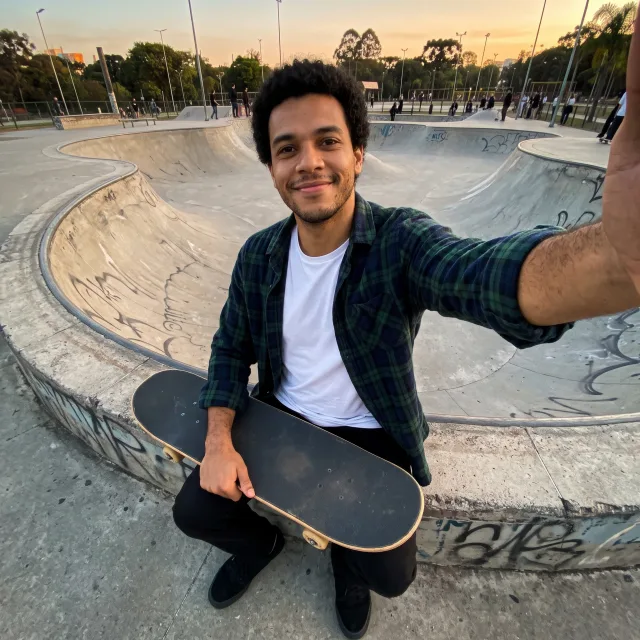
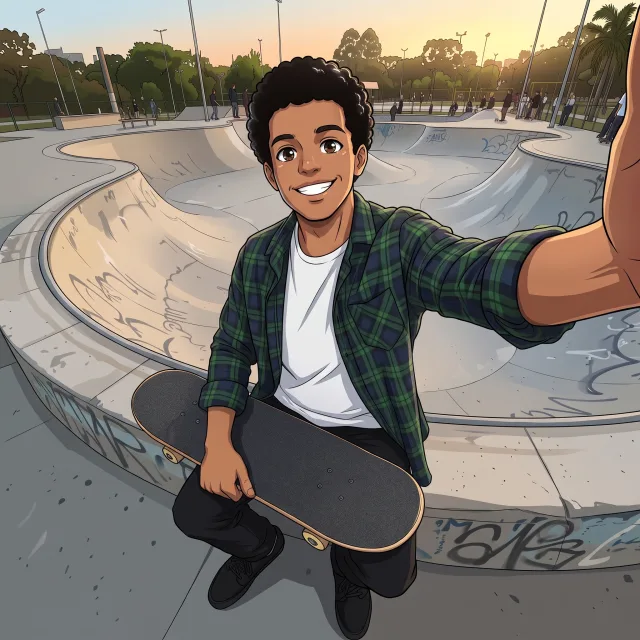
AnimeColour anime · “Redraw this photo as a modern anime illustration: clean line art, cel shading, big expressive eyes, glossy hair highlights, the same background drawn in bright colour, same pose and composition.”
Anime, manga or a hand-painted film look?
One skatepark selfie, three sentences, three drawings. Each AI anime filter style keeps the pose and the place; what changes is the line, the colour and how far the face moves from the photo.
Colour anime
Bold outlines, flat bright colour and big glossy eyes. In our run his closed-mouth smile became a wide grin, and the sunset sky got brighter.
Suits a profile picture: the face reads clearly even when it is small.
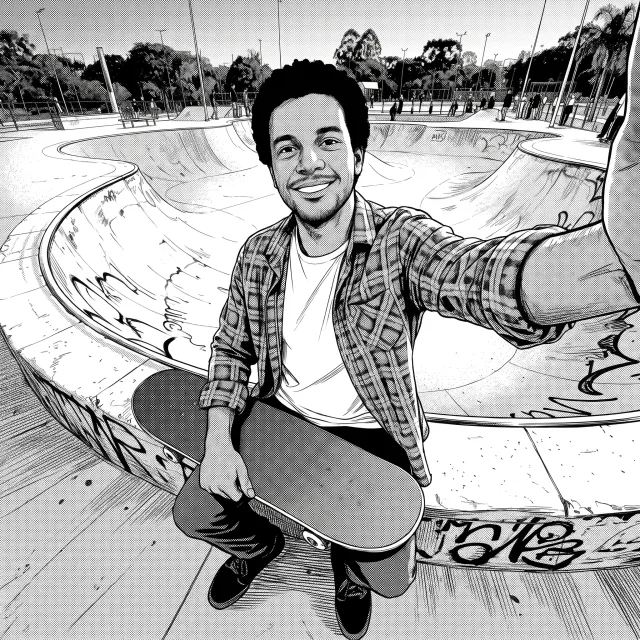
Black-and-white manga
Ink lines and dotted grey shading, no colour at all. Of the three, this one kept his face closest to the photo, down to the same easy smile.
Suits a post with a caption under it, or a print that looks like a page from a comic book.
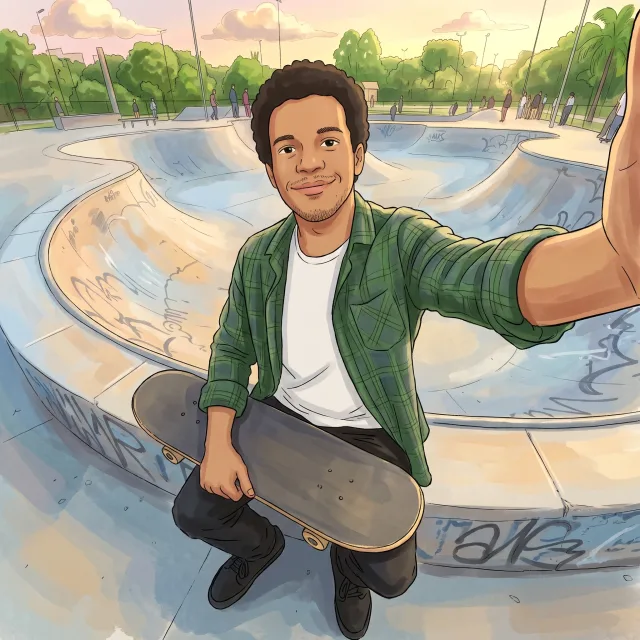
Hand-painted film
Soft watercolour sky, painted trees and gentle light. The flannel came out a brighter green, and the concrete bowl turned pale blue.
Suits a postcard or a framed print. The Ghibli Filter page has more of this look.
OpenHow do I turn my photo into anime?
An anime filter redraws your photo as an anime illustration: clean line art, flat cel shading and big expressive eyes, with your hair, clothes and pose kept. Upload a photo, keep the ready-made description, press the button, and about 30 seconds later the drawing is ready to download or crop into a profile picture. Each one is 8 credits.
- 1
Pick a photo with a clear face
Looking towards the camera, in good light, face not too small in the frame. A selfie works; so does a photo a friend took.
- 2
Keep the sentence, or swap it
Colour anime is already written in. For black-and-white manga or the painted film look, tap that choice; it only changes the words.
- 3
Press the button
8 credits, shown on the button before you press it. Our drawings took 30 to 35 seconds each.
- 4
Check the details, then save
Look for anything that wasn’t in your photo: glasses, earrings, a different eye colour. If something is off, add “no glasses” or “keep my brown eyes” to the sentence and run it again for 8 credits.
The anime version can change small things
A drawing isn’t a tracing. The model redraws the whole face, and now and then it adds or swaps a detail you didn’t ask for. Check the details. If something was added, say so in the description and run it again.
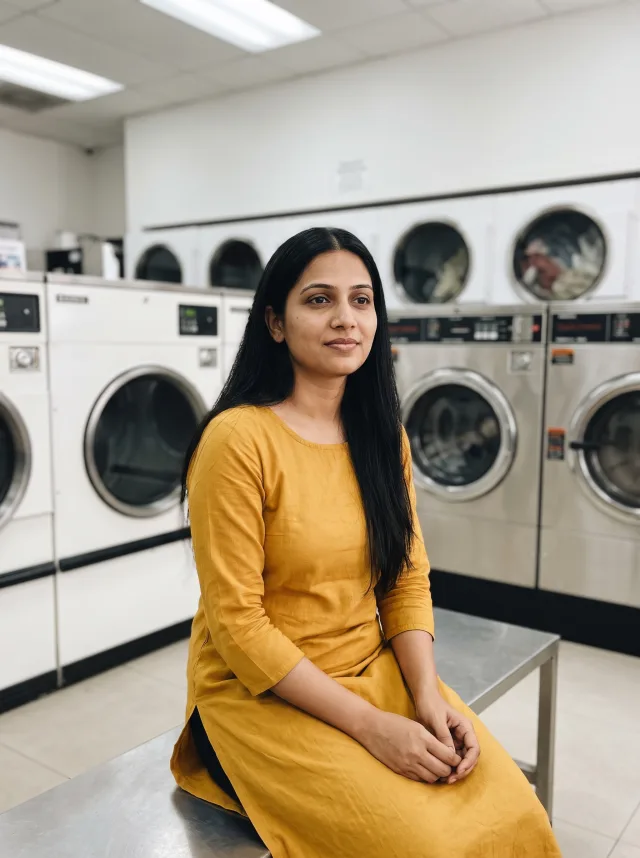
Her photo
Long black hair parted in the middle, brown eyes, a calm closed-mouth look, no glasses and no jewellery, waiting at the laundromat.
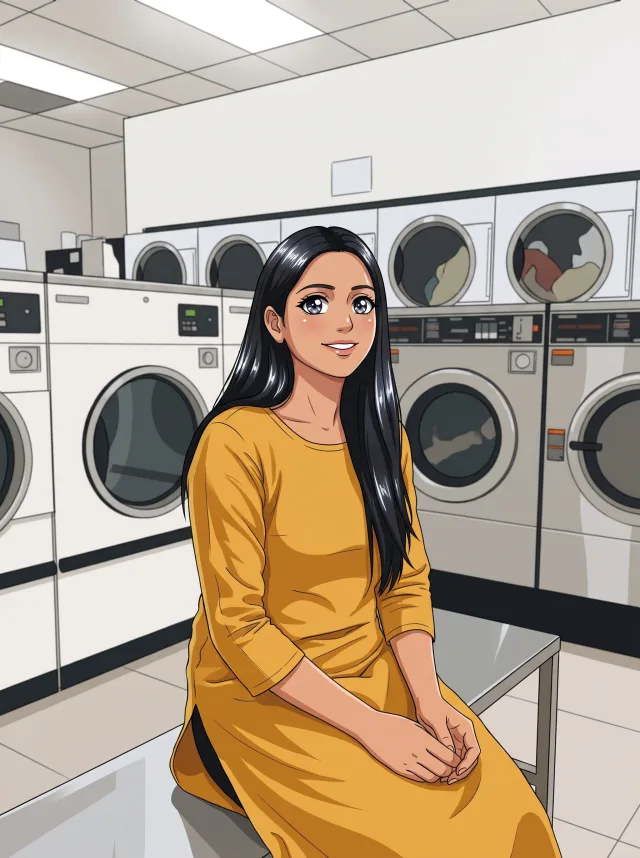 Eyes changed colour
The anime drawing
Nothing was added this time: no glasses, no earrings. Two things did change: her brown eyes came out grey, and the calm look became a smile with teeth.
In an earlier test of ours, the anime version gave a woman glasses she wasn’t wearing. A second run of this photo with “no glasses, no jewellery” in the sentence came out nearly the same as this one.
To keep a detail, name it: “keep her brown eyes”, “closed-mouth smile”, “no glasses”. Each run is a new drawing.
Can I use it as my profile picture?
Yes, and it suits one well. A profile picture is shown as a small circle, so what matters is a face that still reads at thumbnail size. Colour anime handles that well: strong outlines and big eyes survive being shrunk.
Before you upload, crop around the head and shoulders and keep the face in the middle. A square photo gives a square drawing, which is the easiest shape to crop into a circle. The skatepark drawing here still shows his grin and curls when it is cut down to a small round icon.
- Face near the middle of the photo, so the circle doesn’t cut it
- Head and shoulders, not the whole body
- A plain or simple background, so the face stands out
Can my anime picture move?
Yes. Press Make it move under your drawing, write what should happen, and you get a 5-second clip with sound for 43 credits. These two are MiniMax H3 runs of our own drawings.
The skater looks back
Wind lifts his curls, then he turns his head to the camera and grins. Skateboard wheels rolling in the distance.
In our run he glanced over his shoulder at a skater who appeared in the bowl, then turned back grinning. The curls barely moved. Ours took 29 seconds.
Headphones off in the record shop
She lifts the headphones from around her neck, holds them in one hand and blinks at the camera. Faint record-shop music.
In our run she lifted the headphones up past her face, then held them in one hand and smiled. The drawing style held to the end. Ours took 30 seconds.
A profile picture that still looks like you
A selfie at the skatepark at sunset became a bright anime drawing: same curls, same flannel shirt, same board under his arm.
Use it on every app at once, so friends spot you in a list of names. If the drawing feels too far from you, the manga version stays closer to the photo.
Make my profile picture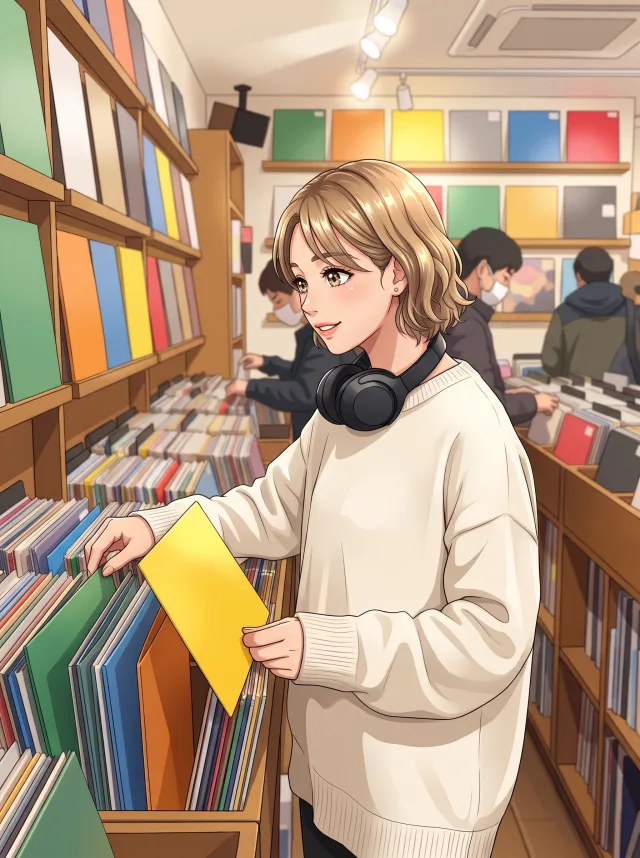
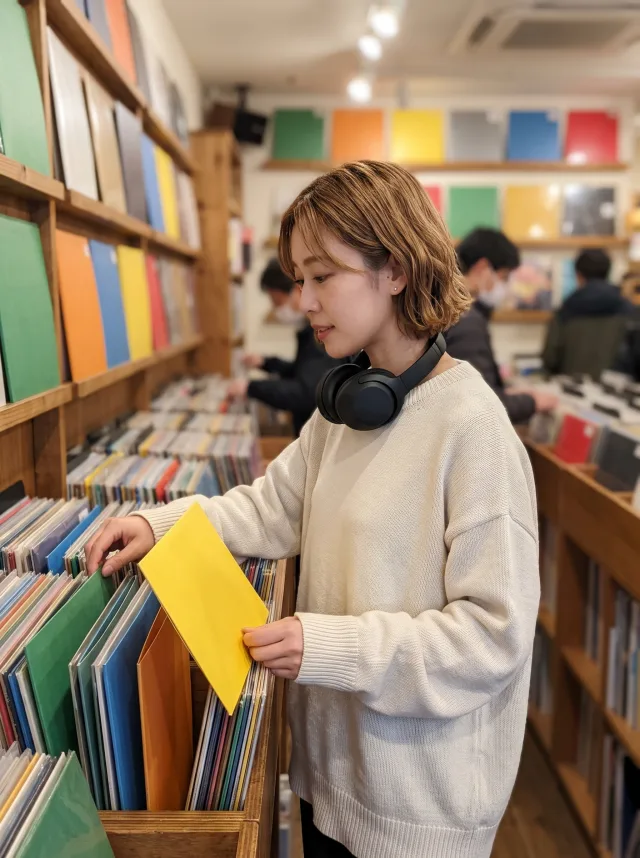
A cover for your next short video
Her light-brown bob, the headphones round her neck and the yellow sleeve in her hand all came through, and the record racks turned into rows of flat colour.
A drawn cover stands out in a grid of real photos. Make it move first if you want the cover to be the opening second of the clip.
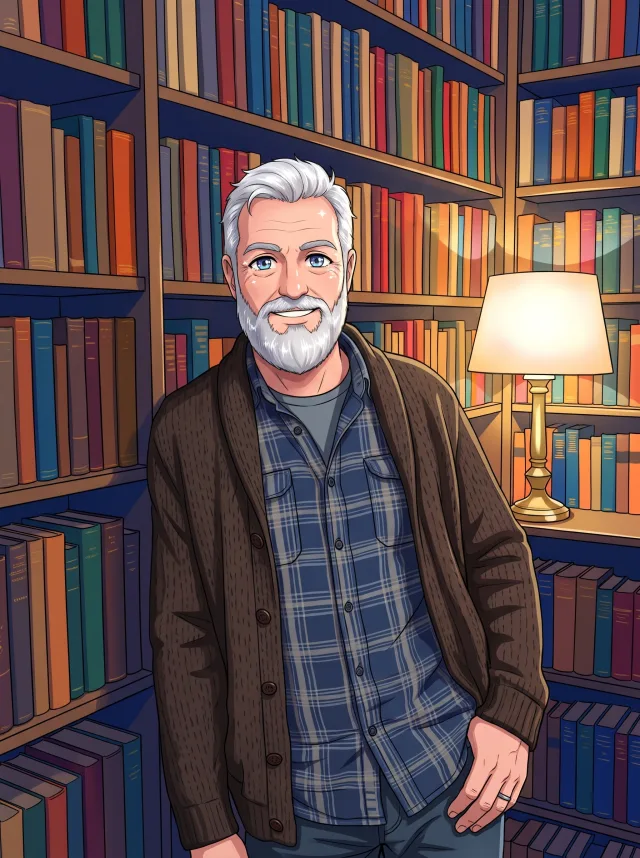
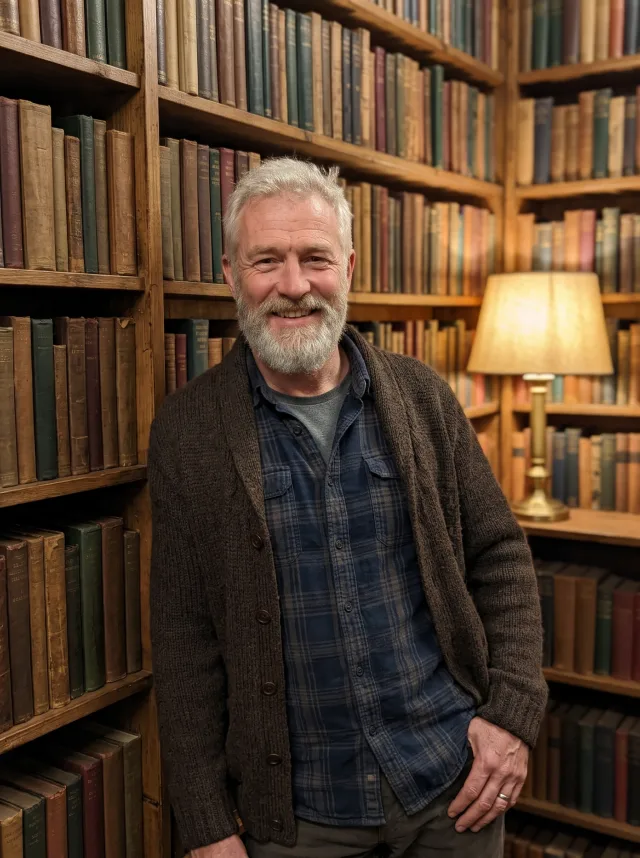
The owner, drawn for the shop
A bookseller leaning on his shelves became a warm anime portrait: grey beard, brown cardigan, checked shirt and the reading lamp behind him.
A drawing like this works on a shop website, a loyalty card or a framed print by the till, and feels friendlier than a staff photo.
Anime filter: your questions
About the drawing, the details it changes and credits. Plans and refunds are on the pricing page.
Is the anime filter free?
Your first few anime pictures are. Confirm your email and you get free credits, enough for several drawings at 8 each, and you can claim a small amount more every day. Free drawings come without a watermark.
Why did my anime picture add glasses I don’t wear?
The model redraws the whole face, and it sometimes adds a detail. In an earlier test of ours it gave a woman glasses; in the laundromat drawing on this page it changed her brown eyes to grey. Add “no glasses” or “keep my brown eyes” to the sentence and run it again.
Can I get black-and-white manga instead of colour anime?
Yes. Tap Black-and-white manga before you press the button. In our run it came back with ink lines and dotted grey shading and no colour at all, and it kept the face closer to the photo than colour anime did.
Does the anime filter copy characters from a show?
No. Every ready-made sentence asks for a drawing style and ends with “no characters from existing shows”, so you get yourself in an anime look, not a character someone else owns. Keep your own sentences to a style, too, not a named character.
What shape is the anime picture for a profile photo?
The same shape as the photo you upload. Crop your photo square around your head and shoulders first, and the drawing comes back square too, ready to crop into a circle.
Can I use the anime filter on a group photo?
Every photo on this page has one person in it; we haven’t tested groups. You can try two or three people, but the more people in the frame, the smaller each face, and small faces are where drawings go wrong.
Can my anime drawing blink or wave?
Yes. Press Make it move under the drawing and describe the movement, for example “she blinks and waves”. You get a 5-second clip with sound for 43 credits.
How do I make it look more or less anime?
For less, pick manga or the painted film look: in our runs both stayed closer to the real face than colour anime. For more, add “bigger eyes, brighter colours” to the sentence. Each run is a new drawing, so run it twice and keep the one you like.
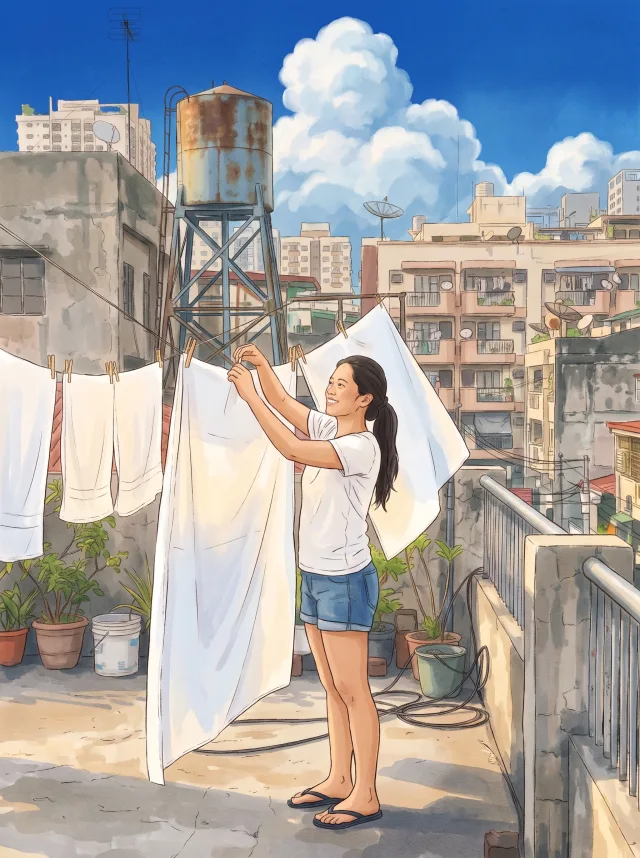
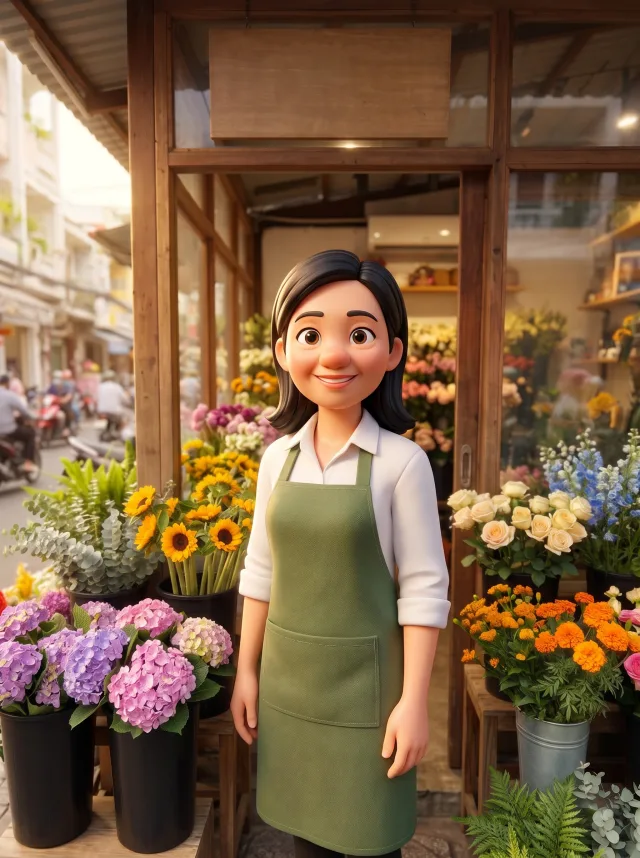
Your photo, drawn in anime
One photo, about 30 seconds, 8 credits. A failed run costs nothing.