Animate an image
Product shots, posters, AI art and scenes with no people. Pick a camera move or describe one.
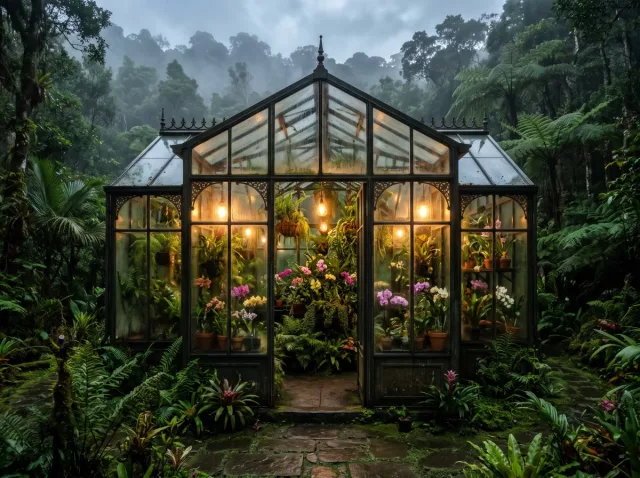
Camera“The camera pushes in slowly toward the greenhouse doors, mist drifts, leaves drip with rain.”
 MiniMax H3
Animate a product photo for an ad
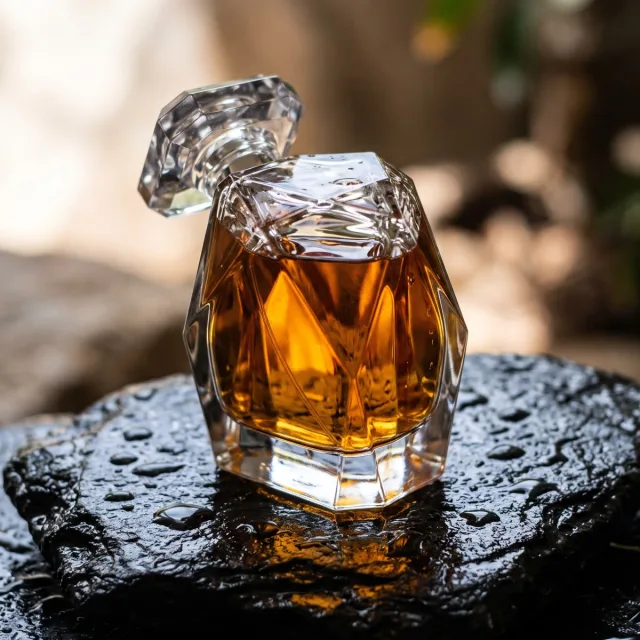
An image without a face has nothing to smile or wave, so the motion comes from the camera and from things that would move anyway. Here the view eases around a perfume bottle on wet stone, the background slides behind it and the light shifts in the glass.
Even a short arc shows that the bottle has depth, which is why an orbit is the classic move for a pack shot.
Prompt: “Slow orbit around the bottle, light glints across the glass, a drop of water rolls down the stone.” The orbit came out as a short arc, not a full turn.
Animate a product shot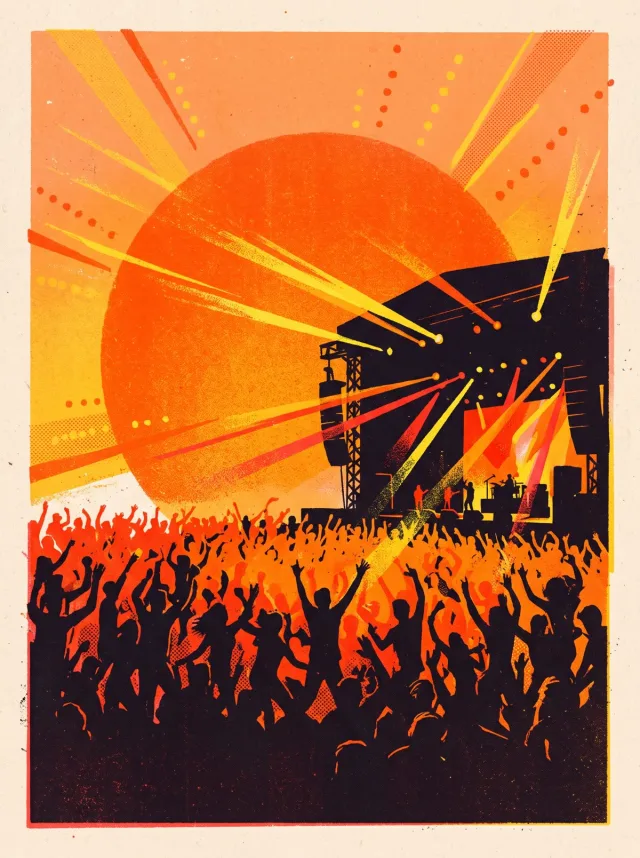
Make a poster or illustration move
A festival illustration gets a few seconds of life for a story or an event page: the stage lights sweep, the crowd silhouettes sway and the big sun glows behind them.
We kept words off this one on purpose. Lettering tends to wobble once the frame moves, so add titles after you download.
Prompt: “The stage lights sweep, the crowd silhouettes sway, the sun pulses slowly.”
Bring AI-generated art to life
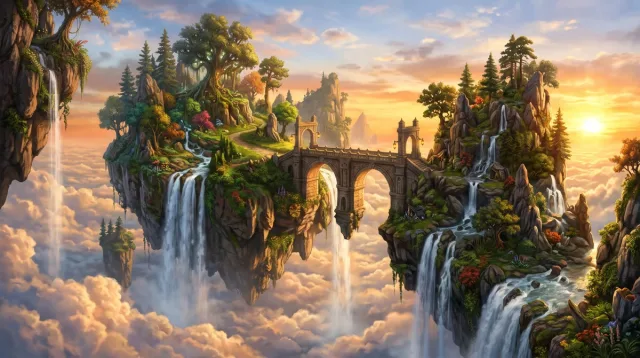
Floating islands made in an image generator, now with falls that pour, clouds drifting underneath and a camera gliding slowly in. Art from Midjourney, DALL·E or Firefly animates like any other image.
Wide scenes like this suit a push-in or a pan, since the frame holds more than one look takes in.
Prompt: “The waterfalls pour, the clouds drift under the islands, the camera glides slowly forward.”
How do you animate an image?
Upload the image, pick a camera move such as Push in or Orbit and press Animate. About 48 seconds later you have a 5-second video. Images with no people work too: products, posters, landscapes and AI art.
- 1
Crop it to the shape you need
The video keeps your image’s shape, so crop to 9:16 for a reel, 1:1 for a feed or 16:9 for a slide before you upload. Leave some room around the subject.
- 2
Add the image
Drop it in or paste it. JPG, PNG, WEBP or HEIC up to 20 MB; large product shots are fine.
- 3
Pick a camera move
Push in, orbit, pan or crane up. A preset writes the camera line for you, or describe your own. A clip costs 43 credits.
- 4
Animate and download
It took about 48 seconds in our tests. Take the MP4 into your editor, a GIF for an email or a Live Photo for a phone.
Four camera moves, one image
The same photo of a black sand beach, animated four times. Only the camera line in the prompt changed. Three moves came out as asked; one did not, and we left it in.
Push in
The camera travels forward and the sea stacks grow in the frame.
Use it to pull the eye to one thing: a door, a product, the horizon.Orbit
The view swings a little around the stacks as it closes in. A gentle arc, not a full circle.
Use it to show shape and depth, the classic move for a product.Pan
The view slides along the shore and the stacks shift across the frame.
Use it on wide images that hold more than one look takes in.Crane up
We asked it to rise. It drifted down toward the surf line instead.
Big vertical moves miss most often. Say where the shot should end, such as “high above the coastline”, and run it again.Camera move or subject motion?
Every animated image is one of these two, or both at once. Without people, the camera does most of the work. Mixing a big camera move with big subject motion is where clips tend to fall apart.
Our rule: big camera, small subject, or the other way round. Not big and big.
| Camera move | Subject motion | |
|---|---|---|
| What moves | The viewpoint: the whole frame travels | Things inside the frame: water, hair, hands, lights |
| Best on | Products, rooms, landscapes, architecture | People, animals, crowds, anything with a face |
| How to say it | “The camera pushes in slowly toward…” | “She turns her head and smiles…” |
| What can go wrong | Edges the image never showed have to be invented | Hands and faces can bend if the move is too big |
| Safe default | One slow move, one direction | One small action, then hold |
Crop to the shape before you animate
The video comes out in the same shape as the image you upload: in our tests the square bottle stayed square and the wide beach stayed wide. Cropping a finished clip throws away part of the move, so crop the image first. Here is the floating island image cropped for each.
How to write a camera move
Four parts, in this order. Leave one out and the model fills it in for you, usually with something faster than you wanted.
The camera dollies slowly through the doorway, curtains stir, the lamp stays lit.
Slow push-in on the bowl, steam rises, the table stays still.
The camera rises slowly over the street and ends high above it, car lights streak below.
Where animated images end up
Most people here are making something for work: an ad, a post, a deck, a listing.
Product ads
A slow orbit turns a still pack shot into an ad that moves in the feed.
Emails and landing pages
A short GIF of the product moving above the button.
Slides and talks
A push-in on a title image instead of a static first slide.
Travel and property
A drift over a landscape, or through a room for a listing.
Worlds for games and stories
Concept art with clouds, fog and water moving in it.
B-roll for videos
Five seconds of motion to cut away to, made from a photo you own.
What makes an image easy to animate
Three things help, one thing hurts. You can see all four in the clips on this page.
Near, middle and far
A foreground, a subject and a background give a camera move something to travel past.
Something that moves anyway
Water, steam, smoke, clouds, flags, light. These move without bending anything solid.
Room around the subject
Space at the edges means less has to be invented when the camera moves.
Small text and logos
Lettering can smear in motion. Keep labels large and plain, or add them after.
Questions about animating images
About camera moves, shapes and images without people. Billing questions are answered on the pricing page.
How do I animate an image with no people in it?
Use a camera move. Push in, orbit, pan and crane up all work on an empty scene, and you can add things that move on their own, like water, mist or light, in the same sentence. Scene motion animates those and keeps the camera still.
Can I animate a product photo for an ad?
Yes. A slow orbit or push-in on a clean product shot works best. Ask for the product to stay still and the light to move across it, and keep the shot free of small text, which can smear.
Can I animate an image made with an AI image generator?
Yes. Images from Midjourney, DALL·E, Firefly, Flux and others animate like photos. Fantasy scenes with water, clouds and light tend to give the most motion.
Which camera move should I pick?
Push in to focus on one thing, orbit to show a product’s shape, pan for wide scenes, crane up to open a story. If you are not sure, push in slowly: it suits almost every image and came out as asked in our tests.
Can I make a 9:16 or 16:9 video?
Yes, by cropping the image first. The video comes out in the same shape as the image you upload: our square bottle stayed square, the wide beach stayed wide. Crop to 9:16, 1:1 or 16:9 in your phone’s photo editor, then upload.
Can I animate several images at once?
One image makes one video, so add them one after another. Each lands in My Creations on its own. On the Pro plan 3 can run at the same time and on Premium 5; on other accounts, wait for the first to finish before you start the next.
Can I use the video in an ad?
Clips made on a paid plan or with a credit pack can be used commercially, including ads, under our Terms. You need the rights to the image you upload.
Why did my image change a little when it moved?
The model redraws every frame, so fine detail such as small text, thin lines and reflections can drift. Ask for a slower move, or say what must stay still.
Why did the camera go the wrong way?
Big moves miss more often than small ones: when we asked for a crane up, the camera sank toward the waves instead. Say where the shot should end, such as “high above the coastline, looking down”, and run it again. A failed run gives its credits back; a clip you just do not like does not.

Give your image a camera
Your first clip is free once you confirm your email. Bring a product shot, a landscape or something you generated.