AI cat video from your own cat’s photo
Upload a photo of your cat and get a 5-second clip: it dances, plays the keys or just looks around the way it really does. You see the credits before you make it.
 MiniMax H3
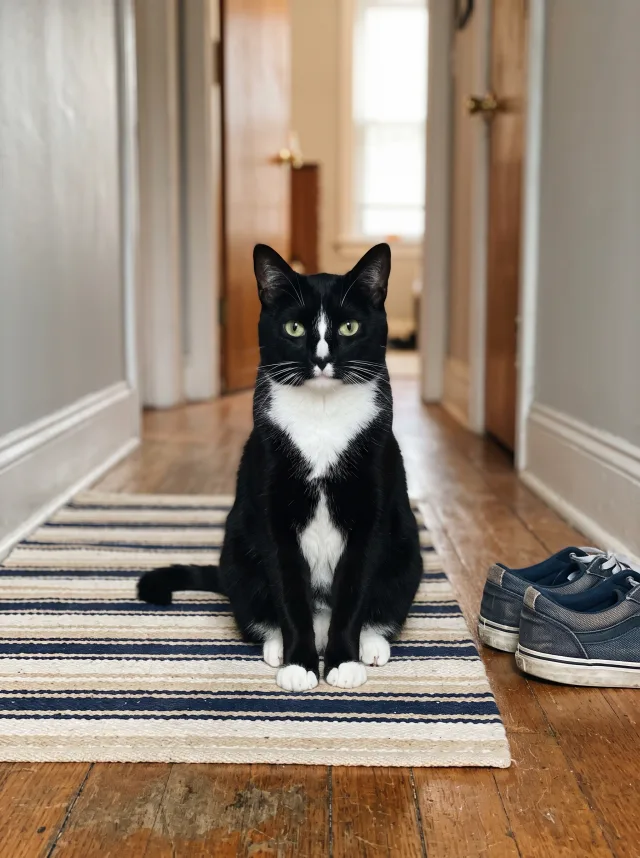
Cat videoDance · “The pet stands up on its hind legs and dances, swaying left and right and bobbing its head to a beat, then drops back down and sits.”
How to make AI cat videos
Upload a sharp photo of your cat, pick Dance, Look around, Play the keys or Wave a paw, and press Make video. You get a 5-second clip with sound for 43 credits; ours were ready in about 30 seconds. Its markings and eye colour stay as they are in your photo.
- 1
Upload your cat
One cat, sharp, the whole body in frame. Our tuxedo cat was sitting on a hallway rug, which is just right.
- 2
Pick what it does
Dance for something to share, Look around for something that looks like your cat on a normal day, or write your own.
- 3
Make the video
43 credits, shown on the button. A clip that fails costs nothing; the credits come back without asking.
- 4
Save and share
Download the MP4, or make it a GIF for the group chat.
How to make an AI cat dancing video
A good dance sentence has three parts: how your cat gets up, what it does, and where it ends. The Dance button already says all three; write your own the same way.
The cat stands up on its hind legsGets upand dances, swaying left and right and bobbing its head to a beat,Dancesthen drops back down and sits.Ends
Our run: the tuxedo cat stood up, swayed a little from side to side and sat back down. The white chest, white paws and green eyes stayed. The sway was gentle, closer to a wobble than a full dance.
Like itself, or a meme?
Some people want a clip that looks like their cat on any afternoon. Others want the cat doing something no cat does. Both come from the same kind of photo.
Just like itself
Look around keeps it true to life: ears, head, a flick of the tail, a slow blink. The kind of clip you watch and think, that is exactly how she sits.
Our run: the Siamese on the windowsill turned its ears and head towards the camera and its tail flicked over the edge. The sound was very quiet.
Meme material
Play the keys puts a toy keyboard under its paws. Silly on purpose, and easy to send to people who already know your cat.
Our run: the white Persian looked down and tapped the rainbow toy keyboard with one paw, then the other.
A cat that isn’t here any more
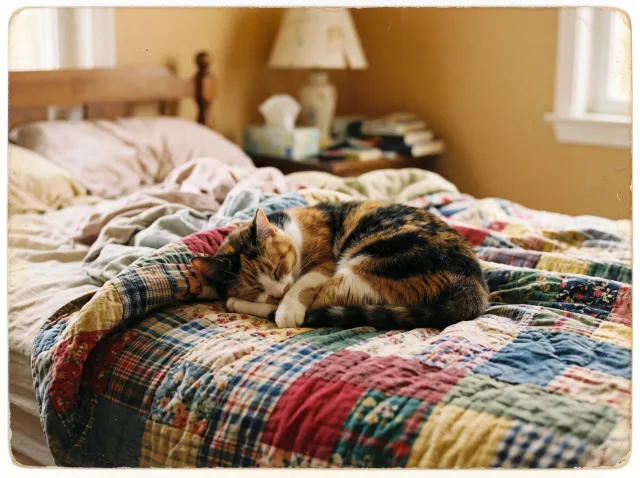
Maybe the photo is from years ago, printed and a little faded. In our run the calico asleep on the quilt woke up, lifted her head, looked at the camera and moved her tail. The faded colours and the border of the print stayed.
Pick Look around for a clip like this; a dance rarely feels right. The Bring Old Photos to Life guide shows how to repair a scratched print first.
Make a gentle clip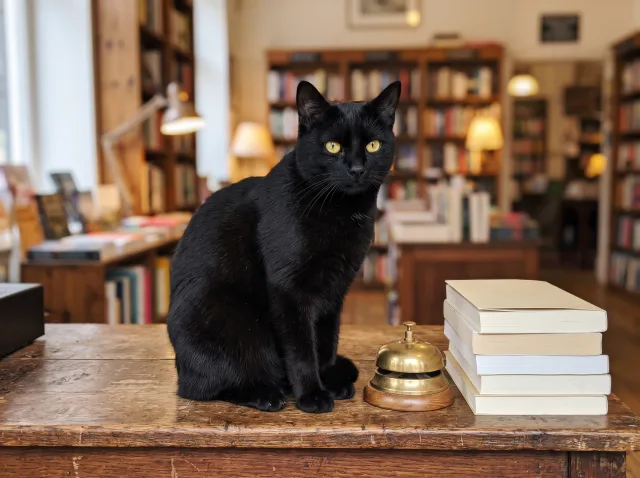
The shop cat everyone asks about
A bookshop counter, a brass bell and a black cat. Ours looked at the brass bell on the counter, tapped it with a paw and looked back at the camera.
Write your own sentence around something in the photo, like the bell here, and the clip has a small story.
Dogs too: an AI dog video from the same buttons
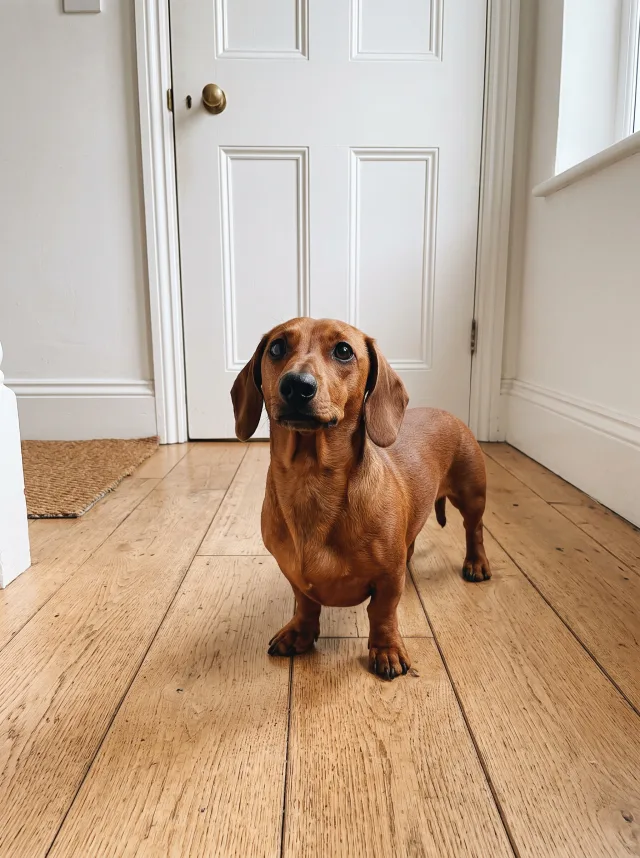
Every button works on a dog photo. Our dachshund got the Dance sentence: it stood up on its hind legs, swayed a little and dropped back onto four paws.
More of a sway than a dance, like the cat’s. Short-legged dogs standing up are funny enough on their own.
Blurry, mid-jump, head out of frame
The blur cleared into a cat stretched up against the chair. It never landed on the seat, let go, dropped to the floor and sat down. No legs went wrong, but there was no dance either.
Cat photos that go wrong
Cats rarely sit still for a photo. We tried a blurry mid-jump shot with the head cut off, and here is what came back.
Sharp, not mid-jump
A cat sitting or lying still. A blurry photo leaves the clip guessing what your cat looks like.
Whole cat in frame
Head, paws and tail inside the photo. Whatever is cut off has to be made up.
Room to move
Floor, a rug or a sofa around it. A cat squeezed into a box or a corner has nowhere to go.
If a clip fails or our safety check stops it, the credits land back in your balance by themselves.
AI cat videos: your questions
About your own cat, dancing, other pets, sound, posting and credits.
Can I make an AI video of my own cat?
Yes, that’s what this page is for. Upload your cat’s photo and the clip starts from it, so it’s your cat in your room, not a stock cat.
Can I make my cat dance?
Pick Dance. In our run the cat stood up on its hind legs, swayed and sat back down. It’s a gentle sway rather than a routine; for more, write your own sentence with the moves you want.
Will the markings and eye colour stay the same?
Every clip asks for that, and in our runs they did: the tuxedo kept its white chest and paws and green eyes, and the calico kept its orange, black and white patches.
Does it work with dogs or rabbits?
Dogs, yes: our dachshund stood up and swayed with the same Dance button. We haven’t tried a rabbit yet. Any pet photo is worth a run, and a failed clip gives the credits back.
Can my cat talk?
Not on this page; the clips here move without words. Talking Photo makes a face speak a line you write. We haven’t tested it with a cat.
Does the video have sound?
Yes, every clip comes with sound. On calm clips like Look around it can be very quiet, so add music when you post if you want something to hear.
Can I post it on TikTok, Instagram or YouTube?
Yes. You get an MP4 you can upload anywhere. The clip keeps the shape of your photo: a portrait photo gives a tall clip for Reels, TikTok and Shorts, a wide one gives a wide clip.
Is it free?
Confirm your email and your first clip is free, with no watermark on it. Every clip after that is 43 credits.


Your cat, moving
One photo of your cat, four things it can do, or your own idea. 43 credits, and a failed clip is free.